Best Samsung Portable / External Hard Drives

- See all


Fast, Affordable and Reliable – Could not ask for more out of a portable SSD, Samsung have done a really good job with this little unit. It's small but packs a punch and is fast as… Read more
hell, even quicker than my Intel internal SSD.
Overall I was so happy with the performance I ended up purchasing a second one, can't speak highly enough of this product, very happy customer.

Ideal product – I needed to back up photos from my phone as I was out of storage. This product really helped me and was really easy to use Show details
Backup Drive. Very Fast and dependable – I needed a backup drive for my Apple Macbook Pro. I already own some T5 usb SSD samsung drives, so I purchased the T7 series in a 500GB . This drive… Read more
has never let me down and is very fast and reliable. The box contains a USB-C to C and a USB-C to A connecting cables.

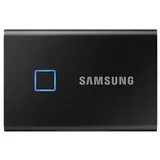
All good .. and looks good too – The Samsung Portable SSD T7 (2TB) comes as a colourful, svelte package. It has the same width and depth as a credit card, but a bit thicker. It comes… Read more
in impressive (over)packaging. It comes with two cables, thus allowing it to connect to either USB-A or USB-C ports. The instruction manual requires a strong magnifying glass to read. As below, it is a genuine 2TB capacity (the slightly lower number shown in the attached image is due to the space taken up by formatting). As per the image, its read/write speed is at least 300MB/sec on my elderly laptop, so its claimed speed of three times that is quite possible.
Background …
I bought the 2TB Samsung T7, based on the coming together of multiple factors.
I’m finally upgrading from my elderly 17” laptop to a smaller 13” one, which comes with only a small (for Windows) internal SSD (and USB-C/Thunderbolt ports). I have a Thunderbolt hub to connect to a larger monitor, so it made sense to buy a high-capacity external drive to move the data across then leave hooked into the hub. The T7 started appearing in my searches from a number of sites, with significant discounting having finally started (maybe a T8 is on the way?).
Samsung is a reputable brand (with a couple of exceptions – but the all brands seem to have their disasters). I found a heavily discounted one on eBay from a site with lots of positive reviews. So (belt-and-braces) I ordered it from eBay via PayPal in the knowledge that both had repaid me in the past for failed transactions.
Checking for fake?
There are numerous high-capacity drives supposedly available cheaper from eBay, Amazon etc. There are also lots of horror stories of beautifully designed and packaged fakes. Apparently the fakes includes a small’ish (say 64GB) chip and circuitry that lies abut its size, overwrites anything beyond the chip’s size while maintaining a directory claiming to still have the files. So the fake is going to appear to work correctly as a genuine 2TB SSD for Windows File Explorer or similar tools.
To check that I did have a genuine 2TB, I downloaded a free utility H2testw. This works by filling the drive with 1MB files then reading them back, confirming that each is the same file that it wrote.

I bought 3 of these on Black Friday Sales from Amazon, and noticed that the USB-C female ports on all of then a buried a bit deep in the casing. The… Read more
connection is not very good, but at the time I needed the SSD storage and never thought to return them straight away. The connections now are hit and miss, even on super expensive cables, so I concluded that the SSDs were fake/counterfeit, or made by a third party at low cost. I tried the Samsung Magician software, but that is not mounting any drive. I have spent a number of hours and days on the problem, and conclude that these were a bad purchase. I have a T9 which is a better connection, but trying to get help from Samsung has been fruitless-they simply defer to the Samsung Magician software, as do the Reddit crowd. I have lost all confidence in Samsung storage, and will be migrating at great expense to Lenovo. Other evidence is the Serial Number and QR code on the casing-none of which are of any use. Samsung have no way of checking the SN. The QR code is bogus, and does not register on my iPhone reader. All a bit disconcerting, since we entrust our valuable files to that company. A tough pill to swallow since I went all in with Samsung SSD over other brands.sam