Best Netgear Routers

Netgear Orbi
- Price (RRP) $649
- Frequency BandDual-Band (2.4GHz, 5.0GHz) and Tri-Band (2.4GHz, 2 x 5GHz)
- See all


I have not had a great experience with this router - Mesh system with 1 satellite could not cover a single story 3000 sq meter house. - Bought… Read more
another Netgear extender and media casting started to fail. - QoS and even seeing what device is using how much traffic, security is all paywalled behind subscription. Went with Opensource OpenWRT based router next and very happy with it. My Router Firmware Version is V2.7.5.6

Netgear AC750 R6020
- Price (RRP) $79
- Frequency BandDual-Band (2.4GHz, 5.0GHz)
- Maximum Wireless Speed450 Mbps
Absolute rubbish!! - you get what you pay for – I switches over to the netgear R6020 when i changed NBN providers and the new provider did not support my all in one modem/wifi router. For the… Read more
following 6months we were plagued with wireless issues, smart home devices dropping out, not being able to stream to phones, and just general slow interrupted internet. It wasnt until i finally bit the bullet and upgraded to a UniFi WIFI AP that we finally got good wireless speeds.
I work in Technology and spent hours trying to troubleshoot this including upgrading fireware, checking for 2.4/5gHz channel interference, restarts and different location placements but to no avail.
DO NOT BUY THIS. It is a rubbish product., I only got it as a I didnt want to spend big bucks on a new AP when i had switched providers to save money :P
Purchased from JBHIFI

Netgear Orbi Pro AC3000 SRK60
- Price (RRP) $849
- Frequency BandTri-Band (2.4GHz, 2 x 5GHz)
- Maximum Wireless Speed3,000 Mbps
Great range – I have 1 router and 2 satellites, my house is large (600m2) and this covers everywhere inside and most of 2 acres outside. The pros, its easy to… Read more
setup and the range is great. Asting satellites is easy.
The cons I can't get it to work properly as a router, it blocks all HTTPS sites, so I have to run it in AP mode and use a DM200 down router rendering the additional features pointless such as internal VPN.

Netgear Nighthawk AX5 AX4200 WiFi 6 RAX43
- Price (RRP) $379
- Frequency BandDual-Band (2.4GHz, 5.0GHz)
- Maximum Wireless Speed3,603 Mbps
great modem router – got this device about 3 years a go,upgrading from a older nighthawk model. never missed a beat unless i had isp issues,ever since the nbn connection… Read more
(hybrid coxial) it all is much more stable.have been on different plans,100mb-250mb and currently 1gb.ethernet speed to pc is 920-970mb same goes with the 5ghz wifi at a range of 3-4 meters from the router. in my sons bedrom i reach 700mb+ in the main bedroom still 500mb+ surprised to read previous review with so many issues,wonder if it was the router or the actual isp provider causing the problem. works like a charm even under load from 4 tv's and 4 xboxes often running at the same time. might be a old device now but still packs a punch,unless it breaks down in the near fututre i see no reason to upgrade

Netgear Nighthawk AC1900 A7000
The device does not do the job if you don't do some... alterations – The adapter is constantly disconnecting. Sometimes its blue light flashes, sometimes not. Often it finds its way into getting back the connection,… Read more
but usually I'm annoyed, I unplug it and plug it again and voilà, connection restored. I usually can't go through an entire 20 min. streaming video without having it freeze at least once. It also installs a bloatware with it's drivers that could have done the job on their own. Update: Now it works fine, but I had to search the Web and disable some process to make it finally work the way it should.

- Frequency BandTri-Band (2.4GHz, 2 x 5GHz)
- Maximum Wireless Speed400 Mbps
Not good for WFH – Will drop out when undertaking data intensive functions such as online meetings and "always online" software, forcing you to tether off of your mobile. You can't cancel the contract either as you have to pay out for the now useless device. Show details

Good, but still not flawless – Hi all, i bought this device from Umart early last week, and i too have experienced the same lockups as the other reviewer, using a ZTE MF688, and… Read more
yes it gets quite warm. I also tested it with a HUAWEI E1762 which worked well, however provides abit less speed than the MF 688. Its quite and easy to set up, great performance when its not locked up... Restarts pretty quick. It locks up around 4-7 times a day, apart from that there are no other cons

Netgear Nighthawk AX11000 WiFi 6 RAX200
- Price (RRP) $899
- Frequency BandTri-Band (2.4GHz, 2 x 5GHz)
Great Router – I bought this router as previous one was not Wifi 6. It was this or buy a mesh system so chose this and don't regret it. Will definitely recommend… Read more
if you have fast internet and want wifi 6 router to go with your wifi 6 devices. Easy to set up with app, does not give me double NAT like previous routers when connected to telco supplied modem/router. No drop outs at all and instant connection once up and running.

Netgear Nighthawk AX6000 WiFi 6 RAX120
- Price (RRP) $799
- Frequency BandDual-Band (2.4GHz, 5.0GHz)
- Maximum Wireless Speed4,800 Mbps
large wifi range and extremely fast – Replaced tpg router that was playing up. It was slightly tricky to configure but there are some posts on the tpg community forums that really helped.… Read more
We have a 3 story long house and this covers it, front to back replaying a bunch of wifi extenders that were also problematic. It totally blows the old router away. Getting upto 650mbps on the Ookala speed test on out TPB NBN 100 plan, not sure how that works but it is what it is showing and web pages load faster than at the office. V Highly recommended.

Netgear Nighthawk WiFi 7 RS300
- Price (RRP) $599
- Frequency BandTri-Band (2.4GHz, 2 x 5GHz)
- Maximum Wireless Speed9,300 Mbps
It does not have a range of 185 square meters as disclosed on box. This was confirmed by Netgear Service team. They indicated it is 185sqm if there… Read more
are no walls etc etc etc. (lots of items affect this) When I asked for an extender suggestion, they recommended an extender which is not available in Australia and then could not tell me what to use. Their service was very very rude and as soon as I asked a question, like where do I buy the extender in Australia, they stopped the chat.

- Price (RRP) $699
- Frequency BandTri-Band (2.4GHz, 2 x 5GHz)
Investment in a more powerful device – With an upgrade to FTTP and seeing if I could get 1000mbps speeds, it was clear my old DLink was not going to cut it, it was bout 8 years old and… Read more
needing a reboot once a week. Also some smart devices in the house seems to be acting weird, not connecting etc. I usually buy high end routers to last a good 6+ years and invest so as tech changes I don't need to change. Certainly no Wifi6 devices in house (yet) but aim was to get better throughput and something to handle the 30+ devices (yes 30, they all add up).
Setup was ok, out of the box they force you to use the app but i was not able to, i reverted to using the Web UI to setup and that was easy, fast and done in no time. New SSID, password and then laborious task to change all the device over (I wanted a new SSID/pwd) Later on i found out the app would not connect, Netgear support was able to assist and issue seemed to be my iPhone, and the private relay privacy setting in iOS. This of course is why I could not setup with app, so might be ideal for Netgear to account for this.
Once setup, tweaked some settings and saw a huge improvement in range, speeds and reliability using existing connection and devices with 'drop outs' started to work better. Later we upgraded on a promo plan to 1000Mbps and on any cable connected devices its delivering full speed, on 5Ghz WiFi about half that to an iPhone 12 and now my weak points becomes the other AP at other end of house that is not capable of faster than 500Mbps and is needing to be replaced next.
Pros -great design, easy to mount on wall if needed -App is better than I thought, simple yet easy to manage most things, generate Guest WiFi QR codes and block devices if needed. -More reliable, better range and speeds - Of course the jump from an 8yo device to today you would expect better most things, Match it with a great internet speed tier and your good to go, but always consider that some devices in house may not get the full speed due to their age or inability to connect to the newer WiFi standards. -So far i have no had to reboot the device due to any issue, only config changes. -Netgear support - i had heard bad things, and you only get 30 days support but I found them to be helpful and found the issue and fix. Once you buy make sure you setup and use this -Trails options for Netgear Armour and Parental Controls - tested and seem great, but ongoing cost so opted out. -Supports DLNA and has USB C port to connect a flash drive to with media to share -Full 1GB ports
Cons -Price - for most will keep you away from this device, especially when mesh setups are now flooding market to solve most consumer issues, so this is more for the Prosumer. On sale, you should be able to get this for under $500 -Setup was a challenge - but just change to the UI if you can, more options and easier anyways. -
Tips -turn off iOS private relay to setup -take backup of config once done in case you mess things up -you may need to check online for firmware updates out of the box, there was one for me, yet device itself was not detecting an update

Netgear Nighthawk AX8 AX6000 WiFi 6 RAX80
- Price (RRP) $649
- Frequency BandDual-Band (2.4GHz, 5.0GHz)
- Maximum Wireless Speed4,800 Mbps
Power supplied melted and failed within 3 hours of being plugged in--Fire Hazard – I researched this router extensively and purchased from Netgear's Amazon Australia shop front new. It appeared to be a suitable router for our… Read more
family's needs. However, after about three hours of being plugged in after setup, the power supply made a popping noise and a small hole appeared in it with a brown liquid around it, and the router no longer worked. There was a burning smell around the power supply, and I'm guessing a quality issue causing it to fail. Warning: Fire hazard.
I have raised with Netgear support online (Case Number 44681557), and after a week or so of responding to questions they asked, they advised they would 'pass it on to the relevant department', and I've heard nothing for a week. So here I am with a $300 router that failed within 3 hours of install and doesn't work, and no response from Netgear Technical Support. Not great. I will update this post if they get back to me.

Netgear Nighthawk AX6600 WiFi 6 RAX70
- Price (RRP) $549
- Frequency BandTri-Band (2.4GHz, 2 x 5GHz)
- Maximum Wireless Speed600 Mbps
A massive step down from the XR700 – Hard to purchase "a top of the line" router only to find your old 2017 router outperforms it across the board. WiFi is flakey. Plugged into the home… Read more
network via ethernet cable and it takes a good count of 5 to re-establish internet connection when starting or waking from sleep. This is my third Nighthawk modem and I have been loyal given how good the AC1900 and XR700 were. In fact the XR700 was working fine when i decided to update, to this ridiculous modem. The XR700 has pride of place at my parents house even though it is 7 years old. Here in Australia this is just a poor buy considering its price tag of over $500. There are better options out there and I am afraid that Netgear support in Australia is not what it once was.

Netgear Nighthawk Pro Gaming Series
- Price (RRP) $299 to $795
- Frequency BandDual-Band (2.4GHz, 5.0GHz)
- Maximum Wireless Speed1,733 Mbps
Purchased Sept 2024 and it had the odd dropout from day 1. after 5.5 months, the dropouts started to occur every 5-10 minutes and was prohibitive… Read more
for working from home - I replaced it with an Asus and we've had no problems since. The SERVICE from Netgear was rubbish. An overseas call centre and they wanted me to plug it back in and then they would walk me through steps to see if they could get it going before i was allowed to get it serviced/replaced. They couldn't even tell me how long the testing would take. At $300, it was not worth my time to do their trouble-shooting for them. I threw the unit away. There are much better ways to manage warranty nowadays but Netgear is still operating like its 2010. I won't be buying another Netgear, at home or at work.

Netgear Nighthawk AX1800 WiFi 6 RAX20
- Price (RRP) $299
- Frequency BandDual-Band (2.4GHz, 5.0GHz)
- Maximum Wireless Speed1,200 Mbps
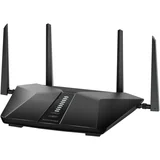
Netgear Nighthawk AX5400 WiFi 6 RAX50
- Price (RRP) $449
- Maximum Wireless Speed4,800 Mbps

Netgear Nighthawk AC3200 R8000
- Price (RRP) $359
- Frequency BandTri-Band (2.4GHz, 2 x 5GHz)
- Maximum Wireless Speed1,300 Mbps

Netgear Nighthawk AX1800 WiFi 6 RAX10
- Price (RRP) $129.99
- Frequency BandDual-Band (2.4GHz, 5.0GHz)
- Maximum Wireless Speed1,200 Mbps
Not worth the money. I gave it it's best shot, but it failed – I bought a Netgear Nighthawk AX1800 MK63 WiFi extender to cover the WiFI black spots in my home on recommendation from a tech-savvy friend. The… Read more
system consists of a base router which connects via a LAN cable to your existing Internet router. The base then communicates wirelessly to two satellites strategically placed to boost the WiFI internet signal. Great idea..!
I went to JB HiFI to get the device. (Good discount!) I set the router and two satellites up as per the app instructions. BTW, you need to install an app on your phone first to do the setup as the unit comes with no setup instructions apart from installing the app on a mobile device. All seemed to be fine when first installed. We had full WiFI internet throughout the home. Even up to my shed some 40m from the base..! However, the cracks started to appear very soon. First, one or both satellites would randomly disconnect from the router. Then the app refused to connect to the router even though the mobile device with the app was connecter to the router. I tried on multiple mobile devices with the same negative result. I reinstalled the app. I restarted and re-setup the router. Still app would not connect.
Then one time when the internet dropped out again, I found the router sitting there with a blinking white light (normally blue when connected to internet) meaning that it had lost the plot completely!! I sought assistance through the Netgear Community website with no real solution. In a last effort, I phoned the Netgear support number. I was put through to Mumbai. The chap on the other end of the phone was not very helpful as he said the problem was with the existing Telstra internet and Telstra needed to make an adjustment to their Telstra router for the Netgear router to work. Also, he did not explain why the Netgear app would not connect to the Netgear router, which is the only way to configure the damn thing. The router is not as plug-and-play as they make it out to be. It requires constant fiddling with it to keep it working. It seems that this device is only suitable for tech-savvy individuals who understand all the jargon and technical mumbo-jumbo to work it out and keep it going. Definitely not for the tech challenged individuals among us, of whom I am one. I am not happy with this product. It is going back to the store for a refund...!
BTW. Our Telstra NBN WiFi router still works perfectly. I'll just have to be mindful of where we use the WiFI. I have grown a few more grey hairs since owning this device. IMHO, this device is not worth the hassle and frustration it creates.

Netgear Nighthawk WiFi 7 RS100
- Price (RRP) $257
- Frequency BandDual-Band (2.4GHz, 5.0GHz)
- Maximum Wireless Speed3,600 Mbps
What is not mentioned before you buy a WiFi 7 router is whether your computer/laptop is WiFi 6 or 7 compatible. What you actually get if it's not… Read more
compatible is a standard 5G, 2.4 G router. This one makes you jump through a lot of hoops to set up including a 13 character password including one of every type of character. Then there's the intrusive personal questions for if you forget the password. What's worse is when you finally get it working it marries by default the 5G/2.4G signal into only one that you can see in your WiFi list of signals around you. To fix this you need to disable "Smart Connect" and manually name the bands differently so you can use those WIFi plugs and things around the house for switching things on and off. Not a great or simple way to start using this router.

Netgear Nighthawk AX3000 WiFi 6 RAX40
- Price (RRP) $429
- Frequency BandDual-Band (2.4GHz, 5.0GHz)
- Maximum Wireless Speed2,400 Mbps
Router Configuration Nightmare – Without prejudice, Do not get closer to NETGEAR Nighthawk AX3000, unless you want to regret or get frustrated big time. Nighthawk App. is a joke,… Read more
not working to start. I have wasted 7 days and numerous phone calls to NETGEAR support and internet provider. I obtained all information and data requested by NETGEAR and typed all including PPPoE, VLAN ID and VLAN priority number and so on so force in accordance with NETGEAR support staff instruction. What I got at the end? "NO INTERNET CONNECTION" I returned the product to the shop and got my money back.