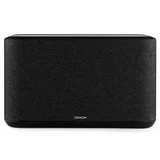
Denon

Denon AVR-X1700H Excellent audio, multizone system fail, HEOS is seriously unstable – I purchased this for a home theatre amplifier, playing CDs, Turntable and streaming from my network drive. I also purchased a Heos link to extend… Read more
music to seperate zone. Audio quality is fantastic gives new life to my old speakers. However CDs and turntable do not play though the Link and the HEOS function is appalling. The App is a mess and regularly freezes. The only fix is to unplug the amp from the wall and restart everything. This NOT the seamless intergrated music system I paid serious money for.

Good Choice Audiophile Unit for Mutiple Type Digital Inputs – Sold my media center for this as it has vastly better audio quality. No more surround and cabling nightmares to deal with. Found out about the… Read more
DRA-900H through reading about change in audio technology design, this unit was coming out in 2024. It steps away from surround systems altogether. After having this new setup, it's definitely worth it, especially with streaming internet movies and audio from the internet or wireless devices, plus hardwired Blu-ray etc… You won't believe what you're currently missing.
MORE THAN SATISFYING AUDIO Note, this unit handles 8K, but I'm perfectly satisfied with 4K and the audio is much better than surround by a very big margin. When using Blue Tooth, the audio fidelity is much like a very good CD quality. Crisp clean notes and no cancelation of fill from dulled bass media conversion, you get excellent drivers into the speaker coils. But many may argue it is only 2 speakers and an option of 2 other outputs to another room. I invested some time looking at this specifically. Speaker output 2x145W x 2. I got some audio technicians to calculate quadraphonic setup as the unit has 4 Speaker out L/R. Later about this.
The DRA-900H has a very big library of tools you can plug almost anything digital and into it, which includes a dedicated phonographic Vinyl audio input. It integrates Bluetooth/Wi-Fi from devices, Modem and my phone, discarding cables. I can affirm it gets rid of clutter.
WHAT I HAD BEFORE IS OBSOLETE TECHNOLOGY TODAY The reason I bought this over replacing my broken Sony Media hub (20 years old) was its diversity of audio type inputs. Be aware, this unit is NOT really a media center or a cinema hub. It is more an Audio Receiver Amplifier with a lot of device choice inputs to a non surround audio arrangement. The aspect of media hub skews into movies and apps, but this unit does not provide a direct link unless you download the specific Apps that HEOS runs, so that you play these from the TV and have all your listening audio through the DRA-900H. Getting to this outcome requires some understanding of the system and using the correct configurations for different media types. It is not exactly plug n play material.
WHAT YOU NEED TO CONSIDER BEFORE BUYING THE DRA-900H Before considering purchase, you must match your speakers as there are ohm limitations. Originally I tried running 2x inline L/R Front 4x6ohm Speaker combo, but was dissatisfied with output. I spoke with an audio speaker technical group and changed it to 2-L/R Front 2x6ohom on A and 2-L/R Back 2x6ohm on B and run the A+B combo for movies, whilst listening to phonographic on just A input with 2 speakers. These speakers are individual at 145W. You may need expert advice to build a balanced system, as this unit is very competent at telling you when it's wired wrong.
You do need good audio speakers, they can be bookshelf but need to be of solid build with decent size magnet on smaller speakers to produce efficency. (Read David Weems Ed. Design, Building and Testing Speaker System). Most surround speakers won't work as they are designed as an inclusive system and not separated, (look at pics of speaker connectivity) for 2 and 4 speaker arrangement. Surround does not make better audio achievable. It instead changes the function of an enclosed space. Better sound is achievable when you pick how you use listening devices today. Speakers are far more important when you want higher audio definition. Studio spaces use Monitor speakers. These can be used with the DRA-900H but you need to check speaker response curve rating per channel. An important factor to remember when you are connecting speakers in your stereo system is to avoid a connection that puts a low impedence load on your reciever. Never wire 4ohm speakers in parallel or in combinations as in the DRA-900H. 6ohm and 8ohm are fine. 8ohm is more stable than 6ohm. Forward, you won't be enticed to go back to surround or a sound bar after this either, as the Denon coil drivers are pretty awesome and reliable delivery into higher quality audio speakers the refined are noticable. One of the most important aspects of finding the right speaker system is undrstanding optimum volume. This is matching the respose of a speaker to room volume size. If you get this right, you can have a concert hall quality sound in your living room from your speakers because they are balanced collectively to output rating. Getting this perfect result is quite difficult but not impossible.
A setup with Subwoofer L/R is available on this unit, which could build a micro cinema experience. However, I dont think this unit is trying to build a surround system whatsoever. Read no further if that's what you want.
But if you are sick of bass interference and poor note quality, plus poor response curves which you are trying to compensate, this can only be overcome with pure sound from good speaker voice coils and magnets with the DRA-900H capability of producing much better digital output from sources of differing ability, it produces more desirable frequency signal. So, thank you Denon for actually doing the better or right research to produce this interesting audio amplifier for 2024 audiophiles. I will update this intro in a year and explain performance more closely.
HOW LONG WILL THIS TAKE TO SET UP? You are not going to have this job complete in a few hours, as it's a bit more complex in testing each device and checking it all works the way you expect it to. Setting up signal quality from speakers is a bit easier with the online calibration tools used via the TV in HEOS for speaker tuning. Do this when you're almost done, as it is tedious, and note that you cannot change a digital input. You can only adjust a digital output. In this, you must use the input device to change the balance of the audio it sends to the Amp. If you are serious, this might take a week to trim every input to your liking and have presets on every device for that purpose. If the input is HDMI, the adjustment can be made by changing balance, treble and bass on the Amp. On PC, a Graphic EQ can be used to clean up poor audio. Streaming Video may need more integrated technology like a hardwired EQ to help with audio quality, but streaming on this unit is very good without EQ altogether. The ear has no perfect solution, but the DRA-900H does help to narrow audio gaps by removing the obstinate hurdle of over-bass and clipping. I also have a digital EQ which is integrated for the first time in its life, but am yet to test its usefulness with streaming content as I have had studio video and audio editing in use for a decade.
THE BASIC SET-UP GUIDE (User Guide) When you first turn on the Amp, Start with the 'Quick Start Guide'. Follow the guide by selecting the right HDMI input to your TV and follow the display prompts. You need the TV for following the set-up. You need your phone to download the HEOS app so it recognizes you and that action updates the Amp. The guide helps to familiarize with the controller layout, which is very good. After HEOS updates the Amp it will restart on its own and will display a useful step by step to building your system (even if you have already hardwired, done so, or are new to this, follow the prompts as you still need to complete the HEOS guide process to completion so that the entire system will plug and play thereafter). During this process, the system tests the audio output of every device as you choose from installation prompt, connecting it up, testing audio signal, to approval. Do not overlook this process.
EXAMPLE BUILD OPTION Reference for Build Type: Set up time 2 hrs. Set up system - basic starting with amp (no speakers) and then add the 4K TV, run HEOS, it did a firmware update of the DRA-900H, set up Blu-ray, then Xbox Series Unit, run dioagnostic, completed, Amp reboots, now plug n play - set up FM/DAB tuning presets (these are both LAN and terrestrial), PC test audio input, PC Movie test and Music Streaming test, connect the speakers and test. Finished. Add an external SSD with integrated file type library of music tracks for quick listening as it shows the file names in HEOS library UI. Additional dual read/write option for Blueray needs 2 HDMI PORTS - add an extended (2nd) HDMI input from Blu-ray recorder to the DRA-900H Blue Ray HDMI input, Blu-ray's 1st is direct to TV Recorder on TV. DRA-900H is on a separate loop HDMI 1 for movies or music listening. HDMI 2 does not need to be active to record as the Blueray reads the source feed of the TV Recorder.
It'll take time to arrange and calibrate all your audio in/out, and is well worth the effort playing around with the functions to familiarize how best to set up your devices using this system.
INSTALLING YOUR SPEAKERS (User Guide) The preset builds for speaker use are 2 Main A-L/R, 2 Secondary B-L/R and an A+B-L/R combo. You have an option to put a pair of speakers in another room as set B or you can run a quadraphonic setup as well, with a separate subwoofer L/R. You can turn the Subwoofer off/on, or not have one installed. It has its own L/R channel outputs. Meaning you have 1 Subwoofer with separate L and R channels. If you intend to use a subwoofer it also needs to be the right size for the speaker set it is matching and you will need to calibrate its output accordingly.
TERESTRIAL & LAN WHAT YOU NEED TO KNOW - DONT GET CONFUSED HERE. (User Guide.) The external aerial is for FM. Your FM can be connected via coaxial FTP if you live in a unit or complex and have no direct access to an external aerial. If you have Foxtel using that connection, you will need to get a splitter to connect FM.
The audio feed from the LAN connection through the Modem uses DAB stations for listening from the internet. You may discard FM for the DAB stations of the same broadcaster. FM may not be required or desirable if DAB serves a better outcome.
As you have completed setup and diagnostics of your DRA-900H and the mandatory installing of your HEOS Account is now complete you can enter either Tuner or Internet Radio to start installing presets from FM or DAB radio or podcasts. HEOS is the DRA-900H library UI. It can only be downloaded via the app on your phone or tablet which you did at the first part of setting up your hardware. Note the HEOS App on your phone or tablet is an installer to the DRA-900H. It will notify you if there are updates required for the DRA-900H.
When the amp reboots from HEOS it transfers to plug n play. You can then set FM presets, saving and locking using the option button and enter the designated number on your controller following the TV screen guide. Note that internet options are global and language unlocked. There is no limit of preset number in the LAN library of Internet Radio. You choose Internet Radio on the controller to set up your DAB stations and Tuner for FM stations respective HEOS Library. These libraries are seperate.
If you have Spotify or Apple TV account, Youtube etc, you can integrate your favorite apps into HEOS library too. But you really only need a few streaming Apps, as your 4K TV has so many others on its UI, (it may be easier to manage them there) as the only action required is a dedicated optical line out of your TV audio to the DRA-900H optical in, delivering to your speakers. It can handle 8K too, so don't worry about compatibility speed with HD movies and live concerts. One note on that is to make sure your LAN cables are CAT7 or CAT7+ as these are very fast transfer speed with modem.
WI-FI & BLUETOOTH (User Guide) There is a bit to learn with integrating/syncing Wi-Fi and Bluetooth devices onto this unit. It requires patience. I have set up remote Wi-Fi Speakers it another room. These are not Bluetooth. Be aware of manufacturer recommendations as to how far your Wi-Fi or Bluetooth is a reliable signal, as there are limitations with other devices interfering with signal so it may seem okay till you build and test, as I can't say all things work to specification.
Note here setting up a Bluetooth connection requires TV the controller and your HEOS app on your phone to authorise only the pairing completion process. These processes requires a solid knowledge of device pairing as there is no guide for this as yet. I am providing one here. In terms of pairing some devices need a code, code gets sent to your phone, you action it with HEOS as HEOS is an authorisation tool and either recognises the device you are pairing with DRA-900H or your device firmware is not compatible or not up to date. This processes is snap easy if you know how to pair devices. I paired an older Apple iPad not with current firmware update just to test compatiblity with HEOS. once you paired a device you are using the DRA-900H amp and speakers instead of your device line out or speakers. This works with android phone to play music stored on the phone or public voice call. The option here is that it is designed for business applications.
If you are not good with technology, you should get a techie to install and teach you how to use this versatile unit. Im fairly confident with using technology but I think it will take a few months to be getting the real use of the more refined layers of the DRA-900H capabilities. You can use it in its basic set-up but it holds more design elements for specific results as I think it is for Studio type audio visual work and podcast creatives may find it a useful tool. But also makes a home full of devices less individual and more collaborative. This DRA-900H is multifunction.
FURNISHED PLACEMENT (User Guide) Furthermore, there are 2 option placements for this DRA-900H unit as it has Wi-Fi aerial regardless. If you're hardwired via LAN to your modem, you can put the unit inside an insulated cabinet. If you intend to use Wi-Fi from this unit to carry further around your home without interference, it should sit on top of a Media shelf in the open room as it has 2 Wi-Fi specific antennas which need to read your devices. The reason you don't put it in a cabinet is because it has a decent size amplifier, and this creates an electromagnetic field which interferes with the weak signal caused by the cabinet material. Interference destroys signal integrity. Other devices in your home with transformers do exactly the same thing. You also need to be mindful of the heat generated from how long the unit will remain turned on in use too.
The DRA-900H comes in brushed black or silver. Both are beautiful full metal casing with no cheap nasty plastic bits which can break.

- See all


Awesome noise canceling earbuds with personalised sound! – We were highly impressed with these earbuds straight out of the box. It took us a bit to find the right ear tips and wing attachments for our ear… Read more
canals, but the Denon app has a great feature that tests the fit of each earbud so you can discover which sets are right for you and which are not going to have a good seal for fit and sound quality. In the end, the best fit turned out to be the same set of ear tips and wing attachments for both of us.
We were intrigued by the process of the personalised audio testing, where the app first checks how well the earbuds fit your ear canal, then goes through a series of audio tests to determine your hearing profile and customise the settings to best suit the way that you personally hear sound. You can see from the screenshots of our results that even though the earbuds and ear tips are the same, my husband and I have very different hearing profiles. We both prefer the way our own personalised settings sound to us, so I guess that shows that the testing and customised listening profiles are worth having!
Once we had the profiles set up and started listening to music we were both immediately impressed by the Denon PerL Pro’s Active Noise Cancellation (ANC) and Social Mode abilities. The ANC is not like you’re in a vacuum without any sound, but it deadens outside noise so well that you generally won’t know it’s even occurring and certainly shouldn’t have your listening experience disrupted by it. It’s great for drowning out the vacuum cleaner or focussing on your work in a noisy office. You no longer have to turn the volume up high and risk damaging your hearing just to be able to hear over the noise around you. I can listen to an audiobook with the volume comfortably low/moderate and am only sightly aware of other noise around me.
Then there’s Social Mode, which allows you to tune in to what’s going on around you when you need to be more aware of your surroundings. With just a simple tap of the earbuds as per your preferred setting (more on that later) Social Mode allows you to easily communicate with someone nearby if you wish, even while you continue to listen to audio. There’s no need to remove your earbuds just to answer a quick question or to be more aware of the traffic etc around you.
The customisable touch controls are another feature I really like. You can assign different tap commands to a range of options, for instance play/pause, fast forward or rewind, volume up or down, social mode on/off, voice assistant to make a phone call etc. Not only do I find these tap controls quite easy to use, but being able to configure them to my preferences means I can select which I want quick access to and which tap command feels most natural to me for each. You also have the option to have the audio auto-pause when you remove an earbud, so you won’t miss anything.
I know some people have felt the volume of the Denon PerL Pro don’t go loud enough, but we find the earbuds have a great volume range. Personal preference I suppose, but we have found them plenty loud enough and have never needed to use them anywhere near full volume even when there’s considerable noise around us, I guess this is at least partly due to the effective ANC.
Some final comments: - Being circular it took me a bit to get used to how to insert them, but instructions are provided and now I do it without thinking. - I’d have been interested to try some other sizes in the foam ear tips, but the rubber ones fit me fine and maybe they’ll add more foam ones with future models. - I’ve worn them comfortably for 3-4hrs at a time with very minimal discomfort. - For some reason my Denon app always makes me re-enter my age and agree to the privacy policy etc as if I’m signing up again. It’s not a big deal and only takes a few seconds (and my husband hasn’t had this problem on his phone), but I’m sure at some point an update will fix this issue. - Cute storage/charging case with discrete lights that indicate the battery level of each of the earbuds and the case itself. They come with an included USB-A to USB-C charger cable. - The case feels strong with a magnetised system helping hold the earbuds in place. The case lid is also well designed to stay closed, yet opens effortlessly when you choose. - We find the Bluetooth connection reaches up to as far as 27 meters, allowing us to listen to great music or audiobooks throughout the garden without needing our phones on us, even when we want to make or answer a call.
We love these earbuds. The sound quality is clear and full, having the sound customised to be best suited to our own ears is really cool! The ANC works a treat and Social Mode is fantastic for allowing easy communication without any need to remove the earbuds. Sure they’re not cheap, but we think their build and sound quality is worth it and we highly recommend them!

Denon S660H - Sounds Great..... BUT has HDMI Issues – Upgraded my Yamaha to a Denon for the 4k 120Hz function primarily as I have a few that need it and my TV doesn't have enough ports. Firstly I will… Read more
say the Denon's sound is good, it has it's own dynamic EQ which sounds insane like a Cinema and it has alot of customising options like a Yamaha.
The one MAJOR fault I've come across it is 4k 120Hz black screen issues. When I use my PC running a AMD GFX Card 4k 120Hz HDR VRR ALM........ if I switch from the desktop to a game or the game switches refresh rates on the menu to the game it can wind up with a black screen....
The only way to fix it being to switch inputs to a different input on the AVR and switch back. Get annoying that. I hope they release a firmware update to fix it but I have read that it could be a Panasonic HDMI chip that effects many brands including Sony, maybe Samsung and a few other.
It's not really fit for purpose if they advertise it can do these things and it can't so disappointing. Hopefully an update comes out to fix it as it's almost 2024 and these HDMI 2.1 issues should be well behind us by now.
I've replaced all my HDMI cables and done other testing to verify it's just the Denon. Another odd issue if u have a power saving timer on it, it will shut off and the TV will switch back to TV Speakers and when u go to resume using the TV it doesn't by default pickup the sound as it's off......... my old Yamaha used to just mute iteself to save power and would resume......... so yeah you can't basically have it turn off.
Other then that it's good, I personally don't know what I am going to do with the whole HDMI thing yet, we'll see .....

THE WORSE AMPLIFIER DOESNT WORK PROPERLY – I use to like the Denon soundbars which worked great so I decided to purchase Denon AVR-X2800H amplifier to connect to my TV and few HDMI inputs and… Read more
RCA Inputs. None of the inputs work through the TV and the RCA connections do not work either. The Tuner FM reception is so bad it only works if you stand in front of the Amplifier. The use manual page 98 says the receiver has DAB/DAB+ options to choose option and select DAB but when go to option in Tuner mode DAB/DAB+ options are not even listed. DO NOT BUY THIS PRODUCT FROM DENON I AM ASSUMING THE OTHER DENON AMPLIFIERS WOULD BE THE SAME.
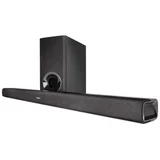
Excellent sound for the price – Very happy with this soundbar. Connected seamlessly to my Samsung TV via HDMI-ARC cable. I had trouble finding a quiet Harvey Norman to test it out.… Read more
But getting it home I can happily report that sound quality is great. I also listened to the S516 and it was excellent, but not convinced it’s worth it at more than double the price.

Denon
Denon- AVR-X3400H - not worth spending – I'm extremely disappointed to learn that Denon has discontinued the transformer for the AVR-X3400H, especially when the product is still available… Read more
for purchase.
Denon's decision to stop manufacturing a critical component. This has left me with a product that is effectively unusable and forces me to spend an additional $2,000 on a new amplifier.
I chose Denon for its reputation, but this experience has been incredibly frustrating and has left a negative impression. It's disheartening that Denon has not taken any steps to resolve this issue for its customers