Garmin

We've had nothing but issues with both the garmin Bounce devices our two kids have. They constantly fail to deliver and send messages despite no… Read more
connectivity issues.
They constantly fail to provide location updates, rarely notify when our kids travel through geofenced areas, and hardly ever refresh accurately.
Garmin support has been terrible. The number of times we've been asked to factory reset the devices or restart is painful.
Voice message feature is poor quality and has no capability for the child to write a free text message, rather they have to choose from 20 presaved messages.
Garmins next best solution is to send the device (purchased new) back to garmin, only to be replaced with a second hand refurbished unit, not to mention the time the child is without a device while all the postage plays out... oh, or they'll happily take your money in a holding account while they send you one and wait for yours to be returned.
Battery life is terrible too. With minimal to no activity, the battery barely lasts a full school day.
I wouldn't recommend these to anyone. A simple dumb phone would be far more reliable and practical product.

Garmin
- See all


I’ve been a long-time Garmin customer, but my recent experience with their support has been very disappointing. My Venu 2S developed a significant… Read more
battery fault after around 3 years of normal use (unexpected shutdowns at 30–50% battery). I contacted support hoping for a reasonable resolution under Australian Consumer Law expectations for product durability.
Instead, I was told I could purchase a refurbished replacement of the old model for $217.14. I also provided alternative proof of purchase (credit card statement and Garmin activation details), as I didn’t have the original tax invoice, but this was not accepted.
Ultimately, I felt the response lacked flexibility and did not reflect the expected lifespan of a premium device. I decided not to proceed with the replacement and will be purchasing from a different brand going forward.
Disappointing outcome overall.

Garmin Lily
Died in under a year – Bought less than a year ago after a lot of research. Rather liked it at first but I’ve noticed lately that it tells me to get up and move even though… Read more
I’m actually walking .. then it tells me to take a break when I’ve been laying about for an hour reading .. then last week it stopped working altogether and all I get is a triangle on the face. I googled this and read that it’s a known fault and the watch needs to be returned to Garmin. I followed the links to return it and guess what … Australia isn’t a country that’s listed for return. So I’m left with a completely unusable watch that I’ve had for under a year, with no receipt from where I bought it. The following day I went to Harvey Norman and bought an Apple SE watch for way less than what I paid for the Garmin. This watch far surpasses the Garmin in every way and I’m so much happier with it. I won’t ever buy Garmin again.


- See all


It it so dimly lit that you can't see it at night or in low light. So pointless unless you're in full sunlight and hold it at the correct angle. The band is fine. Just doesn't function well as a watch since you struggle to see the screen

Garmin Dash Cam
- See all


Doesn't work I tried to return it for a refund and they lied and said it was damaged which it isn't. NEVER TRUST THIS COMPANY!!!!

I bought this GPS under 12 months ago. For some unknown reason the battery has stopped charging. The unit itself will still operate when connected,… Read more
just won't charge! I have tried all the recommendations offered online by Garmin (and Google) including the soft reset. Nothing works. Of course being a battery (consumable part) is not covered by the warranty. This is the 2nd Garmin Gps that has done the same thing. Doubt Very much I will be buying that brand again.

Wonderful as a watch and calendar, as well as tracker for steps, heart rate & calories burned – My Garmin goes with me everywhere. I download the information each evening via WiFi onto my Tablet App. My health has improved and my weight has dropped considerably. Very happy.
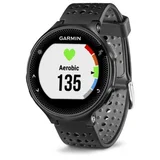
Garmin Forerunner 235
Sturdy watch, good fit on my small wrist – I originally got the Garmin Fenix Rose Gold and got a lot of comments on how nice it looked, however it felt a bit bulky (heavy) to wear for everyday… Read more
use, so I swapped to the Forerunner. I have it in white and like how it looks when I’m wearing activewear. Pros are a longer battery life, I can leave it uncharged for a few days in a row with no issues. It also feels sturdy, is easy to use and switch up face designs. It also connects to gps relatively quickly compared to other Garmin models I’ve had.
Cons were the initial price I paid (over $500) felt expensive as the watch didn’t really offer many improved features than my previous Garmin, except being a sleeker design.

Garmin eTrex
The device itself is OK but getting a map onto it is a slow hair raising nightmare – The unit is OK for getting your coordinates to use on a map. For Navigation , its hopeless. You may get lost and leave some trail but at least… Read more
you’ll know where you are Alltrails won’t let you download a map to a file location that you can export. YADAYADAYDA

Garmin DriveSmart 51 / 61 LMT-S
Gets confused with intense road layouts. doesn't recognisestreets thet ate 5 years old.... utter pile of junk and dangerousin an emergency because ut cant even get you to the hospital.

- See all


I really liked the watch, but a little over a year old with fairly conservative use (running and hiking 5 hours/week) the charging port in the back… Read more
of the watch became loose and I could no longer charge the watch. Unfortunately Garmin product support are extremely slow to respond and make you jump through many hoops. Unlikely to be worth the time and trouble to try and get it fixed and will probably end up replacing the watch. I thought the reason for registering your details when you buy the watch was to get ongoing support for the product, but seems like it might just be a data harvesting exercise.

Garmin all the way for me! – Have always had Garmin watches and never had problems. Was deciding between this one (Forerunner 735XT or the… Read more
VivoActive) and decided to get this one due to the features it offered. Pros: Very easy to operate good size (not too bulky) long life battery easy to charge great tracking swimming & cycling Cons: no REM Sleep tracking tells me to "get moving" about 1hr after a 30km bike ride - seriously man - EASE UP!

I purchased a new Hema HX2+ and so disappointed I cut my losses and bought a drive smart 76 and it works a treat Had serious issues with trying to… Read more
put a route in the Hema and the only time twice it tried to take me on a much longer route Love my Garmin Leigh
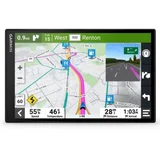
It is BIG – The first thing to be said about this unit is that it is seriously large at 8" diagonal so it's probably not suited for use in a city hatchback. We… Read more
have it installed in a LWB van where it's still a fair distance from the driver and doesn't dominate the field of view so it works really well. Most of the 'smart' features we've turned off so it isn't integrated with a mobile phone except for traffic management alerts and all of the nanny features are turned off as well so I can't comment on how well they work. As a Nav unit, it operates very well and the display is clean and easy to read at a glance and the lane view feature (which appears when a decision point is near) is a great feature of most recent Garmin units. Apart from the larger size, it's no better than the Garmin 61 (7") it replaces which only lasted 5 years although the 6" one we also have is still going fine.

Do not bother buying a Garmin watch. The glass is inferior quality to the base model. After 3 weeks of office wear, a large crack appeared. I… Read more
cannot attribute this to a notable moment of impact. The crack has rendered waterproofing (and subsequently device for swimming & outdoor activities) USELESS.
I have owned Garmin vivomove line devices for 5+ years and glass quality has been fine. It is clear the trend (premium) line is made of inferior glass. Garmin agents did not recognise or accept this as a legitimate quality dispute and will not provide a refund as glass damage is not a warranty item. They know they are selling substandard products.
Do not buy Garmin. I have also had problems with the Vivomove watch screen backlight fading over time and GPS function refusing to sync. Each time, they've required payment for replacement - knowing full well they are selling defective devices. Extremely unethical corporate behaviour. I implore prospective buyers to choose another brand. Garmin watches are inferior quality.

Garmin and other brands should always provide a basic tracker with watch battery that lasts 6 months to 1 year. I for one don't want to take off and… Read more
recharge a wearable every week to 2 weeks. What's the point of that when you're supposed to wear the thing to track things. I've had several of these over the years and they work great for me. The only issue is actually replacing the battery when required. It can be difficult to reseal the device properly and then water get's in and ya stuffed. But I don't want a rechargeable fancy nonsense smart watch. I just want a basic fitness tracker to provide basic info to assist with my activities and overall fitness. I already have an analogue solar/light watch for the past 10 years that never needs a battery and it automatically changes to the time zone I'm in plus is 100m water proof. The only thing Garmin should do is release Vivofit 5 with a solar battery and/or better battery replacement functionality IE better water proofing.

- See all


watch won't recharge after battery ran flat while away from home without charging cable. Tried seeking assistance through Garmin apps and web site.… Read more
Both useless. Apps could locate watch (because it had a flat battery) and Garmin website wanted the watch serial number etc. before offering any assistance. Suggest looking at less troublesome brands

Think twice before you purchase Garmin products. The service is miserable – I enquired about a GPS Rino 750 that was out for a South Polar Expedition; unfortunately, the front screen was scratched. I called Garmin Australia… Read more
and waited 45 minutes on the phone without getting an answer from the product support service. I then phoned a distributor J. Appleseed in Sydney and was told that Garmin does not repair any items but replaces them for a reasonable price. I phoned Garmin Australia again with the same dilemma and waited a long time without success. Garmin wants to be a market leader. Yes, they are in unreasonable phone waiting times and outdated products that cannot be repaired but only be replaced regardless if the item has just some cosmetic defects. To exchange an item against a new one you have to purchase for nearly the new price is not the way good business is done nowadays as to a waste of materials and the pollution to manufacture new products. Garmin wants to be at the forefront and cater for environmental products but forgets that one of the most important facts is customer service and caring about resources. People should think twice before purchasing Garmin products, I have a late Fenix watch and several other GPS products but must admit that most of this items I would not purchase these again as they are not correctly supported and if only in the interest of selling, on the other hand, these products compared to other manufacturers are often outdated.

I bought two of them.. Sadly both have a very low voice volume (on Max) compared to my much older Garmin, and TomTom. On max volume at normal road… Read more
speed we struggle to hear the spoken instructions, and forget about having the radio on. The warning sounds for overspeed and other warnings are so low they may as well not be there at all. Also the latest mapping finds their road speed signs way too often are wrong, and often on roads that have had the set speed for many years, but Garmin mapping has it so wrong far too often, so often that you can not trust them at all. It is likely I will return both these units as not fit for purpose! Such a shame, I am so disappointed, I've had multiple Garmin GPS's for over 30 years!

I love my smart watch, but there are 2 issues that I think could improve it. When I set an alarm, there are not enough subjects to cover what my… Read more
alarms are for. If they added the subject ‘Meds’, it would help greatly. Also, today I customised my step stride because I do 10,000 steps a day, which takes an hour and a half, and covers 6kms, and my daily calorie burn for this task is only 120 cals, and that does not seem right. I used to own a $25 cheapie smart watch which used to cover my same steps and distance, and it used to tell me that I was burning 359 cals which sounded more realistic, so let’s hope that tomorrow with my customised step stride, the calorie burn will be more accurate. Other than these two things, I absolutely love this smart watch.

Garmin Epix Gen 2 (Sapphire Glass, Titanium Body) Disclaimer: There will be no proof of purchase as I am kind of too lazy to find it. I guess a… Read more
photo of watch is enough. The content was rewritten by AI for better stylistic, formatting and grammar.
*** Pros ***
Watch Faces & Interface: The watch has a bunch of different faces, and you can put all sorts of data and sensor info right on them. Plus, you can download even more (free and paid ones) from Garmin's store. There are tons of ways to customize what’s on the watch face – colors, where stuff goes, the format, you name it. The interface is pretty simple. Because it has 5 buttons, using the watch feels a bit like navigating a computer, with functions organized in easy-to-follow cascading menus.
Screen: It also has a touch screen that works well. The brightness can be adjusted, but generally it is okay under the sun even on low.
Functions: It has a ton of functions. Besides the normal time and calendar, it has a flashlight, pulse monitor, step counter, respiration rate, HRV (Heart Rate Variability) measurement, blood oxygen saturation, barometer, GPS, sleep monitoring, and stress/body battery tracking. There are also heaps of fitness apps for walking, running, cycling, strength training, snorkeling, swimming, cardio, and more. When it comes to fitness, this watch offers way more than I could ever imagine or actually need.
Sleep Monitoring: Even if you're not a fitness fanatic and just use it as a regular watch, the sleep monitoring is really useful. It shows your sleep stages (deep, light, REM, awake) and your heart rate variability (HRV), which basically gives you an idea of your stress and recovery. It's helped me build better sleep habits. For example, I've seen how drinking alcohol cuts down my deep sleep and how much less recovered I feel. Physical activity, especially something light before bed, seems to promote good sleep for me. It's interesting to see how trying to manage stress can make my HRV look healthier, and honestly, it just makes me feel better.
Sleep Tracking Quirks: Of course, the sleep tracking isn't perfect. It can make mistakes, like not automatically recognizing a nap if it's outside my usual sleep hours and I don't tell the watch I'm napping. Sometimes it won't record a nap if I don't set the nap timer. Or, if I wake up in the night and lie still, it might not always realize I'm awake. But, it will definitely pick up on a restless night because my pulse and HRV won't look like I'm getting good sleep.
Timers: Another feature I use a lot is the timer. You can set up multiple timers and start them whenever you need to. This is super handy when I'm cooking.
Connectivity: The watch connects to my Wi-Fi and my phone using Bluetooth. It vibrates for calls and messages and shows me what they say.
Battery Life (General Use): The battery life is decent. If I'm just using it as a regular watch with the screen set to only turn on when I look at it, the battery lasts about 15-16 days. This means the screen is off most of the time, but it tracks my movement and turns on the moment I move my hand to look at the watch. It rarely gets this wrong or turns on when I don't want it to. There's also an option to have the screen always on but dimmed, which, of course, will use more battery.
Battery Life (Active Use): However, using a lot of the active features can really drain the battery. An hour-long training session without GPS will knock a day or two off the total battery life. Anything using GPS burns the battery even faster. So if you're an active person, you might need to charge your watch every 4-5 days. If you're not doing much sport, maybe once every two weeks. Luckily, the watch charges pretty quickly. I find the best time to charge it is when I'm in the shower – I don’t need it then, and it's usually fully or almost fully charged by the time I get out.
Durability (Water & Heat): The experience shows that the watch is suitable for surface swimming only. If you dive with it or snorkel, which involves occasional dives to the depths greater than a couple of meters, then the survival of the watches is a matter of luck. I had a few dives 5 - 10 metres with it and ended up with watches becoming unusable due to the water damage. Fortunately, I got away with a button replacement, but judging by the internal watch layout that fact that it was only the button I was lucky. For diving, you’d probably want something like a Garmin Descent, which is built for divers and is very cool but also very expensive.
I'd avoid wearing it in a sauna or banya. It can survive it – it won't die immediately (I've tested it). However, temperatures around 100C aren't great for the battery in the long run, sealed or not. The official temperature range is from -20 to +60, which means you can take the watch into hamam or the "relaxed" banya for kids without doubt. You know the drill, first adults having fun, then the fire is down, the temperature goes down and kids wearing Garmin Epix may enter. :)
Sapphire Glass & Titanium Body: The sapphire glass is a must-have for me. I wouldn't even consider buying such an expensive watch without it. I've been wearing this watch for over a year, and it's hit many hard objects and often rubs against walls. I even hit it with a knife point once. Not a single scratch on the glass. My previous Seiko Solar with its Hardlex glass got so scratched in two years that I sometimes had trouble reading the time. The watch design also helps protect the glass. Its bezel is raised just a tiny bit above the glass – maybe a quarter of a millimeter – but it protects the glass from most knocks. Impacts usually land on the bezel and don't reach the glass. The titanium body is a bit lighter than steel. Both get scratched.
Comfortable Wristband: The rubber wristband is pretty comfortable and very soft. It mostly doesn't cause any issues, unless I wear the watch snugly and sweat a lot in hot weather. In that case, I might get a bit of skin abrasion or irritation. The best way I've found to handle this is to either switch it to my other wrist or just take it off for a day if I see any signs of skin irritation.
*** Cons ***
The Price: This watch is pretty expensive.
Workout Planning Issues: The workout planning is mostly useless for me. It uses such cryptic or over-complicated names for exercises, and there are no pictures or videos. So, it's hard to plan anything because I can't easily figure out which exercise from its long list matches what I'm actually doing in the gym.
*** Conclusion ***
Overall, if you have the money or find a good deal (I got about 50% discount):
If you like lots of customization options and many functions, this watch is for you.
If you're into fitness or a healthy lifestyle, it's a watch for you.
If you are a diver, this isn't the watch for you. Check out the Garmin Descent instead, or maybe Apple Watch Ultra 2/3.

The Garmin XT2 is not a device i recommend as it doesn't talk to my iphone. You can download the Garmin app to your iphone called 'Tread' and attempt… Read more
to make routes to then transfer to the Garmin device. Good luck with that. The whole process is counter intuitive so it usually won't work. It's the second time I've bought a Garmin device, and the last. I will try TomTom, it is said to be much easier to use and more intuitive.

Replacement Strap! – I like the watch but I am very disappointed that the strap broke and I couldn’t replace the strap- fortunately, my brother is a dab hand with sue… Read more
glue and was able to cobble it together. How ridiculous- that a perfectly functioning watch becomes unusable because the strap is moulded on. In this age of eco-awareness why create this type of watch!

Install the latest update a the type in botany road matraville an have a look at the route. It used to be right but since the latest update it’s not… Read more
a the route it suggests is absolutely ridiculous .one would think they would take more care especially in places like the port of Sydney and major transport hubs for heavy vehicle. Totally unimpressed.

- See all


Installing & updating the Garmin UHD2 95sv – Have just newly installed the Garmin Echomap 95sv. Well that went well enough. Then tried to update the software. Forget it nothing works with that. Just hope it's updates are low importance

I've had this watch replaced once already and it's failed again. 1) first failure - screen fades to the point display is not visible 2) second… Read more
failure - watch crashes every time it tries to save GPS activity. This occured before 6 months of replacement ownership.
Garmin are now refusing to replace this watch, despite being a 'major failure' without me paying another $180 + postage to have it replaced. Not happy with Garmin.

- See all


Have had Venu 3 for around 5 months. When I first received the watch and after going through the startup sequence, I was quite impressed and that was… Read more
after moving across from Samsung Galaxy watches. Unfortunately, the Google Assistant feature on the watch no longer functions and I have attempted everything to try and recover the Assistant feature but have not been successful. It's very disappointing as this is an essential element of a smart watch and degrades the initial impression I had for the watch. I'm ever hopeful that the developers at Garmin can come up with a solution to this problem. Apart from that issue it's a very good watch but it's let down by this major flaw.

Have had 4 Garmin truck GPS over 7 years. They last a couple of years, and they start to lose satellite reception, and they freeze as well as other issues. The LGV 820 8'' has a screen glitch from brand new. Customer service deny any faults.

Reliable GPS and only a little disappointed – I’ve only ever had one other GPS unit – a Mio Digiwalker and been impressed with it for about the 7 years I had it. In the end the Mio couldn’t find… Read more
any satellites. Hence my need for a new GPS. I gave a good report on it on this site when I bought it; other people didn’t like the unit. Based on my experience I would happily have bought another new Mio, but they don’t seem to be available in Australian shops anymore. I went for it because Choice gave it a good wrap. I could have bought one on line, but I needed a replacement quickly. I bought a Garmin Drive 61 LM.
I'm still learning to use the Garmin, but I miss my old Mio. But the Garmin works and gets me from A to B. People on Whirlpool suggested not using a GPS unit and advocated phone use. I actually tried this, but the Maps app on the phone was all over the place and continually lost the satellite. Perhaps I have a cheap phone. First experience of the Garmin out of the box: I got the 6 inch model. It’s much bigger than my old Mio. Which is really nice. Only very basic instructions were provided. Normally, buying new electronic stuff the instruction booklet advise putting it on charge for a huge number of hours before use. With no 240v charger that wasn’t possible. Anyway, the instructions didn’t ask for that to be done. The support bracket was in two parts. I pushed one part into the GPS. That was difficult, then clunk it was in place. I don’t think it’ll ever come out. I pushed the swivel into the first part. That was also difficult. I watched the GPS plastic frame bend as I pushed. I thought I was going to break something. Clunk. I didn’t think that was ever coming apart either, but it did when I tried to adjust it on the windscreen one day and it fell apart on me. Perhaps it would have been easier had I assembled the bracket in a different order. Into the car for a quick test. I wondered how I’d go with no instructions to guide me. However, using it was so simple I wonder if I actually needed any instructions. I went to the Garmin web site later and printed off the user manual. Always good to have. The female voice on the GPS is easy to understand. I clicked around with the setup options. All very straightforward. I’m so pleased that I can set it to avoid toll roads. I can also avoid other areas. Though I’m not sure why you’d want that, except maybe to avoid the risk of driving past the ex should they spot you on the way past. Then when I hopped into the car a few hours later it was dusk and it had flicked into night mode, which was nice. It also flicks to night mode in tunnels. I found it a bit slow in responding to my commands. It often takes two or more taps of the same key to acknowledge it. When I slowed down my finger taps a bit it was better. I loved my Mio but hated how you had to enter the suburb or town first, then the street. What if you didn’t know or couldn’t remember the suburb. The Garmin allows suburb or street name to be entered first up, which is a much better arrangement. I found it peculiar to be at an ordinary two-road intersection where my route was straight ahead and on occasion it said “take the second exit.” The Mio in the same situation would say “continue straight” which I think is more intuitive. The map shows roundabouts smaller than I’d prefer but I’m being picky. It switches off by itself after a few seconds when it been unplugged from the cig lighter. A few things the Garmin doesn’t do, that I found very useful with my old Mio, was providing additional display information. The Mio could show the map in full screen, or you could split the screen with the map on the left and a portion to the right displaying other things. The other things you could see included a list of the streets, distances to them, and turn direction that you would navigate to get to your destination, or you could see a list of POIs that you were approaching, distance, direction to them (eg petrol stations etc), current time, destination time, elapsed time etc. It was very useful to know your next couple of turns well ahead so that you could ensure you were in the best lane. This GPS doesn’t seem to do that so well. And you could shift the map from 3D, 2D, or aerial view at any scale you chose with Mio. There are options with the Garmin but not as good as the Mio. The Mio would also allow you to add your own POI as you drove (eg. new speed cameras etc). That was very useful. The First Few Weeks The windscreen mount knuckle joint has less movement than I would like and when pushed to its limit tends to disengage and fall off. It adhered to the windscreen okay the first time I used it. However, the second time it kept falling off. I may have some dust on the rubber. My old Mia mount fell off far less often, even when old. It may be a combination of a dirty rubber mount as noted, an inferior suction clamp, different angle on the windscreen, or the Garmin being heavier (I have the 6” model). It should stick to any windscreen and stay there. I finally worked out how to disconnect the GPS from the mount. I suggest you study the mechanism before you clip it in. To make it easier on yourself later. The touch screen doesn’t respond as well as I’d like. I find myself tapping away at a button and having the thing ignore me. That's annoying. If I keep on tapping it gets it in the end. I’ve yet to work out how to overcome this. Perhaps I’m being too quick for it. I really don't know. In using the map I found that sometimes I’d touch the screen and drag and sure enough the map moves, but sometimes it moved in the opposite direction. It didn’t do this very often, but, hey, enough times for me to note it here. I've also found that when I drag my finger across the screen to shift the view of the map that the display ignores me and increases the level of zoom on the map instead. Annoying. At lest the + or - buttons always behave correctly. I’ve gone and got the map stuck with north on top of the screen and don’t know how to get it back to a 3D image. I know that’s my fault, but the solution isn’t intuitive. It has a warning about ‘bends’ in the road. It would flag some that didn’t need a warning and miss others that were particularly tight and didn’t warn me. I’m not sure this is much of a feature, even if it worked better. There are road signs on the highway to tell you that sort of thing. I like the way it switches off automatically when the power is cut to it. The device notes that when you plug the USB cable into your computer that it isn’t going to charge the battery. Someone else on this site made that comment too. Actually, it does charge the battery from the laptop, but takes ages. Maybe a day and night, but you do get a charge in there. It picks up dirt walking paths in a reserve that's were near where I live, which was a pleasant surprise. Later Use It sometimes doesn’t recognise my screen selection. It doesn’t select the wrong item; it just ignores my touch and I find I’m having to tap the same thing over and over before it recognises the fact that I’m trying to tell it to do something. Maybe I’m not giving it enough time before I lift my finger. I must experiment with that. Falls off the windscreen more than I’d like for a new unit. Must try and clean the glass. It identifies truck parking bays as fuels stops, but that’s been noted by others. Well, it’s still not fixed. It can show the upcoming turns. You click tools, then click turns. (That’s two clicks.) My old Mia could do it in one click. As a road safety feature, the less clicks the better. It’s sometimes a mystery on how to flick back and forward from 3D to 2D. Sometimes there’s a button on the screen other times there’s not. My old Mia could flick it with one click. It displays arrival time, which is good. My old Mia used to show arrival, departure, elapsed time, and time to arrive, as well as the current time. Despite everything else the current time was handy if the car clock was wrong. I like the (female) voice it uses. It’s clear and easy to understand, but she does mispronounce a lot of street names – “William” is pronounced “Willy Am.” I was driving through Cooma. There are not too many places you can go to from there, and there are back streets that are quicker than going through the town centre, but it keeps wanting to take you through the centre of town rather than the shorter, quicker route. Google maps shows the back road at 3.3km and taking 4mins, but through town is 4.4km and 6mins. It’s not that the back road is a billy track, with speed zones of 60 and 80kph it’s a reasonable route to take but it gets ignored as the preferred route. I like the way it flicks its display to night when you go through tunnels and then flicks back when you exit. I used the Trip Planner to check out a block of land I was interested in. Large acreage. I was going to use the Garmin to do a walk around the block, so to speak. You can code in lat and long coordinates, which is nice. I've no idea whether my old Mio could do that. The Garmin probably wouldn’t be as good as a hand held unit a surveyor might use, but with the coordinates entered, like each corner of the block (Six Maps) and it gets you pretty close (two digits less on the GPS than I’d like), but then that's not its primary use. I had an address for a country location (dirt road, rural), and it accepted the address, but when it said I had arrived at the destination it was actually about a half a kilometre or more off target. I know that because a passing car stopped and the driver gave me directions. Whether that was a problem with the GPS or the local council not providing good maps to whoever provides maps to Garmin, I don't know.
The Garmin was a lot cheaper than my old Mio, but that was years ago and prices may have dropped. I think my next GPS will be another Mio. The Garmin does the job. It just doesn't do it as well as I'd like.

Great idea but terrible to use – I have had an Inreach explorer + for over a year now. I bought it because of the SOS function and the ability to send texts to my family when I am… Read more
out of cellular range. This works well but that's about it. The inreach.explore is lousy to say the least. The way point limits are way too low. I have many KML files that I use for prospecting that work perfectly with All of my other mapping software but will not import into my maps on the garmin site?? I have tried everything to make this work to no avail. I am looking for alternatives but Garmin have a monopoly on this lousy tech.