MSi


- See all


Absolute garbage. I bougght a monitor from them, and not only was it more expensive than my old one, it looks almost identical. In my years of… Read more
playing games I have never broken anything before, but this monitor and its forced OLED Panel Care almost made me, I will 100% be grabbing a hammer and destroying this once I buy a new monitor

- See all


Let’s get the boring stuff out of the way first. I drive a BYD Dolphin, which we’ve had since September 2025. I live in a freestanding house where… Read more
I’m fortunate enough to have a 10kw solar panel system. I am not, in any way, an EV wonk - my experience and knowledge is limited and ultimately, I’m just choosing to use what works for me.
Since getting the Dolphin, we’ve made do with the granny charger the car came with - plugging it into an outlet in the garage while the sun is out, and very occasionally leaving it to charge overnight.
For what I’m using the car for - which is mostly school run and other short, local trips - this works pretty well.
There are a few pain points, however, and my initial experience with the MSI EzGo Portable Charger tackles a few of them.
My first impression of the EzGo is that it feels nice. No shade to the BYD charger, but it definitely feels like something that came with the car. (A bit like the old wired EarPods that used to come with the iPhone - it does the job but it doesn’t exactly blow your skirt up.)
The second impression is that the cord is long. At present, I need to park the car right up the garage door to get our existing charger to reach. (No, parking in the garage isn’t an option. Don’t ask.) The extra length of the EzGo is just a lot more practical, giving us more room to breathe. We have a double-wide driveway, and the extra length means I can charge in either spot.
Surprisingly, the app is pretty good. Being able to schedule charging is fantastic, particularly when we want to take advantage of what our solar panels are generating. Being able to tweak timings to fit around off-peak pricing is another benefit. (That the app can be used without creating an account is also something I’m pleased with as I’m truly so tired of everything requiring a sign up these days.)
We currently only have a 10A powerpoint in the garage, which is limited to 7.5A, which does limit charging - we’re getting, on average, about 1.8kw. We’re hoping to upgrade soon to a 15A outlet, which should give us charging speeds of up to 3.5kw.
If you’re commuting big distances each day, the expense of getting a wall charger installed makes sense. For me, where I’m mostly doing short trips to places within 15km of the house, it’s a tough thing to justify. With the EzGo, the experience of charging from a normal powerpoint is just a little more convenient and flexible. The inclusion of a wall bracket is a nice touch as well, meaning once we’ve installed that, we’ll have a more elegant solution than propping the old charger up on our dodgy bar fridge.
While the EzGo doesn’t serve as a replacement for a wall charger, it does improve the experience for those of us who aren’t wanting to go that route - all in a nice, premium, portable package.

MSI EV Life
I bought the device as it was advertised as a simple, low cost EV charger than can stand up to coastal climate. My main issue is with the… Read more
installation. The enclosed manual recommends to download "EV Live APP" before start setting up. This app installs but is only in Chinese. Trying the other method "Connect to charging station by Wifi" with the given QR code - no result (as it turns out the devise has no wifi. The manual actually only covers EV Life Plus and EV Premium (which I don't have). Went online for help. Found reference to M-connect (https://download-2.msi.com/archive/mnu_exe/EVcharger/XP-01_v2.0_User_manual_Gobal.pdf) and installed it. It prompts to scan the QR code in the manual - still no luck. Finally decided to manually connect via bluetooth - worked. After doing the software update, the app shows VERY BASIC functionality in that it only allows ON/OFF switching on a schedule. Not even the warranty lookup is working, it refers to check the manual - which you guessed it - refers to the web.
As far as the installation is required: While screws and wall plugs are provided (the manual says otherwise) the 1" feed-in grommet required to fill the hole in the case is not (cheap).
I have NOT put this unit into operation, but assume it works (will update this post if not).
There is a good point, though. I intend to controll the device with a Shelly1 and the control lines required for this are very conveniently located in the installation compartment part of the unit (ref to picture).
Update after installation: The charger does not have a PP (Proximity Pilot) pin that is required for letting the charger know that it is connected to an EV. This makes it much less save to operate the charger and means that in its current design, it can not be certified. I have updated my rating from 3 star to 1 star.

- See all


MSI Infinite S 10th Generation- Awesome computer, good value – The MSI Infinite S 10th generation is a good value and powerful desktop that is great for gaming, has a nice aesthetic and manages to be small and… Read more
compact for people who don't have much desk space (which is what I like about it). My personal experience has been great and I am happy with my purchase so far. I bought this computer for games and general use and it has done great at both of those and has actually performed even better than expected in some scenarios. Upgrades are easy to perform, there is a free RAM slot available, and a 2.5 inch and 3.5 inch slots to put HDD's or SSD's. I purchased this computer over others as the specifications were better than others that were more expensive. The positives are that it is powerful, good quality, small and is upgradable in terms of RAM and storage. The negatives are that most come with 8 gb of ram and a power supply that can constrict future GPU upgrades. However the RAM is easily and cheaply upgradable, the power supply can be changed but the form factor is odd and so they are expensive. The power supply in this computer is 350 watts to 450 watts depending on which model you get so this might be a deciding factor in whether you want to buy this computer. In conclusion, this MSI pc is upgradable, compact, powerful, good quality and is good value but has some drawbacks.

The MSI PRO MP275 delivers a clear and vibrant 27-inch IPS display with smooth, reliable performance, complemented by an ergonomic and eye-friendly… Read more
design, making it a dependable choice for everyday productivity, office tasks, and professional work environments.
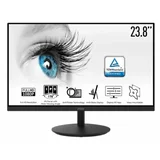
Affordable, Great, Perfect – I purchased 2x of this monitor hoping it would replace the 8-9 year old 24" inch I was currently using and using it for a month, saying i am… Read more
impressed is an understatement. I love the small, near unnoticeable frames boarders, and pixels are crystal clear. It was super easy to set up and surprising, the monitor itself is not heavy either, but not to light that it would be knocked over easily. If I ever need a 3rd monitor, I know which monitor is my go-to nows :)
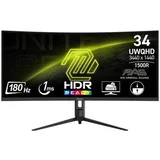
MSI 34 inch Gaming Monitor - Brilliant and Beyond! – Smooth, ultrawide gaming monitor with vibrant colors and deep blacks! Everything you could want in a mid range gaming monitor. Enormous 180 refresh… Read more
rate and a wide variety of features and options. Perfect for console converts to PC gaming. Hot tip - works best with a DisplayPort 1.4 cable! At this price point, the MSI MAG 34 inch UWQHD monitor is the clear favorite. It offers the highest refresh rate and HDR.

BUYER BEWARE - Horrific artificial sharpness – Unusable for anyone subject to eye strain due to a gross amount of artificial sharpness even on the lowest possible setting. Bought this to accompany… Read more
an MSI PRO MP271AP and despite no advertised change in specs, the IPS panel is clearly different and of a low quality, see the photo for evidence of the sharpness issue. Do not buy!

MSI dont honor the footlooker voucher – We bought an MSi monitor with a cashback offer. We provided all evidence including reciept etc.. and selected a 30 dollar footlocker voucher. and… Read more
sent off our model and serial and reciept online as requested and within the timeframe. Weeks passed and no response. They claimed that we did not fill in the form even though we had email trials. Anyway...time passed the voucher promotion passed. And we lost that opportunity. They dont respond to our complaint and dont care. I recommend to buy another brand.

Great product – Good replacement for old desktop tower for our office. Good performance. Great value for money. Takes up very little space on the desk. Very quiet and efficient. Performs very well.

MSI GTX1060-6Gb Gaming X Plus wins! – After the sudden, sad demise of my beloved GTX780 Phantom I found myself in the market for an upgraded replacement to run 1080p games on my Haswell… Read more
i5 Rig. What a rude shock to find that Graphic card prices had gone through the roof just when I needed one! After much researching and 'financial soul searching' I narrowed the choice down to either a RX580-8Gb or GTX1060-6Gb card. As I'm still happily running Win 8.1, I was a little dismayed to find AMD no longer supported drivers for it, so unfortunately that ruled out any Radeon card unless I 'upgraded' to Win10 or back to Win7?
So now the hunt was on for a GTX1060-6Gb with - Great Cooling - Quiet Running, and a - Factory Overclock that I could afford to buy without selling a Kidney. The MSI GTX1060-6Gb Gaming X Plus ticked all the boxes, although I have to admit to being 'over' Red/Black components for PCs but anyway... Two months down the track I have no regrets with my purchase. Temps are great,(64`C is the Max' it has reached in any game/benchmark). The whole card feels high quality, and the huge 3 heat piped cooler really cools very quietly. I'm still not wrapped in the colour scheme or even care that much about the LED lighting, but I am sold on all the features I was looking for in a GPU.
Great job MSI, and thanks for the 3 year warranty too!

I bought my first MSI laptop (MSI GE72 2QL Apache - I7-5700HQ CPU, 119GB SSD, 1TB HDD, 16GB RAM) in 2016 at Harvey Norman for $2000 (on clearance RRP… Read more
$3000 - was best spec on the market at the time) and have only now (2025) decided to upgrade as it has been an awesome laptop and still works effortlessly. I have upgraded to a brand new MSI Summit 13 Evo AI+ co-pilot laptop (with Ultra 9 CPU, 2TB SSD, 32GB RAM, 13.3" touchscreen that flips to be a tablet form with 16:10 ratio) as the MSI Apache is too old to run windows 11 and I now need portability.
Here's the link to the MSI Apache review I did several years ago: https://www.productreview.com.au/reviews/6235e96a-5a57-4a33-b255-c98b8101f874
My new MSI Summit 13 Evo AI+ co-pilot laptop (Ultra 9 CPU, 2TB SSD, 32GB RAM) is the best spec for the price I could find (on special at JB Hi-Fi for $2999, RRP $3499), which also delivers on long battery life, portability, and a touch screen. There are other comparable spec'd laptops for around the same price, but having had many different branded laptops (My job: IT Consultant), some of which did have issues, having an MSI laptop for 9 years really says something about their durability and longevity.
My MSI Apache has a 17.3" screen as I have mainly used it as a desktop PC at home, but as I now have several monitors at my home workstation, I did not need a laptop with a large screen as I wanted portability when I go into the office, not something the MSI Apache gave me, weighing in at about 2.7kg (3.5kg with power brick) compared to the MSI Summit 13 at half the weight, 1.3kg.
My new MSI Summit 13 came with an MSI Pen 2 which is easy to use and stores magnetically on the side of the laptop. Its really good for using as a pointer during a presentation, adding notes to a document or as a substitute mouse when in tablet mode.
So far there is nothing that I have done on my new MSI Summit 13 laptop that has slowed it down, from editing video, website development and surfing/browsing multiple sites at once. The colours are vivid, it connects to everything, only downside is 1 USB-A port, but simply solved with a USB hub.
Another thing I love about MSI laptops is the backlit keyboard, if you have ever tried to use a laptop in the dark without one you know what I mean.
If you want a small portable laptop with long battery life, heaps of grunt, great storage, vivid touch screen and future proofing your computer needs for the next 5 to 10 years, then the MSI Summit 13 Evo AI+ (with Ultra 9, 2TB SSD, 32GB RAM) is a a great choice.

MSI Cyborg 15 A13V Gaming Laptop Review So, my MSI Stealth i9 gaming laptop stopped working. I was 99% sure it had seen it's days after 4 very heavy… Read more
use years, multiple dual boot OS installs, and partition resizes. I was able to save the important data, it was on the 2nd drive. So, after a month or so, I decided I really needed a new laptop.
A quick, but proper search and I had found it. The MSI Cyyborg 15 A13V. Sure, the processor is an i7, but it is 3 generations newer than the Stealth i9 and the RTX 4050 GPU, well that just means performance.
I thought this time, I would make the review in sections. Make it clearer what I am reviewing.
Design & Build Quality The Cyborg 15 features a translucent thin & light body with a futuristic cyberpunk style design. The translucent parts on the keyboard and chassis allow you to see through parts of the internals, including 4 sides and bottom, forming a see-through effect all over the exterior. This distinctive aesthetic is backed by solid construction: The build quality is decent, with a lid and chassis that exhibit little flex. The aluminum lid is a nice touch, and the rest of the chassis is sturdy plastic.
With a little less than 2Kg weight and a little over 2cm thickness, the Cyborg 15 is perfect for on-the-go gaming. The integration of aluminium material on the cover guarantees a smooth, high-quality feel on first contact and keeps it light.
CPU Performance - Intel Core i7-13620H The processor is a standout feature of this laptop. The 13th Gen. Intel Core i7 processor features an improved hybrid core architecture consisting of 6 Performance-cores and 4 Efficient-cores, for better multitasking situations and running demanding games. The i7-13620H is an Alder Lake based mobile CPU with 6 performance cores and 4 efficient cores. The performance cores offer hyper threading, leading to 16 threads that can be processed. The CPU clocks from 1.8 to 4.9 GHz.
In testing, the P-cores of the Core i7-13620H processor averaged 3.3 GHz and 64 degrees C while the E-cores ran at 2.34 GHz and 65 C. In Geekbench 6, the Cyborg topped the group with 2,580 points in the single-core test.
GPU Performance - NVIDIA RTX 4050 The RTX 4050 is the GPU configuration for this model, and it's a capable performer for its class. NVIDIA GeForce RTX 40 Series Laptop GPUs bring a quantum leap in performance with AI-powered DLSS 3 and enable lifelike virtual worlds with full ray tracing. The RTX 4050 GPU backed by Ada architecture marks a significant step up from its predecessors, especially with ray tracing that truly enhances the visual fidelity in games.
However, it's important to note the limitations: The Cyborg's gaming performance is limited by the 45W power rating of its RTX 4050. Even with more power, this GPU remains best suited for entry-level 1080p gaming. In real-world tests, an average of 176 frames per second was observed while playing F1 24 with medium settings and DLSS enabled, with the minimum framerate in the 130 fps range. The game was very smooth and never stuttered. However, in Shadow of the Tomb Raider, the Cyborg recorded the lowest framerate of 64 fps, but neither could match the Dell and Lenovo alternatives, which both achieved nearly 100 fps.
For less demanding titles, the RTX 4050 excels: Doom Eternal ran between 135 to 144 frames per second at both medium and high settings. Thanks to the fluid frame rate and fast 144Hz refresh rate, there was no trouble navigating the expansive environments.
For me, it is my 'spare' gaming laptop (for those playing along, how is this the 'spare' laptop? See the note at the bottom), so I want it to play most if not all my games, but it's more about portability, over the huge 17" Stealth screen. Talking about screen size.
Display & Visuals The 15.6" Full HD 144Hz gaming laptop features a 144Hz IPS-Level display that captures every movement with sharp and smooth visuals, providing an immersive gaming experience. This is a gorgeous screen to look at. The depth of colours is excellent, the refresh and contrasts are off the chart. Sure, the Stealth has a 360Hz refresh, but we are on the Cyborg here.
Memory & Storage Faster memory read/write speed on DDR5 memory leads to accelerated performance across every aspect of this laptop. Delivering up to 7.88 GB/s bandwidth, PCIe Gen.4 SSD on Cyborg 15 makes tasks from large games to heavy-load projects a breeze to load.
The Cyborg came with 16Gb DDR5 4800Mhz RAM. This is 'sufficient', but I will be upgrading it to at least 32Gb, if not got all out with 64Gb and make it a true memory monster. The Stealth has 32Gb, and the difference in game loading times, is noticeable, however, once loaded, the RTX4050 generally eats it for breakfast.
Cooling & Thermal Management The innovative CPU & GPU Shared-Pipe cooling design, along with MSI's exclusive thermal grease, ensures optimal performance by efficiently dissipating heat during intense gaming sessions.
The Stealth, having a higher power draw and screaming hardware gets uncomfortably hot, if sitting on my lap. I need to use a cooling unit. The Cyborg is yet to get that hot. I doubt it will, I believe the 45W power limit ensures everything stay nice and cool.
Additional Features A 32% larger touchpad size provides a boundless-like touch experience. It's exquisitely center-positioned to make sure it stays out of your palm's way when playing games. Audio features include Nahimic in-game 3D surround & Sound Sharing via Bluetooth.
Compared to the Stealth, the touchpad is larger and easier to use.
Connectivity The ports include one USB Type-A and a 3.5 mm audio jack on the left side, while the right side features another USB-A port, a USB-C port, HDMI 2.0 video output, and an Ethernet jack. All the USB ports operate at 5 Gbps, though it would have been preferable if the USB-C port supported 10 Gbps.
The inclusion of the standard HDMI port is a bonus, as I have plans to use this laptop for some FPV drone use, and want a remote screen through the hardware I have. This will be ideal.
Value & Verdict The MSI Cyborg 15 is a cyberpunk-inspired gaming laptop offering excellent performance at an affordable price. Its RTX 4050 GPU isn't the most powerful, but this is a great entry-level machine for those new to PC gaming or folks on a budget. If you play at medium and high settings at 1080p, you're going to have an enjoyable gaming experience.
Overall, the MSI Cyborg 15 A13V represents a solid budget gaming option with a striking aesthetic, capable CPU, and respectable GPU performance for its price point. While the RTX 4050 won't handle demanding AAA titles at ultra settings with high framerates, it's perfectly adequate for 1080p gaming at medium-to-high settings, and excels with DLSS 3 enabled.
Now, as I said earlier, this is my 'spare' laptop. While I was waiting for the Cyborg to arrive, I had a fiddle with the Stealth again. I was sure it was dead. but to my shock and surprise, it came to life. My brain is still hurting from this, as I had spent two full days trying to make it work, with zero result.
Turns out all those partition resizes, OS addition/removal, may have upset the M.2 SSD after 4 years of outright abuse.
I did my magic, re-partitioned, new install, I now have two gaming laptops. The Stealth will be the 'main' system (Also attaching to my VR headset), as it is more powerful by leaps and bounds. The Cyborg is however a very capable, more portable laptop.
As for 'refurbished'. I have no problem with refurbished items, so long as they are properly refurbished and warranted. MSI refurbished this unit, so it came with a 12 month warranty. With the savings, it was a no brainer. At $1000, for a capable, lightweight gaming laptop, this is a sure winner.
If you are looking at an entry level, yet powerful and upgradable laptop, consider a refurbished MSI laptop. Definitely a great product.

MSI GL65 9SC
Some good specs, but fails at the basics – Actually a GL65 9SC (misread the font) Bought a gaming laptop primarily for the red backlit keyboard (helpful for astronomy). The basic performance… Read more
is acceptable, but there are some major failures. The most egregious being unreliable USB connectors. Not just one of the three USB ports, but all 3 of them. When connecting external hard drives, a very slight movement is enough to disturb the connection, stopping video playback. USB astronomy equipment requires a reliable connection, which this laptop can definitely NOT provide. As a matter of fact I can't use some of my equipment through the USB, as the laptop can't recognise it's presence, even though windows is giving notification of the connection.
The other deficiency is the wifi sensitivity. Zoom meetings must be conducted in the same room as the wifi modem for a reliable connection, whereas my partner's laptop is capable of conducting a meeting anywhere in the house.

The GeForce RTX 5070 12G SHADOW 2X OC stands out with strong performance, quiet thermal efficiency, and optimized overclocking, making it a solid choice for high-refresh gaming and demanding creative tasks.

- See all


Great Motherboard – I built this PC with the MSi B450 Tomahawk Max and Ryzen 3600XT. Although it's not the cheapest, it is overall a very good product for it's price. I… Read more
don't usually overclock, but I undervolted the cpu by offset -0.05 for slightly better temps and it was very easy to do. Has Super Speed and VR USB ports at the back in case you want to delve into VR in the future.

Best monitor on the market! – Looking to upgrade your monitor? Look no further than the MSi! Looking for fantastic image and colour quality? Look no further than MSi! At 144hz,… Read more
1440p, and 1ms response time, it's a fantastic addition to any set-up, gaming or working. HDR-ready, allowing for ideal contrast levels and shadow adjustments when presenting HDR content. Adjustable height and angle, for when you're sitting or standing. Go take a look at the MSi MAG range!

Designed to fail....and it did! – Certified technical electrician for 28-years, IT pro for 22-years along with that, built countless computers, used MSI products for 23 years, and… Read more
never have I seen, what I allege, a component that has intentionally been 'designed to fail' on motherboard; in fact, the design carries the same 'designed to fail' trait that I allege Apple introduced on their logic boards within the iPhone 5S.
'What is this person talking about? Apple? What have they got to do with this?', you might be saying to yourself. Please let me add some context so you can relate to my technical credibility and to explain the MSI failure I experienced:
You see, on the Apple iPhone 5S, there are four (4) screws that fix the 'LCD connector plate' to the logic board and one (1) screw is slightly longer than the other three; now if you are not careful when repairing the iPhone 5S, 5C, SE etc., then if you screw the longest screw into the wrong place the screw will cut through the logic board and damage a circuit track, which causes the screen to not turn on. I never did this, and in fact was one of the first people to discover this fault.
Unfortunately, all the M.2 connector sockets on this motherboard incorporate a mounting block and a screw thread tapping for the M.2 heat sinks fix down to and it is possible for the heatsink screw to screw down and cut through the circuit tracks for the NVMe drive connections so the mainboard damaged, causing the SSD to be undetected. Now you have a broken mainboard just like me!
As I stated at the start, I have a lot of experience and I did not overtighten the screw, besides, the fact remains that if I designed mainboards with all my experience and qualifications I would never even introduce a point of failure like this....unless I wanted it to fail ;) Additionally, the mounting block tolerances (thread depth) of this M.2 Connector for the mounting block, between the 'little' M.2 connector circuit board within, are clearly so fine that if there was a screw manufacturing intolerance of the heat sink screw, or depth the counter-sink hole within the heat sink are greater than 2/1000in - it doesn't really matter how long or deep by the looks of what happened in my case - then the M.2 connector will be damaged when fixing the heat sink to the mainboard.
Recommendation: Do not but this motherboard. If you have bought it be very careful when fixing the M.2 heat sinks. If have bought it and noticed a M.2 SSD drive is not detected, then take your motherboard back to where you bought it along with this review and I hope you get your money back.
Thanks for reading. I appreciate your time.

B650M GAMING PLUS WIFI – I was influenced to purchase this for the MSI Steam Promotion. It is a solid motherboard that works really well. There is room for me to upgrade and… Read more
add components to my PC later on down the track if I need to. It is super DIY friendly; I recently upgraded my storage, and the EZ M.2 clip made everything quicker (less screws to deal with). I'd definitely recommend this to others, particularly if this is for your first PC.

When working the MSI Pro MP251P monitor is great. I use this as my laptop monitor and purchased it in November 2024. You can raise and lower the… Read more
monitor screen to a good height and reasonably low if needed.
The monitor can also be turned either landscape of portrait style and the colours are good.
However, the big issue is that has started over the last 6 weeks is the monitor randomly won't switch on. I have to unplug everything including the power and plug it in then do it again for many times before I am lucky enough to get the monitor to switch on and work.
Then on other days it comes on immediately with my laptop.
Now I have to chase up and deliver it to an out of town service centre 2 1/2 hours away in Sydney. This I find extremely disappointing, as being so new I should be able to replace it with a new one from Harvey Norman where it was purchased.
So, who knows if it will ever get repaired.

MSI Stealth A13V, a 14 inch cooking pad – I bought a Dell G3 over 4 years ago running a 10th Gen processor which I used primarily for gaming but lots of other things. I've been playing some… Read more
games which have required me to put the graphics on lowest settings to run them. I also bought a fan pad to assist with cooling. Finally decided it was time to upgrade and was pursuaded by staff at the store to get the MSI Stealth 14 Studio A13V running some impressive specs. The fact the store machine was broken should have been the point at which i bailed, alas i purchased one. I immediately noticed that sitting at idle on the windows desktop the keyboard, flashing rainbow colours, was warm. I installed steam and ran a game with high settings and within a few minutes i exited unable to touch the keyboard. I've spent the last 4 hours trying to work out how to change fan speeds. The MSI Centre, used to control this, is terrible. It is basically unusable. The registration process for the laptop was terrible, with the initial window failing and when going to the website the captcha question failed multiple times (eg 7+14= 21 *wrong*) just adding to the frustration. MSI centre requires xbox game bar which i don't use but installed and updated but even though it's there and running, MSI Centre still says it's not there. Using computers for almost 30 years and I have never had a computer be so utterly frustrating with software designed by potatoes and a keyboard you could cook on. I have had this for 1 day and fully regret this purchase. 1 star for the graphics 1 star for the alloy case.

Amazing ITX card – I am impressed with how fast this tiny graphics card is. The temps are on the higher side but its acceptable for an ITX card. Would be 5 stars if it was reasonably priced.

Great Gold PSU – Great value PSU with 10 year warranty. Used in my 12th gen Intel build and no issue at all.

- See all


Good case with Usb-c 3.2 gen 2x2 – I bought this case specifically because I wanted a case with Usb-c 3.2 gen 2x2 connectivity. Installation was relatively easy however there is… Read more
insufficient space to install a 360mm radiator with fans without first removing the 3.5" HDD bay. Also due to the placement of the front panel usb ports AIO radiators will have issues with the front panel cabling getting in the way of the radiator.
I also bought this case expecting it to fit under my desk however the vertical measurements are for the case only and don't include the feet which are important as the form part of the PSU cooling path.
Cable management is good and well placed. The lack of spare motherboard standoffs may be an issue if your mother board utilises any of the mATX mounting holes in addition to the standard ATX ones.

My take on the x570 Gaming Plus – So this motherboard has impressed me. For what it offers considering the price is great, it has PCIe gen 3 and gen 4 slots, several SATA ports and a… Read more
capacity of 128GB ram with a max frequency of 3600MHz. My only issue with it would be my CPU Cooler (NH-D15). One of the fans for my CPU cooler will not fit on as well as it could have as the RAM sticks are in the way.
It's of little consequence to me at this stage as I decided to take the plastic off the side of my case to allow heat to escape from my GPU anyway however others facing this, or similar problems might have trouble finding room to keep the side of their case on due to how close the RAM slots are to the CPU slot.
Something else I'd like to comment on would be Dragon Centre. It's a really handy and useful piece of software that allows you to modify some of your motherboard settings however if your main display is 4k while you have other monitors with different resolutions, it can be a pain as they cover basically the entire screen, having no way to resize it.

Excellent Monitor! Best of the best – This monitor is as advertised! Unbelievable value for money. Ultrawide 144HZ Good SPECs. This is a gamer's true monitor. Been playing Minecraft in ULTRA HD and it is so smooth! Would recommend to all gamers!

I cannot be more happy! – On Tuesday this week, I got all new parts for a brand new PC. This I built from the parts that I ordered. One of which was the MSI B450 Gaming Plus… Read more
Max. This is a very wise choice for the price, which differs from store to store. But I mean it comes with two PCIe express slots which supports two GPUs, it is built for the AMD AM4 Ryzen CPUs, four DDR4 slots and many more features that haven't failed to impress! Its slick and cool design makes tempered glass cases look amazing not to mention the 'GAMING PLUS' that is illuminated at the bottom. This can be a beast of a machine if you add the right parts! I couldn't be any more happier and satisfied with it!

I don't know why this computer doesn't have more reviews. I haven't had any problems with it. If I had to be critical, I'd say the only bad thing… Read more
I've noticed is occasionally if I have too many tabs open, the fan kicks in very loud, it almost scares me. But that's happened only a few times in the more than a year that I've had it. Besides that, I can't fault it. Its been perfect for me.
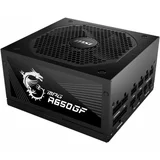
MSI MPG a650 rewards review – This is Perfect! Cant live without it! fully modular which reduces number of cable used and bought based off lots of reviews which promoted this… Read more
product in regards for price to quality ratio. Even more value for money due to product rewards being offered with purchases of this product which further increased my liking to the product. black colour of the cables help to hide it in the case, to showcase your pc and reduce mess.

This is a pure gaming beast ! – I am a happy customer of MSI laptops and this is my second purchase from the brand, with my first being the MSI GE75 Raider. I must say that the MSI… Read more
Titan GT77 HX 13V has exceeded my expectations in many ways.
Firstly, the 4K Mini LED screen is absolutely fantastic. The colors are vibrant and the images are crisp, providing a truly immersive experience for gaming and multimedia consumption.
The Nvidia 4090 graphics card is an absolute beast of a GPU and provides top-tier power for running the most demanding games and applications. I have never experienced any lag or stuttering, even when running multiple applications simultaneously.
The Cherry MX keyboard is also a major plus for me, as it provides a mechanical feel that is satisfying and responsive. The typing experience is excellent and I find myself typing faster and with more accuracy than on other laptops I have used.
The i9 13980HX processor is top-tier and provides amazing performance for multitasking and running demanding applications. The MSI Titan GT77 HX 13V has truly positioned itself as a leader in terms of performance, and I am very impressed with the speed and responsiveness of this machine.
Finally, I must mention that the MSI design and cooling is fantastic. The laptop looks sleek and modern, and the cooling system keeps the machine running smoothly and quietly even during extended gaming sessions.
Overall, I would highly recommend the MSI Titan GT77 HX 13V to anyone who is looking for a high-performance gaming laptop with top-of-the-line features and excellent design. MSI has truly outdone themselves with this machine and I am a very satisfied customer.
Dear Sir, We sincerely apologise for the unsatisfactory… Read more