TP-Link

This product completely resolved my dropouts and no longer having to reset my modem.The tech team were fantastic in resolving my Chromecast problems in such a short time frame. The best service experience I have had for a long time.

- See all


I did have problems initially with older devices and printers (we have 2) in the end I created a 5mhz and a 2mhz network. This solved all the… Read more
problems, the printers connected to the 2mhz network and older devices while the new devices run on 160mhz wide channel that I was able to set away from all the neighbours (and we have about 20 competing networks) so we now have lightning fast wifi 6 running as fast as it can I believe.

TP-Link AC1200 Archer VR400
Very helpful technical support team. TINECIA Nong. She helped me out with the internet connection to my modem.

For the price these little cameras are hard to beat. The picture is clear, it has alot of features within the app in line with the more expensive… Read more
brands. It tracks people and animals without an issue. I now have multiple of these around my house. I only ever had an issue with one not connecting to bluetooth, but I bought it back to JB Hifi and it was replaced without question. Hard to beat for the price.
I am yet to experience what their customer service is like so unsure there, and unsure how long they will last, but at this price point I would be happy if I get 2 years out of it.

- See all


Very helpful Tricia was very patiently and she even called me back when we got cut off. Excellent servic

Charlotte Zheng was a really good at responding understanding,and resolving my problem with my internet router

The devices that managed to connect, worked well. However, there are numerous irritations. The only device that managed to connect were the TV and… Read more
the security camera. Mobile phones, and computers would never connect. It resets the system time every time it gets rebooted, you have to login and update the system time after every reboot.
Positive points: It looks good, boots up quickly, never had issues with uptime or throughput. Negative points: Devices would not connect to it, time resets. I am using the device as an access point, so the system time might behave differently if it used as the modem

TP-Link AC2100 Archer VR2100
Overall the product works well, though I have had intermittent connection issues. However, after trying all the troubleshooting I could on my own,… Read more
after 20 mins with Lauren over the phone everything worked perfectly and I've had no issues since. Lauren was patient and effective even through difficulties on my end.

- See all


I bought one of these for home use. My Lefant robot vacuum would not connect to it so I had to set up an old ASUS router as a Wireless Access Point.… Read more
That worked. However I have experience frequent drop outs with the DECO and have to switch between networks to try to get internet. Rebooting takes a solid 6 minutes or more. I've given up on it and bought a pure ASUS router, no modem. Thought I'd set the Deco up as a Bridge. Can't be done. You can't modify any settings from a computer connection. There is no Bridge mode available in the app and no work around on the Deco. It's pathetic. It has frustrated me so much I'll never buy another TP-Link device. Who makes such garbage that you can't do basic things with? For supposed premium product that isn't cheap it's a 100% fail from me.

TP-Link TL-WA850RE
Biggest piece of junk ever made – Terrible experience trying to set it up. I just ended up throwing it away . Biggest piece of junk ever made. It worked for a while, then stopped working , then would connect , then not connect etc. JUNK .

I was having a bit of difficulty trying to set up my new router. Mirei was super helpful. She walked me through set by step in detail. By the end of… Read more
it I had configured everything correctly with her and my internet was up and running. Thanks for being patient Mirei even when I wasn't being my best version. Thanks again for your help. Bit is very appreciated. Hope you have a lovely day!

Great customer service from to TP link staff. Helped me setup the router through phone call.

I was recommend by a friend to purchase this Router due to the speed, price and ease of connectivity, however it wasn’t connecting to the internet… Read more
and after following the various steps to resolve, I was unsuccessful. My ISP couldn’t fix. I then contacted TP-link and had the pleasure of speaking with Mirei who was very professional resolving the issues quickly and patiently. No more buffering and a clearer picture from my NBN FTTH Ultra Fast Broadband Model is Archer AX53

Great product. I was having issues connecting it to my new NBN service and so I rang TP link support and got thinks working real fast. I spoke with a… Read more
woman named Hely and she was extremely helpful and talked me through the steps with great clarity. Highly recommend!
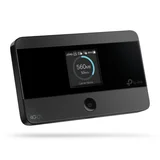
$120 piece of junk – What a piece of $120 junk, sim card is held in with sticky tape. Put it in 5 times and it said no sim card each time put it back in my phone 100% signal threw the heap of junk into the bin

Hi Peter, We are sorry for the inconvenience caused,… Read more (+2 replies)

TP-Link AC1300 Deco M5
Flaws but when it works its great – Easy setup using the app. However a few warnings not mentioned anywhere. 1 Ensure devices are approx 5 yards / metres max apart. Dont stretch it!… Read more
Overlap for mesh coverage. 2 Avoid placing anywhere obstructed esp electronic devices of any kind. Heavy walls etc. 3. Use CAT 6 cable not less from nbn to moden wan port and from modem out to deco unit main device. Most nbn connections wont have cat 6 cables. Gobto computer store or online. Cheap. 4. Turn off wifi on modem (may need to connect with laptop using ip and admin login) and use deco only for all wifi to avoid conflicts. Deco is easier to manage anyway. 5.Wall mount near power clear of obstructions. 6. Dont turn off leds or fault diagnosis is impossible. 7. Check app speed test. It has a bug. You must set wifi speeds for isp plan in app to get results. Now here is issue. If actual speed is greater than test speed no result occurs. Set speed must exceed actual...My plan 100mbps returned speed of 270 and i had to find this by setting 300 initially.
Our two level house has four devices. Three left a gap and the app was unstable.
If device drops to red reposition near another to diagnose any fault. I returned one that would flash red colour constantly.. Common according to support posts !!!
Cost is approx avg $70 each. Note you can also connect laptop etc using ethernet cable if puck positioned in convenient place eg near desk.. Two ports per puck.
Our home internet speed went from 25 avg to 270 dload. Very stable speed too with cat 6. We have fttp that came with a slow cat 5 cable...nuts. This change boosted above plan speed. apparently its nbns way to not giving full speed to all users. Free upgrade in speed? Crazy
Manufacturer suggestion. This unit is very difficult to wall mount. Flat use is awkward and contrary to leds which then cant be seen. The warmth means quality adhesive fails and the lugs on base mean adhesive is difficult to place to allow wall contact. Poor design really. . Suggest a simple lock mount like the ubiquity access point be used.

- See all


Have had my Tapo C410 for half year or so now. Had it replaced once due to battery indicator always shows 100% full even when it's unplugged from the… Read more
solar panel.
Funny enough, the sensor on v1 is much better than v2 as the current one seems a bit fiddlier. Also I've lost two additional sensor function such as pet and car with v2.
Overall, I think the product does what it's intended and for the price compared to well known brand such as Eufy, it is pretty decent.
There are others who have had bad experience with it, much like myself at the start but in the end it is working well.
I tried the 30days cloud storage which was good but decided to just use an internal storage. You can also get a Wifi Hub for more storage.
I also have a C100 (indoor camera) which also does the job for $29AUD on special from Amazon.

Pros: Looks good, decent coverage, good speeds, good stability Cons: Any changes you make in the router of mesh inevitably results in you having to… Read more
rebuild the network from scratch and change network for all of the devices connected, terrible connection for gaming (eg. widely known for not connecting / dropping out in EA games).
This is a basic, cheap mesh system and that's about what you can expect.
Personally, I wouldn't buy again. I'd opt for a better mesh system.

Strong Signal - Fast - Dual Band - Fair Price – The TP-Link AC750 Mesh Wi-Fi Range Extender is designed to extend the coverage of your existing Wi-Fi network, providing better connectivity in areas… Read more
with weak or no signal.
Features and Design: The AC750 Range Extender offers dual-band Wi-Fi support, operating on both 2.4GHz and 5GHz frequencies. It features external antennas that help enhance signal strength and coverage. The device can be plugged directly into a power outlet, saving space and ensuring discreet placement.
Performance and Coverage: The main purpose of the AC750 Range Extender is to extend the coverage of your existing Wi-Fi network, particularly in areas with poor signal strength or dead zones. The extender typically performs well in this regard, offering a noticeable improvement in coverage. The dual-band capability allows for better distribution of devices, as you can connect devices that require higher bandwidth to the 5GHz band, while the 2.4GHz band can handle lighter tasks.
Easy Setup: TP-Link is known for its user-friendly setup processes, and the AC750 Range Extender is no exception. Most models offer a web-based setup wizard that guides you through the process of connecting to your existing Wi-Fi network and extending its coverage. Additionally, some models support WPS (Wi-Fi Protected Setup) for quick and secure connection.
Value for Money: The AC750 Mesh Wi-Fi Range Extender provides good value for its price, especially for those dealing with Wi-Fi dead zones or weak signals in certain areas of their homes or offices. It's a cost-effective solution to improve connectivity without the need for extensive network setup or expensive equipment.
Mesh Capability: Some models of the AC750 Range Extender support TP-Link's OneMesh technology, which allows the extender to work in conjunction with compatible TP-Link routers to create a mesh network. This technology can further enhance the coverage and overall performance of your Wi-Fi network.
Final Verdict: The TP-Link AC750 Mesh Wi-Fi Range Extender is a valuable tool for improving Wi-Fi coverage in your home or office. It offers reliable performance, easy setup, and the potential for mesh networking through TP-Link's OneMesh technology. While it might not be suitable for users with advanced networking needs or those seeking the highest speeds, it provides a cost-effective solution to extend the reach of your existing Wi-Fi network. If you're looking to eliminate Wi-Fi dead zones and improve connectivity without breaking the bank, the AC750 Range Extender offers good value for your money.

Complete kit for connecting 1 device over power to a router. Extremely simple to set up. Comes with 2 x 2 metre network cables (one for adaptor to… Read more
router, 1 for adaptor to device). Each adaptor has 2 ports so potentially can connect router + device at one end and 2 devices at the other, so one port on the router connects up to 3 devices. Pairing to encrypt traffic is very simple - just press a button on each adaptor.
The only downside is that the adaptors are quite wide, so adjacent sockets on standard double power points and power boards can't be used. A simple left/right adaptor will fix that. They also stand out from the socket, but no more than a typical power adaptor.

I was very pleased with the service from Chloris Lei. I found her very patient & polite with me whilst dealing with my problem. I would be like say thank you & keep up the great work.

Have had the VR2800 for only a few years now. In summation, it’s good until it isn’t. The isn’t is the onset of regular internet dropouts that get… Read more
progressively more frequent. The white lights on the modem would indicate that it’s all okay but it’s not and the dropouts just become a daily occurrence. The lesson here is - purchase a new modem/router that is not TP-Link.

I give every one of these cheap cams 0 they hide setting that cameras all ways used to have delet zoom rewind fast forward.. unless you keep paying… Read more
it's not just cloude storage you pay for but it's the camera settings too, remember the days you bought security cameras and they just did it all well now they scam you to keep paying for the use of the setting. This cam only records when it likes and will completey stop all together most nights and you watch the generic reply i get for this review trust me they are all as bad as each other they all make you subscribe now. If you can find an old school security system my advice is get it like i have they record non stop no subscription cr#p and ya can set up your own cloud storage.... these cams are junk all brands do the same cr#p now.....

TP-Link
- See all


After having no internet for almost two weeks and NBN advising there were no issues at their end, my ISP advising no issues at their end, I contacted… Read more
TP-Link to see if there was a router issue. Tried the usual trouble shooting with them but nothing worked. They escalated the matter to their system engineering team and after one hour on the phone with Chloris the firmware was updated, diagnositcs were run and all good and NAT enabled and I was then able to connect to the router and have had no issues since. Chloris was fantastic to deal with... patient, clear with her instructions and extremely polite and helpful.

TP-Link AC1750 RE450
Having tried other brands that failed to work i purchased this & was not disappointed. My son now has full strength internet in his room. The only… Read more
negative feedback would be the instructions, easy as they are to follow & easy to complete there was some confusion as to why it didn't initially work on my son's phone in his room, on the instruction sheet there are 3 steps to set it all up however after the third step there was still low signal in my son's bedroom, it wasn't until i reread the instruction sheet that i noticed way down at the bottom of the sheet that it says to connect to your regular home wifi with the "EXT" next to it, this should have been step 4.

- See all


Whilst the operator assisted well with my query, I recommend Jazlyn to work on her speaking and listening technique.

Great product and great fit into the outlet – Install was a breeze, my second tp link adapter purchase in my lifetime. Product is great. The support staff/chat I had major connection issues… Read more
(IP) related but Rachel Lei stayed on call with me for near on 90 minutes, enduring me and my hysterics over such a simple problem overlooked by us both. I cannot recommend her service highly enough, a thorough communicator, the most patient customer service representative I have ever come across, as an avid online consumer and as a working professional couple it was essential for us to get this running
Thank you Rachel Lei. You’re amazing at what you do.

Challenging installation make easier thanks to Novia – I recently had a tricky time setting up my new TP-Link AC2100 modem router, and my ISP was unable to assist. Thankfully, I got in touch with Novia… Read more
Haung from TP-Link technical support. She was incredibly knowledgeable, patient and helpful throughout the entire process. Novia guided me step-by-step, making what seemed like a daunting task much easier. Her professionalism and dedication made all the difference, and I couldn’t have done it without her assistance. Thank you, Novia, for your excellent support!
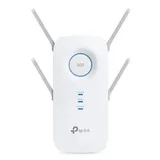
Wouldn't even give it 1 star would be 0 if possible. Sort of worked first use but since then just doesn't work. Barely 8m from router and while shows… Read more
on external TV bought for keeps showing no actual internet. Biggest waste of money ever. Little to no support. Absolute rubbish and going in the bin.

"Easy to use" These are great if you want to be able to turn things on and off remotely. You can also set up a schedule to turn on and off… Read more
automatically. Get the 4-pack as you will use them up a lot faster than you think!
The TAPO app is a lot easier to use than the one Arlec uses (Grid Connect). The Arlec app feels like it's designed by a control systems engineer, whereas the Tapo app just does the obvious simple things that normal people need to do, like set times when the power turns on and off. You can also set it to turn on and off randomly but I haven't tried that feature. Now that I've used the TAPO power points I'll be getting some Tapo light bulbs and tossing the Arlec ones.
These are small so honestly I wouldn't want to be switching on and off things that use a lot of power or have a motor. For lamps and stuff like that - perfect.
We're genuinely sorry to hear about your experience. You… Read more