Logitech Computer Peripherals

The keys are so clicky and satisfying to type on, plus it feels solid and well-built. Makes typing smooth and enjoyable definitely worth it for anyone who types a lot.

- See all


Fantastic mouse, but left button died after two years – I was ecstatic to find a great mouse for my iPad… it changed the ipad into a “full laptop replacement” for me. I would rate the mouse itself as… Read more
5-star, but I knocked it down to 4-star as it wore out faster than I hoped.
It worked brilliantly for two years. Then the left button started to feel “heavy”… a little harder to push, and then many clicks started to be missed. And it got progressively worse over about two weeks. Other posts indicate that the contacts start to die, or the micro-button itself starts to seize up. Not sure which.
Admittedly I did use it a lot, probably 5 hours a day, so about 3,000 hours. But I have never had a mouse die like this on me before.
I still bought a replacement one (M350s) and I hope this one lasts longer.

solid keyboard, decent feel. Solar too!! – Full sized keyboard with solar battery recharge capability! Wow! doesn't require strong light to keep charge.. ambient light is good enough.. solar… Read more
app can be bit flaky connecting so not sure what the go with that is as i sometimes can't check how much charge i'm receiving..
solar panels have a glossy feel which will get dirty over time..connects via unifying device.. wish it could be bluetooth though.. No backlit keys unfortunately but the feel of this keyboard is lovely.
Ability to tilt the keyboard on angle but they feet do feel a little flimsy. A quiet keyboard means i won't be disturbing others when typing..

No support from Logitech when it goes wrong – My K400+ has started to render random characters that were not typed. When I backspace or delete it continues to render characters that make no… Read more
sense. It is unfit for purpose at it will not type a sentence that I actually enter. I contacted their “Support” at 9:05 am this morning. I got a ticket number then nothing. I did it again, and got another ticket, and still nothing, DO NOT BUY FROM COMPANIES THAT DON’T SUPPORT THEIR OWN PRODUCTS. My impression of Logitech is souring badly.

The best quality webcam – Best for my office use. My friends literally ask me that how is ur camera quality so good and the reason is this camera. Works well with any lighting and helps you stand outtt Show details

- See all


Left click button double clicks while selecting text or drag and drop. Its a failure in click board and a very common issue. I only occasionally used… Read more
this mouse and it failed me shortly after the one year warranty window closed. Logi did not do offer a replacement. Apart from this issue, it is over priced for what it offers.

- See all


Comfortable keyboard, That's all about it. The Worst Keyboard I've ever used. The keyboard disconnects while using and trying to connect to other PCs which doesn't exist and really frustrating. Would you buy this product again? Not for a $1 Show details

What on earth is the rationale of producing a webcam that proudly boasts 2 microphones for high quality stereo sound, but disables them from use when… Read more
connected to a computer. It requires the use of certain operating systems and the installing of a specific program to be able to actually add the audio you thought you were going to get to your video. Purchasing this webcam will frustrate the hell out of you unless you are forewarned and realise this is NOT a 'plug and go' item.

- See all


This is an easy keyboard to use, but lacks the volume up/dn keys as the old keyboards did. Show details

Logitech Wireless Mouse - because red goes faster? – Faster? Ok, well maybe that's debatable. Dependable? Yes. The benefits of this Logitech Red Wireless Mouse are certainly appreciated. Purchased… Read more
from Officeworks for a comparable price at $25.00 at the start of the first lockdown in 2020 and since then, I've found this little unit to be robust, ergonomic and still running on it's initial AA battery - which the manufacturer suggests will run out at approx the 18 months use. Most useful, as with most Logitech Wireless Mouses' is the design feature of a handy USB store aside the battery input into the cavity of the unit. This was purchased as a replacement to a more expensive HP Mouse & Keyboard option which didn't have this feature - and when the USB adapter was damaged the entire Mouse and Keyboard are rendered useless - expensive, wasteful and not sustainable. So this is a great option, would be better if you could also buy an additional USB in case you lost this one, but great for the price. I find that the matte red finish of the Mouse is both texturally nice to the touch as it is visually pleasing and easy to spot on my desk too. There are 3 buttons, standard Right/left and centre mecanical scroll which provides line by line scrolling and has the same matte rubber finish which is nice to the touch. As for connectivity, it is a 2.4GHz Wireless connection, and have used this mouse when documenting within Revit, and Cad with found no real issues for it's intended use. Hope that this helps if you are contemplating a purchase. We also have the same unit in Blue (I think that this is an older model - purchased via amazon) which is as good as this one.

- See all


Just what one needs for my new security systems. The Logitech M720 Triathlon works well with the Swann consoles, computer, laptop, but is NOT… Read more
compatible with Sony Bravia TVs, any of them, only PARTIALLY works on those.
That said, this Logitech M720 Triathlon mouse has excellent response time and works exceptionally well for the consoles, computer and laptop. The mouse has ONE and only ONE physical USB connector, other devices must be connected via Bluetooth.
The Logitech M720 Triathlon can control up to three devices, making it a handy proposition if you are not using them for smart TVs, especially SONY TVs.
One is however at a loss why Logitech call it a "Triathlon" when it only comes with one physical wireless USB connector? So be very aware of this when buying mice expecting to use in two devices. Other multi use USB wireless mice come with TWO USB connectors you plug in to devices, and with SWANN systems having no Bluetooth connectivity, one has to now go out and buy another one of these.
Otherwise, HIGHLY RECOMMENDED.

I usually use a Logitech Performance MX 3 mouse which I left at a site forcing me to get a replacement. I settled on the G502 X based on the reviews… Read more
I have been reading saying it was great. The mouse looks really cool with it changeable lights and assignable keys, so overall a very versatile in the options that it presents as a mouse. The set up was easy as it comes with a radio receiver but Does Not have Bluetooth capability so I had to use one of my USB ports for the wireless receiver. It also means I now have a piece sticking out the side of my laptop that gets caught on everything and generally being a nuisance. The mouse is very angular, and compared to the Performance MX, uncomfortable to operate after a while and doesn't have a natural feel to it. After two hours the angular features start to bite into your hand if you have previously use a more smoother mouse. Changing over may be difficult. You will have to fiddle around with the mouse setting as this is a mouse behaves as though it has had Nitro boost added, it is fast, precise, jittery and latches on to every window it passes accidentally dragging them to a new location or closing them. It will take some time to set it up to get it behave smoothly. There should be a dumb preset to slow it down. This might be great for gaming, but its rubbish for office work or mobile working due to the reckless nature of it darting around and the receiver hanging out of a port. Pros: Very lightweight, assignable buttons, rechargeable vis USB-C, has a lightshow, accurate and fast. Cons: Uncomfortable after a while, jittery, expensive, no Bluetooth (Why?). I'm busy hunting for a spare MX 3. This G502X is going back on the shelf or I'll give it away.

It is a good mouse, however i have had issues after just 1.5 year with the scroll wheel. Logitech support was not very helpful and very slow to answer. To get a replacment you will have to go through multiple people and E-mails its very frustrating. Show details

Avoid Logitech products. Do not buy this keyboard – Extremely disappointed. Will not be buying Logitech again. I have used Logitech peripherals ever since I have had a PC. I have always gotten the… Read more
highest tier items they sell, speakers, mouse, keyboard and headset however the last 2 years has been terrible. I have had to replace the headset with a Corsair one as the one I had had endless connectivity issues for the whole time I had it. I wasn’t too upset about this at the time as I was happy to get a higher quality sounding set and was able to sell my old set to get some money back however after upgrading my keyboard to their G915 which was about $300 or more at the time of purchase, I had to have the first one replaced under warranty within 6 months as there was an issue with the RGB lighting. I was happy to get a replacement one albeit having to wait a while for it to be back in stock. I have had the replacement one 4 months past the warranty period and now the ‘R’ keycap won’t work. It needs to be pressed really hard to get it to initiate and then when it does it double presses or just doesn’t press at all. I was hoping that due to being such a loyal customer over the years and noting that this model clearly has issues that Logitech would do the right thing and give me a replacement. The best they could offer was a 30% discount which in itself is great however I am not very keen on the idea of getting a third faulty product in as many years. I will not be buying anything from Logitech again and I highly advise against anyone using them for their peripherals in the future.

Sad after changing to a USB-C port only MacBook – I changed from a PC to a Mac this year and as such only have USB-C ports (not USB 2.0 ports like the receiver) on my computer. Using a USB to USB-C… Read more
adaptor reduces the reception of my presenter to 2 metres max.
This product is recommended for Windows and it worked okay on that platform. I did have limited functionality of buttons whilst using PowerPoint (on a PC) so I would give it 3 stars on a PC. It worked at a decent distance but not all buttons worked out of the box - it required remapping keys for the remote to work as advertised.
It is simple enough to remap buttons for use with my new MacBook but with the 2 metre reception issue this is a pointless exercise. I am really disappointed after paying $150 for it last year. I rang customer support to enquire about a USB-C receiver to use with it, I was told my only option was to shell out $200 for the new spotlight presenter! Unfortunately there is currently no plan to create a USB-C receiver for logitech wireless presenters, keyboards or mice.

MX Ergo is fantastic – For people who have limited space / foot print on their desk / workspace the MX Ergo is a game changer. It takes a little bit of getting use to not… Read more
needing to move your hand, the MX Ergo is controlled by your thumb and finger which means that there is less stress on your wrist, there is no sliding it in any direction to find you hit paperwork or run off the mouse pad or that you have a glass top desk. the MX Ergo will work on any surface including sitting on your all your paperwork.

Unreliable and Disappointing – At first the mouse worked well. However, after about four months, it stopped working reliably. I tried reinstalling and researched advice without success. I don't recommend this mouse if you need reliable office equipment. Show details

Logitech G502
Disappointing - OK mouse let down by flawed middle button – It's a reasonable upgrade from its predecessor but has a couple of design flaws. First, the mouse wheel doesn't have a lot of grip - OK for the most… Read more
part but on very dry days it could do with slightly more grip. Secondly, the mouse wheel 'left' side button doesn't have as much surface area as the right side mouse wheel button. This is because the regular left mouse button (1) is slightly higher than the regular right mouse button (2). So, your left index finger (1 - left mouse click) is positioned higher than your middle finger (2 - right mouse click). Trying to engage the left side mouse wheel button usually results in the actual mouse wheel button (button 3) engaging. This is extremely annoying in the heat of an action game, and consequently isn't useful - probably no big deal for something like an RTS or RPG, but in a fast paced action game it's really bad.
Otherwise software is good and response times & accuracy seem pretty good too.

I bought this keyboard and mouse combo to replace my old Microsoft combo which lasted me 15 years. Unfortunately this piece of junk didn't even make… Read more
it 2 years before playing up. The problem isn't with the keyboard or mouse but with the dongle they supplied. It started playing up and randomly not working with the only fix being to take it out and plug it back in again (and sometimes this doesn't even fix the problem). I have tried it on different computers and it seems worse on laptops, but it has become so frustrating that I'm going to have to replace it. I have also replaced all batteries but the problem persists. I looked into seeing if Logitech can supply a replacement dongle but they don't even have this model listed on their website anymore! I like the keyboard and mouse but to not even get 2 years out of this is a joke. Looking to buy a different brand for the next one but might be difficult as it looks like Logitech has a monopoly on the laptop/mouse market.

“Silent” – Excellent keyboard for the first 3 months of use then keys start getting noisier and noisier and 12 months on there’s no difference in noise between the “silent” keyboard and a standard

- See all


Excellent mouse for 2 years office use, then the left button started missing clicks requiring harder presses. The mouse wheel is fantastic but i… Read more
hardly use it and it doesn't scroll left and right in Excel.
Battery life is excellent. Ergonomics is perfect for my smaller hands. Tracking is above average but not good on reflective glossy surfaces.
There are 4 extra buttons which need the new Logi Options+ software. The software is unstable and keeps failing requiring manual termination and restarting so the buttons work again. It also needs frequent updates so i don't like it. Going back to simpler Logitech and Microsoft mice.
I also use it with the rather expensive MX Keys keyboard which i love but is let down by this software.

Don’t waste your money – I have previously reviewed this and gave it higher. Until using it for several months. I have the full size numerical keyboard as I work with numbers… Read more
all day. The stupid keyboard has a num lock? Why would you need a num lock on a numerical keyboard IT SHOULD BE ON ALL THE TIME. It is constantly coming off causing constant errors and delays in typing when I look up and the cursor is jumping around and no numbers being input. What a stupid stupid keyboard and complete waste of money. There is absolutely no need for a num lock as this is a NUMERICAL KEYBOARD and there are no other functions on 90% of the numbers. Sort it out Logitech. I’m getting a new keyboard and never buying logi again.

Exceptional quality for relatively affordable AV option – We are so satisfied with this affordable, great quality AV/Conference solution. The Meetup include a camera, speaker and microphone. We also… Read more
purchased the extension mike, but haven't needed to use it in a 4x5m boardroom, because the standard mike bar does such a great job. The camera is "smart" and when there are multiple people in the room, the camera will sweep to the person speaking. Further to this, there is also a remote which allows you to mute, manually move the camera, or lock the view. I can't recommend this product enough. We use it with a computer and smart TV to run training and staff meetings.

Competitively priced among mice offering similar qualities and capabilities – The Logitech G PRO X Superlight 2 is a standout gaming mouse renowned for its featherweight design and exceptional performance. Weighing just 58… Read more
grams, it offers swift movements and precise aiming, ideal for competitive gamers. Its sleek, ambidextrous design ensures comfort, while the wireless connectivity delivers lag-free responsiveness. However, its premium price and lack of customizable weights might deter some users. Overall, it's a top choice for those prioritizing precision and agility in gaming.

Love it! – I just replaced my last Logitech keyboard after a good 6yrs of use every day for 12+hrs a day. Both typing and gaming. I scoured the internet to find… Read more
a new keyboard that would meet my needs, but also look pretty and provide a good amount of personalisation.I've had very good experiences with everything Logitech in the past so I wasn't at all surprised to find this keyboard met all my needs and wants.
Things I like about this Keyboard: - I like that it comes in white. It allows me to pair it with their G502x mouse (see my review) and my tower to completely update my rig :) - Great customer service if you ever need it. - Easily sourced online and in most stores. I bought mine from JBHIFI and got a good deal. - I LOVE all the colour options in the settings. - I love that you can customise the colours in your own formula and that you can switch between them. - I love the macros along the far left side. Makes gaming a breeze. - I love that it's a lowline keyboard, it prevents my wrists getting sore or needing a wrist rest - The buttons are super easy to push but not too easy. I'm a 80's- 90's kid and grew up with the very first oldschool mechanical keyboards, as such, I like to be able to feel the actuation of the key but don't like the loud clickiness of mechanical switches, especially when sharing a room with a streamer. This one is a perfect middleground. It actuates effortlessly but not so easily that it "misclicks" if you bump it etc. Similarly, it doesn't require much finger energy to activate the buttons, so the typing feel is more streamlined and effortless than my old keyboard. (which was Cherry mx or cherry brown I think) - Its quiet! It's not as quiet as some of those newer suuuper quiet switches, but at the same time, it's not so loud it can be heard from another room. Much quieter than my previous logitech keyboard. (I think also- the metal surrounds of this keyboard help contribute to that quietness. It doesn't sound cheap and hollow like a regular keyboard does.) - I LOVE that it's got a sturdy steel base to it. It feels sturdy and like it'll last forever as opposed to my previous one which was plastic and felt much cheaper. There is 0 rocking or bending or movement of the base/surround ever. Even when I get ragey in a game lol. - I love that you can control music and volume etc from thebuttons above the num pad - I love that you can control the brightness from the actual keyboard too not having to delve into the software on the pc. - It was packaged beautifully. It felt like a really rich experience getting to unbox it LOL. But moreso- providing such a good packing experience makes for peace of mind when I move house too, I know my very expensive keyboard is safely packed away in it's own box and can't get damaged because even the box is luxe LOL. - Nice long cord on it too. Makes it easier for placement options with the tower and cable management.
Things that could be better: - THE PRICE!!! This is VERY expensive for what is basically also offered by other brands at 1/4 the price. (Albeit cheaper ones give you less function buttons and probably less customizability too)
Overall I highly enjoy this keyboard and would definitely recommend it to others, gamers or not.
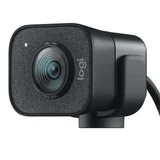
Must have webcam – This has prove to be a great buy for my zoom video meetings. Captures wide area and above all the pictures quality is great. It definitely enhances… Read more
my appearance. It is truely a plug and play device, connect to your computer and off you go. It works perfectly as promoted.

Works great while it last - Avoid – Was working fine for 3 years of occasional use. Noww I have the famous chattering issue that can sometimes be fixed with a set of fresh battery. Logiteech dont seem to know how to fix it other than to replace it(mines out of warranty). Show details

After 18 months of use it started giving me problems. Battery wouldn't take a full charge, only charge to about 55%. Also when using the scroll wheel… Read more
the mouse "crash"and would be completely unresonsive for 2-5 seconds. Unfortunatery this product only has 12 months warranty. But for this price tag I was expecting better support. Not happy.

Great keyboard until you have an issue – This keyboard is fantastic. But don’t expect any semblance of support from Logitech. I had one of the key caps come off and the clips broke on it. I… Read more
could not re-attach the key. Spoke with Logitech support and requested a new key. These things probably cost about 10 cents to manufacture. Logitech’s response: not covered under warranty. Go buy one from Ali Express.
Never buying another Logitech product again.

Good mouse but only a short lifespan – This Mouse is great while it works. Very short life though. I bought one, it stopped working after a few months. Changed the battery, still doesn't… Read more
work. I bought another M325. Same experience. It only lasted a few months, changed the battery, still doesn't work. Not pleased with their short lifespan.
my MX master 2s is still working after 6 years of daily use.