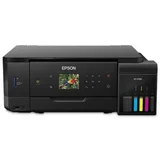
Epson EcoTank Photo ET-7700
MPNs: C11CG15501 and ET-77009 reviews
- See all


- +1

I Purchased this printer from Device Deal on November 2020 The printer has been the most expensive and worst performing printer I have owned. After the first two weeks of use it began to deposit random black ink marks over the paper. This could only ever be prevented by soaking up the ink from the home position of the print head and cleaning all… Read more
the upper feed rollers. Epson was contacted in the early months of ownership and I was given the word for word advice re going through the head cleaning process. Of course this had absolutely no affect on the problem. I have struggled with ths printer until now and have discouvered this is a well known problem reported to Epson Australia By numeous owners Australia wide. Why the product was not withdrawn from the market and a refund offered to purchasers is nothing short of a rip off by Epson on it's customers, Knowingly selling goods they new were not of mearcahtable quality and not fit for purpose. I also own another of their ECO Printers, the ET-5800 which has performed flawlessly since June 2021. That printer uses the same principle of ink delivery, obviously correctly designed.

Problems started after warranty finished – Had not even used all of the ink that originally came with the machine when the black ink started leaking over documents and was printing lines through photos. The black ink has always been problematical. Have changed the ink box TWICE - to no effect. I have had a number of EPSON inkjet printers and this is the worst by far. I upgraded to… Read more
this printer because of the ECO Tank. I am also using an EPSON ET-4750 (also an eco tank Printer) with no problems. I also have an EPSON Laserjet printer and do not have problems with that. I have more paper jams with the ET-7700 and use mostly A4 Copy paper suitable for inkjet printers. I am about to replace the ET 7700 and now do not know what brand to buy. The ET 7700 was not a cheap printer so you cannot judge quality by price alone.

save yourself the headache – Worst printer ever!! Has great prints but totally overshadowed by the fact this printer is barley usable - every time I print I will get "paper out" notification despite being full and "paper jam" with no jams. Id say it actually prints once per ten notifications. If I could gone back and never bought this, I would have. Show details

Coaxed in by cheap inks, but it died just after warranty ran out – I bought this printer as I had good experiences with other Epson printers, and this one shipped with loads of ink. Plus, the ink refills were much cheaper than similar printers. Print quality was excellent initially, with great photo resolution, contrast, and vivid prints. However, after just over a year of using it, and I stress I only used… Read more
original Epson inks, the print heads have clogged up and won't clear, even with power cleaning. The other gripe is having to buy a maintenance tank when you do power cleaning, even if the tank is not full. This has turned out to be worse value for money than standard photo printers with expensive ink. This is because in this case, the printer is expensive and it only lasted a year and a bit until it became a brick. I've found out the hard way that domestic printers seem to be one of the few cases where buying a bit of extra warranty might be worth it, especially if you've bought an expensive printer. But, make sure you buy the correct warranty. I've now bought a different Epson printer but with an extra year's warranty, just in case.

Worst printer ever – Exactly the same issues as Angela. Plus photo print life is only a couple of months before fading to a complete washed out state. Epson claim that only Epson photo paper to be used. Never a problem with previous canon printer with any brand or generic photo paper. Cannot get wireless option to work. Best you avoid this machine - probably best to… Read more
avoid Epson altogether. Purchased at Harvey Norman - best they are avoided also. Overall a flimsy unit - it would not survive even as a doorstop.

The worst printer I've ever owned – Please, please don't buy this machine. I wish that I hadn't footed the over $700 for it, it is truly the worst machine I've ever owned. Rear feed is the only way that you can get a decent print (without lines showing up), however the rear feed doesn't work properly and I spend up to 10mins each time trying to feed paper in. The support team were no help. Do yourself a favour and do not buy this machine! Ours is one very expensive door stop. Show details

great when working – This printer is really good when it works properly, we had one replaced under warranty as the black ink would leak when printing photos and documents, the second one lasted around 15 months and is doing the exact same thing, it was expensive and our expectations were higher, it was not used extensively which may be the problem, however as the… Read more
black head leaked on both I feel it is a design fault with that particular head, very annoying when you start printing photos only to have to bin them and keep doing full on head cleans, where to from here, not sure, perhaps another brand to see if it is us or the product

This is the worst Printer!!!! – Bought printer to replace one that was not a year old with problems, went to set it up, only to discover that it would not connect wireless. After three complete restarts, I finally got a connection, rejoice not because it wouldn't pick up the paper, kept saying paper tray empty. Began setting it up, nice idea, but not with Epson. Seems it… Read more
connected to the wireless ok, but would not recognize the ink. After much frustration and three trips to the store, I decided to buy an HP and warn people about the garbage Epson is putting out.

Finally no more cartridges, ink tanks all the way – I have 4 kids and I am also keen on photography, needless to say the 2 usually go together. You have kids, you take a lot of photos. Over the years I have gone through many printers, usually Canon as I have always been able to trust that brand and all of my cameras have always been Canon also. The last 3 printers I have purchased I have ended… Read more
up modifying with external ink tanks because it was FAR cheaper than replacing the cartridges every few months. This saved so much money over the life of the printer, unless of course, when installing it, things didn't go right. Which is what happened when I installed one on my old Canon Pixma MP620 and had to then buy a Pixma MP640. Both, average printers but worked well for what we wanted.
Luckily when I installed the external tanks on the MP640 it went well and we continued printing for years.
Recently I came across an OfficeWorks brochure and noticed one of the printers on it had its own ink tanks. Amazed I read into it more and found there were now a number of factory ink tank printers which meant the same convenience of not using massive amounts of expensive cartridges but with the added bonus of having factory warranty.
After doing a little research it came down to 2 printers. The Canon Endurance GP4600 and the Epson EcoTank ET-2610 as they seemed to be similar in price and functionality. At the end of the day I ended up deciding on the Canon and went down to OfficeWorks where they are the sole distributor but unfortunately they didn't have any in stock. So I then went to Harvey Norman next door and they had a much larger range. After doing a little more research I settled on the more expensive Epson ET-7700 ($778 vs $468).
The main reason I made this jump was 2 fold. 1 - it came with "2 years worth of free ink", when you do a lot of printing this makes a difference. 2 - The picture quality seemed to be a lot better than the Canon (which you would expect with a larger price tag). Now what Epson means by "2 years of free ink" is 2 complete tanks worth of ink, and it is a lot of ink, but like I said we are heavy users so I am picking this might last 1 year maybe a bit more.
Setup was pretty simple, it took around 10 minutes, including connecting it to my computer network via the 10/100 port on the back. This meant I was now able to print to it from any of my devices (phones using the Epson apps, PCs as they are on the network) in the house. Filling the inks tanks was also extremely easy with the bottles setup so that you need to apply pressure upside down before any ink will actually come out. Once taking it off I recommend doing it slowly, as I found it can leave residue on the bottle and a couple of drops may come off if you are too slow in putting it on (or not quite straight) and taking it off too early before the end closes.
And like that it was done and we were printing pictures from our phones, the kids were printing homework.
It is quite a speedy printer too, printing large amounts of black text pages almost as quick as you can hit the print button.
It has 2 cartridges for media under the bottom of it, one for normal paper and one for photo paper which I found to be quite handy. That way you are not having to change from one to the next.
Probably one of the only issues, if you can call it that, is the screen needs to be lifted so you can pull out the paper tray where the prints are left. Making this an automated function would be handy but it is a small thing.
From the testing we have done so far, I would exactly say it is an amazing photo printer, the quality is not entirely what I would have hoped for from a printer that doesn't leave a massive amount of change from $1000 but they still come out looking better than they did on any of the previous printers (except for our pro Canon).
Print size - max A4
One last thing before I forget, when registering online it gives you an extra 1 year warranty on top of the 1 year it already has which while is not really necessary with the Consumer Laws introduced to Australia in 2011 is still nice. You will also get a $30 voucher to spend at the Epson store which will basically pay for another bottle of the BLK ink which will most likely be used before all other colours.
Extra Information
ProductReview.com.au has affiliate partnerships. These do not influence our content moderation policies in any way, though ProductReview.com.au may earn commissions for products/services purchased via affiliate links.