
Epson EcoTank ET-2811
MPNs: C11CJ67502 and ET-281133 reviews
- See all


I bought this printer from Officeworks because of the advertised ink tank feature. Unfortunately, printer seems cheaply made, and it broke just before the warranty expired. After an endless back-and-forth with the Epson repair team, it was finally fixed. However, it broke again soon after, this time due to one of the poorly made internal plastic… Read more
components, and now it’s out of warranty. Given the price I paid for this unit, I find it highly disappointing. We haven't even used half of the initial tank capacity, and this printer is to go to the bin. I wish I had spent about $100 extra to purchase a more robust printer from another brand.

Can't believe how Office Works sell this printer. It continually stops printing after first page or being idol. Time waster! Show details

Look this printer does everything I want except print in colour correctly. I followed the tips to improve and none of them worked. Maybe someone from Epsom can explain why the black works well and the colour barely. I had read previous reviews that indicated this was the case. It's a real pity, otherwise I would have given it 5 stars. Show details

Don't buy it. Have spent 3 or more hours trying to set it up, two phone calls to epson support. You have to download an app on your phone to use it. Still can't get it connected to print wireless. Now going back to Officeworks to buy a cable so we can print. Have to swap the cable from one user to the next everything we want to print. And it wasn't exactly cheap. Very poor choice, kicking myself for choosing it. Shouldn't be so hard. Show details

This printer is an absolute piece of trash. from the moment i got it, its been nothing but problems. always at least one printer head clogging and prints are never full colour. It has streaking, missing colour and the only option to fix is to run a head clean, which rarely does anything. they do say theres an option to do a power clean but theys no way to action that at all. Frankly one star is way too many for this printer. Show details

Worst printer i've ever owned. Constantly prints test sheets. Even when you know the problem and address it, it prints several test prints, wasting ink.

So far so good! I've only had this printer for 2 weeks so I can't speak to its longevity but so far I have no complaints. I detest buying printers as all brands and models have numerous negative reviews and my previous experiences have been far from positive, but I needed to print something urgently and my Canon was illegible so had to bite the… Read more
bullet and buy a new one. Despite many negative reviews, I went with the Epson ET-2811. My expectations were low but I have been pleasantly surprised. Set up was very easy. Using the ink bottles was easy. It found and connected to my wi-fi without issues. It has printed perfectly and quickly each time I have asked it to, both in black and colour. I haven’t tried printing photos as yet. It does feel quite flimsy but the upside is that it is light weight. Here’s hoping it keeps working like this for many years to come.

Save your money for $300 which is a rip-off to start with and for what you get is basic. USB lead is sold separately and trying to get your Wifi to connect to this is nearly impossible either it can't be found and/or password is incorrect. Cheaper brands and models are your best bet. Epson pick up your game as you are lagging behind your competitors in this market. Show details

Please don't buy this – Good - no polystyrene packaging (yay) Bad - apart from being able to put ink in it nothing worked. Test print - blank. Then ate two pieces of paper and no way to get to them or even seeing them. Used up half a tank of black and quite a bit of colour without printing anything. I started using the written instructions because using the app… Read more
required my location and I didn't see why I needed to share this to print in my own home. They were mediocre. After the issues above I downloaded the app. connected to wireless then to be told the device couldn't be found with a whole lot of possible fixes that weren't relevant to me. Nothing else on line to help except these terrible reviews.
Returned it to Officeworks. Staff great (and didn't seem surprised). Directed to a Brother product for same price as much more reliable and with a whole range more functions (inc screen and double sided printing), two year warranty. Setting it up has been a pleasure. The written and screen instructions fab. Now printing without a hitch.


Worst printer ever owned – Worst printer we have ever owned. Jams frequently and recently just stopped feeding paper and can’t print. Print quality very average. No air print. It lasted for 10 months. Don’t buy this printer.

Poor colour match, wont clean print heads properly – Have had it for only a few months, still on the first tanks. Colour print is way off colour. Tried cleaning the print heads many times, still no good. This is the worst printer I have ever purchased. Show details

Worst printer I’ve ever used – Not happy with printer.I can never just hit print it almost always fails. Takes a long time to print when it does actually work. I have it connected by cable now and still have issues. I still have connection issues. Currently says Print job cannot be sent. Says to make sure printer is on and then click connection. Do not buy this printer you will… Read more
be sorry Epson should recall it and replace all with one that actually works properly.probably won’t buy another Epson product after this.Unless they did replace it with a model that actually works.I thought it was me until I started reading reviews.seems too many people are having similar issues so it must be the machine.

Don't waste your money... to frustrating – It should not be this difficult to scan or print an item... this is the worst printer and scanner I have ever used. Would not recommend. Show details
Find out how Epson EcoTank ET-2811 compares to other Printers
Know better, choose better.

terrible product – the instructions are hopeless, I cannot connect to it with a cable let alone wi-fi. The menus, well there aren't any and the blinking lights are meaningless. Terrible product. Worst printer I've ever had the misfortune to have. Show details

Yeah nup. Rubbish printer – Dog ears on every second page. Leaves inks smudges. Paper jams every second use - even with brand new paper (reflex). Not iPad friendly (does not allow printing for iApple devices). Really really don’t bother. Show details

Good printer but has issues – This is an edit to my previous review - I purchased the eco-tank as I was using the Epson 440 and going through the cartridges too quickly. The ink tank on this printer is great. I purchased this printer in August 2023 and only now in April 2025 I'm replacing the black ink only (it only cost $35.00). I print about 100 pages every day, mainly… Read more
using black ink. The other 3 bottles still have at least 1/3 full. I don't do a lot of coloured printing but this is way more cost effective than the cartridges which I was changing monthly. The scanning is the same as the Epson 440 and you can add if you have more than 1 page to scan. The copying is easy. Occasional wi-fi issue, however I would put that down to the area I live in and not the printer.

Absolute rubbish – I bought one of these reconditioned from Epson directly. It wont turn on. I took it to have it looked at. The main board is broken. Epson won't honour the warranty because I used non genuine ink. How this has anything to do with the warranty is beyond me. Anyway I have a $300 useless piece of junk. Epson sold me a defective printer, the tell me it's my fault. Stay away from Epson. Show details


Good mid range printer for study/home. Get a laser if you want high speed – Easy to setup out of the box, simply scan the barcode in the instructions download the app to your phone and use it to add the device to your wifi. Update the firmware via the app before using the printer to iron out any know bugs that shipped with the device at manufacture. It will take a few minutes to pre pump ink and be ready for printing. Add it to you windows printers in windows 10 using the Windows 10 wizard. Show details

Great concept but printer is not good – The printer is a great concept, but parts inside are lacking, paper jamming since day 1 and cannot unjam it, and now have to wait to get in touch with a technician to unjam the paper. Show details

Could not be more difficult to set up and use – The fact you can only print using the epson app is such a pain. We managed to use it for 4 days and then relocated the printer to a different location with a different wifi and then spent endless hours trying to get it connected to the new wifi without any luck. Called epson and emailed and they told me to do all the things I had done, the app… Read more
still would not connect to the printer on any of our devices. Waste of time and money. Also to print photocopies you have to sit by the printer and press the button the number of copies you want. No screen, only buttons and flashing lights. So not user friendly. Am returning it to Officeworks tomorrow.

Constant attention needed – Won't print double sided without manually inserting each page. If printing multiple pages will claim paper is jammed, or out when plenty of pages are sitting in the hopper, and there is no jam needing to be cleared. Also ink warning light comes on, when tank is demonstrably 75% full "Troubleshoot" claims no issue, but still fails to print Show details

rubbish quality – son bought me one for xmas, its absolute rubbish, my old $50 printer prints lot better quality photos than this over priced piece of low quality garbage, cant find settings anywhere, talking it back for a refund, never buying this brand ever Show details
Find out how Epson EcoTank ET-2811 compares to other Printers
Know better, choose better.

Rubbish – Wish I read these reviews before I purchased it. Absolute rubbish. Took 2 hours to initialise as wouldn’t connect to wifi and other problems. When it finally managed to get it all connected I went to print my first page and was presented with the message “ unable to find printer “. This is a really bad printer. It will be returned tomorrow. Show details
hopeless printer – instructions are basic, trouble shooting is nil, app is unusable if there is a problem, it constantly looses its wifi connection and has to be restarted several times to print even on a wired connection. There is no "support" and even if you do manage to contact anyone they are the most clueless people to deal with, they do not listen and only work from a preset script. DO NOT BUY this rubbish. Show details

Epson Printer Review includes eco refills – Recommend this printer highly has Eco Tank in it came with 2x black ink bottles and one Color pack Starting to print stuff got extra 25$ in shop voucher as of registration of warranty online and extended warranty as well did a network connection check Setup with computer not so easy need a cable I ordered online No jams so far Very good unit has a scanner No Air Print supported as apple has to add support For Epson ! No 5GZ wifi support!! Show details

If I could I'd give it -5 stars – I've used this maybe 5 times now and every time it has connectivity issues! then once that's fixed the nozzles are clogged and it needs a head clean. THIS PRINTER IS AWFUL!!!! DON'T BUY ONE! Show details
never again – print quality is fine but its the slowest scanner I have ever used + continuous connectivity problems


not a good printer – You cannot print double side only if you feed the paper manually. It's insane.. Long installation process, very long printing time when I print high quality and the quality is not so good either! Show details

Disappointing – This printer is hard to use and there are problems with connectivity. I bought it to save money on cartridges but any money saved is offset by the inability of this printer to do double-sided printing. To print double-sided you must manually re-feed the page into the machine. My previous cheap printer was much better than this. Show details

Thought this would be as excellent as last one - how wrong can you be – Had last Epson printer for over 10 years - only got rid of it as it closed down saying service required which is so costly compared to new printer. Liked this because of how the ink was used and thought it would be as good as last one. Had no wifi problems or blue tooth it worked perfectly However, we only use once or twice a week and nearly every… Read more
time the ink / printheads have dried up and need cleaning. When it prints the quality is as good as expected but I had to search internet to find instructions as no obvious instructions on the printer itself unlike the last one. But for this constant problem it would be a good little printer and scanner. I bought in UK but had to enter a store sorry

satisfied – Print quality is satisfactory, there is a setting you can put to increase quality but it takes a long time to print. Wifi can be hit and miss so I use a cable printer sometimes spits out blank paper, but prints everything much more economical to print easy to refill ink Show details

Shocking experience with new printer – Spent a decent amount on this new printer. Unfortunately its been a shocking experience thus far. Wifi printing works maybe 1 in 10 attempts. Always having faults where the wifi wont connect to the device. More trouble shooting and testing should have been done before releasing this printer into the market. This has also been tried with multiple… Read more
devices all of which experience the same issues. To make matters worse the printer doesnt come with a cable to connect to the PC. I've been practically unable to print since buying this device. Stay away.
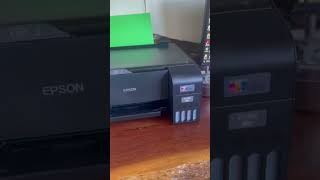
- +5

Review of printer including eco tank unit – Recommend this printer highly has Eco Tank in it came with 2x black ink bottles and one Color pack Starting to print stuff got extra 25$ in shop voucher as of registration of warranty online and extended warranty as well did a network connection check Setup with computer not so easy need a cable I ordered online No jams so far Very good unit has a scanner No Air Print support!! Need Epson to support them ! Show details
Extra Information
ProductReview.com.au has affiliate partnerships. These do not influence our content moderation policies in any way, though ProductReview.com.au may earn commissions for products/services purchased via affiliate links.