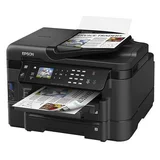

Frequent OTA updates create connectivity failures – Every time there is an OTA on my WF-3520 which for the first couple of years ran perfectly. Now when there is an OTA software update/upgrade it changes the 'name' of the printer and subsequently my office wi-fi devices; 5 phones and 4 laptops cannot find the printer and I get the 'Connection fault' message. its absolutely maddening and will never buy another EPSON for that simple and frustrating issue.
Purchased in for $249.

Still happy after one year of heavy printing – As per title I still have the printer functioning as new after one year of heavy printing. Everything works fine and it is very fast as well, specially on double sided printing which I always use. The cartridges last a fair amount of copy, considering that is a inkjet. The only downside, but this maybe is only me, it is the size, it is a bit big for my desk but I guess that if the printer was smaller it wouldn't do all it does. speed, cartidges life. size

Good printer for home office – After going through several cheap inkjet printers in the past, all of which go through ink cartridges with ease, I have finally found one that is worth sticking with for a while. The WF-3520 features all of the multi-function features you would expect, as well as having ink cartridges which last a decent amount of time. There is not much to put down about the machine, it does everything - print, copy and scan efficiently and effectively. Great features Epson software could be a bit better
Extra Information
ProductReview.com.au has affiliate partnerships. These do not influence our content moderation policies in any way, though ProductReview.com.au may earn commissions for products/services purchased via affiliate links.
Update: the printer still working well. No problems.