
29 reviews

For the eyes of Navman MY670LMT, Good bye Navman! – I purchased a Navman MY670LMT in 2018 and paid extra for the extended warranty that expired last year. Initially, it served its navigation purpose well, but not long after that, several issues emerged. The screen became unresponsive, slow response time, loading was sluggish, and the operating system was problematic. Additionally, the unit would… Read more
occasionally switch off, presumably due to a weak or small battery.
Throughout the years, I hoped that updating the unit with the latest software would resolve these problems. However, in early 2023, the screen became permanently unresponsive, and when it unexpectedly worked, it would freeze up again after another touch.
I've already tried the following solutions to resolve the issue, but none of them worked: - Installed the latest update. - Fully charged it overnight (the green light indicated a full charge). - Performed a hard reset (by poking it). - Attempted a Smart System Recovery.
Navman's service department is asking for $90 to repair it, even though the machine is still relatively new.
Anyway, I believe it's time to consider a new navigator and give their competitors a chance.

Failure to make changes to maps – Have had many Navman' over the years but I get the impression that they've fallen in a hole service wise. Latestest map updates are not capturing 8 to 10 month major changes to National SH1 highways in NZ. For example Transmission Gully and the Waikato Expressway past Hamilton. They've lost my trust after many years of happiness with them Maybe… Read more
Garmin can do better. I've just read the many report from other disatisfied owners. I was amused that many folk are concerned at leaving the unit visible in an unattended vehicle - c'mon! No competent thief would steal one of these!!!

Pretty damned good - with a few exceptions... - until now! – My 4th Navman and "I like it". The only major mapping error I've found was heading to Canberra from Melbourne it took me on a wierd route ending up almost on a bush track. I sought guidance from a nearby service station and they said that many people stop in with the same problem on various navigators as "the mapping around here is all rubbish".… Read more
I also found difficulty on the the ring road in Paris where you're driving thru so many tunnels it cannot get accurate GPS fix. Also major cities with canyon like streets often it "gets lost" momentarily but then so does my phone (Google Maps). It's been marvellous throughout New Zealand and US (I download the maps) taking me places I'd never travel. I love the 3D corner and off-ramp info - so good particularly in unkown territory. I've found speed limit info about 95% accurate - will often lag changes for a month or so. I tried TOMTOM once - no bloody thank you!! I found the UI and graphics terrible It's wierd that a lot of maps on the Navman are TOMTOM sourced Weak points: the car charger (replaced under warranty on two models) and the battery - a waste of time. And the use of the old USB plug is Aargh! And, oh yes, using voice to tell her destinations is pretty pathetic, never gets it right and comes up with crazy interpretations - but then my wife doesn't listen to me properly either. It would be nice too, to be able to re-order "voice command My Places". It sets the numbers of it's own volition and they jump around a bit so recalling the right number is tricky on the run.

Hi Captain_Crayfish, Thank you for your review, and we… Read more (+1 reply)

I won't be buying another one – Whilst I like the Navman format. I have nothing but problems with the unit freezing up and is very slow to load and respond. I wish that I had not bought another Navman, I had one previously and had the same problems on this occasion I thought the a company like Navman would have fixed these issues by now but no they are worse I now need to buy another Navigator but it won't be a Navman. Show details
Hi Gregl, I'm sorry to hear about your experience with… Read more

Ok but recurring problems – I bought this in june 2018. was ok for about a year. The battery would run down after charge in 2 - 3 days and the maps would not load on my desk. The unit is always on car charger. Sent it back to Navman for assessment. Was told that it passed all tests and they sent me a new car charger and further instructions on how to load maps Followed… Read more
instructions to no avail. Only time it charges in car is if i go on a longish trip. Have to keep charging via recommended 240v charger and have tried many times to update maps to no avail. Getting pretty sick of this . Never had any problems like this with my previous tom tom

Sorry I brought it – Shows school zones streets away. raikway crossing before and after you go past and when there is no crossing. the street names are very small can not adjust . screen very cloudy I would not recommend it to any one Show details
Hi Carl, I am sorry to hear of your experience with the… Read more

Warnings out of sync and speed limits frequently wrong – This unit replaced my old MY60T which was a good unit with accurate and reliable maps. The only reason I replaced it was because the maps were out of date and it was going to be cheaper, in the long run, to by a new unit with free lifetime updates. The MY670LMT also has a bigger screen. However, I have since found out that Navman changed their map… Read more
supplier from Sensis to Navteq. This was a mistake. Sensis maps were very accurate on my old unit and speed limit changes, railway crossing warnings etc were spot on. On the MY670LMT, speed limits that haven't changed for years are wrong. A good example is an 80kph limit near me has a section where my Navman says it's 40kph (no schools anywhere) in one direction and 50kph in the opposite direction both for about 1.5km. These limits have never existed.
In addition, warnings about level crossings happen when there are no level crossings anywhere around and when there is a level crossing or a speed camera coming up, the warnings are 200-300m out of sync with reality. For example, when you are actually going over a crossing, the gps says 'level crossing in 150m'. When I complained to Navman about this, they told me that I would have to log all of these errors before they would consider a refund. Another irritating thing is that I mount my unit close to the dashboard so it doesn't obscure my view through the windscreen. On my old unit, if I needed to remove it from the bracket, I could slide it up out of the bracket. The new unit only slides down out of the bracket so I have to remove the bracket from the windscreen first. Lastly, the battery in the new unit won't hold a charge. If you don't have the car ignition on, it always warns me that the battery charge is critically low. It's always been like that. I won't be buying a Navman again. It does a job....just....and their approach to problems was unsatisfactory.
Hi Doug, We are sorry to hear your new device didn't live… Read more

Onerous to use and a regretful purchase – I chose the Navman because it had a great screen size and I assumed its operating system would be as efficient to use as any other GPS (my tomtom’s backlight died after many years so the navman was its replacement). Every use of this GPS is frustrating, from its painful address search function to the number of times you need to insist that yes,… Read more
you do want to cancel the route or yes, just navigate to that address please!. Not the sort of sluggish features anyone wants in a GPS while on the road.
The fact that it doesn’t default display the trip information is irritating and like others, I’ve found the speed limit advice is unreliable. There’s one particular industrial zone I drive past every day in a 90 zone and it insists I’m in a 40km school zone. There is NO SCHOOL anywhere near by.
I’m going to return it and buy another tomtom. Really disappointing and irritating.
Hi Angela, Thank you for your feedback. I’m sorry this… Read more

Great product – easy to use, fast startup, gives early warning on directions, eg lanes, turns and guidance., just plugin and go..map upgrades very easy to install, large screen. works very well with Bluetooth for my mobile phone Show details · 1
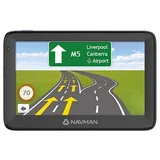

Pile of chunk – I bought two my670lmt navmans from Harvey Norman in June 2018.had them replaced November 2018. After freezing issues and having a black screen they had very little use now the replacement units are doing the same thing. Looking at forums on the net and previous reviews on this site I believe they have an issue with operating on 12 volt. Not happy now I am $400 out of pocket.
Hi Graeme, I would like to look into this issues for you… Read more (+4 replies)

Speed Zones and safety camera warnings useless – Purchased 25/10/2017 The maps are so outdated as to safety cameras and speed zones. I have Updated Regular. My old MY600LMT had no problem with these exact same areas untill I updated in early 2017 then it too had the same problem. I am told Navman changed their map supplier. I travel Bay of Islands to Auckland often. Two safety cameras are… Read more
located in an 80k zone, the Navman says the speed zone is 100k and no warning of the camera. In one of these the speed was reduced from 100k to 80k about 18 months ago and the camera placed about 12 months ago plenty of time for an update. A resent trip from Bay of Islands to Hellensville there were five areas where the speed was showing higher than permitted.
Hi Foxy, While all effort is taken to ensure accurate… Read more

Battery – I have been a Navman user for over 10 years. However my current MY670LMT purchased in January 2018 simply does not seem to hold its charge when connected to the car charger. I have just returned from a 17,800km trip and these are the issues i experienced. Firstly, 1. Yes I do have the genuine Navman in-car and 240v chargers. 2. Yes I… Read more
do fully charge from 240v or another source until LED on NAVMAN turns from orange to green, before each trip.
3. Yes the green light shows when on the car charger and the LED glows orange on the NAVMAN.
4. Even if I turn the NAVMAN off while using the car charger, the NAVMAN will not fully charge (to where the LED on the NAVMAN turns green)
5. Yes, Ive tried a reboot
6. Yes, I have the latest software and maps loaded
7. Yes, I have the full owners manual and have read it.
8. Day brightness 50%
Night brightness 10%
Fatigue, speed and warning alerts - On
GPS logging - OFF
Bluetooth - OFF
However,
1. Even after extended trips ie over two hours, the NAVMAN advises me that the battery is critically low (when I turn the car off) and that I should connect to charger ASAP
2. After every trip, no matter how long or short, when I turn off the vehicle off, the NAVMAN also asks me if I want to continue to use it. If not, it powers down after 10 seconds, (which is OK as I presume that it is a normal power saving feature)
3. Because of the above, I often have to go through the whole process of accepting NAVMANs term of use etc, rather than it just recommencing where it was before I turned the vehicle off. (Like previous NAVMANs did and as did this one until recently)
4. I have fully charged the NAVMAN using 240v and left it on but disconnected from power. It lasted for 30 minutes before signalling the battery was low. So it seems that is about normal.
Maybe the NAVMAN is not getting sufficient charge through the car charger while in use when travelling, even though the green light glows on the charger.
Any advice or assistance you can give would be appreciated
Regards
Fuddy
Hi Fuddy, We're sorry to know about this. We suspect… Read more (+4 replies)

Worst out of box experience ever – Nowhere near as good as my old MY 65T. We upgraded to something with a bigger screen. However The vocal directions occur continuously about every 5 seconds or less, interrupt itself with incomplete directives and after 10 minutes drives you to distraction Maps worked well but had to turn volume off. Was told to reinstall software-result was a… Read more
blank white screen with + targets. Returned for repair but on return unit still had vocal fault as per the original complaint. 3 approaches today to the service area resulted in a) asked to reinstall software again. Blank screen again the result. b)given a note on how to save “Myplaces” which I don’t need. c) asked to reformat GPS unit. Result blank screen with + targets. At the end where directed to reload maps was asked to enter regional key that is on box. Unable to be found. I now think a replacement is in order. I cannot understand why the support staff can’t take over my computer and fix the problem on line or that a replacement has not been provided. The unit is not suitable for its purpose.
Hi There, The issues you have described when reloading… Read more (+5 replies)
Find out how Navman MY670LMT compares to other GPS Navigation Systems
Know better, choose better.

Battery Not Good – Everything is good with the device except battery. Just purchased before 6 months and facing the issue from 1-2 months. Even after charging 3-4 hours or more, it gives message battery low after 30 mins of use. So even if you charged or not it should be connected to power if you are going for trip, which is not good.
Hi Jeegar, The MY670LMT's battery is designed as a backup… Read more

speed signs – I find the speed signs shown on the device to be totally ridiculous, you can be on a 100 signed rd and the machine will show 50 and then continually beep because you are over its showing speed. In Bundaberg and surrounding arrears there are dozens of rds showing the wrong speeds I even named a lot of them and emailed them to navman and they… Read more
assured me they would be fixed ,that was 6 updates ago and they are still the same also this can cause road rage as a tourist going on these speeds would be creating a lot of frustration to locals who know what the speed limit is. If they don,t know the speed just don,t show it on the map but if they don,t know they just appear to put 50 on it. Also their preferred route option is total rubbish as it takes no notice of it.Signal strength is excellent and I find updating easy Very poor Battery life around 20 mins if car not turned on Basically a good easy to use device if only they could sort out their maps
Hi Richard, Thanks for your review. I carefully checked… Read more

Why bother putting a battery in it??? – Charge it up, and less than 1 hour it's flat and turns off, even if you charge in up and don't use it for a week battery is flat. Seems just absolutely pointless putting a battery in in the first place, really not even enough power to take out the car a program a couple of routes while having a coffee!!! Voice command.. well thats just a joke too!… Read more
ha ha. "1 Smith St"... did you say "99 John St" lol.. Then had to get out of Sydney and it Froze up... had to use my phone to navigate, gps didn't work all day and next morning decided to work again... grrrrr
Hi Al Man, The battery is designed to be used in… Read more

Incorrect speed limits on Navman MY670LMT – I bought my first ever GPS as "Navman MY670LMT" from JB Hi-Fi on 29 March 2018. I was hoping to use it during the long easter weekend for my drive outside Sydney. However in a day of use within Sydney I figured that this is not something I can trust specially regarding the speed limits as most of them are setup wrong. It was showing me 60 on a… Read more
road where it is 70, was displaying me 50 where i should be at 30. While at some places it is correct. Now, the problem is that since it has this inconsistency and inaccurate data, I don't know when to trust it and when not to. By the way before some one advises me that I need to update the maps, let me tell you YES i have with the latest 500mb patch that i downloaded from navman server directly using the software provided on the dvd that came along with the kit. And I only used gps after this patch was installed not before that. I am upset and I will not recommend this to friends, family and someone who is looking to buy this. Specially if it's your first GPS. I am not sure how other gps devices fare against this one, but telling me wrong speed limits and alarming me on 60+ while the permanent road signs tells you its 70 is such a buzz kill. Thumbs down Navman!!
Hi Ankit, Thanks for your review. While all efforts are… Read more (+9 replies)
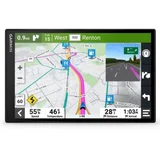

Good – I recently bought a Navman MY670LMT and on the road have had no issues with it. Always correct on speed limits and school zones, etc. Only trouble I had was trying to connect it to my computer to update as no matter what I did it would not recognise the Satnav. I ended up using a different cable and it worked fine. Only other thing would be… Read more · 1
nice to have a selection of different icons to use rather than the current position icon. Garmin and Tom Tom have a range of icons such as other vehicles or animals that can be picked.
Otherwise a really good unit :)

Too early, but looking good so far – This model looks to be excellent but I have only recently acquired it. I have some concerns about the Li battery as the sales person warned me that the battery is 'built-in' for life and cannot be removed or replaced if/when it fails. Also, it is inclined to overheat and die early if the car is left out in the sun for any time. Any truth in this? Show 7 replies

This is perfect. Best Navigation – Only 1 issue that navman's products have a bad touching technology, but this is not a big problem. The other things are great. Best navigation. I've used Navman, Tomtom and Garmin. And Navman gives a better navigation than Tomtom or Garmin, it gives you an exactly action you need to do at the interaction or roundabout, it gives you a left/right… Read more · 1
turning with the correct lane so that you can do then next action. For example, turn left in the second lane then turn right (if you turn left at the first lane, then you can't turn right immediately).

It's unbelievable – The following is my personal opinion: I purchased a MY670LMT. It didn't show the address of my house, even though the older model I had was showing the address. I brought this to the attention of NAVMAN and wanted it to return and get refund or another unit as I felt the unit was unreliable, But I was told that it can't be done and that I have to… Read more
wait for the update after they bring it to the attention of the map provider and only god knows as to when it will happen, because NAVMAN itself is not sure of the time frame. Now I am stuck with the unreliable unit. When I call NAVMAN the person(s) who answer the phone either speak or understand good English and this makes it very difficult to communicate properly. I also totally agree with the comments of Rob (Jan 24, 2018). I will never ever buy another NAVMAN. (Kugan Feb 09, 2018)
Hi Kugan, As we have advised, with all mapping there is… Read more (+5 replies)

Screen – I purchased my Navman MY670LMT last week and do like the size of the screen and the clarity, however........ I am frustrated with the small Street Name Writing and not being able to adjust it, this is dangerous when trying to read street names when you are driving, also the Position Icon is very large and there is no option to change. They are my only gripes other than the above not a bad unit. Show reply
Find out how Navman MY670LMT compares to other GPS Navigation Systems
Know better, choose better.

MY670LMT – Just bought the MY670LMT 2 days ago. The screen is very whishy washy in appearance and very hard to see when connected to the windscreen especially given the street names are really too small as well. I have placed the device down near the gear stick and can read it much easier but a bit dangerous as have to look down. I have fiddled with all… Read more
settings re screen viewing to no avail. I also cannot activate the red light camera and mobile camera alerts and have driven to where they are located and no warnings even though the settings are ticked .... is the device faulty ... Hmmmm .... Have test driven it to 3 known locations eg Bunnings, a major Shopping Centre and the maps have taken me close by but actually driven me away from the actual places selected as you approach them. Doesn't bod well with ones confidence with the product. Have noticed more than once that the spoken directions cut out for a second ... a bit like lost signal eg "turn right in 100 met" instead of metres. The Voice is a bit useless and frustrating to use .... really needs a Voice command to say STOP or EXIT as have to take eyes off the road to cancel the control which sort of defeats the purpose of using voice as can't legally touch the device while driving in Australia. I don't have an accent and pronounce the words as any Aussie would. I am in Victoria and I get Western Australian odd addresses popping up instead ... The only Voice activation that works ok so far is when I say HOME and it takes me there ok. The Voice settings are by default Australian. Only 2 days old for me so need to play a bit longer but so far I have my doubts that the maps are correct (at least my Local area ones), the Camera alerts will function and the screen is usable when on the windscreen. The other annoying thing is the power cord to use in the car is not long enough. Our fitting is in the console with a lift up lid so when the device is on the windscreen it hangs in the air across to the fitting in the console. Another good reason to sit it down near the gear stick perhaps. One thing not mentioned anywhere I read before buying is that it can take 8 hours out of the box to recharge on your PC (no Wifi) before you do anything else re setup. To update the 2 maps included you have to do one at a time and exit the Navman setup screen between each so give yourself an hour or so to get it sorted before jumping in the car. Not sure any brand is 100% fantastic but trying this Navman after the old faithfull Garmin stopped updating. we wait and see !!
Hi Rob, Thankyou for the honest and in depth review of… Read more (+11 replies)

A great unit – Bought for my elderly mother as the one in her car was too complicated. I love the big screen and the ease of use but the best quality is the ability to search a town or post code without the need for the full address. The only negitive is the screen contrast and colours, quite washed out and difficult to see as low contrast. Show 6 replies

Dangerous for drivers – My wife and I each purchased one of these devices. We've found them to be dangerous, especially when trying to read street names due to the washed out appearance of the screens. We've tried all of the screen themes with various light levels and find that there is not enough contrast on any of the choices available. We have removed them from our… Read more
vehicles and intend returning them to the point of purchase. We are currently on a caravan trip down the south east coast, across Victoria to South Australia. We are very disappointed in the devices and have reverted to using our phones to navigate. The 10 year old Garmin that we had in our towing vehicle, although old and out of date runs rings around the Navman 670LMT as far as clarity and crispness of its displays. Street names are easily read. I have tried updating and looking for fixes of the problems mentioned but there are none available. Very disappointed!
Hi Geoff, Im sorry to hear about your experience with the… Read more

NICE UNIT BUT STILL NOT QUITE TOPS! – Had to buy a new GPS system as my 7 year old factory in car one failed at Xmas. Navman saved me spending $1500 for the dealer replacement & repair. The new Navman unit is well priced at $186, good features and looks the part with the wide 6 inch screen. A few issues with it though, it has never alerted me to any school zones as yet even when I… Read more · 2
turn this feature on and you still have to zoom in on the map to see things clearly whilst driving. These things are very frustrating as it does most other things quite well. As I see Navman reps responding to these reviews can they help maybe myself and others to give this unit a 5 out of 5 rather than my 4 out of 5.

Navman MY670LMT fails to startup after cranking engine – I have recently replaced a Garmin Nuvi with the Navman MY670MLT in my 2015 Subaru Outback Diesel. One noticeable and very annoying problem with the Navman is that it does not startup normally, but wants to shutdown. When presented with the shutdown screen, then need to press "YES" button to get it to run normally, otherwise it shuts down… Read more · 4
after 10 seconds.
Otherwise I have been generally happy with the unit, excepting for some minor deficiencies, eg
Map schemes look dull and washed out, with some text hard to read,
Lacking Elevation info,
Safety alerts are not accurate,
School zone alerts become latched on so mask other alerts,
Safety speed/red light camera positions are not accurate.
Traffic updates are generally not accurate, but this could just be to much delay??

Great – This a pretty good GPS, Only just got it but the mapping is perfect and accurate. Even the speed zones are exact, every time i went passed a speed sign, it changed exactly on the gps. Simple plug and play in the ute, accurate gps speed. Signal strength is great, even in really rural areas. Great night-time and day-time modes, no more manually… Read more · 1
turning down the brightness.
Only downside was that the usb cord was very short for it, obviously it is not designed to be powered by a usb socket, but with the cig lighter cord, but I was able to simply use a longer cord, has the same usb connections as my ps3. Great! Comes on when I start the car and turns off when I turn it off. My definition of set and forget. Pretty impressed for $189, and the 6" screen is super easy to see..

NAVMAN MY670LMT – New model which seems to be much better than previous NAVMAN GPS's I have owned. Bigger 6" screen which is terrific and navigating around the unit it pretty straightforward and therefore quite easy...... BUT having unbelievable troubles trying to download additional Eastern Europe maps that I have purchased. Bottom line is I purchased EASTERN… Read more
Europe maps (requiring Ireland & Scotland) and somehow maps have been supplied for Albania through to Ukraine???
I am still in "discussion" with the Support Team (slight contradiction in terms there) and will post further details as things progress.
November 6th 2018 Update: Does its own thing which is frustrating
After 12 months another review. Very often the touch screen just doesn't work at start up. After repeated pressing of screen over some minutes it will start to work. Also gives random speed alerts for NO reason in country areas. Gave speed camera alert when in middle of bay on ferry?
Hi Gregg, I believe our support team has been in touch… Read more (+2 replies)
ProductReview.com.au has affiliate partnerships. These do not influence our content moderation policies in any way, though ProductReview.com.au may earn commissions for products/services purchased via affiliate links.
Garmin Drivesmart 65 seems to be a really good replacement. Just bought one and the maps were up to… Read more