
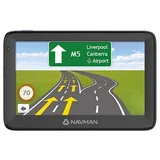
Navman MY80T
Verified13 reviews

does what I want. Navman do try hard, but once someone is off side... Reliable. logical operation. MY80T only – Directs me to where I want to go. Tells me how far to go, how long it will take, any issues with the way I chose. Very quick to realise I want to go a different way to what it expects. Doesn't even show "calculating back on track". It just knows one thing: To get me from where I am to where I want to go. I took it to Melbourne last year. Latest… Read more · 5
map I had in it was 2012. So the city had changed drastically. No problem. It just stuck to what it knew and got me to my destination without hassle. I have just updated the software on it (no problems at all IF YOU ARE PATIENT.). Now I am considering updating the maps. Yes, Q3 2019 are available. About $30 if you know where to look. Support: I was using the chat facility to ask about free map downloads. Next thing "Sam" from Navman support rang me! Very helpful. I reckon they are trying to improve their image.

El Capitan OS X 10.11 – The Navdesk V7.5 does not work with Mac OS X 10.11. They have given very poor responses and of course promises to fix the problem but they are very slow to say the least. Not doing their reputation any good are they?? It is the basic needs of users that need to be addressed.

Absolute joke! – I just went through Hell and back, with Navman tech support, replacing USB chords, mounting and unmounting the device from my computer, relaunching Navdesk software in an attempt to download my mileage reporter so I might complete my tax return. I mention i passing that maybe I should re-start my MAc only for the tech to ask "oh you have a Mac.… Read more
Mileage reporter wont work on a MAC".
What a ripp off - besides the point that that should have been the firts question asked by the techie.
Useless. Lousy tech support. I fell like I've been conned. If you own a Mac, you'd be better off using your iphone to navigate. It will have way more functionality, that's for sure!

warranty – Navman products are very average & when it comes to after sales and warranty absolute rubbish. Look to other brands eg garmin that are more reputable particularly for service & reliablity. Instead of a simple store exchange it has to be mailed to Navman at the consumers expense. Avoid at all costs. Nil unreliable

Navman and Apple – I just unpacked my Navman to find it doesn't support Apple products. Dick Smith store didn't mention this and it is certainly not on any Navman info in the store.I rang Navman hotline to be told "Yes that is so," and she apologised for this, but said that the requirements "were on the box". The boxes are locked away so you can't read this. The… Read more
support person had no idea when this would change. So I will now return this to Dick Smith.Not good Navman and I will be telling all my friends who are mainly Apple users to avoid this brand of GPS.
Doesn't talk to my Apple computer, so cannot get any map updates.

There is better, and don't believe "free maps" for life – I have had the unit for just over a year and it may be OK for someone who does not know anything about the area they are driving to, but I find this unit horrible. The touch screen is not very good and requires a bit of attention to ensure you have actually pressed something on the screen. The maps are about 5 years out of date for the roads in… Read more
Melbourne's west, and I have tried to get my "free" maps but they say this unit in no longer eligible...after only 1 year? I do not have these problem with the Garmin I bought in Europe...I recommend to stay away from Navman. Better off buying a Melways. Large screen Lack of support, old maps, terrible screen, no free updates

Apple Mac Users beware – After buying a Navman GPS for my car I replaced my Windows PC with an Apple Mac. To my absolute disbelief I discovered that Navman's supporting software Navdesk cannot run on a Mac. Considering that other brands do and the number of Mac users out there and that even the quite knowledgeable salesperson was not aware of this I think it should be… Read more
more broadly known.
The device comes with free upgrades of maps which is useless without viable software to run it on.
Very Disappointing. Ordinary at best Lack of support for Mac users.

Just bought a Navman MY85XLT after JB salesjerk pushed me away from tomtom, which I've had… Read more (+10 replies)

Maps need improving – I brought my my80t at Christmas 2011 for $180, I've been traveling around Australia for 6months from W.A. in Melbourne it worked at treat & in a way I hadn't seen in any other city's, but it has got me in a lot of trouble out of city's, it has taken in into people's front yard's saying there are road's going through, onto farming properties were… Read more
the rd disappears & you can't turn around, so I've learnt it's a good tool but you can't beat a map, since being in Queensland it has got worse, very poor direction's it says there are Rd's were there have never been Rd's & I only just uploaded The latest maps a month ago, but in all it is handy to know the distance. New. Get's me lost.

I have recently upgraded my S50 to an MY80T. The S50 was a great navigator with no problems. this… Read more (+1 reply)

A big step up in standard features – Just got a Navman MY80T for Christmas and I'm really happy with it. My previous Navman was 5 or 6 years old and it's not economical to upgrade the maps. Compared with my old model, the MY80T includes spoken street names, speed warnings (to tell you you are exceeding the posted speed), spoken speed camera alerts, live traffic updates, improved… Read more
graphics and more logical directions. For example, 'at the next roundabout continue straight' instead of 'take the second exit'. On searching for an address, you are presented with multiple route options including most economical, fastest and shortest.
A noticeable improvement in this generation of Navman is that is hard to miskey an address. As well as a larger touch keyboard, typing is assisted by the disabling of any letters that would be an invalid selection for the area you are searching in.
I must disagree with one of the other reviewers here in that I find the build quality very good. It is a lighter, thinner unit than in the past but it feels solid and the touch screen response is very robust and reliable.
In summary, at the discounted $186 I paid for this unit it's a fantastic buy. The only downside I can think of is that Gen Y will lose the ability to navigate using a street directory or by memory! Reliable, intuitive and easy to use, well priced

better than a tomtom – I've had a gps since the time of the garmin handhelds without maps, have owned uniden, tomtom (twice) and garmin (twice) and my present My80T is my second NavMan (the first one melted), i recommend anything but a tomtom because they fail prematurely and have on/off problems my my80t is less than 24hrs old, but i am having problems syncing it with… Read more · 1
my iphone 4g, but i like everything else about it, its less tweakable than many others though Design, two real buttons make menu navigation great, gd value, has two year warranty Does not download contacts from my iphone

Barely able – I have owned 2 other Navman GPS's in the last 6 years, and I can see a decline in quality of this latest unit. It seems that although the software has been improved with new features, the overall build quality has been sacrificed. I bought Navman for the ease of use, i.e. the way you input the address. Compare that to other competitors and you… Read more
will know that the way you input address on the Navman is more intuitive then say, a Garmin. This is the only advantage of the Navmnan over other brands. The touch screen is rubbish and will loose sensitivity over time. The unit that I purchased was faulty right out of the box and I ended up having to back it back to the store to get a new one. Initially, I called the tech support helpline but the guy was utterly useless. The first time I used the unit was for a holiday in the Gold Coast and I was stranded without a functional GPS. In the end, old fashioned navigation got me around. If Garmin could get its act together on the user interface, I would have defected to Garmin a long time ago. Competitive price, good user interface. Build quality, feels really cheap (a reflection of the price), first unit I bought was faulty and had to change for a new one.

Navman Quality is LikelyCause for Concern.

It's OK – Pros: To put it simply, it gets the job done. It finds its location very fast and is accurate, has a reasonable price (I found it on special and with a further 20% discount) and I also like the lane guidance graphics and the windscreen mount has a pretty good design. Cons: I purchased this GPS mainly because I wanted the Live Traffic Updates… Read more
feature, thinking it would recalculate the route to avoid traffic congestions and give me the quickest way to destination, automatically. However it only informs me about the traffic problems ahead and then I have to press a few buttons to accept a detour, not knowing if it's actually quicker or not.
What bothers me the most is the text banner on top of the screen in navigation mode, which covers one fifth of the whole screen with pretty much nothing, except the next turn info. Lack of customization, like street colors (other than predefined profiles) and map display, no external volume buttons are also issues for me. What I found really stupid was the power switch, which not only is in an inconvenient position on top of the unit but it also has a third position - reset, which can easily be mistaken for ON.
Another big issue is the LCD polarisation, which doesn't match polarised sunglasses. The screen is best viewed through polarised sunglasses when the driver's head is tilted 45 degrees to the left, otherwise it becomes darker.
Bluetooth also works but I found it a bit difficult to connect & dial and eventually I gave up, as I already have a handsfree in the car.
Overall it's pretty good value for money, price is one of the reasons I'm still happy with it.
There is however plenty of room for improvement, both hardware and software. Very fast GPS lock and accuracy. Top of screen covered by banner in navigation mode. Low LCD clarity when polarised glasses are used.

Getting Better – I wish I had this gizmo 5 years ago to alert me to the speed camera and speed limits around Sydney. Useful when your concentration isn't on the road. It plays a clock bell when you've exceeded the speed limit. But it doesn't have the updated information so the road might have a limit of 60km when the GPS tells you 70km. The manual says you make… Read more
the changes yourself. The model above (my85) has the voice input which would make it easier to enter your destination instead of the touchscreen. Speed camera & safety camera & speed limit alerts. No voice input
ProductReview.com.au has affiliate partnerships. These do not influence our content moderation policies in any way, though ProductReview.com.au may earn commissions for products/services purchased via affiliate links.
The people at Navman are still making excuses about the availability of suitable software for this… Read more