
Western Digital My Passport
16 reviews

Every single one of these I've owned has stopped functioning after 2 years. Will never buy another. Avoid these.

Lost all data as file format converted to RAW – I used WD to store all my data and important docs. But last week when I connected the hard drive to laptop, it could not find the drive. After much investigation I found that I could still see it in "computer management" but the format was changed to RAW. I used all possible WD diagnostic tools. All confirmed that drive and data is fine. But it… Read more
did not give option to convert from RAW to NTFS or FAT32 format so that Windows system could read the files. Eventually, I lost all the data. While the drive was working, I also had several issues with the drive not popping up in windows. And I has to disconnect and reconnect multiple times. I would not buy WD again and would not recommend it.

Worthless – I bought one of these and suddenly stop working after about 2 years. All my valuable photos of my family are in there, memories of my dead father, and also my children from babies till now, all can't access. Buy at your own risk. Show details

Buy at your risk – I have had 3 of these units fail (one was an earlier model). None last more than 3 yrs of little use as they were used as back up units. One lasted 6 months - I no longer buy any WD products.

Not worth it – It's a piece of garbage as it broke down on its first use after copying 400GB of data. It started making beeping and then grinding noise before it broke down completely.

don't waste your money – Spent over an hour on the support line and then dropped. The email told me to call the support line because the problem couldn't be handled over email. Tried the Chat line but it says it was "out of business hours" but it wasn't and I picked Asiapac. Absolutely useless, will never buy critical products from WD again Show details

Do not buy this if you are storing valuable data – I bought this external drive one month ago. One week ago I loaded it with so many old MP4s of family inc. deceased family members. It made a clicking noise and now..... nothing. Windows does not recognise it and WD utilities does not even recognise it. Cost of the unit: approx $300 Value of lost data: Thousands if not priceless Show details

Good and small – I bought this online without seeing it in a shop and then received it and was amazed at how compact it was! Great product and such innovation in the past 5 years in HD/SSD storage

WD Click of Death – Worked fine, until it didn’t. So in effect useless. Suddenly had the clicking sound without any dropping or misuse of any kind and is now completely inaccessible. Will not use WD again. Show details


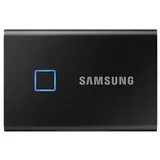


So it died, after about 5 years – (The receipt to prove this is an authenticate review is on the corrupted drive) Western Digital "My Passport" 512GB bought about 5 years ago to store some personal documents on, barely used (once a year at tax time to back up all my files). When I plug it in, light still flashes but windows won't recognise it anymore, can't access files in… Read more
Explorer. It states "made in Thailand" on the back. I should have known better. Would rate it -1 if I could, I have now lost a lot of data which I should have been storing in the cloud so its my mistake. I hope these companies go under now that cloud providers prove to have a (long lasting) solution for data backups. Frustrated.

Nothing but hassles- does not work – Shows up on the western digital utilities but I can't access this. Difficult to access support for WD and was sent to sandisk, no idea what's going on. Not happy with the price and quality, for this price I'd expect a lot more. Had many HD's with minimal problems here and there but nothing like this. $300 for a faulty device which I've spent days backing up to. Never had such problems as I've had with this device. Use at your own peril. Show details

Great security features – This is compact and light weight. I chose white color which is great. It works perfectly and it is quite fast, especially if you use it with USB 3.0 port of laptop. There are 2 features of this external hard drive which I particularly liked. First, you can encrypt the disk with a password. So nobody else can see the contents of the drive or… Read more
open any files. You need to enter the password to be able to access the contents of the drive. You can also set it up in such a way that it doesn't require password on your own laptop, but it requires password on other laptops. Second, this drive doesn't require any external power supply. So it is easy to carry anywhere.
It also has software using which you can schedule automatic incremental backups, if you need.

Works fine. USB is a bit slow - Drive has USB soldered on – Bought this drive to shuck for my mac. Turns out the USB is soldered onto the drive (instead of using a sata -> usb adapter). Really annoying - will not buy again. Show details
Find out how Western Digital My Passport compares to other Portable / External Hard Drives
Know better, choose better.

Lightweight with 2 TB storage – Super light and easy to use backup device that comes in several fun colours. I chose dark blue. Its easy to carry with you and can attach it with a USB wire to your computer device. Has easy to use back up and security software and is compatible with Windows 10, 8.1 or 7. Wish it was wireless so it could connect to the computer via blue tooth but its value for money Show details

Supplied software is a nightmare - won't work with Windows 10 – I bought this over a Seagate HDD due to WD also having an encryption option- so if it's stolen your data can't be accessed. The nightmare began when I tried installing the supplied software- which is on the HDD itself or can be downloaded from WD website. There are three programs: WD Utilities, WD Security and WD Backup. WD Backup is the… Read more
problem and it's the software that is used to set up the drive for doing automated backups.
I'm using Windows 10 and it's all up to date. WD Backup would either not complete the install or would begin running but then fail to pickup the WD HDD as a target drive for backing up to (Windows Explorer picks it up fine, so it's not an issue with the drive not being detected by Windows.) Googling quickly showed this to be a common problem with the general "fix" (workaround) being to use WD Smartware as the alternative backup program. So I downloaded and installed it with no problems. I then tried setting it up for automated back ups and the same issue occurred- it also didn't pick up any WD hard drive to select as the back up drive! (The programs are locked to only work with WD hard drives.) I tried the help option in the software and it says it supports the My Passport HDD, but then Googled the issue and WD Help pages indicate the Smartware software doesn't support the My Passport HDD.
I then found a suggestion to use the Acronis software supplied by WD (which is a locked down version of a full program- you need to pay to get a full working copy.) I quickly discovered the option to select certain folders to be backed up was locked out unless I paid for the full version.....
I've logged a complaint with WD about the problem but don't hold much hope of getting a useful reply as plenty of other people have complained about the same problem on their help pages. I also ran through their full procedure for diagnosing and fixing Windows related problems (they link you to various Microsoft solution pages which run program to fix your Windows software), but there were no faults found.
My solution has been to use the free program AOMEI Backupper Standard. It is free and allows you to select drives/ folder and set up full or incremental backups and schedule them. (I did try using Windows Backup - the legacy version from Windows 7. It would fail to write to the drive and come up as drive full- even though there was 3.6TB free and it was trying to write less than 1TB. I'm guessing it's some HDD size limitation due to the age of the program?)
So the low score is for the WD software which simply doesn't work for backing up. The encryption software does work, as does the Drive Utilities software.

Easy setup – Just as the guy from officeworks said plug it in and go. Only a few things to do for setup and it's all done. Very easy to use. Love the automatic backup. My laptop seems to run faster especially when logging onto the internet. Very inexpensive way to save important photos, documents - everything!! Good price, weekly automatic backup Nothing
Extra Information
ProductReview.com.au has affiliate partnerships. These do not influence our content moderation policies in any way, though ProductReview.com.au may earn commissions for products/services purchased via affiliate links.
I've since installed the WD Backup software on a new note book (also running Windows 10.) It… Read more (+1 reply)