HP Computer Peripherals

Best work from home monitor – This monitor is the best for working from home during lockdown, I bought it for the built in "pop up" webcam and the ability to rotate the screen… Read more
vertically or the standard horozontal. It also has a built in Bang & Olufsen speaker. The best part is when I hook it up to my work laptop for zoom, Skype or Teams conference calls I can look directly at the monitors webcam rather than viewers looking at the side of my face.

May2025. It's a cheap combo for a reason. Mouse is a bit laggy (yes I did check mouse speed etc in settings and yes the batteries are new new). Okay… Read more
to start with but the keyboard doesn't always respond/sometimes it double types. Keys are very tinny. Like I said - it's okay as a starter especially if you're not a fast typist and not looking for accuracy.

Good mouse, but no longevity – I was initially really impressed with this mouse. Lots of functions and worked really well - for about 6 months. Then the main sensor failed so, no… Read more
more movement. A good, cheap option for gaming, but don’t expect it too last too long under heavy usage.

Minimalist desktop PC – I purchased 2 of these about 12 months ago as we required reliable units that were capable of running 18-hour days if needed. We were attracted to… Read more
the size and its minimalist look. We selected the i7 processor version and doubled the RAM to 32 GB (bought separately). We also added a second NVME 2TB drive for data storage and fitted a 4TB 2.5inch SSD as an internal backup drive. To date, it has proved to be a reliable, quiet unit. Opening up the case is simply a matter of undoing a screw (by hand) at the back and sliding the cover off. Internals are easily identifiable and accessible. It is a great way to access the cooling fan for periodic cleaning. A couple of squirts from a can of compressed air does wonders. My only real gripe with it is the power switch. It sits virtually flush with the case and although it has a very dim LED in it, my finger completely covers it, rendering it somewhat useless. I also noted that once the mains switch is turned on, one needs to wait about 10 seconds before pressing the power button, otherwise the unit won't power up. Fortunately, there is an adjacent disk activity light that will light up brightly to indicate things are happening. There is no real feel otherwise that the power switch has been pressed. When setting the unit up, allow yourself about 3 hours or so to complete, inclusive of system updates and software installs. Port selection is good, with 2x USB3 A and 1 USB3 C ports on the front. One of the A ports and the USB C port can be used for charging devices. On the back there are three video ports, comprising 2x DisplayPort and 1x HDMI, allowing one to run 3x 4K monitors. There are 4 USB A ports, 2x USB3 and 2x USB 2. The unit is supplied with a wired USB mouse and keyboard, but I've opted to pair mine (via Bluetooth) with Logitech MX keyboard and mouse. The 800 series also come with a 3-year on-site warranty for peace of mind. I would happily buy another unit when the time comes to replace it.
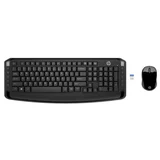
Ok for the price – Finally caved in after working from home on my laptop and bought a monitor and keyboard. The HP keyboard was middle of the range at Officeworks. … Read more
Only $39.95. Works ok. No bad keys. Mouse is fine. Hooked up to my laptop as soon as I put the USB dongle in. The key weight could be a little heavier (feels a bit flimsy) but I guess you get what you pay for. Looks ok.

Perfect but dosen't have HDMI connectivity – Good quality lcd display for connecting computer via VGA cable. However, since purchasing a Macbook early this year, this has immediately made this… Read more
monitor obsolete. Anyhow, there is a work around by using an adapter and it seems to work fine with an excellent refresh rate. Would highly recommend though!

Looks Better Than It Feels – I was shopping for an external keyboard for my laptop. Even after unboxing it quickly in-store and tapping a few keys, I thought at least the… Read more
keyboard would be OK. It only lasted a day and had to go back. Why? That home key is in the wrong place! Accidentally hitting it more times than not and being sent to the wrong place on a page. The keys themselves are also pretty loud when you're banging away, something I didn't notice in-store. Another reason was the mouse. While I didn't specifically buy it because of the included mouse, the edges are so sharp I could feel it being uncomfortable real quick if I used it. I immediately went back to my original mouse with the intent of keeping just the keyboard. It installs pretty easily though, with no driver issues on windows 10 and basically works from the get go. In the end I returned it and swapped it for something else which I'm much happier with.

I purchased a new business desktop from HP Online Store and I am very disappointed with it as it is missing an essential part. I was trying to… Read more
install an HP slim DVD drive in the bay provided on the tower chassis but the SATA power cable is missing on the motherboard. This is an essential part that allows future expandability, installing parts like optical drives and hard drives. I contacted HP and I was given the runaround. I was expecting something better for a $3k+ computer.

Mouse worked <50 of the time (new product) – Not sure if this was a one off issue but I switched (from a product I was happy with - see my other review) to this because all my other devices are… Read more
HP [2 laptops, dual monitors, all of which I really like]. Not so with this wireless keyboard (flat profile was too high) and mouse (hello, where are you? oh, you're not working again?) Price was right ($39) and I persisted for 2 wks (changed mouse settings and moved the USB dongle to closest location to me/keyboard/minimal interference and no improvement. At best, mouse worked 50% of the time. The cover for the mouse base was also difficult to remove/put back, perhaps because I'm used to much easier slide mechanisms (sounds petty but I use it al the time store the dongle). Wasn't keen to try the same product again, sorry HP.

25% failure rate and climbing – Our organisation purchased over 200 HP EliteDisplay E24i G4 (9VJ40AA) monitors over the last couple of years. We have had to return at least 54 of… Read more
them after they all started flickering and showing lines across the display. These faults started appearing over a year ago, and are still occurring. Given the frequency of failures I presume HP customers around the world are experiencing the same problem.
HP is apparently aware this is an issue: https://h30434.www3.hp.com/t5/Desktop-Video-Display-and-Touch/HP-E24i-G4-screen-flickering-and-blinking/td-p/8387362
We made contact with HP through our supplier, and they sent us ten "buffer stock" monitors. However, that doesn't provide relief for the hours we have to spend replacing faulty monitors, logging support cases, packing monitors for return and unpacking replacements. We did ask if we could apply a fix or update ourselves, but the HP contact is no longer responding to e-mails.
A couple of the recent replacements were the same monitors we returned earlier. In one case a replacement monitor developed the same fault, and HP refused to replace it as the "Manufacturer warranty has expired". That may be correct for the replacement, but the original monitor was purchased in April 2021, and that three-year warranty doesn't expire until April 2024.
I dearly wish we had never purchased one HP E24i display. The main thing HP had going for them was reliability, and we've lost confidence in that. Their Australian sales and support channels have always been mediocre, so it looks like time to start giving the competition a go.

Update: Problem rectified. After a fair amount of back-and-forth with a HP representative, we were… Read more

Has too much lag and unresponsive – I hate those finger-pads on laptops so I always use a mouse. This HP mouse has non-response and lag issues, so I have gone back to logitech for… Read more
bluetooth. Recommend DON'T BUY. I wasted my money. As and old and loyal HP calculator user I expected quality. What I got was standard MiC non-quality (MiC=Made in China). I should have paid more attention to the site of manufacture. Again, DON'T BUY!
An update on this. It turned out that the SATA power cable is an OPTIONAL part (B5DU5AA) that you… Read more