
Microsoft Surface Pro 3 512GB/Intel i7
Verified11 reviews

Worst surface pro – This surface pro is not a reliable tablet.. Worst table I have. Cannot rely on using it for work as the system tends to crash every now and then. After using the tablet for 6 months, the system brings up a blue screen saying the pc has ran into a problem and needs to restart. It happens so often that it finally decided to crash the whole… Read more
system. Brought back to Microsft and was replaced with a new tablet. Still have the blue screen happening at least once a month, mention it to Microsoft requesting for a refund but was informed they would not able to refund as it has passed the "return" period.
Now I am stuck with this hopeless tablet.

Fan is extremely loud, crashes a lot, overheats quite often – Fan is extremely loud, crashes a lot, overheats quite often. Does have the Xbox app which is useful however it does glitch quite often. Not sure if I would recommend the surface pro 3 to other people. It was also an expensive produce and if you require to replace the charging cable or pen it is also rather expensive. Show details

Best PC Notebook Laptop – I have owned mine for over 18 months now and have found it a really good combination computer, it allowed me to let go of a desktop PC completely. Then I found I eventually also let go of my iPad and now only use the Surface Pro and a mobile phone. This helped me reduce expenses overall as I am no longer updating some devices due to minimising. Surface Pro cost more upfront but eventually you will see the savings in $$$ and time it saves you. Show details

Thin and Light. Not so sure about battery life – I purchased a Surface Pro 2 and something went wrong with it so I went back to JB-HI-FI. Luckily They offered me a free exchange for Surface Pro 3 (yes!) My experience with this device is so far positive. It is thin, light and perfect for those who need to carry their laptops most of the time. The battery life can be a bit short. Show details

Perfect! Best laptop I've ever owned – This is easily the best laptop I've ever purchased. Lightweight, powerful and doubles as a tablet. The pen is great for note taking during meetings, If I write neat enough it will even convert it to text. I also have this plugged into an external monitor at work with a wireless keyboard and mouse for that desktop feel.

Great tablet – This is truely an innovative brilliant tablet very easy to use great functionality the stylus pen is also great for taking notes quickly or drawing pictures. Would highly recommend if you use window platform computer no need to keep a desktop anymore this can do it all and I have only had a week and am still working out all the things it can do. You will not be disappointed with the surface pro this has now replace my IPad.

Surface Pro 3 a great body shifter – I was due to replace one of my work laptops and during my research came across the Surface Pro 3. This has turn out to be a good choice as i can use it as a laptop or a tablet. It loads quickly, has great screen resolution and speed. The cons are the back of the machine does get hot when being used, need to be careful of this. I use office 365… Read more
linked to a cloud account. This allows my to keep the machine clean with little stored directly on the Surface pro. I think by keeping it lean and mean it runs faster. It also allows me to access any file from anywhere in the world while traveling. Any files that need extra security are loaded onto a secure external drive. The usb port on the surface are a great feature lacking on most tablets, this allows you to download files or photos on the go. Handy to be able to keep the your DSLR camera downloaded of photos.
Overall a little heavy for a tablet, like a better battery life and maybe a stiffer keyboard, it is inclined to flex and bounce a bit as you type. If the future models are as good as this i will not be going back to laptops.

A great device and exceptional support – Enough grunt, great interface, I use the stylus all the time. I had it in a laptop bag and the screen got a crack in it - I took it to the warehouse in Botany on Friday and received a new one on Tuesday. I lost the nib to the pen and complained that the postage was steep at $11, so they listened and I got the replacement with no postage charge. … Read more
Had some issue with Windows 10, and the online chat solved them quickly and efficiently. I cannot fault this device nor the support. My wifes' ipad pin was forgotten last week, and the poor lady has to run through 100 hoops to get it fixed, one of which involved clearing the device completely, then reloading something.... basically the poor thing lies there unused now, I am confident that if she had the surface support team in her corner she would be using the thing already.
A few more details:
A fan comes on on this i7 512GB ssd model when I am playing games (StarCraft 2) for a while, it does not bother me at all, but it is noticeable.
The back lighting for the type pad seems to have been disabled since the windows 10 upgrade, but I am confident there will be a fix when I look for it.
I write java code on this with netbeans, works very nicely.
I have ableton live 8 installed and it works nicely with native instruments komplete 9 ultimate, a novation impulse keyboard and a focusrite forte usb powered interface. Screen is a little tight but one gets used to it.
I use a usb 3 powered hub I purchased from MSY to expand the single usb slot and this works well, was only $18 or so.

Really nice bit of kit – Small, reasonably light, fast and does everything I need. Runs all the apps with minimal fuss and able to run many high process apps and not be slowed down. Running Win10 makes it even better and having an SSD makes the hard drive very quick and boots up far quicker than my previous laptop.

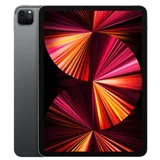


Replaced my desktop pc and I take it everywhere I go – Easy to use. Turns into desktop set up, just plug in to your monitor with HDMI cable and use with full size wireless keyboard and mouse. I use with the sp3 dock but you can do without. Get the arc mouse, it's great, clicks flat to store. Have used laptops and tablets for years, this is best one yet. Shortfall is no sim card slot but sp4 rumoured to have this. Stand adjustable to any angle is super useful. Surface pro 3 is an awesome device.

Beware of the SP3 keyboard's jumpy cursor issue, and my SP3 died at 8 months old! – I've had two SP3 keyboards, both with jumpy cursor that makes it impossible to use the SP3 as a laptop. My SP3 tablet will work with a desktop keyboard connected to the SP3 dock - but not as a portable laptop. Microsoft Service says you must return faulty device to them by post or by courier - up to 10 business days turnaround. Mine took 10… Read more
business days turnaround. So be WARNED, especially if you're used to Apple Genius Bar service for a MacAir. Windows Media Player on the SP3 is brilliant. It offers lossless recording files for your copied music (highest possible quality audio). WMP also provides more tagged information than iTunes. Screen resolution is also brilliant. The keyboard is thin and doesn't feel strong. Not good enough for the MS price tag. You might be lucky enough to get an SP3 keyboard without a jumpy cursor, in which case the SP3 i7 512Gb would be a terrific laptop. But be aware of the possibility. I've asked Microsoft Corporate to authorise a refund of my money for return to retailer of my SP3, so that I can buy an alternative Windows laptop. I'm waiting.
UPDATE:
MS Corporate were very responsive to my contact, but the delegated MS technician (troubleshooting phone call from Washington US) couldn't resolve the issue. MS correctly referred me to the retailer to obtain my requested refund. However a technician at the JB HiFi Broadway store (Alistair) fixed the problem when I explained to him that if I typed with my wrists lifted high above the keyboard, the cursor was stable; but when I typed with my wrists resting at the sides of the touchpad, then the cursor jumped erratically. (Typing with wrists lifted high above the keyboard is not a sustainable solution because of risk of damage to wrists). Alistair immediately made an adjustment to the default setting for the touchpad (from "No delay" to "Long delay") for cursor accidentally moving. No more erratic cursor!!! Too easy! Apart from the "cheap" feel of the keyboard (cardboard-like) I'm now very happy with the SP3.
I purchased the SP3 because at the time it was the only ultrabook to have 512Gb HDD - and may still be.
UPDATE: June 2015
I've now had the Surface Pro 3 for 8 months. This morning it died. Caput!
I've tried everything that the forums have suggested but to no avail. Seems this is not an uncommon issue with SP3. It won't budge! Black, dead, screen. Yesterday I had to take the faulty dock back for exchange. Now the complete computer is gone.
I've ripped my entire 350 CD collection onto the SP3 - including album covers sourced from the internet for old classics, edited the metadata of hundreds of tracks because I'm particular about including composers names; year of recording etc etc. Also my complete photo collection gone.Thousands of hours work, and irretrievable memories. I wish I'd never bought the SP3!
ProductReview.com.au has affiliate partnerships. These do not influence our content moderation policies in any way, though ProductReview.com.au may earn commissions for products/services purchased via affiliate links.