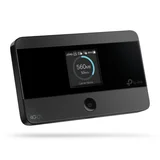
TP-Link M7350
Verified5 reviews

$120 piece of junk – What a piece of $120 junk, sim card is held in with sticky tape. Put it in 5 times and it said no sim card each time put it back in my phone 100% signal threw the heap of junk into the bin
Purchased in at eBay for $120.
- Number of Connected Devices: 1 devices
OK now I've settled down I was really angry with that issue people have no idea the dramas we have in regional areas with internet. I have other TP Link products never had an issue ever and thats why I bought it. Will have another go at getting it setup and let you know, sorry to be cranky but I really thought the sticky paper thing was crap trying to get sim cards in and out doesn't suit that setup Thanks

Hi Peter, Completely understand the frustration. We have all been there at some point with new tech and it's not fun. Really hope you have a smooth setup on the next go and if you have issues please reach out to our support team. Happy to help.

TPLink 4GLTE – Went to Jaycar to buy a modem for our farm and they sold me this $129 piece of rubbish. Tech support absolute rubbish. Even though we are line of sight with Telstra towers, DOES NOT WORK. Have now bought another phone to use as hotspot. Apart from the $129, the frustration at trying to sort it out cost about a grand in nerves, anger and shouting at the stupid thing.
We are sorry for the inconvenience caused, perhaps for this purpose a 4G router rather than a portable hotspot may provide a better online experience for you? If you are line of sight of a tower then it should still work so in this case it may have been a faulty device. Again, we sincerely apologise for inconvenience and Jaycar will be able to provide a refund. If you need some help and assistance in choosing a product that is suitable please call our technical team in Sydney on 02 8677 1553. Thanks.


Older models have questionable compatibility with Telstra - you need to check the frequency bands (unfortunately) – I'm not particularly tech'y. Short version .. I have been looking for a replacement for a mobile WiFi modem to use in my caravan (hence on the Telstra network). I've had a number of different TP-LINK devices over the years and found them good value. Through serendipity I fell over a gotcha - Telstra (mostly?) uses the 700MHz band, which used to be used for analogue TV, while (most) TP-LINK modems don't support 700MHz. Many providers (Boost, Belong, ALDI ...) use Telstra's network so the complaints about the modems not working may well be due to this (and point at very poor technical support by the suppliers who should know this).
Further research and TP-LINK have now released a M7450 V2 that does support 700MHz so that is what I am currently looking at buying.
Please note the "V2" as the M7450 V1 does NOT support 700MHz.
Many thanks for taking the time to leave a review, have a great day!

TP-Link M7350 Modem - useless with BELONG SIM – I bought one of these recently on line from Amazon with the supplier being Harris Technologies Australia. When I inserted my BELONG SIM, it wouldn’t connect. Tried everything, sent off a technical support email,to both Harris and TP-link and Harris didn’t even reply and Tp Link said to contact Amazon and return the device if they accept its faulty. The BELONG sim works just fine in my iPhone, and my old portable mobile wifi unit, but not this Tp Link M7350. Total waste of money $150 down the drain. Don’t touch these things, useless. John QLD
Purchased in at Amazon for $158.
- Number of Connected Devices: 1 devices

Be careful what you intend to use this for: an expensive lesson for me – I bought this product in Australia to use as a mobile WiFi while traveling overseas. To my dismay I find it doesn't work with a popular T-mobile SIM card in the US. I have no idea if it works with any other SIM cards in the US or elsewhere in the world but the device and the SIM card have been a total waste of money for me. Network specs (more detailed than 4G/LTE) - if you knew to look for them - may be helpful for totally technically minded but I didn't know to look for them and don't know what they mean in defining compatible networks - way too hard - and I couldn't get T-Mobile to tell me their device compatibility: not that it was any use - I'd already bought it. Tp-link service were helpful in diagnosing the problem but it doesn't help me access the internet or get my back my $. The T-Mobile brand SIM card works in my Samsung phone if I wanted it there but I want to keep my Aussie SIM card in my phone while away. If I'd wanted my US SIM in my phone I could have used that for tethering and not bothered with a mobile wifi device. Which is what you usually do at home. So I'm not sure why you'd buy one of these devices. Tp-link didn't have any suggestions.
ProductReview.com.au has affiliate partnerships. These do not influence our content moderation policies in any way, though ProductReview.com.au may earn commissions for products/services purchased via affiliate links.
Hi Peter, We are sorry for the inconvenience caused, perhaps in this case it may be be a faulty device from what you describe. Again, we sincerely apologise for inconvenience and we have a technical support team and warranty system in please to help with this occurrence. We would have able to help facilitate a refund with your place of purchase which we recommend as a better solution instead of throwing it away. If you need some help and assistance in choosing another product that is more suitable please call our technical team in Sydney. Thanks.