Best JVC TVs

JVC UHD LED Series
- Screen Size 43", 50", 55", 58" and 65"
- Screen TypeLED/LCD
This tv is the biggest piece of garbage I have ever owned. Randomly turns off, so slow to load to turn on tv, buffers randomly looking for audio when… Read more
you are watching TV as well as other annoying glitches. Can't set freeview time correctly atm. Have even done a factory rest but problems returned. Started having problems a few months in. I have only owned this for 1 year and 10 months. The tv is technically working so couldn't return. I would class this as a lemon & would never buy JVC again. $500 down the drain. Not even worth 1 star.

JVC LT-43N5135A
- Screen Size 43"
- Screen TypeLED/LCD
Entertainment Area TV – We purchased this TV for our outdoor entertainment area. It was so easy to tune and connect to our home WiFi. It took about 5 minutes and everything… Read more
was connected and working. Foxtel, Netflix, Spotify and free to air television, it all worked first time with no issue. Picture quality is good even in the brighter outdoor light. Sound quality could be a bit better but we are very happy with the overall performance, especially for under $300 delivered to the front door. And I almost forgot to mention the voice activated remote control, so handy when you have left your glasses inside.
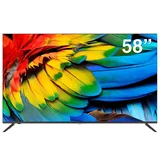
JVC UHD LED AV Series
- Screen Size 43", 58" and 65"
- Screen TypeLED/LCD

JVC LT-32NQ5155A (32")
- Screen Size 32"
- Screen TypeQLED
The TV is light, under 4 kg and requires the user to install the stand with a Philips head screwdriver. All inputs are on the left side of the unit,… Read more
the power lead is on the right. On startup you will be need to log in to your WI-Fi network or connect it via Network plug. Input your Google account details. Tuning the TV, choose your state and select to scan Digital, Analog or both. This is a little confusing as when I scanned just digital it completed but returned to the scan menu. It doesn’t say Next, so I scanned again with the same result, so then I chose Skip. The picture quality is quite reasonable for such a budget TV but the audio quality is well below par. I connected a soundbar via optical connection (no eARC) via HDMI, BUT the TV speakers still remain active, so you need to mute those and control the volume through the soundbar. I rang their support number about this but have had no response on this issue. The remote is a good size and allows direct access to TV stations. Choosing other inputs is OK. THIS TV DOES NOT HAVE ANY ACCESSIBILITY FEATURES, if you have low or no vision assistance in setting up is likely.
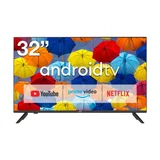
JVC LT-32N3115A11
- Screen Size 32"
- Screen TypeLED/LCD
Very annoying TV to use, Press the on button and takes 3 to 4 seconds to turn on. Change channel buttons same thing , its like its thinking what to… Read more
do. Volume control oh so slow. Everything about it is so frustratingly slow to operate. This TV is in the cave so its bareable. Other than the above, it has a great clear picture thats its saving grace