
Navman MY350LMT
Verified38 reviews

Think I will take it back for a refund – Are the maps accurate and reliable? - No Are you happy with the signal strength? - No Can you easily update the device? - No This GPS unit cannot correctly place my location to within 50 - 80m of where I am. It almost always keeps putting my location onto roads near me but never where I am, the only time I get any accurate positioning is when… Read more
I'm on a 3 lane motorway.
If I travel on a freeway/motorway that goes from 80km - 100km and back it shows max speeds of 40km - 60km.
I need this for a trip to NZ next month and bought it because it has dual maps ... now I see that they also have problems over there.
Losing faith Navman - I gave it two stars because it hasn't yet shut down on me

Another customer who now finds out NAVMAN needs microsoft, I have APPLE. myNAVMAN is going into the – Why don't you make it clear NOT COMPATIBLE WITH APPLE, put the info on box in VERY LARGE PRINT. your customer relations is non existing about another 20 yet hate NAVMAN with a great hatred

Hi Lawrence, I am pleased to tell you that your MY350LMT… Read more

Not good at all – I personally think that Navman is going through same kind of technical problems. 1. it last for 6-7 months than it shut down itself. It can't take Australian temperature, already replace 2 of them and now going with 3th one, which shut down yesterday in area I have been first time to {6mnts old} 2. Wrong speeding showing. 3. Hard to see map in… Read more
sunny day.
4. The mounting bracket terrible, being exposed to sun breaking very easily.
I really would expect something better for $176.
Hi Richard, Im sorry to hear about your experiences with… Read more

Poor UI, incomprehensible PC support software, poor touch screen, impossible to update maps – Owned this for a couple of years now, my main beef is the poor touch screen that needs a couple of touches before it registers and then it double counts presses - taking you places in the menu you never wanted. The PC software is indescribably bad - in order to upgrade maps, it states that you need to upgrade the software - fair enough, but it… Read more
takes over 24 HOURS to update, only say it needs to upgrade software in order to upgrade maps... rinse and repeat, you get the idea. As a result, I've never managed to upgrade the maps. So much for 'free lifetime upgrades'. You'd think that the software would simply have an option 'Upgrade Maps'....
Shocking device - avoid at all costs. I've grown to hate it.
Hi Greg, Im sorry to hear about your experience with the… Read more (+2 replies)

So Disappointed with Navman Quality – I have my Navman for work i am a Rep and I depend on a GPS well the speaker stopped working last week it went all muffled and then stopped working I have done up dates it still dosnt work this Navman is just under 12 months old its not my first Navman but it will be MY LAST there so unreliable I am sorry i didnt buy something else I had a bad gut… Read more
feeling when i bought this but i needed one there and then because my other Navman had a stroke and died and i was in the city Sydney working.....!
Hi Square Onions, Unfortunately consumer electronics can… Read more

Audio is no joke – I paid almost $50 extra for the Bluetooth feature, specifically for making and taking hands-free phone calls whilst driving. Well, that feature is absolutely useless. At its maximum volume, the audio is so quiet that I could barely hear calls even with the car stationary, with the engine switched off, and parked in a very quiet area. I… Read more
maxed out all volume controls on both the Navman and my phones (I tried 3 different phones) to no avail.
Complete waste of $50 more than what I was going to pay for a model without Bluetooth.
On top of that, I sat for about 20 minutes on 2 separate occasions to wait for the unit to find a GPS signal. Both times, I even held the unit outside the window so that "manufacturer windscreen tint" or some other hoopla would be eliminated as a possible excuse.
Hi I L, Im very sorry to hear about the problems you have… Read more

General Updates – I must agree, the map updates are confusing to figure out, They are also not updated regular as claimed, Under the older supplied software it was so easy to install upgrades and know what the unit had, the latest software which you are forced to download and use is somewhat Awful, don't know why they changed it. Signal strength on all Naveman… Read more
units I have had are all weak and need height or car window to work. Installation is very easy. I like most its features and have not had a problem finding places, however choosing fast short etc route will change how the unit gets you to a place and can cause great frustration. Really you need to pre- program a route if you want least frustration.(most GPS units are similar) In some places School zone warnings and road speed limits are incorrect. Overall the unit works great, has great features and love the spoken road names and distance announcements it gives so you know where you going in advance. Important: Always back up your unit when new (keep this) and after each upgrade using supplied software and MS Explorer using copy paste (2 copies just in case. If their Software fails you still have the Explorer ). You never know when you may need it. Pity it's been discontinued.
September 5th 2017 Update: Navman will not connect to PC solved
For those having a problem connecting to a PC note that if the navman battery is flat the PC cannot supply the current to drive it. This will result in possible failure of navman if display starts to flash on/off, disconnect asap if this happens. Using a External powered USB will work fine, but the power supply supplied or car charger is recommended. If battery does not hold it's charge, have it replaced. Receive Signal strength of these units are not great, navman should look into this and do better as all their units I tried / tested are the same weak signal receivers as compared to other brands. Always back up your software before upgrading and when purchased. Lifetime maps is a joke for models discontinued. So far after upgrades unit still asks for latest maps as upgrades are old, another thing to fix if Navman wish to maintain their good name and show customers they the best. The units when working are great.

Som problems with this device – Hard to update maps cannot find the maps and no simple instructions on how to do this. The main problem with this device is takes to long to find satalite on off button at times does not seem to work and will not hold charge after being off signal strengh weak in rural areas good in speed and red lights intersections

Melted away- DON'T BUY!!!! – One thing , l could never download any new map , despite of the promised Lifetime Map .... The speed limits shown by the unit were almost always incorrect ! And , after about 2 years , the plastic house of the unit MELTED in the car , mounted on the dashboard ... so the unit doesn't function at all any more ... Definitely NEVER AGAIN.
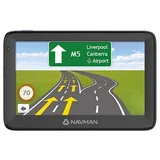

Not the worst, nowhere near the best! – I bought one recently from Harvey Norman because the total price to value was too good, and I was on a tight budget. I bought it mainly for the red light and speed cameras, and it is 95% accurate. As a navigator it's ok but re-routing is slow, and for traffic updates it's poor. After reading the reviews post-buy, I don't know why people complain… Read more
it doesn't shut off automatically because it does. However I do agree that you need to have it constantly plugged into the cigarette socket. It lasts 20-30 minutes tops without. The viewing angles are ok and the unit is bright enough. However the touch screen is slightly slow, though sensitive enough not to be annoying.
After a few weeks the speedometer occasionally started fluctuating wildly up and down and I contacted Navman and they did an exchange without a fuss. {The new one doesn't have the same issue so far, but it sometimes just refuses to alert on red light and speed cameras."}
What did annoy me was how slow the re-routing was on the previous unit. Again I haven't tested the new one so I can't say more. The spoken directions and street names mentioned are pretty good, they are certainly an improvement on other units I've used.

Crap unit – What a joke lifetime maps. Only map I can download is 2013. Consumer affairs useless as navman know how to get round rules. Left me 3000km from home without assistance. They know problems and couldn't fix even when I gave them access to my computer. Will never purchase navman again.

Dont buy one – All the reviews say it all. Map upgrades?? I can drive 15kms before it finds a satellite. Wrong directions. Switching on and off. etc etc. I use a cheap $100 chinese GPS. My 350 lt went in the garbage bin. DO NOT BUY . They should pay for you to remove from the store.

find a better product – Hi I'm having a problem with my navman 350lmt after upgrade of maps that it did not upgrade as unit tells me that my navman memory is full, now it start and stops within 2seconds great product! good brick for the price paid could have been better how can the unit be full if you have no control over it
Find out how Navman MY350LMT compares to other GPS Navigation Systems
Know better, choose better.

Difficult to do simple things – Often seems to send me on routes which I know from experience are not the best option. After reading the manual, and extensively working through the menu options, I still can't figure how to do a simple "save & name" of a current location. With every other GPS I've used, this was/is a simple thing to do. Lane guidance is good.

Useless beyond description – I bought the the MY350LMT because I could enter co-ordinates to destinations which I needed for work. It never once got me there. Instead would say "no route found , you will have to walk". The general consensus here of dead ends, driving in paddocks and farcical routes was also my experience. It's swan song was to completely die the moment I… Read more
connected it to my computer for an update, never to switch on again. I'm sure the green "fully charged" LED was laughing at me. The planned obsolescence here is criminal at best or incompetence at it's worst.

What a crap device – If you have a thought about purchasing this device run away. It should auto shut off and it doesn't. for a so called smart device it's crap crap crap. Navman should refund the money to all those people who bought this device on the advice that this was the state of the art GPS. I would rate this device 0 but it wont allow me. What a joke

A Total Lemon - Buyer Beware – I had a Navman S35 and decided to upgrade to the MY350LMT. What a mistake. It has taken me 2 solid days of crashing computer, uninstalling and reinstalling Navdesk and not to mention the hassle of trying to get Navdesk to recognise the MY350LMT. Finally I get the maps downloaded. Now I want to simulate a journey in another country we are… Read more
travelling to which I have downloaded the maps for, and it won't let me select the other country. Grrr,,,,,,,
It is also damn hopeless at locating the GPS and by the time it has finally found it my husband is yelling at me and started moving off on what he thinks is the correct way. I have sometimes spent half and hour waiting for it to find a GPS,
We travel towing a large caravan. It has a habit of turning us of main highways onto narrow horrible roads even with "avoid gravel" selected and it doesn't seem to matter what route option I select.
This would be the most terrible gadget I have ever owned and unfortunately can't afford to replace it.
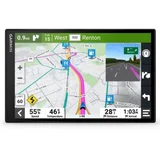

Navman falls well short – I bought my 350MYLT 2 1/2 years ago for our motorhome trip around Australia. Right from the start this device was out of its depth in rural areas and despite regular map upgrades nothing improved. The number of times it sent me up bush tracks and dead end roads was very annoying especially when I had to do a 15 point turn in a 15 metre long rig to… Read more
get back on track. It was reasonably accurate in city areas but was always 10-12 seconds behind time as it would say turn left in 60 metres just as you passed the turn and I would have to go around the block, sometimes in narrow suburban streets, to get on track. And to cap it off in a city on the east coast, after taking 30 minutes to find the satellites it could not find a long established street in a nearby suburb. Despite still being covered by an extended warranty the mighty useless Navman MYLT 350 was euthanized. I have replaced with a Garmin which is so far OK.

MY NAVMAN 350 LMT – Hard to use, poor directions. Takes you down dead ends, street directory wrong. Can't turn it off after use and I have only used it for 30 minutes. The off switch will not work even after reading through the directions and following them to the letter. NEVER AGAIN. IT IS A LEMON

Navman MY350 LMTwount Connect to PC – I was having troubles connect Navman MY350 LMT to PC every time I tried and this went on for weeks than just I left it connect It became fully charged than with out of the blue it connected to my pc, I am hoping that I have found the answer this may help others. I think Navman need better info in regards to there Products JB

So bad it should not even get a one star – I have had two GPS units now for 18 months. One is a Garmin and the other is the Navman. I have not had one problem with the Garmin, but have had never ending issues with the Navman like: * Continual problems with connecting to the NavDesk - Have to restart, disconnect from the PC then reconnect, restart NavDesk etc hoping that the one in… Read more
million happens and NavDesk will recognise the unit.
* Then Map updates - wouldn't update maps , so restore factory defaults (standard Navman answer)
* Then appstartupsec.exe errors so restore factory defaults
* Then after one map update there were no speed camera warnings so, so restore factory defaults
* Just had another appstartupsec.exe error message
* Nothing fixed it, so once again (about the sixth time I have had to do this over 18 months) restored factory defaults
* Now NavDesk will not recognise the unit so can get updates again.
The above list is not a full list but I have had enough and will now go and buy another Garmin
I have had enough of Navman and will never own another one of these again. Absolute rubbish! Nothing See above

MOSTLTY OK – Like the glare free screen. Touch screen is the most responsive of all the gps's I've used. AV camera does not work for some reason as it was flawless with my old no-brand GPS. Not much help from the instruction manual. Dont know if the camera singal will turn the display to AV automatically or not. NO auto power off!!!!!!!! Does not deserve to… Read more
be in the market. I thought it was a standard feature on any gps. It certainly was available on my 2008 No-brand GPS. Large screen, good touchscreen response, quick route recalculation av in does not work with my reverse camera, yet to find out why...
Find out how Navman MY350LMT compares to other GPS Navigation Systems
Know better, choose better.

Go wherever feels right instead – Full charged overnight last about a minute off charge. When it is outside in broad daylight in the middle of no where it still has to have a "clear view of the sky" because it can't tell where it is. Always brings you to dead ends. The only thing its good for is a paperweight

Save your money! – The battery doesn't last more than an hour at best. There is no auto off function as there are on cheaper Navman models. Poor thing gets confused easily with speed as well as skipping your location from the road you're on to a side road. Updated maps don't include infrastructure that has been in place for at least 5 years!?!? In short... Save… Read more
your money and don't buy this one. If you are still convinced this unit is the one for you... I may have one for sale...
Handsfree function is a joke, inaccurate, bad battery

Will not turn off after map upgrade - battery always flat ! – Seemed like a good deal with the free maps. I'm not sure how up to date the maps are though as it still seems to bypass or miss better routes. I updated with new maps today and now it will not turn off. Before this the battery was always flat ! I'm planning a 3 month road trip with a caravan so I hope it does not take me places not suited for… Read more
caravans or juts decide to stop working! clear screens, leane merge flat battery, will not turn off, suspect routes
Hi Keith, I'm sorry you are having difficulties with your… Read more

TERRIBLE, JUST DONT BUY IT! – Terrible lag. Terrible speed recognition. While driving on main street 80kph, it picks up side street speed limit of 50kph. No auto power off! If I don't switch it off when I come back battery is flat and I have to switch it on again, pressing all the disclaimers, the map etc. Technology is supposed to make things easier, this one definitely doesn't. Nothing, and its not even heavy enough to use as a doorstop! The review says it all!
Hi Tony, I'm sorry you're having difficulties with your… Read more

Worthless piece of junk – Have had trouble downloading a purchased ireland map, and also upgrading the "lifetime free maps" update. Navman technician unable to remotely download them on several attempts. Took unit back to Harvey Norman Grafton, who for some reason Took over 9 weeks to return the unit to me, despite numerous calls. Eventually returned with minus the… Read more
mount, SD card I previously inserted and the USB cable. Now, the unit will not switch off!!.......DO NOT BUY A NAVMAN.....
Does not upgrade the free maps......will not switch off.
Hi Charmaine. I'm sorry you are having difficulties with… Read more

Good device at a reasonable price – Not sure if I have upgraded software or am just lucky but I have found my experience with this model of Navman to be as good or better than any of the devices I have used. (I work on the road so I have used navigators since 2006. All types and all price ranges). I find the voice activated commands have an acceptable success rate and this… Read more
particular model has lots of useful features. (Location capture, intersection select, bluetooth handsfree and lifetime free maps just to name a few). Av input that I use for my reversing camera works flawlessly and this is the icing on the cake. This device has a lot of negative reviews but I have found it to be more than adequate with a nice large screen that has no issues with glare or usability. (touchscreen is very responsive). The absence of an automatic shutdown when you switch off the vehicle is the only major oversight that I thought would be incorporated into the Navman range by now. Voice activation more accurate than most models. Large easy to use and read screen. Lifetime maps. AV INPUT. Bluetooth handsfree. No automatic switch off.

Not a good choice – I have a MY350LMT. After 2 earlier Navman I stayed with the brand. Big mistake. Earlier reviews have said it all. Gets lost at times, annoying startup and no auto-off yet it has auto-on, Now replaced by a Garmin 1450 as a stop gap measure while I look for a better GPS. The 1450 is much better to use and has not failed to find destinations yet. … Read more
No auto-off, couldnt find the Bruce Highway near Childers and then at Traveston. Took dead-ends and annoying start-up.

I should have kept my Tom Tom – I had a 6 year old TomTom and thought it's time for an upgrade. The good looks of the Navman MY350LMT got me hooked together with a special offer from Dick Smith. The design of the maps looked contemporary and Lifetime updates sounded great. I should have listened to the reviews.... First test route I put in (to a place close by) would have… Read more
taken my through a dead end road. Hm, interesting.
I have now used the MY350LM for about 6 months and it keeps disappointing. It wants me to turn into roads that don't exist (On each trip at least one. On one occasion there were about three - until I decided to follow my nose rather than the GPS and got back on track).
Street numbers are consistently inaccurate.
The lifetime map update seems a great deal for Navman if they don't release any new versions!
Another big issue is the battery - it doesn't last even an hour. Believe me - I charge the device at the wall over night. Still I need to have it plugged into the car charger constantly when on the road.
The device doesn't switch off automatically.
You have to log in through the license agreement screen every time.
Settings don't seem to "stick" - you have to put preferences in over and over again (e.g. switch off annoying "added lane" beeps...).
Information on screen such as speed, estimated time of arrival etc is rather small on the side of the screen.
I think I gave this device a fair chance now but I will be getting my reliable TomTom back out of the drawer. Design, Spoken street names Very bad maps (consistantly wrong guidance), shocking battery life, tiring start up procedure, no auto-switch off

Don't Buy Navman !!! – Bought the 300MLT - didn't work from box, took it back, swaped for 350MLT still doesn't work. No GPS signal, sometimes doesn't even turn on. Going to return and change to Garmin. PC interface is also not user friendly. Avoid this product as you will be disapointed as I am!! nothing everything

Will Navman learn and develop firmware upgrades – Had an old garmin ique. Thought it was time to upgrade. Should've just upgraded my maps. No auto turn off, when car turned off. Who would build that in a GPS, if you forget to put the unit in sleep (power button) it stays on runs the battery down then when you start your car it starts up from scratch and you have to accept conditions again. … Read more
Why Why
Main menu, you can only scroll down, can't scroll back.
Needs better menu's
More main screen shortcuts
Navman need to start talking to the people who use their gear.
Be consistent with their units Av for reversing camera, other stuff they had on the box Startup, menus,

Don't Buy This Unit!!!! – This product is aful & doesnt know 95% of country roads & Makes up half them. Trys take me through a middle of a paddock. Fails to give directions Eg-Turn Right at end of road instead says go straight!!! Doesnt Give clear directions at Roundabouts just says right or left but on big roundabouts this is confussing (Tomtom always says which… Read more
Exit)
This unit's screen is very very poor you have press Very very firm for selections to count while driving this is bad.
If You Live in even in large country city this Unit Sucks!!! Don't Buy Navman.
Buy A TomTom As I know Are Perfect allrounder & Work Great in country & City. Instructions like Turn after BP Petrol station Maps 50Yrs Out of Date, Directions Are Wrong or Missing

The bluetooth very glitchy and the internet section doesn't work with majority of common smart… Read more (+1 reply)

Inaccurate indication for warnings ahead – I recently purchased the navman my350lmt and was impressed by the easy to set up screens and options. When i started to actually use it, i was pleased with the multi-lane turning feature, the current speed zone display (though sometimes out of date by more than 6 months), the voice activated control of screen brightness and volume. I have no… Read more
difficulty connecting my iphone 5 to the unit via bluetooth (contacts transferred successfully) for both incoming and outgoing calls.
However, the problems i have encountered are:
* i am notified of the location of speed cameras in nearby streets, even though they are not on the road i am on at the time.
* the distance before warning about the location of railway crossings, speed cameras, etc is random ranging from 290 metres to no verbal warning at all. Sometimes it is still warning me of 60 m ahead when i have already passed the item.
* i have found the voice activation is quite good and mostly reliable. Detecting "home" is 100%, however, locating an address, after supplying a suburb, street and house number and confirming "yes" it then proceeds to search its entire street database looking for similar locations.
This totally locks up the unit for more than 2 minutes until it generally responds with "several matching addresses found" including the correct, and previously displayed one. As an example, try 15 collins st, melbourne.
* i like the vehicle speed indication. It is more accurate than the speedo (though occasionally eratic on open road at 110 km when it intermittently displays anywhere from 90 km to 140 km then resumes correct values again). I would like to leave the speed display at the top of the screen but the unit does not appear to be able to retain this setting. Instead it always puts the time to the top and then requires 3 screen taps to restore my preference.
* i can not understand the value in being forced to accept the 7 pages of "safety agreement" every time the unit turns on, even after changing the setting to not display it. A simple 1 page disclaimer displayed for 10 - 15 seconds, at most, should satisfy most legal requirements.
* i would like an option for the device to automatically switch itself off when the power is disconnected but the power cord is still plugged in. I notice that the unit remains on after i remove the ignition key and leave the vehicle, attracting would-be thieves that it is there, especially at night. This causes the unit to flatten the internal battery. The "sleep" option is ok but you need to remember to activate it each time.
* i have disconnected the bluetooth connection from the phone in preference to using a phone cradle. Whenever the phone was in use, the screen no longer provided mapping information effectively forcing you to stop travelling for the duration of the call. This negates the benefits of having the bluetooth connectivity and the one-touch screen control offered by the gps unit. Large bright touch screen display and clear voice prompts.

Value for money – I bought this from JB hifi during the xmas time for $157, I have my reversing camera connected to it and everything seems to working as it should. So far have not seen any issues with it, lots of complains with the map but this unit came with lifetime map, so if there was a problem it will get fixed in the next release. I live in NSW and have… Read more
tested it in the Sydney area and also down south up to batemans bay no issues seen. I have this semi-permanently mounted on my car and the buttons are no longer accessible I wanted to it work like an OEM built in GPS and it does that with auto reverse camera mode switch.
Initial loading time can be an issue for those who are expecting it to start straight away, otherwise the startup delay is acceptable.
The support is reasonably good, at least the phones are answered by someone with minimal delay and they are very helpful too.. my device have gone through a firmware update (got from Navman support) and map updates and so far been doing its job as I would expect it to.. Reverse Camera and Auto switch to AV mode when car in R gear, auto turn on when ignition turned on, clear voice and good quality sound. Driver alert, advanced lane guidance and landmark guidance plus is a PLUS to have No auto turn off when power is disconnected
ProductReview.com.au has affiliate partnerships. These do not influence our content moderation policies in any way, though ProductReview.com.au may earn commissions for products/services purchased via affiliate links.
Hi Family of Four, So that i can better assist you, could… Read more (+11 replies)