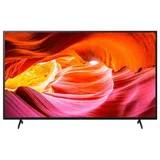
Sony X75K Series
Verified8 reviews

- See all


Not Sony quality - terrible – I have bought Sony products for over 40 years and never had quality issues. This TV is poor quality for a dark lower right corner. I contacted Sony Australia about this. My days of buying Sony are over if this is their quality of TVs. My other Sony 3D TV bought in 2010 is still perfect. This TV is a lemon. Show details

Not the quality of our previous Sony Bravia TV – TV worked fine for 11 months. Then suddenly it developed a line across the bottom of it approx 1/3 of the way up, and the colour below this line kept changing. Despite trying to resolve this issue with Sony online, doing everything they requested, sending photo after photo back to them we had to demand they send out a tech to fix it. The tech… Read more
identified the problem with 1 photo and was out within a few days to replace the screen on the TV. Customer Service through Sony is absolutely dreadful - felt like they were trying to make it so hard for us that we would just give up.

Great picture, awful app interface – Picture quality is fine, etc. but the app menu is abysmal for finding, adding and rearranging your favourite apps. Most of your selection screen is usually paid content you don't own. Show details

Reasonable TV but could be much better – Picture and build quality is OK, but the EPG is horrible. Rather than scrolling with each channel, it scrolls in pages. So when you reach the end of a page it loads a new one. There is always an annoying lag between pages, and some can take 4 to 5 seconds to load. Even more annoying the guide still shows programs that have ended, so when you… Read more
scroll up and down you also have to move right to select an active show/time, absolutely ridiculous. It's the worst guide I've ever used, and considering the guide is something you use the most it ruins the experience.
Even worse, the USB ports don't turn off with the TV and will randomly flicker/turn off/on (this is a long known issue with Sony, Google Bravia USB standby bug). It seems Sony can't make a TV where the the USB ports turn on and off with the TV. I appreciate this is Sony's budget line, but seeing as it's more expensive than other similar sized brands it should be so much better. Sony, please fix this horrible EPG.
Pic attached shows TV with a bias light, which I had to power with a USB charger as Sony can't seem to make a TV without USB standby issues.

I used only a few times. Then it would no longer turn on – I have used it only a few times over a 3 month period. Then it would not turn on. I am surprised because I bought Sony for its reliability!! So much for that. As a tv it was ok but just ok. As for reliability, I would not recommend buying this. I am having to just take it to the curb. Fried mother board it seems. 6 red light code. Needless to say totally dissatisfied. And disappointed. $500us down the drain. Show details

Great TV Picture, Terrible EPG and eARC buggy – I’ve owned many Bravia’s over the years and have always been happy with them. Out of the box the setup was easy, pretty much does everything itself. If you’re setting up the Google TV you’ll need your wifi or internet connected. Apps install and load easily, connectivity with Apple stuff is good too. Picture is great. The not-so-good, I bought… Read more
a Sony soundbar for a seemless experience. For the life of me I could not get it to work with eARC. It would work on optical cable though. Many hours on the Sony support line to no avail. They agree it was a software incompatibility between the Soundbar and tv. They authorised a refund. I bought a Bose and it worked right away. However sometimes the eARC doesn’t pick it up so I have to unplug the Bose then plug it back in. Annoying.
The EPG is probably the worst I have encountered. It uses really big text. It is slow to load. It doesn’t always populate with full program information. It is very slow to move between screens when scrolling up/down.
I also have last years Sony 65” TV of the same family and the EPG is blisteringly fast and has a nice little square box in the top right of the screen showing what channel you’re on. I don’t know what Sony has done with the software here but they really, really need to fix it.

No program reminder in the TV guide – Nice picture, slow loading programs, UNABLE to select reminders 'view' for upcoming TV programs on this model, has the facility to do it, but its not active, my old bravia could do it, this definitely lost 2 stars off the product, I feel I got scammed with this model Bravia KD-65X75K. Don't buy it if you want to select your favourite programs to… Read more
automatically come on, it can only be done with the TV ON TIMER settings. Means it's a pain in the butt, you have to go into settings to select a time, and for only one time. Ughh

Love the Google TV ... but digital TV software needs work – The Google TV is quite satisfactory overall - ability to load all the apps I want (including Plex and Kodi) and all the streaming apps (eg Netflix, Prime Video). More flexible than Samsung's smart TV in my opinion. I use a Yamaha soundbar and it works great with that via HDMI arc port on the side of the TV (once you enable output to audio system… Read more
in settings)
But if you want "free to air" you should note the digital TV guide is terrible - it is extremely slow to load and scroll through. It scrolls through maybe 10 or 15 channels, then stops and you wait 15-30 seconds and only then you continue scrolling. So takes a while to scroll through all the available stations in Australia (you can remove the stations from the list such as radio if you want - this doesn't help much). And scrolling back up has same delays (why doesn't it save all the details downloaded? Why does it lag?). Samsung tv guide has no lag at all so not sure what Sony is doing here. Another obvious digital TV bug ... as you change digital stations, it should show the channel and program name. But while channel is correct it simply won't update the program listing - so every station you flick through shows the first station's program name. Terrible if you want to 'channel hop' because it shows you wrong details. I hope Sony can fix this with a software update for Australian digital TV.
ProductReview.com.au has affiliate partnerships. These do not influence our content moderation policies in any way, though ProductReview.com.au may earn commissions for products/services purchased via affiliate links.
Follow-up to this ... I also tried to submit an honest review on Sony online site (not abusive at… Read more