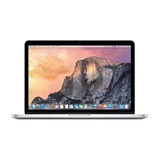
Apple MacBook Pro with Retina Display 13-inch 2016 Late (with Touch Bar)
MPNs: 36520798, 36524532, KAMBP13MLH12GRY and 2 more7 reviews

Good! Love the touchbar addon – Bought this because my MacBook Air was on the verge of spoiling and it was a good decision made. Didn't like the butterfly keys on the MacBook 12 inch but this new improved butterfly keys were smooth and provided the feel I like. Touch bar functionality is limited but cool. Hoping more programs would support it soon Show details

Solid performing laptop that is little too expensive! – Apple has done it again with a good quality laptop that runs like a dream with beautiful crisp screen and has been updated significantly from the previous model with latest intel processor and now included USB-C connections. Main downsides is the really high price and the lack of tradition USB port (no required to carry around a dongle as a converter). Show details

The Best Laptop – We've been pushing our 13" MacBook Pro (2016) to its limits lately, so we bit the $6,000 bullet to find out how much faster the new 15" MacBook Pro (2017) and the results were shocking. Full video comparison: https://youtu.be/dhSxoNL5Bys Comparison Specs 13" MacBook Pro (2016) Intel i7 3.3GHz Dual Core Intel Iris 550 16GB Ram 1TB SSD … Read more
15" MacBook Pro (2017)
Intel i7 2.9GHz Quad Core
Radeon 560 Pro
16GB Ram
2TB SSD
To even the tests to be as close as possible, I setup the 2017 15" with a clone of my 2016 13". Migration Assistant only works via Wifi and not super-fast USB so it I left it overnight, however most interestingly I learnt that the 15" MacBook Pro can actually charge a 13" MacBook Pro.
For the test configuration I wanted to simulate real world usage I had 3 browsers open and Google Drive syncing... eek!
The 2016 MacBook Pro was hitting SSD Read speeds of 2600 MB/s
While the 2017 MacBook granted with a larger 2TB hard drive would only reach 2200 MB/s
This surprised me because I had heard that the SSD speeds had been improved for this generation.
Launching Final Cut took around the same time on both. The first launch took 1 minute on the 2016, and 58 seconds on the 2017. The second launch took 18 seconds on both.
Editing 4k Locally stored Proxy videos ran fast on both laptops.
However, on my 2016 laptop as I have lots of footage I tend to store my media on a Network Access Server. I sometimes store proxy footage on there from old projects and editing those are a complete pain. I wondered if the multiple cores would help out here, however... it didn't.
Editing a Locally Stored 4k Project was much more doable on the 15" 2017, however the jitters were still there, making proxy files a necessity.
Transcoding on the 15" 2017 was 1 second faster.
Exporting a 40 second 4k project was 6 seconds faster on the 15" 2017.
In 9 seconds I managed to launch more tabs on the 2016, but more tabs loaded on the 2017.
Compiling code was twice as fast on the 15" thanks to its quad core. However, the iOS simulator was still unusable for OpenGL on both machines.
The most interesting thing was that on the 13" the CPU was idling between 5-15% (with Google Drive taking up 60+%), whereas the 15" was idling at 65% with GDrive only reaching 8%. So maybe with better multithreaded programming design patterns in software, we could get much better performance out of it. However, that's not going to happen anytime soon.
I set both machines up with Windows via Bootcamp, and while I didn't time it, I didn't notice any difference in performance during the installation. Where I did notice the difference, and it was a big difference, was in gaming. I could never get the frame rate up in Assassin's Creed Unity on my 2016 13" MacBook, however out of the box it ran flawlessly on my 2017 15", thanks to it's dedicated GPU. Note: I have Apple's eGPU box on order and as soon as it comes I'll let you know how it shifts the balance in this department.
All things considered we decided to keep our 13" and sent the 15" packing.

Simply perfect – Would be the best thing that I buy, ever. No regrets at all. If you are thinking of buying a lap top my advise will be a MacBook without a doubt. I wish I got that extra cash to get the 15in but the 13in will do me just fine. Show details

The Perfect Laptop – I have had the new 15 inch touch bar laptop for a couple of months now and have not had a single problem or glitch with it, typical Apple! I was worried that the new laptop would not live up to my old 17 inch 2010 MacBook pro, but this machine is so well crafted and works so well that to tell you the truth I no longer even notice the difference… Read more
in screen size (although Apple please bring a 17 inch version out one day!).
The usb-c drives that a lot of people complain about are incredibly fast, I would never go back to the old usb drives. I laugh every time people mention dongle gate, its a $10 cord that will not be required in 2 years!
The speakers are unbelievable, how can this great sound come from such a compact elegant case??
Battery life did seem a bit disappointing in the first few weeks, however since the update this has improved to the point where it is no longer an issue for me.
The touchbar is great, I use it virtually in every application now, and I can only see programs utilising this even more in the future. As for the price, I will let you in on a little secret ...... you pay more for the best. If any laptop can maintain its performance after 6 years to the extent that its effectively performing as a new laptop, then its worth a lot more money.

Extremely poor battery life – The new MacBook look great but is not the fastest laptop around compared to other laptops with similar specs and has extremely poor battery life. I only manage to get 3 hours of battery life with normal usage. The screen is excellent. The keyboard is bot awkward to use initially but you get used to it. Touch bar is too big and get in the way of typing Show details

AMAZING! Love it, can't live without it – I have to admit, i had reservations about the value of the touchbar in the new MBP. The new model is super slim and is very light! The new butterfly keys are amazing and extremely ergonomic. They can make some noise however no more than the shuffle of the keys on older gen MBPs. The retina display is extremely crisp and the SSD is super quick. I… Read more
have to admit the new USB-C limitations were initially frustrating however I found USB-A to USB-C all in one portable drives. This makes life easier sharing content in the office and at home.
Extra Information
ProductReview.com.au has affiliate partnerships. These do not influence our content moderation policies in any way, though ProductReview.com.au may earn commissions for products/services purchased via affiliate links.