
Ecovacs Deebot X1 Plus
Verified10 reviews


- See all


- Daily
- ·
- Several times a week

Robot stops charging after a few months – Loved this purchase at first but a few months in and it simply wasn't worth the money. The app says the robot is charging, but it isn't. This means that, after clearing the floor ready for the robot, it needs to be reset and charged (usually overnight). If it doesn't charge overnight, it can't be used yet for another day while it "charges". It's… Read more
honestly so annoying. It probably works 30% of the time. Good Guys replaced the battery but it's still happening and the company won't replace or refund. I don't have the money to throw away on big purchases like this so it's really upsetting. I regret this purchase.

Not great – It keeps loosing maps and configurations … really annoying … and battery life after just 4 months it’s 120mins only. Show details

Not good not bad – Great vac for hard floors and carpets (not dog fur) but the mopping is atrocious… I even took it back for repair which they say nothing is wrong. Very streaky doesn’t let out nearly enough water and will not take off any marks Edit 2025 have had this product a while and can safely say, it’s not worth it. It doesn’t even pick up mess anymore it… Read more
just drags it around, maps doesn’t work, mopping never got better. I called to get a service done and $350 to get the bearings changed for the motor to start sucking up mess again. He said fur gets clogged in the bearings making their function not last long- so if you have pets don’t even bother.

Don’t waste your money or time – My only regret is not taking it back too. Jb hi-fi for a refund sooner! We purchased this vaccine 5 months ago when we had white tiles. It leaves marks on every tile it goes across and the floors never looked clean. It would go straight over the top of crumbs and not pick them up. The vacuum would speak to itself and continuously go around and… Read more
around in circles. Often it wouldn’t return to the dock and would sit someone in the house and go dead. The mop pad dosnt go along a flat surface effectively and only mops with three streaks. We were tossing up between this vaccine and the Roborock but went with Evovacs given it was cheaper and considering the money, I figured it would be good quality still. Filling up the water after every use is annoying, changing the mop pads everyday is also annoying. The robot says every single day ‘ malfunction, returning to base’ or some kind of other error message. It is also extremely loud and noisy when operating. The maps never stay in tac and are always remapping with errors and the mapping is always incorrect. I am happy to say that after moving into a new house with floor boards I finally bit the bullet and returned the ECOVACS and purchased the roborock and it is 10000 times better!! Please do yourself a favour and do not get this vaccum. If you are in a position to, get the Roborock!
- +3


Inefficient and useless vacuum cleaner – Let me admit that it was one of the worst investments I have ever made. If I knew that this vacuum cleaner barely cleans surfaces, forgets defined maps, mops as if a dog has rubbed its rear end on the surface, and that it leaves garbage behind, then I wouldn't have spent $1500 on it. It was a waste of my hard earned money. Ecovacs reached out… Read more
when I posted this review, and what did they do to help me? They sent troubleshooting steps for the vacuum. Well, after all what can you expect from a robot making company? Not customer service.
One more thing that you need to consider is that the cleaning brushes need replacement after a couple of months. These brushes are not cheap. Also, the vacuum bag isn't big enough and requires replacement. Once again, these bags aren't cheap either and add to the recurring cost of maintaining the operation of this expensive junk.
If you really need a good and powerful robot vacuum, then go for Dyson. I have the dyson stick vacuum and even after 7 years it has better performance than the Ecovacs' useless machine.
Do I recommend it? NO. Do I find it useful? NO. Is it value for money? NO.

This is a wonderful Robot – Tiled flooring gives a great clean to the floors Love it Show details

- +7

A Robotic Vacuum Cleaner My Wife Had Longed For! – Background The house has timber flooring through out, except in the bathrooms. The total reachable areas by the machine are 160m2 There are many loose furniture on the floor The unit comes with an Auto-Empty Dust Container & a Charging Station This is our first robotic cleaner Received on 4 July 2022 from the supplier via Product Review … Read more
Packaging: Rating 4 It is well packed with tough paper & easy to unpack with all the parts well placed or protected. Pity polystyrene form is still used for some of the parts.
Build & Parts: Rating 4 The construction is very solid & well built with quality materials. My gripes are the Top Cover is not fixed to the unit itself, so it has to be removed first before turning it upside down to access the parts at bottom. Also Base Plate is not clicked onto the Dust Container, so it drops off when relocating the container.
Two disposable Mopping Pads are included, but the Washable one can last quite a bit. Instead, only one Dust Bag is attached, and that was required to be replaced within 2 week's of the operation, since it is not as big as the one in a normal household vacuum cleaner.
Manual: Rating 4 A start-up diagram is available for the quick setup. The manual has well drawn pictures with highlights in colour for legibility. Pity there is no index for quick reference, and no reference to how to use the APP.
App On the Phone: Rating 4 This can be quickly downloaded from one's app store on the phone. It has many features that need to play around to get oneself familiar with. With an app, it means one can control the unit remotely anywhere and anytime. The App also does give flexibility to customise how the unit performs, but schedule to clean certain areas on different times and days of the week is not available. It also gives notices if there is any issue in the cleaning process.
Manoeuvrability: Rating 4 Once it has done the mapping of the house layout, if pilots itself without any issue. As long as it is big enough for it to go through, it has no reservation. It can jack up one of its wheels to clear an obstacle or retreat from being stuck. It can manage to go over a barrier about 1.5cm high.
Unique Features: Rating 5 One of these I find is that, it automatically boosts up the vacuum power when coming across a fabric mat. Another cool one is it allows a live view through its camera and a photo or video can be taken and reviewed in the App. One can remotely do a home patrol, speak to someone via its voice command! Kids just can't have enough of playing this feature! It gives voice prompts for alerts and can also receive voice commands.
Dry Cleaning: Rating 4 We use this more frequently than the mopping, and in general, it does the cleaning job quite well, as long as it can reach and scoop the dust and debris. However, the corners are its natural limitation, and the brushes can sometimes push the light objects away if they happen to be hit at an angle. I find it can clean up 90% of things along its path.
Wet Cleaning: Rating 3 There is a mopping unit one can easily install at the back. The mopping is through fast tapping the rear pad on the floor. As the unit doesn't go perfectly straight, the mopping trail is a not consistent and it covers much lesser areas than the dry cleaning. Due to the smaller size of the pad, as compared to the range of two brushes, it can only covers 60% of the normal areas in dry cleaning. However, I find the use of water was quite efficient with the flow level set on low. The reservoir last through the whole cleaning process without the need to add more water.
Battery: Rating 4 The efficiency of the unit really relies on how complex the floor layout is. The more twists and turns it requires, the faster it runs out of juice. For the size of my house, it cannot finish in one full charge and will go back to the station to charge for about 4hrs before coming back to clean up the rest. However, sometimes I do wonder why it is making some meaningless or repeated movements.
Noise Level: Rating 4 It is much quieter than the normal stick vacuum cleaner, since it doesn't have a big motor. When in operation, one is aware it is strolling around with a consistent noise. However, it does make louder noise when boosting its vacuum power.
Voice Command: Rating 3 One must say the right "commands" to make it work, so its linguistic function may not be that comprehensively intuitive. Another thing is, when giving command during its operation, it cannot recognise the command properly due to its own operational noise, unless one gets closer to it.
Maintenances: Rating 3 This is a sophisticated and refined machine, so it requires much more tender loving care than the stick vacuum cleaner. So be prepared to spend some $ on this delicate housekeeper!
Pet Friendliness We have a dog at home and she is not an active one, so there were not dramas at home during the cleaning process. However, the dog did poo on its return travel path once, and it drags the poo all the way back to the station. This would be an interesting challenge for the development of the future models, as how to avoid an object like this.
Reliability: Rating 2 Since we only had it for a month, and scheduled it to work 3 times a week, it is too early to comment in this regard.
I had a breakdown of the dock station after 3 months of using this product. The station doesn't provide charging to the robot and hence rendered the robot useless without any power. Still waiting for the service department to get back to me after a week of exchanging info. Will update as soon as this is resolved.
Satisfaction: Rating 4 Since it is our first one and we have not been able to compare it with models from other brands, all we can say is, it has done a reasonably good job and probably exceeded our expectation. My wife is the happiest one since it has indeed reduced her daily chore. We have no reservation to recommend this model for people looking for a capable and smart sweeper at this price range!
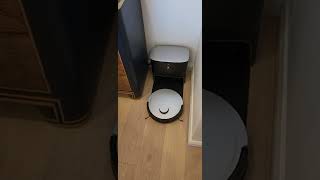

4.5/5***** - Excellent way to keep your home clean at all times - Some small areas of improvement – Having recently moved from an old 2-storey terrace house into a modern, single-level unit, my wife and I have been in the market for a smart robotic vacuum cleaner to help keep our new home neat and tidy. So, for full disclosure, we were quite excited when the opportunity presented itself to test and review the ECOVACS DEEBOT X1 PLUS for… Read more
productreview.com.au's Ambassador program.
Despite its name, the DEEBOT X1 PLUS is the entry-level model of ECOVACS' recently released X1 family of vacuum and mopping cleaners. Its slightly bigger and dearer sibling, the X1 TURBO, sets itself apart from the PLUS in that in place of the removable OZMO Pro 3.0 Oscillating Mopping System, it sports a pair of rotating mop heads. The TURBO's base station contains two separate tanks, one for fresh water, which it uses to clean these rotating brushes when the robot returns to the station to refill its smaller internal water tank, and a sewage tank to collect the dirty water. The TURBO uses cold air to dry the mop heads after use to prevent them from getting mouldy and developing a funky smell. What the TURBO lacks that the PLUS offers is the auto-empty feature that sucks the collected dust and debris from the robot's removable onboard dust bin into a much larger dust bag housed in the base station. Top of the crop is the aptly-named DEEBOT X1 OMNI, combining the best of both worlds, having the PLUS' auto-emptying capability and the built-in fresh- and grey water tanks. In addition, the OMNI uses warm air to dry its mop brushes, cutting down the drying time. Of course, this plethora of features comes at a significantly higher price; at the time of this review, the OMNI sells for a recommended retail price of $2,499 RRP, which is $600 more than the PLUS ($1,899 RRP) and still $400 more than the TURBO ($2,099 RRP). But that's enough about the family. Instead, I want to focus on the DEEBOT X1 PLUS we've now had the pleasure of putting through the ropes for a solid month.
## Unboxing and Setting Up
The unit arrived in a single, somewhat bulky box (WxLxH ~48x43x41cm) that, according to the shipping label, weighs in at 11kg. If you plan to pick one up from a local retailer, make sure to have enough space in your car boot and maybe bring someone along to assist. The unboxing process is pretty straightforward. Everything comes securely boxed up with predominantly cardboard-based packaging and a relatively small amount of single-use plastic and foam, but no styrofoam, which in my books is always a plus. In terms of reading material, you will find a handy quick start guide, a warranty policy card and a slim instruction manual kept all in English. There is no resource-wasting 14-language phone book of a manual, which again is much appreciated.
The base station comes with a 3.2L dust bag pre-installed. Only one bag is included from the start, but spare bags are available from ECOVACS' website and directly through the companion app (more on that in a minute), selling for $29 for 3. On average, these bags are supposed to hold about a month's worth of dust, which of course, very much depends on various factors like the size of your home, predominant surface type, environmental factors etc. We have a mix of hardwood floorboards, tiles and carpet in our apartment, and with a pet cat, there is no shortage of a constant fresh supply of loose hair waiting to be collected. Almost one month to the day into our test, our first bag is roughly 2/3 to 3/4 full and will need replacing in a week or two. We've made sure to order some spare bags in time, but an extra bag or two in the box wouldn't go astray for new purchasers not to be caught out when their first time comes around to replace the bag.
In terms of setting up the emptying station, you simply need to attach the separately packaged base plate to the main container, plug in the included power cord and wrap any excess cable around the handy cable wrapping posts at the back of the unit after finding a suitable spot for your vacuums new HQ. The quick start guide and user manual recommend that the station should be placed with at least 50cm clearance to both sides and 180cm clearance in front. We found a suitable spot, albeit in a location we'd rather not use for an appliance which, despite an attractive, clean and modern industrial design, is, after all, still a vacuum cleaner. But, we are delighted to say that we've had no issues with the preferred spot we've chosen instead, which is an all-up merely 50cm wide gap tucked between a large sideboard and an otherwise somewhat wasted corner of our dining room.
Moving on to the second inner box inside the big carton, you will find the actual vacuum and a number of accessories: a pair of red and green colour-coded rotating side brushes that simply clip into the matching sockets at the underside of the robot. These brushes rotate whenever the vacuum is roaming the house and sweep any dust and debris that is to be collected from the entire width of the robot towards the middle and into the slightly narrower footprint of the slot where the vacuum sucks up the dirt.
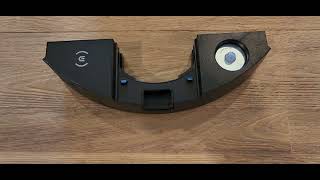
There is a complementary air freshener capsule, a kind of pod that slots into the air freshener cartridge that comes pre-installed in the vacuum. The scent is called Wild Bluebell and is quite pleasant and non-offensive compared to many overpowering room fresheners on the market. ECOVACs sell these pods, as well as two other fragrances, in their online shop. To install this, simply press down the release button located at the back of the robot, pull out the air freshener, unwrap the pod and pop it into the empty slot, then slide the module back in place with a click. The whole thing takes mere seconds, and the process will become second nature as you use the robot and more or less frequently swap between the air freshener module for vacuuming, when cleaning carpeted areas and when the DEEBOT is parked in its base, and the so-called OZMO Pro 3.0 Oscillating Mopping System I already mentioned earlier. The latter is a separate cartridge of the same size as the air freshener module, and the two can be swapped out at any time the robot is standing still. The mopping system comes with a pre-installed reusable/washable microfibre mopping pad, which attaches to the module's oscillating base plate via a velcro-like hook & loop system. The pad's thickened straight edge simply slides into a small groove on the base plate, guaranteeing that pad and plate are perfectly aligned before attaching the velcro. We have yet to try out the sample pack of 2 disposable mopping pads also found in the box, but honestly cannot see ourselves using these single-use pads over their reusable counterparts. We will rather invest in buying a handful of additional washable microfibre pads and keep these in rotation. The OZMO Pro only has a relatively small water tank; I measured a capacity of 250ml. Obviously, a cup of water will only ever go so far with cleaning a larger area, but more on the PLUS' mopping feature in a bit. ECOVACS has also started selling a cleaning solution it advertises as suitable for the OZMO Pro system, which we might try soon. I suspect that a regular floor cleaner would also work, but I would recommend avoiding harsh chemicals or bleach so as not to damage any of the plastic components it comes in touch with.
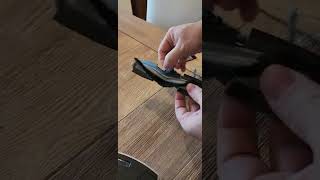
Last in the box is a little cleaning tool that combines a simple soft bristle brush to clean the vacuums' optics or flush out dust from places it shouldn't be and a clever and secure blade that makes short work of hair that gets tangled up around the rotating side brushes, the robot's wheels and most of all the spinning main brush. The latter's job is to pick up dust, dirt, hair and other detritus off the floor, including gently brushing it out of carpets and transporting it into the stream of suction. This type of brush is a feature common to all modern autonomous battery-powered robot vacuum cleaners and most portable stick vacs as well and allows them to do an excellent job at picking up dirt despite the, by comparison, to say a mains AC-powered barrel vac, still relatively low suction. The X1 PLUS boasts a, for robot vacuums, top-of-the-spectrum 5,000Pa in suction power. This pales against the more than 20,000Pa suction generated by our German-brand barrel vac, but without the need for mains power and a hefty thirst for energy close to 2,000W (unsurprisingly, energy-wasting vacuums consuming over 900W electricity are no longer legal to sell in the EU)
The lid of the robot is held in place by magnets and can simply be lifted off to reveal the main power switch, a button to reset the vacuum to factory settings, an LED to indicate the Wi-Fi connection status and the removable dust collection compartment. As with the water reservoir, the dust bin has a relatively small volume of only 400ml, but of course, this is ample space given the vacuum can return to the base station at the end of its cleaning job or take a break at configurable intervals and then empty itself into the larger dust bag housed in the base unit. It does this by reverse parking in the base station, making contact with the charging electrodes located at the back of the vacuum and front of the base station and at the same time aligning the slightly protruding, rubber-lined air duct found towards the side of the base unit to the counterpart dust extraction port found on the robot. Several seconds after the unit has parked itself, a powerful vacuum housed in the base station kicks into action for roughly 10 seconds. It simply sucks all the dust from inside the robot into the main dust collection bag. This is perhaps a good time to mention one of the few points of criticism we have recorded in the course of our trial. While the robot is overall rather verbose, more on this later, and in fact announces that it is about to empty itself, this notification only plays at the exact time the emptying station's vacuum already fires up with a noise of a (very small ;) ) jet engine. Jokes aside, the noise level is comparable to that of our regular barrel vac, which is much much louder than the moderate noise level of the robot vacuum itself, so it completely drowns out the notification. It has repeatedly caused us to jump off our seats, not being prepared for what's to come. Perhaps it would be possible for ECOVACS to announce the emptying of the dust bin fractionally ahead of time or provide the option to configure an optional countdown, e.g. *Emptying dust bin in 3..2..1..*.
## Mapping your home
With all moving and stationary parts in place, it is time to give the vacuum a spin. ECOVACS recommend charging the robot before use. According to the manual, a full charge takes roughly 6.5h, though we have never run the battery down anywhere near its end, so we cannot comment on this figure. In fact, we found the vacuum to be nearly fully charged out of the box, so we set it to work right away. As already mentioned, the DEEBOT's main switch is located on the robot's top under the removable cover plate. Also found there is a QR code that needs to be scanned with the ECOVACS HOME companion app, which you can download from the Apple App Store or Google Play Store. Another QR code on the printed quick start guide makes it easy to find the correct app. The to-be-expected sign-up for the app is relatively straightforward, and once logged in, and after scanning the robot's unique code, you can follow the setup wizard to get the DEEBOT connected to your home Wi-Fi (sadly, as with most home automation appliances, only 2.4GHz is supported, still no 5GHz. Luckily any home and SOHO router will support both bands.) You can also name your home and the robot itself (we called ours Deedee), which perhaps is useful if you have multiple homes and/or robot minions to commandeer. The app's start screen, at least in the Android version we have tested, gives easy access to your account details, the ECOVACS online shop, where you can find accessories and spare consumables for your DEEBOT, as well as the robot's two main functions called Smart Cleaning and the Video Manager. We'll begin with the cleaning tasks and take a look at the Video Manager later.
After opening the Smart Cleaning part of the app, you will be invited to map out your home for the first time. The robot is obviously completely unaware of its surroundings at this point and would not know where your rooms are located, where it should or should not go and how to get back to its home to recharge. Before sending the robot on its first scouting mission, there are a few things you should do to prepare your home to get the best out of the resulting map. We had several goes at mapping our apartment and had to find out about some of these things along the way. First, and this is kind of obvious, ensure that your robot has access to all areas of your home you wish it to know about and clean in the future. Open all doors, turn on lights to give the optical sensors ideal conditions, and move any movable items like shoes, decorative items but also chairs and other lighter pieces of furniture that may or may not always be in the same spot out of the way. Same as any other time, you can pause the robot while it is mapping by touching the pause/resume button on its top. But we found it easier to just move chairs and other items onto the couch, dining table etc., for a short period of time, rather than have to clear the robot's way one room at a time. If there are parts of your home you definitely do not want the robot to ever venture into, block these off with a suitable barrier like a piece of cardboard, which could prove a little tricky in some circumstances. If, like us, you have floor-to-ceiling length mirrored surfaces in your home, you will want to cover these up for the mapping process. We found it was sufficient to simply sticky tape a row of A4 sheets of paper to the bottom of the mirrored sliding doors on our built-in wardrobes and storage cupboards, enough to prevent the DEEBOT's so-called TrueMapping sensors from being tricked into seeing a room where there isn't one. Key to the robot's mapping and navigational capabilities is the LiDAR (laser imaging, detection and ranging) sensor that can be found under/inside the cylindrical knob sticking out from the top of the vacuum, which scans the room with a low-powered laser in a wavelength that is invisible to the human eye, that is reflected off a rotating mirror and effectively takes in a full 360-degree view of the robots surrounding at all times. Mirrors or extremely highly polished surfaces will confuse this type of sensor, as they reflect the laser in a way that appears to it like an open space. Without masking our mirrors, the resulting map was completely unusable, with rooms essentially appearing to overlap. Still, with the mirrors covered for the initial mapping run, we ended up with a decent workable map of our unit. In our case, on an internal floor area of around 80-90sqm, the entire mapping process took approximately 15 minutes. The robot does not need to cover every square metre of your home but merely follows around the walls it finds, going into every corner of every room until it has completely mapped out the entire continuous area it has access to. The DEEBOT is surprisingly capable of getting over most minor obstacles like door thresholds or onto thick rugs. ECOVACS advertises that the DEEBOT can clear obstacles of up to 20mm, which we found to be amply sufficient for all door sills and floors in our home. At this point, the robot will automatically return to its base station, and the created map becomes available to view and edit in the ECOVACS HOME app. Our home only has a single level, but it is my understanding that it is possible to map out additional areas, e.g. if you have a multi-storey house.
Editing the map is one of the most important and, sadly, very fiddly jobs to do on the phone. I own a very large phablet-style phone; even so, I found it was frustrating to work with the map editor on the still small phone screen with my not-so-small fingers. It would be fantastic if ECOVACS could develop a desktop application for Windows and Mac or a browser-based app to let people edit their map on a larger screen and with more control over the fine input, but I don't expect this will happen any time soon, if ever. An alternative could be to use a tablet/iPad to edit your map, even if it means borrowing one from a friend. The map editor can be found under the Map Management section, where you can also create a backup and restore previously saved maps. I highly recommend saving/backing up your map any time you have made changes you do not wish to lose; more on this shortly. The map editor lets you create, and name/categorise rooms, define virtual boundaries, which are essentially invisible lines the robot will know not to cross, as well as set up rectangular no-go-zones where the robot will not vacuum and/or do any mopping. We found that the robot, despite having covered all mirrors during our initial mapping, would, on later cleaning runs, when the mirror coverings had come off, again be tricked into seeing rooms where there weren't any. But having done the original mapping with covered mirrors made it relatively easy to draw such no-go-zones over those areas of the map that lay in between actual rooms, marking out these imaginary areas as being off limits, as we had no interest in the robot venturing into our wardrobes in case we left the doors open.
As mentioned, I recommended backing up your map early and often, as we experienced what has been reported by other users of the X1 and other DEEBOT vacuums before it, which is that the map simply disappears from the app at some point with no obvious reason. We have had only one occasion on which this happened, and it was not entirely the same as what has been described by other posts I've read on the issue. One day, about halfway into our month's trial, the robot, while being parked in its base station, appeared on the map in the app to be sitting about half a metre out of its true location and judging by the icon, a stylised black circle with a brighter dot that represents the robot's LiDAR sensor, pointing 90 degrees perpendicular to the actual direction it was facing at that moment. Any attempt to send the robot on a cleaning mission failed, and shortly after leaving the base and rather aimlessly driving around a bit, the app was convinced that the map was no longer accurate and asked us to start mapping the place from scratch. What we luckily found to work instead was to restore our backup, then to move the vacuum to more or less precisely the location in the map its icon appeared in the app and facing in the displayed direction and then asking it to go clean a nearby room or return to its base (I'm unsure of the concrete task we gave it). Either way, in this instance, the DEEBOT carried on like nothing ever happened and ultimately ended up back in its designated spot, in both real life and the map/app. We've had no similar reoccurrences of the problem since. Either way, you will always want to make sure to keep a backup of the map saved in the app. Unfortunately, there is no way to download the map file, so I'm not sure if the map is saved to the cloud or would be lost in case you lose or have to reset your phone. Along with the ability to edit the map online or on a desktop PC, this would be a very nice feature to have, knowing that the map is safe no matter what and not having to tape up every mirror in the house again.
## Daily cleaning
With mapping out of the way, it's time to look at the DEEBOT's actual cleaning performance cleaning. We have found the robot to be an excellent appliance to keep the place clean at all times when it is used the right way, which is as frequently as you like or can. First and most importantly, we do not feel that the DEEBOT or any other robot vacuum and mopping cleaner currently available can completely replace a powerful vacuum cleaner and manual operation. There are corners a robot vacuum simply cannot reach. We found the clearance under our coffee table and a dresser in our study to be just shy of the protruding TrueMapping sensor of the DEEBOT, which sadly means it cannot drive under these pieces of furniture to clean, which at least in the dresser's case, are too heavy to lift or move to allow the robot to clean those areas. Likewise, there are always tight corners, areas behind furniture that you do not wish to move and the occasional larger mess to clean up that the robot isn't suited for, but which a good stick vacuum or barrel vac will make short work of. Besides the DEEBOT, we already owned an excellent barrel vac, an equally excellent rechargeable stick vacuum with a motorised rotating brush head, as well as a second rechargeable portable with an extendable hose, perfect for reaching above head height, another area a robot vac obviously won't help you much. What we found and what we can only recommend to everyone interested in getting any robot vacuum is to start with a thorough, top to bottom base clean of your home. Then send the robot vacuum out to vacuum whenever you have the chance. If you are leaving the house, it is an excellent opportunity to send DEEBOT out to clean individual rooms or the entire home. While the noise the DEEBOT makes is definitely relatively low compared to that of a regular vacuum, especially a main powered plug-in, and it is far less disruptive to day-to-day activities, the ultimate benefit of having a robot do the cleaning for you is that you don't have to be present. We've watched the vacuum go on its rounds a couple of times with a mix of curiosity and caution, wanting to know that it's not going to chew up a pair of shoes or set fire to our carpet after getting stuck behind a bed leg, but pretty soon you'll find that you are more than happy to not have to watch the process and simply let the robot do its thing unsupervised. So, we find that by far the best time to clean the house is when you aren't there. Whether it is when you go to work or for those working from home when you're merely ducking out for an hour to do the shopping, it's incredibly quick to pick up a few loose items that are needlessly cluttering the floor (which is a nice side effect of having the DEEBOT, you're tidying up without noticing it), move your chairs out a bit so the robot can easily get around all legs and then tell the robot to vacuum the house as you walk out the door. It is satisfying to watch the DEEBOT perform its cleaning task in person, watching it as it traverses every room by first circling around its outer perimeter before "colouring in" the area in between in straight back-and-forth lines. But monitoring the DEEBOT's progress over the app, while you're a suburb away picking up groceries or sipping on a coffee, or returning to a neatly vacuumed house with the telltale pattern of robot-vacuum-width lines imprinted on the carpets' fibres, is an altogether different level of feeling like the future has arrived.
Overall the DEEBOT does an excellent job at vacuuming both hard surfaces (we have both wooden floorboards and tiles) and low to medium pile carpet. We have no high pile carpet or rugs, but I can imagine that, like any vacuum with a rotating brush head, these would best be avoided and kept for manual cleaning with a classic floor tool. There are occasional objects that the robot misses; for example, we watched a large-ish chunk of popcorn that had fallen under the table being pushed around the dining room for a number of cleans before the DEEBOT eventually found it and managed to pick it up, and I wouldn't expect to clean a spilt jar of sand out of a carpet with any battery-powered vacuum. But for your everyday mix of dust, human and pet hair, and smaller bits and pieces of paper, skin and other waste, the X1 will be more than adequately equipped.
On our first full cleaning run of the house, despite having regularly vacuumed the unit with our barrel vac and rotating brush stick vacuum, we were honestly baffled by the amount of hair but also other dirt the DEEBOT was able to collect. After its first foray into every corner of the apartment was finished, we paused Deedee before it had a chance to return to its base and destroy the evidence and were both shocked and delighted to find the duct bin full to the brim. We also turned the robot over to take a look at the brushes and found the main floating brush to be absolutely tangled in hair. Luckily, the included cleaning tool makes it very simple to cut the ribbons of hair wrapped around the brush without any risk of injury, and this is a process we've since had to repeat only one more time after the brush had apparently dealt with a backlog of hair that had accumulated over a couple of months since we moved into our new abode. With the initial deposit of dirt out of the way, we ultimately settled on configuring our DEEBOT to return to base to empty its onboard dust bin every 15 minutes (options are 10, 15, 25 and AUTO, which simply means at the end of the job). We find that this has always yielded great results, an empty dust bin wherever we checked, and an acceptable number of disruptions on longer cleaning tasks. On the topic of timing. Especially after we worked out that it helps the robot a lot to move chairs out from under the table or, better still, move them to an area where the robot does not need to clean (we like to quickly move our dining chairs onto the balcony, which is mere steps away, which saves the DEEBOT from having to navigate a maze of 24 chair legs) we've logged that a complete vacuuming run of our entire apartment takes just around the 60-minute mark, including 3 or 4 return trips to the base unit to empty the dust bin. Apart from sending the vacuum on the full tour of the home, you can instruct it to clean only a specific area, which can be a single room or a sequence of rooms in the desired order. Alternatively, you can ask the vacuum, using a voice command (more on this later), to come and clean where you are. You can even place items of virtual furniture on a 3d version of the map and then direct the vacuum to clean under and around specific pieces of furniture.
Of course, the DEEBOT can do more than "just" vacuum, so it's perhaps a good moment to talk about the mopping feature. As mentioned earlier in the introduction, the DEEBOT X1 PLUS' mopping capabilities rely on the OZMO Pro 3.0 Oscillating Mopping System, an interchangeable cartridge that can be fitted to the robot in place of the air freshener module that is normally installed at the rear portion of the DEEBOT during vacuuming. Our regular routine so far has been to quite frequently ask the DEEBOT to specifically come and clean up the kitchen, either immediately after we sent it around to vacuum the entire place or out of schedule, simply because we had something that needed to be mopped up specifically in the kitchen. Our preferred way of using the mopping attachment is to tell the DEEBOT to come and clean the kitchen while filling the water reservoir on the OZMO Pro, pausing the robot just before it reaches the kitchen (simply tap the stop/start button on the robot or use a voice command), rinsing, wringing out and attaching the microfibre pad and quickly swap out the air freshener for the mopping plate, before letting the DEEBOT resume. Upon restarting its cleaning duties, the DEEBOT will immediately switch into mopping mode, which involves the mopping pad that is only just making contact with the floor weighted down by the mass of the robot on top of it oscillating or swinging back and forth with several hundred oscillations per minute. As with the vacuuming, there can be no argument that the OZMO Pro is not a full replacement for a good old mop and bucket and lots of sudsy warm water when it comes to dealing with a bigger spill or old stains, but again where the DEEBOT delivers and adds real value to your overall arsenal of cleaning utensils is when it is used frequently and more to keep an already reasonably clean home spotless, rather than deal with a significant mess. After the mop has finished, or when mopping larger areas every couple of minutes, you can again pause the DEEBOT, remove the OZMO Pro, peel the pad off the velcro plate and clean it under running water, then either reinstall it or switch back to the air freshener when sending the robot back to base. You should avoid parking the DEEBOT with the OZMO Pro attached, as the wet or damp pad will most likely develop an unpleasant odour. Keep the base station dry, remove the mop before returning to base, remove the pad, rinse, wring out and store it in a dry place ready for the next use. You will be surprised and a bit shocked by the colour of the water when rising out the mopping pad, which of course, makes me wonder how much cleaner the result could be if the pad is replaced and rinsed more frequently.
Whilst on the topic of cleaning the attachments... I've already mentioned the cleaning tool used to remove hair and look after the moving parts like rotating brushes and wheels of the robot, as these get tangled in hair after more or less time passes. Another part of the vacuum that can and should undergo a visual inspection and, if need be, cleaned every now and again is the set of dust and micro-particle filters attached to the vacuum's internal dust bin. The entire dust bin can be removed, and all its parts, including the HEPA (?) and other filter inserts, can be rinsed under running water. I speak from experience with other vacuum cleaners when I suggest that you please make sure that the filter and dust-bin are 100% dry before replacing them and continue vacuuming. Moisture and dust are an unholy pairing.
## Voice control
A feature of the DEEBOT that arguably warrants its own short chapter is YIKO, the voice assistant embedded into the robot's software, which is essentially ECOVACS' equivalent of Siri, Alexa and Google's Assistant (still no clever name?). The DEEBOT's trigger word is the phrase "OK YIKO", and we suspect the assistant's name is simply born out of the way the ECO in ECOVACS sounds when pronounced immediately following a solid Okay! Trying to get YIKO to respond has been the source of some frustration for my wife, especially while we admittedly both kept insisting on trying the phrase "Hey YIKO", perhaps brought on by the fact that the Google Assistant listens to both OK and Hey as it's trigger. Yet, before and even after correcting our mistake and using the appropriate phrase, while my success at eliciting a response is nearly 100%, my wife still commonly requires several tries before YIKO/Deedee will acknowledge her request. If I had to explain how best to call the DEEBOT, I'd suggest trying pronouncing the OK by stressing the second syllable, okAY! and almost slurring your words together by following up with an ECO like in the word economical (likely the origin of the brand name). At the same time as struggling with YIKO's stubborn resolve to ignore my wife, we have on numerous occasions now witnessed YIKO leaping into action, not on our command, but prompted by something someone said on TV that may or may not even have involved the word OK, and certainly never the name YIKO. On those occasions, we would also love the ability to tell YIKO to ignore her cue, say by speaking the word ABORT or CANCEL. Once YIKO has been woken from her slumber, it is impossible to silence her without either giving her a command like "Where are you?" (which at least she responds to with a short and sweet "I am here!") or having to listen to a lengthy pre-recorded message about what array of commands we could use to talk to her. As with the idea of perhaps warning users about the imminent emptying of the dust bin before this loud process begins, this is just another tiny imperfection ECOVACS could very easily address at minimal effort and cost to deliver an overall closer to perfect product.
## Little Big Brother
I promised earlier to talk about the second top-level menu item found on the ECOVACS HOME app's start screen, which is the Video Manager. Seeing as the DEEBOT is capable of navigating around the home with, well, robotic precision, and of course, knowing what array of optical and other sensors the unit comes packed with, it's not a far-fetched thought to wonder about the potential of this and similar robots for abuse, to invade the privacy of our homes by any and everyone that can gain access to their systems through hacking, malice or yet, even in cooperation with the manufacturer of the appliance or some of its key components. This potential for intrusion into our lives is, of course, present in all the many smart gadgets we've eagerly brought into our homes, a cohort of devices with cameras and microphones with Alexa, Siri, GA and some other personal assistant hanging on our every word. Still, with their ability to autonomously move around in our homes, makers of robot vacuums do in my opinion have an exceptionally high responsibility to reassure users that they are doing everything they can to minimise the potential for abuse. What is perhaps one of a lot of people's worst nightmares, that somebody sitting next door or half a planet away could spy on them, listen to their conversations, watch them eat, sleep or do things that are for a good reason supposed to stay private, is, in fact, a secondary feature of the DEEBOT. Through the Video Manager, it is possible to access the robot's primary camera, record short lengths of video, take still photographs, talk through the robot's speakers, ask the bot to patrol the home and even remotely control every move of the robot from anywhere in the world. In addition to the regular ECOVACS account login, this remote access is secured via a simple 4-digit PIN, the so-called Video Password, which you are prompted to set for yourself on the first access. As a self-described security- and privacy-minded user, I would very much like to have additional safeguards against unauthorised (by me, that is) access to the robot's onboard sensors, preferably by virtue of hardware-based switches that physically sever the link to all relevant components, i.e. the cameras and microphone array, or at least a shutter that can be slid over the cameras lenses like the ones found on many laptop's built-in webcams.
## Recap
Across the range of its features, the ECOVACS DEEBOT X1 PLUS is genuinely an excellent smart cleaning appliance that, when used in the right way, will allow you to keep a very high standard of cleanliness in your home at all times. Combine it with occasional manual cleaning, dusting and wiping raised surfaces, vacuuming areas inaccessible to the robot and cleaning any bigger mess that life comes with right away with the adequate better suitable tools, and you will get the most bang for your buck and enjoy living in a home that is likely going to be cleaner than it ever has been. The DEEBOT X1 PLUS (and its siblings) is certainly not a cheap appliance, nor does it look or feel cheap in any way. At its price point, I would still categorise it as more of a tech enthusiast's gadget than a device that has truly earned its place in today's collection of mainstream home appliances that should be expected in most homes. The cleaning performance of the robot and its ability to navigate the home, avoid obstacles and return to its charging station to empty its collected load of dirt are impressive feats. Yet, it is not surprising that there is still room for improvement in some aspects of its hard- and even more so its software.
I'd like to award the DEEBOT X1 PLUS an overall score of 4.5 out of 5 stars, but lacking that option and wanting to encourage manufacturers to always aim to improve their existing and future models, I've opted to give it the still compelling 4-star rating.
I would recommend anyone in the market for a solid current-gen robot to predominantly vacuum and occasionally mop smaller areas to check out the X1 PLUS.
## PROS:
- Convincing vacuuming and mopping performance when used frequently to keep the place tidy at all times. A look in the dust bin or at the dirty water when rinsing the mop tells it all. - Area Cleaning feature to target specific room(s) is a great way to clean the home as you move around over the day. - Solid build quality and good, quality-feel materials (yes, there's good, and there's cheap feeling plastic) - Navigation skills and obstacle avoidance are impressive. - Noise level of the robot is surprisingly low and suitable for cleaning the home while you go about your day-to-day.
## CONS:
- Only one dust bag. A spare or two would certainly not go astray. Update: Looks like ECOVACS is currently selling the PLUS with three dust bags, three washable mopping pads, some cleaning solution and an extended 2-year warranty thrown in to sweeten the deal. - Map editing is very fiddly in the mobile app, and maps are sometimes lost (remember to backup!) - YIKO voice assistant cannot be silenced once triggered and has selective hearing (ignores the wife but gets random cues from TV) - No warning before the dust-bin gets emptied - Problem with mirrors should at least be better documented to educate users on how to deal with them - Lack of hardware-based, physical solution to ensure privacy (disable the microphone, disable or cover cameras)

Wish I'd gotten one sooner – I have a dog who enjoys rolling around in the garden and regularly brings half of it into the house so vacuuming is something that needs to happen a lot. I was excited to be chosen to test the Deebot and I admit I was dubious when it arrived as I wasn't sure how the dog would behave around it. He doesn't seem to find it as scary as the Dyson and… Read more
hasn't attacked it which is brilliant. It was fairly easy to setup and connect to my home network - once you figure out the reset button is the red light, you just need to press it (took me ages, as it isn't clear in the instructions - I just pressed it out of desperation while waiting for customer service to get back to me). The top of the vacuum is attached by magnets and is pretty easy to lift off so you can manually empty the dust collection basket if you wish as well as clean or replace the filter as needed. Otherwise, it empties (a fairly loud procedure) when it returns to the docking station. Being able to switch on the Deebot from anywhere via the app on my phone is a godsend. Its pretty quiet in operation, however as a light sleeper its just not possible for me to have it roaming the house in the night. The Deebot outperforms my Dyson on floorboards, jute rugs, flatweave rugs, lino, tiles and it also does a brilliant job at mopping the kitchen floor. It hasn't had any issue with the floor transitions however it did manage to get tangled in some speaker cable but sent an alert to my phone to let me know. It was easy to have the Deebot map the house so I can ask it to clean individual or a collection of rooms without having to shut doors. Inserting the mopping cartridge is simple and it conveniently came with two disposable mop pads and one reusable pad which cleans up easily in the washing machine. It also has an onboard camera which you can use to contact anyone in the house or just to see what its doing or even how it looks under your furniture. I will say not to keep it near your TV as every time someone on screen says something similar to "OK Yiko", it wakes up and scares the bejeezus out of us. To be perfectly honest, I love the Deebot vacuum. Its been a long time since my house was this clean. The only problem I've found is it doesn't clean the skirting boards - it would be an absolute treat if it could do that too!


We are NEVER mopping again - great machine! – Deebot X1 is amazingly easy to set up, with only basic assembly required of boxed items. There is a free App that you use to start, monitor, and if necessary halt vacuum and mop operations. Setting up the app took about 20 minutes, then it took 4 hours to do a first full charge. It works by Wi-Fi so has plenty of range for connection. The unit… Read more · 2
gives voice prompts to echo your commands, just to verify what it is doing/thinking. The docking station is very neat and is also smart. At the end of vacuuming, the Deebot reverses itself into the dock, and the dock then removes all the dirt from the Deebot and stores it - then the dock charges the Deebot so it is empty and soon charged all ready for next use. We have a large lowset home with mainly hard floors, so the Deebot can easily clean almost the whole house, it takes up to 90 minutes to do so, and all on one charge. Once it "learns" your house map, it knows its way around pretty well. We found the Deebot X1 does a really good job of both vacuum and mopping (separate cycles). for mopping you just fill another head with liquid and fit it to the machine. It does go better if we pull up thick rugs beforehand, and some chairs/stools that it might jam under (takes all of 3 or 4 minutes), other than that it copes with everything. We have seen it vacuum carpet as well and do a decent job. Deebot also does better in bright daylight or with the lights on to see where it is. The real plus is how well it cleans under furniture - we were amazed at how much dirt came out from under the couches and cabinets (see photo). You can monitor its operation by a live digital map on your phone showing its path and location, and you can watch "Deebot cam" via your phone too - this is amazing for seeing parts of your house you have never seen before! It cleans really well underneath things. Vacuuming is good quality, no complaints there. Mopping is light but effective, you just add water and some cleaning agent (we used a cleaner that was provided with our floor coverings). Deebot X also uploads a "cleaning log" after every use, so you can see what it has been up to. It is really not too noisy, in fact it is more quiet than any other vacuum we have. We highly recommend the Deebot X and look forward to many years of service from it. It works exactly as advertised in the owner's manual. We will need to buy new filters/brushes but they seem readily available.
ProductReview.com.au has affiliate partnerships. These do not influence our content moderation policies in any way, though ProductReview.com.au may earn commissions for products/services purchased via affiliate links.