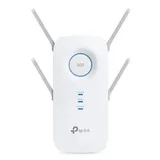
TP-Link AC2600 RE650
VerifiedMPN: RE6506 reviews

Wouldn't even give it 1 star would be 0 if possible. Sort of worked first use but since then just doesn't work. Barely 8m from router and while shows on external TV bought for keeps showing no actual internet. Biggest waste of money ever. Little to no support. Absolute rubbish and going in the bin. Show details

Certainly up there - one to consider – Easy set-up via tether app. Once set, works on both 2.4 and 5Ghz bands. Set and forget and does what it is designed to do. Next level is a mesh system. V2 of this can mesh into TP Link OneMesh however this is not for novices. However I have V1 of this unit is used as a pure extender. Show details


TP-Link RE650 V2 AC2600 Wi-Fi Range Extender | A Good Performer – I bought the TP-Link RE650 V2 AC2600 Wi-Fi Range Extender to extend the Wi-Fi to a low signal area of the house. This little device has significantly improved my signal. It's also very stable. The performance of the TP-Link RE650 V2 AC2600 Wi-Fi Range Extender is surprisingly good. As with any network hardware, ensure you have the latest… Read more
firmware.
Just be aware that there are two versions for this device. I have V2. The latest firmware for this V2 device addresses the following.
RE650(AU)_V2_211130 Published Date: 11/05/2022
Changes: Enhanced the system stability; Optimized the Wireless stability.
Firmware is available here. https://www.tp-link.com/au/support/download/re650/#Firmware
You can update the firmware from the device interface using the online option, or you can manually download the firmware update and point the updated firmware to where you have it saved.
As with all Wi-Fi range extenders, the secret to its performance is in the device placement. The big round Signal LED will tell you if you have it within working range of your router. It should be solid blue. Solid red means it's too far away.
Something else I did to improve the device signal and performance is to use an extension lead and then placed the Wi-Fi range extender on top of a cabinet (see photo) instead of having it plugged into an electrical wall outlet. This improves the signal strength and airflow around the device. These devices tend to run quite hot, so better airflow means a cooler device.
Two things I suggest doing in the setup is to remove the _EXT that is added to the end of your SSID and keep the same Wi-Fi password as your router. Most Wi-Fi devices work better throughout the house if all access points and extenders have the same SSID and passwords.
More more information setting up TP-Link RE650 AC2600 Wi-Fi Range Extender, go to the support page for a quick installation guide, user guide, setup videos and apps. https://www.tp-link.com/us/support/download/re650/

Extend the range of WiFi but reduces speed so much it hardly works – TP Link themselves have confirmed to me that this WiFi Extender will reduce your Wifi speed to about 1/4 of your current WiFi. There is absolutely no point buying this. Show details

Iffy setup, bad performance, just never worked – Had it for two days, firstly the setup is a real pain - I'm an IT professional of over 20 years and this was the fiddliest most fussy thing to setup AND it didn't work. Spent whole morning with TP-Link online chat support - no phone support at the moment, eventually I solved the problem myself by resetting product and trying again. It connected… Read more
and worked for 1 night! 1 night!! Next day my phone stopped connecting, I reset the device again... then my pc's stopped connecting to it! TP-Link are usually cheap and cheerful... this was neither, pricey and a dud... have initiated a refund... don't waste your time!

Fast wi-fi range extender – Initially 5G range boosting had issues but once followed instructions from TP-Link support wiki, it worked great. It works great for any type wifi - steered band or 2.4GHz or 5GHz. It has WPS ( so same wifi ssid name ) or repeater broadcasting functions. Love it. Show details
ProductReview.com.au has affiliate partnerships. These do not influence our content moderation policies in any way, though ProductReview.com.au may earn commissions for products/services purchased via affiliate links.
Hi, thanks for your feedback. While there will be some… Read more