Microsoft Computer Peripherals

It's good but not the best – The only problem with his mouse is that when you scroll up , your screen sometimes may go down and when you scrolling down your screen may go up. Other than that it's a good option comparing other products.

Ergonomic typing – Ergonomic typing layout is why i got it. Been using it almost daily for a few months now and i do notice less hand fatigue. But annoyed that the lettering is already beginning to rub off! I took off two stars for that as it's not what i expected. Show details

Second Natural Keyboard in 15 Years – Finally had to give up my original Gen 1 natural keyboard from more than a decade ago. But not because of the keyboard but the PS/2 connector was… Read more
becoming loose. I do not have a single bad thing to say about that keyboard. So naturally, my replacement would also be a natural keyboard since I've learned to type with it (even if I don't type as much as I used to).
The Gen 1 keyboard with the split design was mainly designed for the arm spread circular motion when typing. This 4000 keyboard have also accounted for the wrist twist rotation motion towards the centre. Even for me who have used the natural keyboard for over a decade still need a bit of relearning and adjusting with this keyboard. But that leap is no where near what it would have been if transitioning from a "standard" or a laptop keyboard. But that retraining is highly worthwhile for those who do A LOT of typing long term. Microsoft have also added 4 additional keys (equal, parentheses, back space) above the number pad for those who do a lot of data entry. Again, takes some getting used to. The leather covered wrist support is also a nice touch (pun intended). This full size ergonomic keyboard is fantastic in keeping your fingers aligned with the arm to eliminate wrist strain and lateral bending.
Now on to the bad points. Microsoft should have split the space bar into two. The keys at the centre (t,y,g,h,b,n) are pressed at an angle following the wrist rotation so they are easy to press. But the single space bar is pressed vertically which makes it feel a bit stiffer. The second problem is the most complained about online relating to the zoom wheel. It looks like the scroll wheel on the mouse but it is used to zoom in and out instead. And the IntelliType driver doesn't let you customise the wheel function. There are custom hack available online on how to change the function to scroll but you need to do that for each program and the result is not always as intended. I guess Microsoft have already moved on from this keyboard to create any updated software. Lastly, I wish I could use the function keys as traditional function keys (as in F1, F2, etc). Microsoft have assigned other shortcuts to those keys as default so I need to leave the function lock on to use them as function keys and hence the indicator light (similar to the Num lock and Caps lock) is always on.
For those who don't like this "chunky" look then there is the Sculpt which is better looking and more compact. But I prefer a chorded keyboard.

For such a simple device, this mouse ticks quite a few boxes for me: Reliable. I bought two of these, around 4-5 years ago. Both still function… Read more
perfectly, and neither have ever let me down.
Compatible. These are my "on the go" mice, and they've connected seamlessly to all sorts of systems and workstations.
Rugged. Mine have taken more than their fair share of knocks, and drops. Yet to cause any issues, despite the butterfingers.
Accurate. Not a high-octane "gamer mouse", yet it doesn't pretend to be one. Additional software from the manufacturer can almost double the DPI, but it's plenty accurate for even the most detailed office work.
Flat & Comfortable. Some folks may not like the low profile of this device, and I found it a little odd at first. Though after years of use, I've found the low profile to be much better on my wrists and hands. Especially if working long hours.
Ambidextrous, and suitable for a left-hander; no weird buttons in uncomfortable places, or missing crucial device functionality because of the design.
The only real downside to this device? Its age. While I still find the specs ample for everyday professional use, I've recently had to replace crucial parts of my home network. For one reason or another, sadly, this mouse doesn't want to play nice with my new KVM. Though I strongly suspect the KVM is to blame in this instance, it will be cheaper, and simpler, to finally upgrade these mice.
So reluctantly, I'll be looking for replacements soon. Though you can bet I'll be keeping both of these around, as they're too good to not be used.

Product doesnt work how it should – The mouse wheel will not scroll, no matter what I try in the settings I downloaded the mouse and keyboard centre it didnt help at all. will be… Read more
boycotting all microsoft harware from now on.. its a shame because the keyboard design is quite nice. however some buttons are assigned to the wron key .

4.8 stars ;) – I bought this to fit into a computer desk designed by someone who never owned a computer. The keyboard tray is too narrow for a keyboard and mouse,… Read more
and the main desk is too high to comfortably use a mouse but well done for a flat panel. This is a small keyboard and after a few minutes of getting used to the almost notebook like feel, it is really nice. If it had some little feet to prop up the top it would be perfect. I accept the design was for mobile use, but how hard would it have been? Some web reviews complain about the sensitivity of the space bar. I find none of that. Getting used to the Dhat arrow keys is a bit of practice but it comes with use - just misses greatness but still a fine product. As a keyboard, very happy. Caveat. I am a touch typist and do not use a numeric pad often, and am very comfy using the primary numeric keys. Size, good tactile touch, quality feel. Missing feet to adjust the slant

Been using it for about two weeks, overall it’s annoying – The mouse struggles with precise movements and sometimes doesn’t register that you’ve moved the mouse slightly. Just try clicking links or dragging… Read more
and dropping something. Tedious.
You cannot rest your index finger on the left side of the mouse (left click area) and try to right click with your other finger on the right side, this is because it will register it as a left click since you’re already touching the touchpad. This causes you to open links you didn’t want to often when all you wanted to do is open the right click menu. Frustrating.
There is no native middle click, you require software to be installed to middle click by using three fingers to press down. Absurd.
The idea is cool but they’ve failed at implementing it to replace a classic mouse. Not worth the hassle, will be returning.

Outstanding Keyboard – Microsoft all in one wireless media keyboard - Spectecular portable build quality with responsive laptop style mulitouch trackpad and media keys.… Read more
Easy to install & carry around the room or within the range. Connected to Win 11 via Bluetooth, working absolutely, fine.
Soft key travel while typing which is better making less noise comparing to mechanical and cheaper QWERTY keyboards in the market.
Size little bit larger in contrast with mini keyboards because of the excellent built-in mouse pad. Requires two AAA size batteries under the backcover where wireless chip also located into a tiny magnetic comparent.
Purchasing at $69 is completely worth.

Made for the later Surface devices, but doesn't connect properly – Not only because of an excessive cost and limited availability for a dock compatible with the new Surface devices (eg Surface Pro 7), but it shows… Read more
that it isn't charging correctly, it has ongoing issues actually connecting to screens, printers, and interlinked components etc. Microsoft's products used to be amazing by comparison, but now questioning why they aren't doing the job for the cost... Microsoft's own advice is then that if it didn't come with the product (again, one of theirs) that it might not work well

Lettering on keys wear off quickly – I installed this keyboard 3 months ago. Already the letting on the A, S, E and T keys have completely worn off and the I and O keys are half worn… Read more
off. This keyboard was more expensive that an equivalent Logitech keyboard which lasted me well over 12 months (probably 18 months). I will never buy another Microsoft keyboard.

Rubber on scroll wheel perishes – The rubber ring around the scroll wheel perishes after a years use. It becomes sticky on the surface and you cannot scroll anymore. Cant clean it so mouse is useless.

Very poor keyboard – The mouse battery goes flat after only 2-3 weeks of light use. And it is very difficult to replace it as the mouse compartment is so tight. Some keys… Read more
on the keyboard occasionally miss and have to be pressed again harder, especially the space bar. A very poor product. Don't buy.
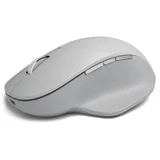
3 year life span – Brand new 30 plus day battery life. Almost 3 years later… Only option is the bin. Now lasts 24 hours. No replacement battery replacement from… Read more
Microsoft. Yes throw away the Microsoft $150 precision mouse in three years. I now see the Microsoft brand a different way. Yes there is money waisted. But the environment. I still have an apple mouse 10 plus years on.