Best Monitors

Gigabyte MO27Q2
- Screen Size 27"
- Screen Resolution2560 x 1440 (2K QHD)
- Refresh Rate240 Hz
- See all


My first OLED monitor, cant believe just how much better it is than my old IPS. 240Hz refresh is excellent for gaming, the VRR has slight flicker but… Read more
it was alright while I was playing The Last of Us Part 2, the HDR is absolutely incredible on that game, completely blown away by how good it looks. The monitor gets extremely bright, even in my well-lit room. Color reproduction is excellent, and the true blacks and infinite contrast is really immersive for gaming. My old IPS literally cannot compare to the experience on this monitor. Monitor includes lots of features, such as the KVM switch, OSD and various OLED care features, all nice to have at such an amazing price point ($779). Thanks Gigabyte!
picture - old IPS left, new OLED right

MSi Optix MAG322CQRV
- Price (RRP) $649
- Screen Size 31.5"
- Screen Resolution2560 x 1440 (2K QHD)
- Refresh Rate144 Hz
Best monitor on the market! – Looking to upgrade your monitor? Look no further than the MSi! Looking for fantastic image and colour quality? Look no further than MSi! At 144hz,… Read more
1440p, and 1ms response time, it's a fantastic addition to any set-up, gaming or working. HDR-ready, allowing for ideal contrast levels and shadow adjustments when presenting HDR content. Adjustable height and angle, for when you're sitting or standing. Go take a look at the MSi MAG range!

Samsung CF390
- Screen Size 23.5" and 27"
- Screen Resolution1920 x 1080 (FHD)
- See all


The picture quality is good, but the menu and controls are very fiddly and complicated. The most annoying thing is switching the monitor off: you… Read more
have to press the power joystick, located on the back of the monitor and then wait for 4 seconds until a menu appears on the screen. After that, using the tiny joystick, you need to select an option and press the joystick again. Then the monitor will switch off. It's a process that requires patience, time and focus on the joystick. Today, this monitor eventually died, and I promise the next one won't bear the brand name "Samsung".

MSI Optix MPG341CQR
- Price (RRP) $1,599
- Screen Size 34"
- Screen Resolution3440 x 1440 (3K UWQHD)
- Refresh Rate144 Hz
Excellent Monitor! Best of the best – This monitor is as advertised! Unbelievable value for money. Ultrawide 144HZ Good SPECs. This is a gamer's true monitor. Been playing Minecraft in ULTRA HD and it is so smooth! Would recommend to all gamers! Show details

HP EliteDisplay E201 / E221 / E231
Best work from home monitor – This monitor is the best for working from home during lockdown, I bought it for the built in "pop up" webcam and the ability to rotate the screen… Read more
vertically or the standard horozontal. It also has a built in Bang & Olufsen speaker. The best part is when I hook it up to my work laptop for zoom, Skype or Teams conference calls I can look directly at the monitors webcam rather than viewers looking at the side of my face.

MSi Modern Series
- Screen Size 23.8" and 27"
- Screen Resolution1920 x 1080 (FHD) and 2560 x 1440 (2K QHD)
- Refresh Rate75 Hz
Excellent monitor and value for money – I recently purchased an MSI Modern MD241p FHD Monitor from Harvey Norman, on a promotional price of $268, saving $90. I needed a new monitor for a… Read more
work from home space, to be used as a second monitor plugged into my laptop. I required height adjustment, angle and tilt, which this monitor provides.
I didn't want to spend a fortune on a new monitor for my work setup, so this one came in under budget and is great for the specifications it offers. It is full high definition, has a 75HZ refresh rate and is a perfect size of 23.8 inches, which is what I was after. The 1080p display provides great colour and definition and makes it easy to read my reports and spreadsheets.
Very happy with my MSI purchase and would highly recommend.

Alienware 34" Curved Gaming Monitor AW3418DW
- Price (RRP) $2,198
- Screen Size 34"
- Screen Resolution3440 x 1440 (3K UWQHD)
- Refresh Rate120 Hz
Best Monitor I have ever owned (so far) – After 2 x Horidous 38 Inch Alienware Failues, I thought I would give the OLED ago. I actually prefer the slightly smaller size then the 38. Once you… Read more
see blacks on this you wont game on another non OLED monitor. Known Issues / quirks mentioned on various sites. 1# The Subpixel text layout - I noticed it at first comming from the other monitors but now I dont notice it and use it fine for work. I actually bought the 38 due to reading reviews on text on this monitor but now wish I went this this one first time. 2# Loud Fan Noise. Some people have mentioned of a loud fan noise. I have only heard mine once when I have leant over and room where pc was off. If your in a very quiet room, perhaps this may annoy you but I cant hear it over my PC fans normal idle noise or celing fan. 3# I have had two instances where the monitor wont wake up where some people have mentioned where unplugging the cable has fixed.

Philips 328B6QJEB
- Price (RRP) $469
- Screen Size 32"
- Screen Resolution2560 x 1440 (2K QHD)
- Refresh Rate60 Hz
Philips 328B6QJEB/75 32" 2K Monitor – This monitor is more business grade than Gaming. It does 5 ms gray to gray, which seems OK for an IPS screen. I am using it for home use, for very… Read more
basic application use and the selection of cheaper 1920 x 1080 monitors is greater and for a lower cost point under and around $330. This unit is 2 K resolution, half way between the other and 4K resolution's for a reasonable cost and comes with a full selection of input. HDMI, DP, VGA DVI-D. Not many have all 4 today.
What's the benefit of 32 " screen size ? You get a bigger screen with more free space between the icons, or you can make the icon's larger say 120%, then it looks like a bigger 22 -24" screen for older tired eyes. My use for this monitor is using it as a 32 " TV set, used in conjunction with a set top box (Laser STB-6000, previously previewed on Product Review).
I paid $435 retail at MSY for it, and compared it with my uses with a Hisense 43" 4K TV ($695) and keep using my 24" Benq 2440HM monitor that I use now. There were swings and balances in deciding, as 43" is far too large for me for a PC, but allowed the for wall mounting above the 24" monitor for a TV look, but more cluttered. The more pixels is better on big screen than less, as I have used a 1920 x 1080 32" TV before as a PC screen.
I am finding this 32" Philips IPS type matte screen to have the usual reflection problems of a wider screen than your shoulders width when the natural light comes onto the screen's panel from an side angle. There is always some 'side on' reflecting a light haze from the side(s). The smaller the screen, the more you do not notice it. It is worse on cloudy days as there is more reflection than you'd think from behind.
I chose the IPS screen type over my present Benq 2440 'VA screen' type for it's TV role, but the daytime reflection cruel's that benefit of wider viewing angles, horizontally and vertically.
At night, it's brilliant, just like a TV set referring to side on angles. Better than the VA screen in up and down angled views more than it's horizontal with eyes perception. I think this size is the limit for home use. I dismissed a curved screen as the reflection would always be present no matter where you angled the screen to face away from a light source.
In a work environment, I had two 40" glass faced 4K monitors on my work desk set at right angles to each other, and you do get used to it, that's the reflection, but I would not recommend those huge sizes as a personal choice let alone two. This 32" size does not involve any shuffling side ways, but the main work area is the centre third, and the outer thirds do get a slight darkening off, say when the desktop is gray to white. It's not really a worry. There are many options to set up your desired picture and it's up to your situation what looks best for you. I am happy now to use the Factory options having played with a few of course. The monitor has a Hub function driven over the DP cable to support some USB 3 ports and a 3.5 mm audio out. That appreciated to reduce the clutter out of the back of the PC box or using a traveling laptop.
Out of the box, it comes with a calibration sheet of your Monitor and it's pretty spot on to my eyes, I had no failed pixels for 2 weeks, then I noticed a black one at the centre bottom, 15 mm up. 4 weeks on, no extra. Better a dead one, than a bright primary colour.
The cardboard transport box is a trap. Have a good look as it has 2 large faces, both taped in the centre. The printed graphics are on one edge face. The box, laid flat on the floor so these instruction's are readable, mean that you are now to open the box upside down ! I did and I looked very carefully too I may add, but still got caught by Mr Philips.
There are very small " Open Here" words at the bottom of same narrow side as those graphic sketches. No arrow pointing to the right face to open. Total fail in packaging. Included in the box is one medium length Display cord and very so useless instructions in multiple languages. You get a power cord, but no VGA, HDMI, Audio or DVI cables.
The control panel is under the right corner of the panel and are capactive touch buttons. If you twist the screen to level it up, don't put your right hand at this corner as the display on/off button will get some action to switch the monitor to off. You PC will then turn off too as the video link output stops talking back from monitor to PC. The stand is very easy to assemble to the screen. and is very stable - it does not slide across the table top. The screen has a great height adjustment range and stays put. It does not tilt much to allow leveling, and must be fully extended vertically to rotate it to portrait setting. I use mine in the fully down position for the PC on the table, and this height is good for viewing as a TV from the lounge suite 3 metre's in front of the screen. My PC is built to medium grade gaming quality, and I was impressed by the colour rendition out of the box. It has strong colour's and good contrast blacks. Night time use under household fluorescent lighting is great and there are no screen reflection issues; so in an office use, will be very good too I suspect.
This monitor has HDR contrast of 10 bit, and I was able better to use it by going to the PC's graphics card setting's and changing from the 8 bit to 10 bit HDR that I was using for the first 2 weeks. This does improve it greatly, and I thought it was good enough before. But it's the TV side that show's it best naturally over a static PC desktop picture.
The only negative point other than the dud pixel, is the habit of the monitor not changing the resolution automatically from after watching the TV STB on 1920 X 1080 (stb switched off) and starting up the PC box. It seem's the PC is downgrading itself from 2K to 1080, taking the live monitor's instruction that what is wanted. It will happen if the monitor goes into sleep mode, rather than me turning it off.
Sometimes, it does not see the PC at turn on and the monitor goes to sleep saying 'no video output'. This occurs when the monitor input settings have manually been changed to use dual screen modes. When the monitor has been set up to use HDMI input (the STB for me), it does not look to see that there is a live video feed from the display port cable. The POST check from the PC is very quick to kill the PC when the monitor does not handshake quickly enough. With no video input, the monitor only gives you a choice of languages and nothing else and enters sleep mode. You can't get to the monitor control panel in this state with no video feed in.
When this happens, I restart the STB and then I can see the control panel options' choices and select the DP input feed as to 'use'. Because the STB is connected to the monitor by the HDMI cable, being now 'on standby', the monitor still see's it as it's only one over the switching on PC.
I tried the VGA input with my old 2003 Windows XP box, and it's bit clearer on the Philips than I expected being on the plug and play 2001 Windows driver. It would not accept the Philips windows 7 driver I tried, so I could not get a better resolution from the box than before. The XP box's 845 chip could see the monitor had a better range of resolution and refreshes available, but the driver would not allow it to fill the screen. It shrunk sideways on 70 Hz and above.
There are two choices of 'picture in picture' screens. The pretty standard box in the corner style or the screen split vertically in half. The latter one fails over the first for me, as the vertical is not the full height of the screen. These derive from the input cables, the PC screen is reduced in size to become unreadable, so that's a issue. It is better if you have 2 PC apps to use the old windows cascade screen's as you can drag them to what size you want. The designer was careful to place the top right PIP placement (you have 6 choices top middle bottom and left and right) so the top right one does not cover the minimize anined red X buttons. That's clever.
A bit of a rambling review, but what can you say. I am happy with my choice.
EDIT: 10 January2020 It's still going fine, very pleaded to say.

- Price (RRP) $1,199
- Screen Size 32"
- Screen Resolution3840 x 2160 (4K UHD)
- See all


So good for the price i got another two – A solid monitor that has great resolution. So good i recently purchased another two for my home! Show details

Gigabyte Aorus FO32U2P
- Screen Size 31"
- Screen Resolution3840 x 2160 (4K UHD)
- Refresh Rate240 Hz
What excites me the most about the AORUS FO32U2P is how it combines ultra sharp 4K resolution with a blazing fast 240 Hz refresh rate. It feels like… Read more
the best of both worlds crystal clear visuals and silky smooth motion.
Since using it, my daily setup has completely changed. Whether I’m gaming or just working on the desktop, everything feels more responsive and immersive. Games look stunningly detailed, but what surprised me is how much smoother even basic tasks feel when running at such a high refresh rate.
The feature that really stood out to me is the OLED panel’s colour and contrast. Dark scenes in games or movies finally look the way they’re meant to deep, inky blacks and vibrant highlights that pop. Pair that with the ultra low latency, and it feels like I’ve levelled up my entire gaming experience.
Overall, this monitor has genuinely brought a lot of joy and satisfaction to my setup. Every time I sit down in front of it, I can’t help but smile at how incredible everything looks and feels. It’s one of those products that makes you appreciate the tech every single day.

MSI MPG 321URX QD-OLED
- Screen Size 32"
- Screen Resolution3840 x 2160 (4K UHD)
- Refresh Rate240 Hz
Stunning – Just received this monitor and wow I am blown away but the clarity, the difference between this OLED and a normal IPS is way better. It was easy to… Read more
set up (just remember to write down the serial number and the CHK code from the sticker on the rear as it gets covered up by the PD cable and is difficult to read otherwise. Primary roles of using this monitor if for Photo editing and playing games and both look stunning. For those that are worried about the OLED burning the monitor comes with a software program that runs when it detects the monitor is dormant and refreshes the pixels so no worries there. All in I am so pleased with it and glad I purchased it.

Gigabyte MO27Q28G
- Screen Size 27"
- Screen Resolution2560 x 1440 (2K QHD)
Excellent monitor. The new 4th gen WOLED panel is amazing especially comparing it to my old IPS monitor. Would highly recommend and can’t wait to play more games on it! Show details

AOC 24B2XH
- Screen Size 23.8"
- Screen Resolution1920 x 1080 (FHD)
- Refresh Rate75 Hz
An excellent refund experience – On Friday 31st January 2025 I rang them and I told them that the monitor was faulty because it kept flickering and hurting my eyes so they told me… Read more
don't worry about returning it just keep it and we will refund you. On Saturday 1st February 2025 I recycled it at Officeworks Chirnside Park.

- Price (RRP) $2,999
- Screen Size 49"
- Screen Resolution5120 x 1440 (Dual QHD)
- Refresh Rate60 Hz
This is a stellar screen – Absolutely love the 49 inch LG IPS monitor. I previously had a 49 inch Samsung monitor which was blurry enough to hurt my eyes after 30-60 min. This… Read more
monitor is crisp and works seamlessly with my Macbook Pro powering it and the screen with a single USBC C cable supplied in box.
It's responsive and has a minimal bezel. If I had to recommend any improvement for LG, it would be that their stand is a little bulky. using their stand means it needs a lot of clearance behind the screen and then in front as well - it arches around which makes a fair amount of desk space unusable.
I purchased an Ergotron adjustable arm mount which made this perfect as I can move it around wherever I want and have it close to the wall with nothing in front.
Great screen I highly recommend. It makes me more productive.

Aorus FO27Q5P
- Screen Size 27"
- Screen Resolution2560 x 1440 (2K QHD)
High performance monitor, really smooth refresh rate. Makes me play like a pro player on counterstrike. Great for watching movies too. Highly recommended and one of the best monitors of the year. So good my dad bought another one for himself. Show details

Kleva Portable 15.6" Screen Extender
- Price (RRP) $259
- Screen Size 15.6"
- Screen Resolution1920 x 1080 (FHD)
- Refresh Rate60 Hz
Nice companion screen that fit my Raspberry Pi perfectly! I particularly liked how thin and lightweight the screen is and also how it comes with the… Read more
correct HDMI cable and USB cables. You will need to supply your own wall plug but thankfully, any decent USB PD charger with an output of 5V 3A DC will work just fine.

Great computer monitor – It’s a great computer monitor. We use it as a second screen and it’s the perfect size to run secondary programs on while working on the main display. The HD quality it also very good. Show details

Acer KG251QF
- Price (RRP) $279
- Screen Size 24.5"
- Refresh Rate144 Hz
Yes it is cheaper, but is it worth it when you consider how easily the screen damages – At the time of purchase this was an affordable spec upgrade on my trustworthy older Asus. The colours were vibrant and found it to be user friendly,… Read more
it offered many of the specs at a cheaper price, a saving of between $50 and $200 at the time and has not skipped a beat since purchase. On the negative, it is cheaper and therefor less sturdy, I felt the constant need to protect it, even so the screen scratch's/marks easily so keep the kitty away and any other object that may accidently come into contact with it (yes, it is that flimsy). A couple of years on and the time has come for a replacement I love my MSI and the old Asus is still a great emergency monitor, so I will be looking at an upgraded MSI or Asus. No... I would not look at purchasing another Acer unless they work on the flimsy screen which really needs to be placed in a glass cabinet to protect.

MSI Pro MP275
- Screen Size 27"
- Screen Resolution1920 x 1080 (FHD)
The MSI PRO MP275 delivers a clear and vibrant 27-inch IPS display with smooth, reliable performance, complemented by an ergonomic and eye-friendly… Read more
design, making it a dependable choice for everyday productivity, office tasks, and professional work environments.

Philips BDM3201FD
- Price (RRP) $298
- Screen Size 32"
- Screen Resolution1920 x 1080 (FHD)
- Refresh Rate60 Hz
Is there such a thing as a too big monitor screen? – I have only just purchased 3 of these monitors for my office. I'm not entirely sure I like it. The quality of the image is great. It was super easy… Read more
to put together/attach the base and the price was absolutely brilliant for this size monitor. However, I'm finding it a bit too big (but maybe with time I'll get used to it). We have stand/sit risers on our desks which have previously held 2 monitors side by side, but we were unable to have 2 of these monitors side by side on the riser we currently have because the base of VERY large. This is not a complaint, as I understand the base needs to be large to accommodate such a large monitor screen but this was an issue I hadn't thought about when I purchased it. We have made it work by not having 2 of these monitors side by side and only using one of these with another smaller monitor together on each work station which isn't aesthetically pretty but it does the job. something to consider if you are thinking about buying this monitor or another monitor of this size.

LG 27” UHD 4K IPS HDR Monitor 27UL850-W
- Price (RRP) $1,199
- Screen Size 27"
- Screen Resolution3840 x 2160 (4K UHD)
- Refresh Rate60 Hz
Eclectic mix – They demonstrated their strong commitment to customer satisfaction. Jessica and Karen from the team were always responsive, professional, and a delight to work with.

Gigabyte Aorus FO48U
- Screen Size 47.5"
- Screen Resolution3840 x 2160 (4K UHD)
- Refresh Rate120 Hz
Amazing display paired with my Xbox Series X – Bought this on a recent sale from PLE for $1099. Currently for the price, I don't think there's better picture quality available for a monitor/TV. OLED is amazing for gaming. Highly recommend. Show details

Dell S2721QS
- Price (RRP) $356.85
- Screen Size 27"
- Screen Resolution3840 x 2160 (4K UHD)
- Refresh Rate60 Hz
To go side by side with my existing monitor – I have an older Samsung 27 inch monitor (S27h85x) and am working from home a lot so wanted a second. I’m disappointed as the Samsung is a lot more pleasing to the eye. It’s the left side image. The Dell the right side. Show details

Samsung Odyssey G5 (32")
- Screen Size 32"
- Screen Resolution2560 x 1440 (2K QHD)
I actually really like this screen. I was surprised because of the reviews, but it is really good for basic computing. Was delivered from Amazon really quickly Show details

MSI Pro MP271
- Screen Size 27"
- Screen Resolution1920 x 1080 (FHD)
- Refresh Rate75 Hz
MSI dont honor the footlooker voucher – We bought an MSi monitor with a cashback offer. We provided all evidence including reciept etc.. and selected a 30 dollar footlocker voucher. and… Read more
sent off our model and serial and reciept online as requested and within the timeframe. Weeks passed and no response. They claimed that we did not fill in the form even though we had email trials. Anyway...time passed the voucher promotion passed. And we lost that opportunity. They dont respond to our complaint and dont care. I recommend to buy another brand.

MSi Pro MP251
- Price (RRP) $199
- Screen Size 24.5"
- Screen Resolution1920 x 1080 (FHD)
When working the MSI Pro MP251P monitor is great. I use this as my laptop monitor and purchased it in November 2024. You can raise and lower the… Read more
monitor screen to a good height and reasonably low if needed.
The monitor can also be turned either landscape of portrait style and the colours are good.
However, the big issue is that has started over the last 6 weeks is the monitor randomly won't switch on. I have to unplug everything including the power and plug it in then do it again for many times before I am lucky enough to get the monitor to switch on and work.
Then on other days it comes on immediately with my laptop.
Now I have to chase up and deliver it to an out of town service centre 2 1/2 hours away in Sydney. This I find extremely disappointing, as being so new I should be able to replace it with a new one from Harvey Norman where it was purchased.
So, who knows if it will ever get repaired.

Kmart Anko 15.6in Portable Monitor
- Price (RRP) $119
- Screen Size 15.6"
- Screen Resolution1920 x 1080 (FHD)
Absolutely phenomenal, absolutely love this small portable monitor/display. Just like an hd montior that takes hdmi except its portable (also a… Read more
little smaller than normal monitors because its portable which is perfect for you're playstation 5/4) 10/10 absolute cinema.

Dell S2725QC
- Price (RRP) $429
- Screen Size 27"
- Screen Resolution3840 x 2160 (4K UHD)
- Refresh Rate120 Hz
After re-purposing my MacBook Air from full mobile to desktop duties (clamshell mode), I needed a monitor to complete the transformation. Having seen… Read more
a number of concerns online where people were experiencing difficulty connecting to their MacBook, I too was concerned at any issues I might face. Setting a budget of less than $600 I was looking for specifications of 4K, 120Hz refresh, 27” size and height, tilt, pivot and swivel adjustable. I didn’t have high demands for an inbuilt speaker (monitors seem to suffer from particularly poor inbuilt ones) but would prefer the all in one approach rather than requiring separate speakers. I scoured through online brands before settling on a Dell S2725QC which appeared to meet all my requirements. Additionally, there was a 3 year warranty. The only uncertainty was how easily it would integrate with my MacBook ...particularly as this monitor was primarily designed with a Windows computer in mind.
After ordering direct online from Dell, the monitor arrived about a week later. I also ordered it with Dell Care Plus Upgrade in case I needed tech support to assist with interfacing with my MacBook. The monitor arrived well packed using strong cardboard (recyclable) packing while the monitor materials felt of good quality plastic. It had a narrow black bezel around the screen while the back and single pole stand/base were in white. There was a VESA mount if you should choose to attach it to some other form of mounting. Assembly was straight-forward and, with height adjustment done, I soon had it sitting in the correct place on my desk. Now for the connection to the MacBook.
Along with the 240V power cable, Dell supplied a USB-C to USB-C cable PD cable which I easily connected from the monitor to one of the USB-C outlets on the MacBook. To my delight, the monitor quickly detected the connection and sprung to life with a perfect image of my MacBook desktop. All that remained was to set the appropriate resolution and refresh rate. While the monitor is able to go to 3840 x 1260 @ 120Hz, I found it would only select up to 2880 x 1864 @ 120Hz when connected. This also left some black banding on the left and right hand edges. Preferred setting was to actually select the setting that showed the name of my monitor in the Apple Display settings menu as this pushed it out to all edges of the monitor and provided a perfect picture. Perhaps there are some settings in the monitor itself to remove the black banding if I fiddled more but I was happy to leave the monitor to do its own thing.
Additional, to attaching the monitor with the MacBook, Dell has created a hub by providing a HDMI port and a couple of additional USB-C and USB-A ports. There are a couple secreted behind a removable panel as well as the remainder on the underside of where the stand attaches to the monitor. To my surprise, I also found a “pop-out” section was drops out from under the left side of the monitor and contains a front facing USB-C and USB-A port. When finished, just push it up and it returns to its place inside the bezel.
The internal speakers were also a surprise as they were clear and loud enough to meet all my needs. While the volume could be controlled by the monitor controls found by reaching up and behind the bottom right side of the monitor, these were fiddly and controlled by a small joystick. I found it preferable to install Dell’s Display and Peripheral Management (DPPM) software which allowed control of the monitor from the desktop. Primarily, it allowed me to use the volume controls on my MacBook to adjust the monitor internal speakers volume which worked well.
The picture presented by the monitor, I found to be stunning. There was no discernible flicker or shake of any kind. Brightness was specified at 350 cd/m2 which proved perfectly fine in my room which had the monitor near a window. No colour banding was visible and the colours presented naturally. I was unsure before purchase if the matt (non reflective screen) would be an issue as I have always used a gloss screen on work monitors and preferred that. The matt screen versions always seemed to be a little less dynamic in their colour. However, I quickly adapted to the non-reflective finish and find this screen to now be my preferred type (at least on this monitor).
Some months later, I decided to return the MacBook to mobile duties and replaced it in its desktop role with a MacMini. The monitor “hot swapped” perfectly and I was able to increase the resolution to full screen 3008 x 1692 @120Hz. While I could have taken it to the full 3840 x 1260, The text (while perfectly detailed and crystal clear) I found to more comfortably viewed using the slightly lesser resolution.
Overall, this monitor has been the perfect choice for me. It fully met my criteria and then some. I have no hesitation in recommending it to others.
What I like - * Great screen * Range of resolutions available (particularly at 120Hz) * Sturdy mount * Ease of attaching to MacBook and MacMini * USB-C hubs available, particularly front mounted which can be quickly concealed away when not wanted
What I did not like so much - * Stand does not adjust smoothly when being moved. Really scraping the bottom here as its a very minor issue and movement is rarely needed * Lacks a web cam but doesn’t concern me as I never use one.
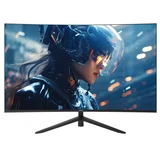
- Screen Size 27"
- Screen Resolution1920 x 1080 (FHD)
- Refresh Rate240 Hz
Bought this monitor last week, Flawless! The 240hz refresh rate makes gaming really cool as like a virtual reality, such a breeze to set up, Power… Read more
cord, HDMI, and BAM! working straight away. If there is anyone looking for a gaming monitor with good specs, i would highly reccomend this one.

Asus ROG Strix XG32WCS
- Screen Size 31.5"
- Screen Resolution2560 x 1440 (2K QHD)
Definitely a good buy 32-inch curved VA monitor. The Performance and Quality exceeds my expectations 1. Really well made and feels high quality 2. The screen is bright, clear and FAST 3. DP 1.4 + USB-C works great for my setup Great Job Asus
Hi Leo, Thank you for taking the time to leave a… Read more