Best Telstra Modems / Routers

Telstra Smart Wi-fi Booster
- Price (RRP) $288
- Frequency BandTri-Band (2.4GHz, 2 x 5GHz)
I reside in a three-storey home constructed on a hillside. At my previous address, I was connected via Fibre to the Node (FTTN) with copper to the… Read more
premises through Telstra. The service was consistently fast, stable, and reliable. Since relocating, my connection has been upgraded to Hybrid Fibre Coaxial (HFC). Unfortunately, this service has proven to be significantly inferior to my previous connection, with ongoing reliability issues and frequent service dropouts. Over the past 12 months, both Telstra and NBN technicians have attended my premises multiple times to investigate these issues. During the most recent visit, Telstra advised that the cause of the problem was the size and layout of my home, stating that the Gen 4 Wi-Fi modem was insufficient for the number of levels. To clarify, the property consists of four bedrooms, three bathrooms, and two living areas. While it spans three levels, this is due solely to the hillside construction and does not reflect an unusually large footprint compared to standard residential properties. Following Telstra’s recommendations, I purchased a Wi-Fi Booster to improve coverage. When this failed to resolve the issue, Telstra supplied a second, and later a third, booster. While the system operated acceptably for a few months, the problems have since returned. Currently, the boosters fail almost weekly and require frequent hard resets to restore functionality. Each time I contact Telstra support, the issue is attributed to external factors—such as the NBN network, the house structure, or even neighbouring interference—rather than the supplied hardware or service itself.
Technical Context
HFC (Hybrid Fibre Coaxial) uses a mix of fibre and legacy cable network infrastructure, which can be more susceptible to congestion and signal degradation, particularly during peak usage times. In contrast, FTTN connections, while still using copper for the final segment, can sometimes deliver more stable performance depending on node distance and network load. Wi-Fi performance is also highly dependent on modem quality and mesh system reliability. Standard ISP-supplied routers (such as Telstra’s Gen 4 modem) are often entry-to-mid-level devices that may struggle in multi-level homes without a robust mesh network solution. Wi-Fi boosters (extenders) can introduce additional points of failure, especially if signal overlap and backhaul quality are not properly managed.
Conclusion Based on my experience, the issues stem from a combination of:
Poor performance and reliability of the supplied Gen 4 Wi-Fi modem Ongoing instability of the Wi-Fi boosters Inadequate resolution and accountability from Telstra support
Given these ongoing problems and the lack of a satisfactory solution, I have decided not to continue with Telstra, as I am no longer under contract. I will be seeking an alternative provider capable of delivering a reliable and high-quality internet service that meets expected standards.

Telstra Smart Modem Gen 3
- Frequency BandDual-Band (2.4GHz, 5.0GHz)
- Maximum Wireless Speed776 Mbps
- See all


The worst modem I have ever used in my life. Been through 6 Telstra smart modems with a year. I was always having internet problems and Telstra would… Read more
always say it was something on our end that we haven’t configured and I knew it wasn’t on my end so everyday I would call and call until they would finally give in and send us a new modem (btw they aren’t new they’re refurbished). Every modem they sent it would stop working after 4 months and by stop working I mean the lights were all on but no connection and Telstra kept saying it was something with our line so they came to our house and said they fixed our line and 4 months later we would be on the phone to Telstra again explaining the same problem so after that I cancelled our plan with Telstra and went with Aussie broadband and have 2 eero 7 pro modems setup and I haven’t had any issues at all.

Telstra 4GX Wi-Fi Plus
- Price (RRP) $99
- Frequency BandSingle-Band (2.4GHz)
- Maximum Wireless Speed150 Mbps
Works well with minimal amount of devices – I bought this as I was going remote and Telstra was the only service available. I’m with Optus. It works well, yet the light panel doesn’t work the… Read more
way it should. As long as it does what it is meant to, that is all that matters. Because the lights weren’t working correctly, it took a little while to figure out. We only connected three devices. Therefore we had enough speed to get us by and still using it at the moment. It’s pretty good, just the light issue and that’s it. I bought it from Big W $30 off the original price

Telstra Pre-Paid 4GX Hotspot
- Price (RRP) $97.30
- Maximum Wireless Speed600 Mbps
Completely satisfied. Works well has a long distance range and can connect up to 10 devices Show details

Telstra Smart Modem 4
- Frequency BandDual-Band (2.4GHz, 5.0GHz)
The modem is excellent, very fast on FTTP and a lot better than my old 8-10 year old Telstra modem and i don't need my 2 extenders any more. But… Read more
there are things to be aware of when setting up that Telstra don't tell you. Firstly they state that if you just change the name and pw to your old modem credentials everything will automatically connect ....tried that but get 'no internet connection'. Changed it back and all good. Secondly if like me you have smart plugs and cameras that only run on 2.4 Ghz then you need to go into 'mymodem' and disable WiFi 7 and 'Band Sharing'. You will then have 2 networks, select the 2.4 network on your phone when you re-network all your smart devices and they will all connect. You will lose a bit of speed but so be it, still much faster than the old FTTN and it goes further than the 5.4 signal. Telstra don't tell you this but Google is a wonderful tool. This would be beyond the average non-tech person which is concerning.
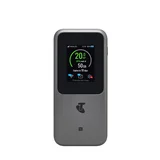
Telstra Telstra 5G Hotspot
- Maximum Wireless Speed3,600 Mbps

Telstra 4GX USB Modem
Things Telstra don’t tell you when purchasing a USB Modem – Your Telstra pre-paid USB modem comes with a couple of nasty catches 1. You’ll find it’s locked to Telstra only SIMs 2. Unlocking an item that… Read more
you’ve already paid for may cost up to $78, depending on length of ownership 3. Even after paying to have a device you own unlocked, it may then take between 5 and 10 business days for the device to become available to other service providers 4. That’s after waiting on hold for 45 minutes listening repeatedly to a recording confirming that Telstra are aware customers don’t like speaking with a machine Perhaps I missed the fine print when buying my USB Modem all those years ago but, this is another example of terrible customer service with a trap that lasts for the life of the device Not happy Jan