
Sagemcom F@ST 5366 LTE
VerifiedMPN: 5366LTE3 reviews
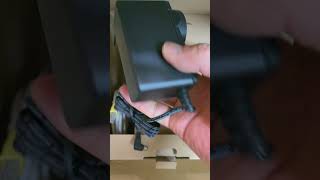


4G mobile data backup is a worthwhile upgrade – The 5366 LTE (4G mobile data backup) is a major improvement over the 5366 TN (no mobile data backup): Both devices are Gen 1 products. Optus keep providing WiFi 5 modem/routers even if you have a much better WiFi 6 router (Asus AX88u) with wifi 6 and 8 ethernet ports. The only thing the Optus modem is used for is the VOIP phone line: Pass the modem's IP address of the 5366 (192.168.0.1) through the Asus router.
We have a second Vonex VOIP line via a second Linksys VOIP box. Both VOIP services pass throught the Asus router and work just fine: It's supposed to be impossible to run two VOIP lines on one router. This is the kind of thing the 5366 doesn't support but a more powerful router does.
The internet is provided via an NBN cable modem: NBN modem -> Asus Router -> 5366 LTE N.B. Performance improves when modem/router/VOIP functions are split out. Crashing is much more common on devices with integrated functions i.e. As more functions are used devices are more prone to locking up and requiring a reboot.
5366 LTE ~10% larger and heavier than the older 5366 TN -Wifi 5 (AC) rather than the newer Wifi 6 (AX) or Wifi 7 (BE) -USB-C connector -Wifi on/off button is easy to access and use -Wifi doesn't cover an entire house -No external antennas i.e. Limited ability to direct or receive the signal -Control panel is accessed via 192.168.0.1 with user name and password on back of modem -Control panel is fairly basic -Optus restricts access to some control panel features -Not much info about how to use control panel features -Never seems to get any firmware updates -4 ethernet ports: 8 would be better as we have 6 ethernet connected devices -Ethernet ports are rated to 1 GB/s: The ethernet ports should be capable of >1 GB/s to avoid being throttled if your cable internet speed is 1 Gb/s -Relatively small upright rectangular box: Either white or black -No QoS (Quality of Service) -VOIP quality is OK -CPU info is not provided -Includes DSL (which is not being used) -Includes cable modem connections (which aren't used) -SIM card slot: Difficult to remove SIM from this slot
4G mobile data backup is very handy when the NBN cable internet goes down (very infrequently and usually only for short periods). If you're not paying attention you probably won't notice that your cable internet has dropped out. The only way you'll notice is that your transfer rates have dropped to ~60/30 Mb/s. That's particularly noticeable if you have the fastest 1 Gb/s service... but in practise is perfectly acceptable.
Maybe we need to pull the 5366 apart to see which CPU and other chips are inside the modem?
:-)


Optus Sagemcom Modem 5366 LTE – how do I change the outgoing wifi from 5Gz to something smaller please. I don’t like the 5Gz feeding through the house,

Sagemcom 5366 lte – Terrible. Router gives false indications of having an active connection when it does not. Wireless SIM backup does not work. No settings in the router to put in ppoe connections details. Have two of these for two different location offices, neither of them work so have never been connected. Utilised other old modems that we had to keep the offices running. Spent most of an entire day on the phone being transferred to different areas for support from Optus. Still not resolved, have given up.
Purchased in .
- Number of Connected Devices: 0 devices
ProductReview.com.au has affiliate partnerships. These do not influence our content moderation policies in any way, though ProductReview.com.au may earn commissions for products/services purchased via affiliate links.