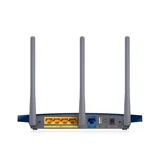
TP-Link TL-WR1042ND / WR1043ND
Verified4 reviews

Great, affordable gigabit router – Great router for the price. I can't comment on the wireless as I don't use the wireless on this, just the router. UI is easy to use and set up was easy. The ability to control via the app is handy too. Would highly recommend. I have other Tp link products and all are sturdy.
- Date Purchased:

Good features but can be unstable – For the price this router has some good features like rule based bandwidth restrictions, rule and schedule based access control, parental control, file/media/printer server from USB etc. It's main problem though is the stability of the wireless, it has problems with certain adaptors, I was having to reboot the router every 2-5 days but noticed if I didn't use my desktop for a while it would be fine with just the laptop and phones. So replaced the wifi adaptor on my desktop with a TP-Link one and it is more stable now, though still not great (2-3 weeks before reboot required). I've also noticed that high volumes of P2P connections over wireless cause it to crash as well. Good features for the price. Can be flashed with DD-WRT. Wireless is unstable

Impressive unit - no probs setting up – Been using 2 of these units for over 8 months with very few issues. No different in setting it up than any other router I've used (and I've used and seen plenty). The best feature from my point of view is the ability to monitor and control bandwidth for all clients without the need to install software on each client machine. It offers excellence range on the wifi and can be used as a range extender by operating both as a client or in WDS mode to most other brands' units. It also offers customisable firmware. While it sometimes hangs under extreme loads of > 50 clients, it make no claims as a business class unit. Afterall, you only get what you pay for. I cannot attest to it's longevity except to say I've had one unit running 24/7 for 8 months. Value for money, bandwidth control built in, customisable firmware. Sometime hangs under extreme loads of > 50 clients

Pure hell to set up – TP Link products are only suitable for technically experienced users in my opinion. The instruction manual seems to have been written by a Chinese guy struggling to understand the English language with no idea how to simply explain how to set up the equipment. If you call the support line they tell you that the “free” support is likely to cost you $40.00 if you ask a question that they have not already answered in their online documentation.
OK, I get the message, I’ll buy off a reputable company like NetGear next time. Saving a few bucks buying a TP Link is just not worth it. Looks good Verging on the impossible to get working
ProductReview.com.au has affiliate partnerships. These do not influence our content moderation policies in any way, though ProductReview.com.au may earn commissions for products/services purchased via affiliate links.