Best Kogan 4K Ultra HD TVs

Kogan Series 9 U94V KALED43U94VA (43")
- Price (RRP) $599.99
- Screen Size 43"
- Screen TypeLED/LCD
So far so good after several weeks. Good colour good sound all excellent so far. Show details

Kogan Mini-LED QLED MQ9T
- Screen Size 65" and 75"
- Screen TypeQLED
Excellent quality and price – I was dubious about purchasing a kogan TV after searching a lot of Google reviews on their TV's. I bought a high end gaming PC and needed a 4k TV… Read more
with a refresh rate of 144hz or higher so I settled on this TV for $1499 which included free delivery. This TV replaced a 6 year old 65" JVC LED UHD smart TV. I am absolutely blown away with the picture quality, it's crystal clear and the black is really black there's no white lighting in the background. I actually thought the TV was off when there was no signal displayed but the TV was on. Built in chrome cast is fantastic. It has google play store which lets me bypass a lot of the restrictions the standard installed apps have. The only complaint I have is that the 4k UHD is so good now that the old standard definition free to air tv channels look terrible and pixelated but that is not the tv's fault. This TV is fantastic for gaming and consoles with the variable refresh rate/VRR, auto low latency mode/ALLM and game mode. HDR is fantastic but the TV will need to be calibrated properly to use it. I do not understand why other people are saying it is washed out, HDR is not supposed to be better than UHD, UHD has more pixels so a clearer image VS more contrast for HDR which gives a more natural image, and HDR is meant to be viewed in a very dark room like a movie theatre. Normal speakers are just okay, if you want better sound on a budget buy a cheap Yamaha sound bar with a optical input or HDMI 2.1 input on it. I use 5.1.2 Dolby home theater through a receiver and the quality is brilliant. I would imagine a sound bar would be awesome as long as you use Toslink or HDMI 2.1. If you buy a Kogan tv and have high expectations do not buy anything under $1000. All the bad reviews are for the older cheap and nasty tv's, they are cheap for a reason. Kogan quality and price has in my opinion come a very long way in the last 5 year's along with new technology allowing a little older technology to become cheap now. Do not expect a$5,000 to $10,000 OLED Samsung quality out of a $1450 tv delivered to you're door. All the $1500+ tv's are good quality especially the tv's with 144hz refresh rates or higher. If you watch Bathurst, car racing or sports that are fast paced you really want the 144hz refresh rate or higher so the motion picture is smooth and not blurry. General rule of thumb is, if the tv is good for a 4K gaming console or PC at 144fps to 400fps the picture quality for tv, blue ray, and everything else will be great. If it lasts 8 to 10 years I'll be very happy.

Kogan OLED 4K Google TV X98J
- Screen Size 55", 65" and 77"
- Screen TypeOLED
Possibly the worst TV for an older non tech savy person i have ever seen. We had to update our parents LG TV which could have some apps installed but… Read more
netflix advised us the TV would not be supported in future. My parents watch live antenna TV and Netflix only, thats it. This TV was near impossible for 70 year old to navigate, it had an absolutely horrible to access digital antenna brodcast TV, in which at times it would automatically tune into internet broadcast channels like Vevo, or if the wifi went down, stay on Vevo without showing a channel and not allowing you to select digital antenna TV. I WILL NEVER BUY A KOGAN OR GOOGLE PRODUCT AGAIN IN MY LIFE. I'm gonna take my parents to a store, find one they can navigate that is not integral to having an internet connection and will spend 10 times getting that compared to any Kogan, Google piece of junk worth 400 bucks.

- Price (RRP) $999.99
- Screen Size 65"
- Screen TypeLED/LCD
Purchased the following Smart TV products & they are working in excellent conditions Praise The Lord * Kogan 85” = $2000 * Kogan Roku 65” = $500 Show details

Kogan QLED 4K Tizen Smart TV T96Q (70")
- Price (RRP) $739
- Screen TypeQLED
Poor communication, died within 2 weeks, finally got replacement, died within 2 weeks. Show details

Hi Anthony, we'd be more than happy to help. Can you please… Read more
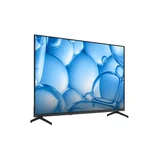
Kogan 50" LED 4K Smart AI Google TV
- Price (RRP) $649.99
- Screen Size 50"
- Screen TypeLED/LCD
Easy to set up, and navigate all the inbuilt features. Has a Great picture and lots of included apps. Remote control is easy to use and a compact size. Its not too heavy to pick up either. I'm loving my new TV so far.
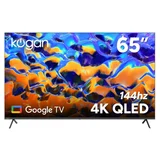
Kogan KAQL65XQ98GSTA (65")
- Price (RRP) $1,499.99
- Screen Size 65"
- Screen TypeQLED
My 65" Google Smart TV meets my expectations with ease – I am very pleased with the picture quality of this TV. I love having the ability to download apps from the Play Store. Delivery was prompt and the package was well packed and protected during travel.

Kogan KAL65U96VA (65")
- Price (RRP) $999.99
- Screen Size 65"
- Screen TypeLED/LCD
Had this TV for about 4 months, great picture easy to use etc but about 2 months ago the TV started to turn on by itself. The remote is not near the… Read more
unit. The manufacturer recommends not to turn off at the wall. This is so strange has anybody had this issue with Kogan TVs. Last night it came on at 3 am I was the only one in the house so its not someone playing a gag.

Kogan KAQL85WQ98GSVB (85")
- Price (RRP) $2,199.99
- Screen Size 85"
- Screen TypeQLED
This magnificent 85 inch TV is the perfect viewing box for clarity and rich intense colours. Kogan provided outstanding customer service and… Read more
responses to questions were fast and very helpful. The TV arrived very quickly and was delivered by helpful Couriers who handled this very large package as if it were a newborn baby. They placed it exactly where we wanted it and their manners and disposition could not be faulted. This large TV was not too heavy to mount on the wall, and the Instruction Manual provided was clear and easy to follow. We now have the best picture-quality available and an AI TV that is more clever than our cat. I would be happy to purchase again from Kogan and can not speak highly enough about their products, service and delivery team. Outstandinding.
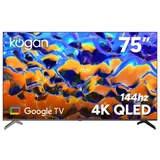
Kogan KAQL75XQ98GSTA (75")
- Price (RRP) $2,249.99
- Screen Size 75"
- Screen TypeQLED
Very happy with the whole experience – Great communications; very fast delivery; very well packaged. The TV was incredibly easy to set up and the image is fantastic. I'm very happy with the whole experience. Thank you.

Kogan KAQL50XQ98GSVA (50")
- Price (RRP) $899.99
- Screen Size 50"
- Screen TypeQLED
- See all


No help and long wait times – My nephew brought this TV 10 months ago before no picture on screen, did the reset thing and it flashed then back to black screen, reset it again no… Read more
response black screen, shined a light on the screen you can see the picture so that means lcd problem, no lights due to a blown lcd or failed board, I say failed component as it flashed first round of resets, he contacted Kogan first response was to send a clips or video, he did so been 2 weeks waiting for response, still nothing so he had just giving up with Kogan and went out and brought a new Television from Good Guys, I suggest people to buy local the service Kogan give is next to nothing, don't end up a victim like my nephew, they don't respond or want to deal with returns or replacements, they hope you do what my nephew did is to give up and buy another TV. Stay away from buying online deal with someone local so any issues arise you can take it back, like I said the service on Kogan is one way, quick to send out what you buy but comes to returns or warranty the worst in the business.
Hi Trev, we'd be more than happy to help. Could you please… Read more (+2 replies)

Kogan KAQL55XQ98GSVA (55")
- Price (RRP) $999.99
- Screen Size 55"
- Screen TypeQLED
4/5 Stars = Sound (Personal) 4/5 Picture (Personal) 4/5. Frame Rate on Sport, 5/5. Gaming Frame Rate on console, 5/5. Colour Definition 4/5. Set up… Read more
Options 5/5. Sharpness Processing QLED Display 4/5 - This depends upon network feed quality, and the TV processor ability is not as advanced as a 55" $3000 QLED 4K TV equivalent because you haven't bought a high level processor. The processor 3/5 in this TV is adequate to provide a decent pixelated and NON fragmenting frame rate, sharpness 4/5 is quite okay for everything observed on screen. Controller button placement and design 5/5, Apps work like any other Smart TV, 5/5. Controller Remote Microphone Talk with Google TV, 5/5, Child TV Lock 5/5. As it's new, there are lots of hidden features you have to discover.
FYI for buyers of this unit - this review is a set-up guide because Kogan doesn't have an advanced option to understand the menus inside this TV. Below is my TV set up for most content, stereo amp connection and media hub options and picture refinement for movies, sport and games:
Picture (Personal) Sharpness 82, Brightness 55, Colour Saturation 41, Hue 53 (be careful - less is magenta, middle is yellow, higher is green), Contrast 64 (back to front - higher is crisper and lighter), Gamma 1 (changes lightness). Advanced Settings - Colour Temperature WARM, Dynamic Contrast - ON (use this to make colours chromatic - very good for games), Noise Reduction - OFF (don't know why this exists - might be useful for stills photographic images and using TV as monitor for photo editing) ALLM - OFF, Motion Estimate and Motion Compensation (MEMC) - Middle or (HIGH for action sports and never OFF). Screen Brightness 55 (this is the setting for lighting in your room - it helps to reduce reflection on the display from external sources). WCG - WCG (this makes the colour overall a little more RED, warmer.) Some movies do not need this, and it is easy to turn on or off to adjust colour bias (but note here, I don't like this setting on Auto).
Sound for TV Speakers Only - (Personal setting Only). Dolby - OFF or ON (depends on feed type - note digital feed likes this setting ON, whereas TV from Aerial input it really should be OFF). Surround Mode - OFF, Advance Settings - OFF (if you are going to use advance settings they are below and not here).
To access Personal Equaliser: In the window which displays - Personal Settings - Press Personal Settings x2 times - this opens Personal Equaliser. 150Hz 3, 250Hz 4, 500Hz 3, 1000Hz 2, 2000Hz 0, 5000Hz -2, 10000Hz -3. You can do without a soundbar with this EQ set up, as it's pretty beefy and has good midtone balance with softer tweeter end note makes dialogue clear as the sharpness is chopped out. No hiss whatsoever.
TV Speakers Warning: Sound Audio Output TV Speakers is very sensitive out of the box - You have a +/- bar controller which is 0 -100. The highest I have used is 21 and that is obnoxious loud. There is no way to correct or reduce this skew, except for the almost deaf 3/5 will hear clarity and destroy neighbourhood peace. Don't accidentally destroy your TV speakers, it's a little scary how sensitive this really is 2/5 (needs firmware update to fix slider audio output volume).
Adding External Devices: TV Audio to Audio Amp or Soundbar instruction guide as this is not in the Kogan instruction guides online - Install your cable connections to SPDIF/Optical (optical OUT on TV direct to Optical IN on Amp) or HDMI-ARC (be aware this TV uses HDMI-ARC port 2. You must use an ARC-Ultra High Speed HDMI Cable. You cannot use a standard HDMI cable for this type of connection. Connect from HDMI-ARC 2 direct to Digital Amp, HDMI-ARC dedicated port. As this is a fairly new type of connection, a lot of oldish media amps do not have a dedicated ARC port. Network amps will have a dedicated ARC TV port. If your Amp does not have ARC, you must use SPDIF/Optical instead.)
SPDIF/Optical Configuration: Note with using SPDIF/Optical configurations from TV: The multi device use option is to run optical to the Media Amp and control all your external devices from that input/output whilst having a completely separate digital feed for Aerial only which throughputs to TV from your Network or media Recorder/Player which uses an RCA Digital Coaxial Stereo connection. This set up allows you to be using 3 systems at the same time. 2 can record separate channels from TV signal inputs as 1 is external network online input doesn't require TV to provide signal whilst the other is using TV aerial input indirectly whist the 3rd is live network input feed on primary HDMI 1 channel. You cannot do this using HDMI-ARC set up.
Advanced Connections: *!* If you are going to change a setting in this area, it overrides the preset setting, as you are now in Manual Advanced Menu for the entire TV OS. (You may want to write down your setting procedure and if you get stuck you can reset all the settings to default and start again).
Click on COG button on your controller to open the Setting Menu on your TV. The COG icon in the top right corner of your TV screen menu should be highlighted. Tap the Black Circle on the controller 2 times quickly. This opens all settings menu on your TV.
Channels and inputs - Channels: You can create a Favourite list. You can also delete unwanted scanned channels, do diagnostic of signal strength to get the best quality for your area, and you can organise your channels the way you like to see and use them. < back to settings.
Display and Sound - Audio Output - Output Device: TV Speakers for TV Speakers, SPDIF/Optical OUT to Stereo 2 Channel Amp SPDIF/Optical IN connects to external speakers or Media Amp SPDIF/Optical IN connects to surround speaker system or Soundbar, (note here you cannot connect a Soundbar direct unless you dedicate that Optical OUT/IN to just Soundbar use and it turns off the TV speakers and the Headphone connection too).
HDMI-ARC to HDMI-ARC input on Media Amp (mutes TV audio when device is on and in use. This blocks TV audio use for another purpose.) Or you may buy a Digital Audio Controller with all the above INPUT/OUTPUT types and connect to PC Audio Visual Controls rendering turning the TV into a monitor with stereo speakers.
When using SPDIF/Optical you must turn ON PCM. This is in Sound Settings.
In - Audio Output Type - turn on PCM. This can stay this way forever as it doesnt affect TV Speaker output quality.
Picture Quality: 4/5 is purely dependent on the feed you get from either Aerial or Network - (Ethernet cable connection ) online speed via your modem and ISP. It varies. All your cables should be CAT7e. You can observe the input signal speed at the top of the channel when it is loading - e.g: 720p, 1080p, 4K / Hz Audio quality. Note network speed from steaming apps varies based on the network load in your server connections, your local area usage and the account subscription feed type from location stream connection.
A 4K TV of this type cannot enhance quality. Go buy a $6000 UHD 8K OLED TV as you will be paying for the multiprocessor chipsets with separate motherboard CPU & GPU which refines the input to feed a REFINED cleaner result. This is what you pay for mostly in any Smart TV today. It is less important to discuss how to refine picture quality beyond measure, as this TV is good enough for general use, especially sport and computer gaming, but it does lack slightly on Cinematic Delivery 4/5, out of the box without doing anything you will have 2.5/5 picture quality at most.
Direct Recording: Setting up recording directly from this TV is tricky. *!* You must not allow the TV to assign your device after it has been formatted. If you do - you cannot record live TV to the device. Doing so will automatically assign your external drive to be your Download Content media Library, which I find pretty useless because what am I going to download if I use online feeds from streaming like Netflix or On Demand. Both of these save your Content and Makes a Personal Library Online. And, this TV has 16GB of dedicated Library Space without any external attachment. But if 16Gb isnt enough, you can record directly to a large USB or SSD. Mine is 1Tb, and I can see 0.9Tb of that space. I can't set the buffer, but formatting sets a buffer equivalent to the TV recording settings. 1 important factor here is that you should remove this device connection whenever you do a firmware update on your TV.
Google TV: Offers a lot of Movie content on the fly. You don't really have control of the feed, but you can exclude (erase) some references in Advanced Settings if you are not using accounts for Network Entertainment. YouTube, Netflix, Prime Video, Disney are preset locked. Unless you have an account, you cannot access these. And note here as this TV is a Smart Google TV you must have a Google Account to use the feature User profile for creating a Personal Library and getting rid of all the suff you will never use as it declutters the system and makes your TV more economic on power need. You can prioritise your Apps on home screen including Antenna which is all free to Air TV feed - see Channels and inputs settings for other options.
General Thoughts: This Kogan TV is fairly easy to set up - Bare-bones 3/5 out of the box, it's a little rough and the settings which go into Advanced Options for setting up external devices is vague or non-existent in Kogan's Setup guides1/5. I just spent 4 days playing around to figure out this TV's setting, and they are pretty comprehensive 5/5, just a little tough to get right because I havent got a technical guide to help me clarify what I'm doing. I don't want to change these settings ever again if possible. The best thing about doing advanced set up is that each area is a separate process 5/5, so just make a checklist and work through each device you are connecting to be seamless with, how you know and expect it to work. TV OS Set up does not reset when you turn power supply off at wall socket 5/5.
Gaming: Gaming on this TV is superb. Frame rate with a Series X is 120Hz. I set this to Auto as some games wont run 120Hz and it can cause flicker if you try too be too demanding on older games and indy type content is better on 90 or 60Hz. The 4K visual quality is crisp, no aberation at edges of frame or fuzziness in center section of screen, is very good with fast movement games, framerate dependent on device input quality. No bloom with aliasing or aberration with fog, haze, rain effect, dust storma and lightning are beautiful. Again, here you must have good network setup and a higher than average internet speed makes a big difference in what the Hz rating is going to be consistent in visual outcomes. If you stream online, Hz will vary dependent on where it is coming from, or going to, and what you pay for may not be received the same because the quality is inferior between upload and download qualities.
Overall: This TV isn't 5 Stars. It is because you have to do a fair bit of tuning to get the right picture and sound, plus there is a slight bias toward yellow in picture lighting. I've done my best to remove it to neutral, but it is extremely hard to get neutral tone. But for a Smart TV, which is under $900.00 is a rediculously good price for what it delivers. My TV was build in July 2025.
I have updated this review 18/10/25 as I have finished the advanced set up options and added them to thiss review as I consider them worth doing.
This TV has a really nice screen saver which you can customise with family photos from your Google Account Folder if you wish or the Google pictures are spectacular quality 5/5 if you decide to just have those.
Get to know your TV.

Kogan 75" LED 4K Smart Roku TV R95T
- Price (RRP) $1,899.99
- Screen Size 75"
- Screen TypeLED/LCD
Kogan customer service 0 out of 10 - Weeks with no response – OMG, recently received our Kogan TV which was not as described on the website and had many standard Apps that are not compatible so we can not watch… Read more
Binge, SBS, 7Plus, 10Play. These are standard apps that any other TV would install. The Roku software is nothing short of rubbish. Adding to it, the TV does not allow the connection of any Bluetooth headphones. Bluetooth headphones is a basic connection for any TV. The website clearly states Bluetooth v5 connectivity, but complete false advertising.
To finishing it all off, they have a change of mind reurn policy but no one responds from the Web portal when I ask questions. I have made 5 separate attempts to complain and they ignore you all the time. It's been 5 weeks since I first tried them 2 days from receiving the TV but their customer service is non-existent.
Kogan do not care about customers who wish to return or exchange their products.
If kogan are reading this, try returning my emails.
Leigh Currid Perth WA
========== ********** ==========
So, because I left a 1-star review Kogan then contacted me. So, everyone out there that needs to speak with Kogan Cust Svs, just leave a 1-star Product Review.
========== ********** ==========
We Sold the TV on Marketplace to solve the issue and left this message for Kogan on their website:
Your level of customer service is awful, literally the worst I've ever experienced. Over the period of 5 weeks I did not get a response after 5 attempts for a response. You need a phone line or chatbot that can help customers to get through to someone that can fix client issues. It turned out that I had to drop a 1 star on product review for you to contact me, shame on all of you.
Kogan is a disgrace to the service industry, I will never spend money on your site again. If you actually want to grow your business, you need to fix this issue.
Your service persons solution to our concern was for me to send back the TV for a credit note at Kogan. I'm not sure how much you paid for freight, but the cheapest quote I could get was $250 on a $869 TV. Thats not good business for me to lose that much, So we just sold the TV as a new unit on Market place to some poor idiot for $800 to get our money back.
I'm sure we are not the only customer that feels like us, so do with this what you want.

Kogan KAL50U96VA (50")
- Price (RRP) $649.99
- Screen Size 50"
- Screen TypeLED/LCD
I purchased the above TV from Kogan and paid an installer $165 to program the channels. It worked for two weeks! Kogan replaced it with another… Read more
exactly the same which took about ten days, back and forth! I paid the same installer another $150 to program the channels. It worked for two weeks!
In both instances Kogan acknowledged the TV's were faulty! They state their policies do not cover the cost of the installer's fees even though the items they agreed were faulty! Their web site Kogan.com Customer Charter states: "These guarantees meant that you are entitled to a replacement or refund for a major fault and compensation for any reasonably foreseeable loss or damage." I have received my refund and now am looking for a credit only to use to purchase another product, not a cash refund, which hopefully just works. I will keep Product Review appeased of the results!
Hi John, thanks for leaving your review. Please private… Read more (+5 replies)

Kogan KAQL85XQ98GSVA (85")
- Price (RRP) $2,699.99
- Screen Size 85"
- Screen TypeQLED
Steer Clear of Kogan, product is poor at best and is no system in place for customer service at all – I purchased this TV 5 months ago, paid $600 to get it professionally installed and have never put a finger on or near the tv. One night it flickered… Read more
then it simply stopped working. That was 2 months ago. I have sent 8 emails to Kogan and once someone called to apologize and say someone will come to take it with a full refund, I got an email to say someone will call within 3 business days. Now total silence. I have gotten nowhere as there is no number to call or customer service whatsoever. I believe their entire business model is set up to scam. They buy a cheap product to on sell that might work but when it fails no discussion.
Hi Paul, we'd be more than happy to help. Could you please… Read more (+5 replies)
Hi Michael, we'd be more than happy to help. Could you… Read more