Razer Computer Peripherals

This is a terrible product – No Offence to Razer but after 6 months after having this mouse the scroll wheel started jittering and after 1 year of having it, it just random disconnects and then reconnects.

BlackWidow V4 has one less key and is aimed at Windows users. Specifically, people willing to install the Razer Prolapse bloatware. This NoPilot key… Read more
thing is beyond a joke. I'll keep buying Basilisk mice as long as they don't put a Copilot button on that too. Unless there are key cap replacements and a hardware control option to revert the keyboard to a common ISO layout, my next investment will be anywhere else. If you can find a new old stock pre-AI era keyboard, I'd suggest going for that or pick a premium manufacturer.

Razer Naga
Great product but bricked since Mac compatibility was removed – Great product with thoughtful key placement and solid build quality. Originally as with most Razer products Mac use was supported, now it's totally… Read more
broken and Razer has permanently removed the OSX software support - meaning no key binds are possible, no profile settings, and no lighting functions. It's been two years now, but Razer has not clearly labelled the product accordingly.

Recently my Logitech MX vertical mouse has been intermittently playing up. The left mouse button would no longer consistently 'hold' when dragging a… Read more
file. I have had this happen with other mice after a few years of use. It is probably due to the switch contacts wearing out.
So, I started the search for a new Vertical mouse. I use Vertical mice as I find that I don't get aching wrists, as I get with a 'conventional' mouse, even after a full day of computing. I do not play computer games, just web browsing, emailing & office work. I usually stick with Logitech mice, but came across the Razer Pro Click V2 vertical mouse. As this mouse is designed for intense gaming, I assumed that it would use more 'heavy duty' switches etc. than the Logitech mice. Being a 'gaming' mouse, the Razer mouse uses a much more precise optical sensor than the Logitech MX. The Logitech MX Vertical mouse has a maximum DPI of 4000 dpi, where the Razer Pro Click V2 Vertical mouse has a maximum DPI of 30000 dpi. This results in a much smoother, accurate & jitter free experience, when navigating around the screen.
There are 2 apps available for the Razer mouse. One, the 'Razer Synapse' allows customisation of the mouse, with many adjustments aimed at gaming enthusiasts & the second 'Razer Chroma' allows for settings for the built in LED lighting ring around the base of the mouse. There are many settings for colours & effects. I have only had a quick play with these setting as they are aimed more at gaming, than general productivity work.
The Razer is a little taller & wider than the Logitech. Both mice fit my medium sized hand well. Both mice move freely & switches & scroll wheels work well on both. The Razer is usb-c rechargeable & is rated at up to 6 months of use between charges. It can also be used when the usb cable is plugged directly into the computer.
The Razer Pro Click V2 Vertical mouse is about $100 dearer than the Logitech MX Vertical mouse at the moment July 2025 (the Logitech is priced around $120, currently). Hopefully, the Razer mouse will last longer than the Logitech to justify the extra cost.
If you suffer from wrist pain, after long periods of using your mouse, I would recommend that you try a vertical mouse. Personally, I am happy to recommend either of these two mice, but feel that the Razer offers a better experience.

I purchased the Razer Core X V2 eGPU for the purpose of running LLMs and random casual gaming. I wanted to enhance the capabilities of a small laptop… Read more
for the times where a full sized GPU would have an impact on the work I do. The enclosure is large (needs to fit a full sized GPU and ATX power supply!) The enclosure has a st^pid illuminated logo on the front that server as a power indicator. Installation is straight forward. A power cord (generic C13 IEC) is not included with the kit, so be mindful of that if you're planning on getting one. The included thunderbolt lead is maybe 1m long.

Had software teething issues, but after that, this mouse is awesome – My old mouse Logitech G602 mouse left mouse button died (used Logitech Gaming Software) and was sweet. But they don't sell them anymore and went for… Read more
the upgrade Logitech G604. That mouse uses GHUB which absolutely sucks, so I took that back and upgraded to Razer Basilisk Ultimate wireless.
When first installed, the software installed ok, but it didn't detect the mouse, only the charger. After an hour of fiddling about, I uninstall the software, restarted the computer in safe mode with networking, uninstalled all mouse input drivers, removed all razer directories, then installed the software again. After a reboot, the mouse and charger detected and life has been glorious. I can now safety admire the smooth contours of the mouse and the fully customizable light changes (that are completely useless btw).
Totally recommend this mouse. It's delicious and lickable.

Terrible Company – 1. Bought this product from a Major Retailer which is on the expensive end. 2. Product LED doesn't work properly - flickers 3. Looked up online… Read more
forums which state these are common problems. 4. Couldn't return straight away. 5. Contacted Razorr for warranty (2 months after purchase) and they acknowledged it's hardware fault but refused to repair because the place i bought it from is no longer an authorised reseller. My suggestion - stick with a company who treats their customers with respect

Solid wireless gaming mouse, get it when its on sale – **My Opinion** • Worth every penny • >> Wait for a sale << • There are better alternatives **In-depth review** Comfort: I use all the different… Read more
mouse grips styles (claw, fingertip, palm) and can say this mouse is comfortable with all of them.
RGB lighting: If RGB lighting is your thing, this mouse has lots of lighting customisation, also love that it glows at the bottom.
Infinite scrolling: My old mouse is a Logitech G502 Hero wired and I love that mouse. After using that mouse, I could not live without a mouse with infinite scrolling feature. The Razer Basilisk V3 Pro has infinite scrolling and it feels good.
Battery life: The battery life varies based on what you are using the mouse for and which connectivity. When gaming I use the wireless dongle and it lasts a week of 3 hours gaming I also use it for work via bluetooth and usually do not have to charge for 2 weeks. If you switch off the RGB lighthing you could even get more battery life out of it.
**What I liked** -Responsive with minimal latency. -Decent battery life.
**What I didn't like** -Expensive when not on sale

Almost the perfect mouse – I was looking for a new mouse, with some RGB effects because I am a bit geeky like that. The definite "must haves" I was looking for in a mouse… Read more
were: 1) comfortable feel 2) adjustable scroll wheel 3) a side button that I could program to do something specific 4) adjustable dpi settings
I went to most of my local stores that had mice on display. And I must say, as soon as I put my hand on the Razer Basilisk V3, it was love at first feel.
That is, the contours of the mouse fit my hand perfectly. The side thumb rest is curved in just right, the area where my palm rests is contoured in the exact angles to snugly fit in my resting palm, and the two mouse buttons are wide with a slight dip in them to help my fingers feel well at home.
The Razer Basilisk V3 has something special in store for just about every user: excellent performance, tons of comfort, buttons galore, and an intuitive multi functional mouse wheel that optimizes your scrolling.
The scrolling wheel has two modes -- one where it gives a tactile feel with every roll (you can feel it going through each gear tooth like notched movements), or a totally smooth scroll, where the rate of scrolling increases with it the more you scroll! I don't like that most, so keep mine in the tactile feedback mode.
The body is matte, but sleek looking. And have I mentioned enough already how comfortable it is for me hand? There are numerous RGB lighting zones that can be customized too.
There are 3 side buttons within reach of the thumb rest. However, to me 2 of the 3 buttons are placed in positions that I actually have to move my hand on the mouse for my thumb to comfortably press them. That's annoying. The only button my thumb can comfortably press is the one towards the front of the thumb rest. I currently have that one programmed so that when I click it, it hides everything on my Windows desktop; when I click it a second time, everything is shown once again. The other two buttons I've customized through Razer's software to adjust the mouse DPI. Since those buttons aren't comfortable enough to reach, I figured that's what they'll be good for since I don't have to adjust those often.
Now the two buttons by the scroll wheel. Again, pointless for me and I would hardly use them. In order to use them, my middle finger has to come off the scroll to an almost uncomfortable position to press either or. I think the mouse would have been better with just one button there instead of two smaller buttons. To give you an idea, the two buttons on top are half the size of the thumb button, so it's not like I could move my middle finger and click one or the other in a hurried fashion if I was gaming.
So essentially I don't use those buttons. Waste of space, but it's not affecting my productivity at all nor the overall comfort. I have them marked in the attached photos.
The scroll wheel now - its four-directional scrolling capability that lets you scroll forwards and backwards, but also left and right. I haven't found a need to use the latter, so can't comment on it.
Overall, great ergonomics for hands and palm grip people. The sensor and switches are super good and the feeling is premium, plus the RGB and customization options are superb. Fantastic for the price, even if a few of the 11 mouse buttons are a little bit "out of place" for all my fingers to reach.
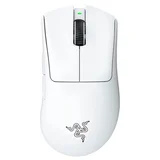


i feel more comfortable with a stick up my butt than using this pos – side buttons stick middle mouse button extremely clunky, scrolling will click. makes using it a hindrance double clicks when clicking once this mouse has got to be the worst thing i have ever had to use