Gigabyte Electronics

Poorly made Gigabyte Aero 15.6in UHD 64GB… – Bought a Gigabyte Aero 15.6in UHD 64GB RAM Gaming Laptop March 2021 and it didn't even last a year. Power on with a black screen. Applied under… Read more
warranty and they claimed MB oxidised and must be from water damage. There was absolutely no water damage from us. None of the other many computers we have had any issues with moisture and have been running happily for years. Perhaps they expect their laptops to be used in a lab within a humidity controlled environment! They wanted to charge us the cost of another MB which is 1/2 cost of the original. We declined - not going to throw good money after bad. Will never buy a Gigabyte again and highly recommend avoiding them for their poor quality products. Umart was not very helpful either and was the intermediary between us so won't be using them again either. They didn't take responsibility as the retailer or go into bat for a good customer outcome.

- See all


My first OLED monitor, cant believe just how much better it is than my old IPS. 240Hz refresh is excellent for gaming, the VRR has slight flicker but… Read more
it was alright while I was playing The Last of Us Part 2, the HDR is absolutely incredible on that game, completely blown away by how good it looks. The monitor gets extremely bright, even in my well-lit room. Color reproduction is excellent, and the true blacks and infinite contrast is really immersive for gaming. My old IPS literally cannot compare to the experience on this monitor. Monitor includes lots of features, such as the KVM switch, OSD and various OLED care features, all nice to have at such an amazing price point ($779). Thanks Gigabyte!
picture - old IPS left, new OLED right

LEGEND..... wait for it......DARY! d(^__^)b – I wanted to find a Chuck Norris laptop, watched a bunch of YouTube, compared other and I keep coming back to Gigabyte Aero in terms of price & specs.… Read more
Specs is higher but cheaper than other competitors.
Long battery life!
It's a Swiss army knife when comes to ports - Thunderbolt, SD reader, USB 3.
Feels light and powerful. Screen is beautiful.
Nuff said!
I wuv my beast!
Well done Gigabyte - well done to your team!


- See all


Very good gaming laptop ,240hz oled colour is very good much better than IPs monitor design is very cool have fast charging I see a YouTube review… Read more
there is one more slot to add ssd which is a plus for future upgrades many other labtop don’t have extra slots to add ssd anyway I really like it if you want a good gaming labtop this one you should consider


Ok, the fans can be a little noisy and it can get hot when playing games, but that is to be expected - it is almost as fast as my desktop machine! I… Read more
had an issue with mine, which in all honesty may have started with it being dropped in hospital. I contacted Gigabyte hoping for some technical information to fix it myself, as I thought the warranty had expired. They looked up my serial number and I found the invoice after they told me it is a two year warranty. It took a few weeks before I was capable of getting it in to them, but they notified me it was ready the next business day! Staff and company attitude are beyond compare, I still love the laptop, though I can't turn off the touchpad and I have a brace on my hand.

Excellent monitor. The new 4th gen WOLED panel is amazing especially comparing it to my old IPS monitor. Would highly recommend and can’t wait to play more games on it! Show details

The Gigabyte B850 Aorus Elite WiFi7 has been awesome to use. It was super easy to build with, runs stable, and the WiFi 7 speed is crazy fast. Everything just works smoothly — perfect for gaming and daily use.

What excites me the most about the AORUS FO32U2P is how it combines ultra sharp 4K resolution with a blazing fast 240 Hz refresh rate. It feels like… Read more
the best of both worlds crystal clear visuals and silky smooth motion.
Since using it, my daily setup has completely changed. Whether I’m gaming or just working on the desktop, everything feels more responsive and immersive. Games look stunningly detailed, but what surprised me is how much smoother even basic tasks feel when running at such a high refresh rate.
The feature that really stood out to me is the OLED panel’s colour and contrast. Dark scenes in games or movies finally look the way they’re meant to deep, inky blacks and vibrant highlights that pop. Pair that with the ultra low latency, and it feels like I’ve levelled up my entire gaming experience.
Overall, this monitor has genuinely brought a lot of joy and satisfaction to my setup. Every time I sit down in front of it, I can’t help but smile at how incredible everything looks and feels. It’s one of those products that makes you appreciate the tech every single day.

Good value, works great, games look so much better and run so much better coming from a 3060 Ti.

Amazing display paired with my Xbox Series X – Bought this on a recent sale from PLE for $1099. Currently for the price, I don't think there's better picture quality available for a monitor/TV. OLED is amazing for gaming. Highly recommend. Show details

Superb motherboard for small-factor builds on the LGA1700 platform. I was pleasantly surprised that the board included DisplayPort on its back I/O… Read more
for igpu usage, as I wait for my graphics card to arrive. There are numerous USB ports available for peripherals. Ran a 14600k on the board, and it runs wonderfully without any problems. Heatsinks (especially the one on the M.2 NVMe slot) are particularly large to keep components cool in small-factor cases, where airflow can be problematic. Although not mentioned on Gigabyte's website, this motherboard comes with a Wi-Fi antenna (the motherboard supports Wi-Fi 6E). I highly recommend this one if you're looking for an affordable motherboard and require Intel's Quick Sync feature for video encoding and decoding.
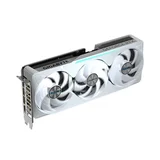
GREAT GPU, BIG PERFORMANCE UPGRADE AND AESTHETICS easy to install and great performance under load and regular usage, great modern build quality would reccomend to anyone looking for new parts
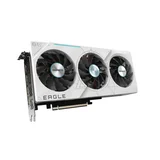
Gigabyte GPU Experience – Recently bought a GPU from Gigabyte (GeForce RTX 4070 Ti Super Eagle OC 16GB Ice), and has been spectacular. It has ticked all the boxes I was… Read more
looking for. The unique colour scheme on this GPU perfectly matches the white PC design I was aiming for. Not only does this GPU look great, it also performs well while gaming and multitasking.

Couldn't have bought a quieter, better desktop graphics card, I just love this. the build quality is stunning premium feel with that signature AORUS… Read more
RGB flair that makes any rig pop. But what really blew me away was how silent it runs, even under load. I barely hear a whisper when gaming or rendering.

Great Motherboard – This Motherboard is mid high range, lovely board to work with, inbuilt RGB, overclocking abilities, the web link you can find more about the… Read more
features.
Easy to navigate BIOS, some of the little things really highlights this board, such as having a header input for your case IO. Shielded heatsinks for the M.2, Inbuilt IO shield for back interface.
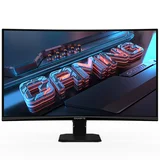
Gs27qc 2024 Budget gaming monitor – 27 inch monitor 165 refresh rate with fantastic Colour. I choose this Monitor over other brand. It is budget friendly gaming monitor I purchased it… Read more
at $256+GST from CENTRE at Auburn. The low blue light eye friendly is the main reason why I recommend this monitor!

fast instal great permoance, very great lighting and ease of use good bios and superb performance would highly reccomend to anyone looking to upgrade their build for something more modern and performing
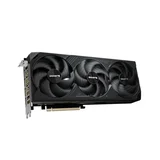
The Gigabyte RTX 5080 is insane — super smooth performance, quiet cooling, and every game just looks amazing. It made a huge difference in how my setup feels, especially for 4K gaming.

Today I'm delighted to present my first PC build at age 72, comprising of select components to optimally run MS Flight Simulator 2020 in 4K 3840 x… Read more
2160 max resolution @ 60Hz refresh rate. Featuring an ASUS TUF Gaming B650-PLUS WiFi motherboard in an ASUS TUF Gaming GT502 case, an ASUS ROG Ryuo III 360 ARGB liquid cooler assisted by 7 ASUS TF120 (Normal) & TR120 (Reverse) Fans, and AMD Ryzen 5 9600X recommended Best Mid Range CPU for Gaming in 2025*, combine into a comparably faster, cooler and quieter system. The heart of this build is the Gigabyte Radeon RX 9070 Gaming 16GB graphics card; in this instance offering exceptional 1440p<4K gaming performance for a price point of AU$999.00 on 16 May 2025.
It is of note, AMD Ryzen 5 processors are mid-range CPUs designed for mainstream users, while AMD Ryzen 7 processors are high-end CPUs designed for power users such as content creators and top-tier gamers.
Powering my ASUS TUF GT502 is an 850W ASUS TUF Gaming Gold Modular Power Supply, providing ample power for any future upgrades. For storage, I've added 2 x 2TB NVMe SSD's providing capacity to manage extensive libraries of files and virtual environments in which to continue a hobby of emulating 1990's era PC environments in which many Windows98 titles of interest prove readily compatible to run under Windows11.
Parts included in this ASUS TUF (MS Flight Simulator 2024) PC Build:
Case: ASUS TUF Gaming GT502 Processor: AMD Ryzen 5 9600X 6 Core AM5 5.40GHz Liquid Cooler: ASUS ROG Ryuo III 360 ARGB Motherboard: ASUS TUF Gaming B650-PLUS WiFi RAM: G.SKILL Trident Z5 Neo RGB 6000MHz CL30 DDR5 32GB (2x16GB) Graphics Card: Gigabyte Radeon RX 9070 Gaming OCR9070GAMING-OC-16 SSD: Kingston FURY Renegade 2TB PCIe Gen 4.0 M.2 2280 NVMe SSD: Crucial P3 Plus 2TB PCIe Gen 4.0 M.2 2280 NVMe PSU: 850 Watt ASUS TUF Gaming Gold Modular Fans - 1x ASUS TUF Gaming TF120 ARGB Fans - 6x ASUS TUF Gaming TR120 ARGB REVERSE
* tom'sHardware (US) April 2025 https://www.tomshardware.com/reviews/best-cpus,3986.html ** Mr Matt Lee (UK): All AMD Prime RX 9070 PC Build https://www.youtube.com/watch?v=RrPTrz59CGw

What I really like is how feature-packed this board is for the price — PCIe 5.0 M.2, Wi-Fi 6E, 2.5Gb LAN, and USB-C all included. Been super stable… Read more
in daily use and gaming, load times are quick and the connection is smooth.
Loved the little touches like the EZ-Latch for GPU/M.2 installs and the Q-Flash button to update BIOS easily.
Handles my Ryzen 7000 well with solid cooling and DDR5 support.
Overall really happy — feels future-proof, reliable, and honestly just a fun board to build with.

Upgrading to the Aorus Elite RX 9070XT from my Asus Dual 3070 OC has completely transformed my setup. It effortlessly handles the latest games at… Read more
ultra settings while keeping frame rates high and smooth. The jump in performance is instantly noticeable, I can finally enjoy 4K gaming without compromises, and even demanding titles feel buttery smooth.
Another highlight is the cooling design. The triple fan Windforce system runs surprisingly quiet, and temps stay very stable, even after long gaming sessions. That gives me peace of mind and lets me focus on the game instead of worrying about thermal throttling.
Overall, Every gaming session feels like an upgrade, and I feel confident this GPU will power me through for years to come. Gigabyte really nailed it with the balance of performance, cooling, and aesthetics, it’s been one of the most satisfying upgrades I’ve ever made.

Excellent Graphics Card for the price! – The Nvidia GeForce GTX 1660 Super is a fantastic card for budget gamers It is great for 1080p gaming for a reasonable price while as most of the GPUs… Read more
available these days are just too pricey. It’s the perfect card for anyone building or taking their budget gaming PC to the next level.

This card is the ideal choice for 1440p gaming. It is well priced for an OC edition. I like to play the latest titles with the highest settings for… Read more
the full experience. The Gigabyte Radeon RX 9070 XT GAMING OC 16G is the best mid-range card for overall performance and value. I am delighted with the outcome and enjoy every moment when I play my games.

Great monitor, nice size & resolution, reasonable price – This Gigabyte 32'' QHD Curved monitor is definitely a purchase that I would make again, if I had the chance to. The monitor actually came with HDMI… Read more
and Display cables, how amazing!!! (Most ASUS and Samsung monitors don't, on the contrary). The size is just about being perfect for a desktop monitor, and the curvature is quite well, at least for me, not too centred and still has a decent viewing angle if there is a second person.
I am not a photographer or video editor, so I cannot really comment on the colour accuracy (RGB, sRGB, Adobe, etc.), but what I can say is that the picture quality is quite decent, particularly at this price point circa $500. The range of motion is also pretty good, tilting up/down, sliding up/down, though I would wish it had a left-right (horizontal) tilting function as well.
Overall, this is a purchase that I would recommend if you are looking for a new/replacement monitor around this size.

Good Laptop. Highly recommend – have been using gigabyte laptops for years now. all my friends with other brands have been through 3 laptops and and mine is still going strong, few… Read more
minor things, but nothing a quick google cant fix.. would definitely say that gigabyte is going to be my brand from now on.
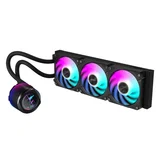
great performance easy to install and great cooling with rgc lcd and modern tech only probelem i have is i cant work out how to change or edit the lcd screen but that could be user error, would recoment for anyone looking to upgrade

Not The Biggest and Best, But Great For the Money – If you were to compare specs on this Graphics Card against the newer, bigger and better options, this card would never be purchased. When we add in… Read more
the variable of the price then the outcome changes.
I paid only $499 for the Gigabyte GeForce GTX 1650 which does sound like a lot of money (it is), but all of the better cards are double or triple that cost. Don't get me wrong, the more expensive cards are significantly better but if you don't need ultimate resolution and FPS then this unit will do all day to day work (surfing the web / video playback / Microsoft Office) and will also manage quite well with gaming on Moderate to High settings.
One of the things that I like the best on this card is that it only requires a 6-pin external power supply which is very common on older computers, unlike the bigger cards which often require 8-pins (and some of them even require 2 x 8-pins) and this then requires the purchase of a better power supply unit as well as the card.
Overall, not the biggest and best but great for the money.

- See all


Absolute junk – 2 years old and the right side of the screen has packed up. Show details

Wasn't all too impressed – In hindsight I wouldn't buy this card! Games lagged and fps were low (All drivers up to date) went far as uninstall/reinstall gpu driver but ran… Read more
games such as GTA-V, Far cry New dawn, BF-V with a some settings on high some ultra/highest. and fps dropped to 28/40 Benchmark results (Superposition Benchmark) were also unimpressive. This card is fine If your happy keeping graphics mid / high-ish range Gigabyte Aorus ("Overclocking" software) did not help much AT ALL
Returned product and got a Another card (RTX 2070 SUPER) for which I have also left a review cost ~$250 more but WELL WORTH IT.

Major flaws - design failures in overpriced Gigabyte x570s range of mother boards – I have notified Gigabyte of 3 issues but their response really was one of did not seem to care that many of their customers potentially will have… Read more
failures which will potentially result in damaged m.2 ssd and loss of data, etc!
I am an electrician and electrical engineer with an interest in electronics so serious physical design flaws and potential overheat issues are 2 things that stand out with me. This pc build is far from my first.
The thermal conductive tape on the m.2 heatsink covers does not make contact with the top of the ssd thus risk of overheating and drive failure. I am now having to replace the thermal conductive pads with high quality pads that are thicker and so make good contact with the 4 x m.2 ssd's when the heatsink covers are screwed down.
The stand offs for the m.2 heatsink covers are weak and may snap off as 1 did on mine so BE CAREFUL WHEN TIGHTENING THE SCREWS OF HEATSINK COVERS. There is no physical support at the far end of mother board for large GPU's such as Gigabytes RTX3070 resulting in extra strain on x16 connector and on GPU thus potential risk of GPU and / or mother board failure.
If you install m.2 ssd's in more than 1 of the m.2 slots, take a photo noting the s/n for each ssd and note the slot it is in otherwise when you go to bios, you will not be able to tell which m.2 ssd is which resulting in that you have no idea which drive you are installing your os on, etc. I recommend Installing crystaldiskinfo to see which ssd is in which slot. It will give you lots of info about each ssd. Great when using 4 ssd's installed. See pics I have attached.