Best Garmin GPS Navigation Systems

Garmin DriveSmart 51 / 61 LMT-S
- Price (RRP) $279
- Screen Size 5" and 6"
- Battery Life1 hours
Gets confused with intense road layouts. doesn't recognisestreets thet ate 5 years old.... utter pile of junk and dangerousin an emergency because ut cant even get you to the hospital. Show details

Garmin Drive 51LM / 61LM
- Price (RRP) $179 to $229
- Screen Size 5" and 6"
- Battery Life1 hours
Reliable GPS and only a little disappointed – I’ve only ever had one other GPS unit – a Mio Digiwalker and been impressed with it for about the 7 years I had it. In the end the Mio couldn’t find… Read more
any satellites. Hence my need for a new GPS. I gave a good report on it on this site when I bought it; other people didn’t like the unit. Based on my experience I would happily have bought another new Mio, but they don’t seem to be available in Australian shops anymore. I went for it because Choice gave it a good wrap. I could have bought one on line, but I needed a replacement quickly. I bought a Garmin Drive 61 LM.
I'm still learning to use the Garmin, but I miss my old Mio. But the Garmin works and gets me from A to B. People on Whirlpool suggested not using a GPS unit and advocated phone use. I actually tried this, but the Maps app on the phone was all over the place and continually lost the satellite. Perhaps I have a cheap phone. First experience of the Garmin out of the box: I got the 6 inch model. It’s much bigger than my old Mio. Which is really nice. Only very basic instructions were provided. Normally, buying new electronic stuff the instruction booklet advise putting it on charge for a huge number of hours before use. With no 240v charger that wasn’t possible. Anyway, the instructions didn’t ask for that to be done. The support bracket was in two parts. I pushed one part into the GPS. That was difficult, then clunk it was in place. I don’t think it’ll ever come out. I pushed the swivel into the first part. That was also difficult. I watched the GPS plastic frame bend as I pushed. I thought I was going to break something. Clunk. I didn’t think that was ever coming apart either, but it did when I tried to adjust it on the windscreen one day and it fell apart on me. Perhaps it would have been easier had I assembled the bracket in a different order. Into the car for a quick test. I wondered how I’d go with no instructions to guide me. However, using it was so simple I wonder if I actually needed any instructions. I went to the Garmin web site later and printed off the user manual. Always good to have. The female voice on the GPS is easy to understand. I clicked around with the setup options. All very straightforward. I’m so pleased that I can set it to avoid toll roads. I can also avoid other areas. Though I’m not sure why you’d want that, except maybe to avoid the risk of driving past the ex should they spot you on the way past. Then when I hopped into the car a few hours later it was dusk and it had flicked into night mode, which was nice. It also flicks to night mode in tunnels. I found it a bit slow in responding to my commands. It often takes two or more taps of the same key to acknowledge it. When I slowed down my finger taps a bit it was better. I loved my Mio but hated how you had to enter the suburb or town first, then the street. What if you didn’t know or couldn’t remember the suburb. The Garmin allows suburb or street name to be entered first up, which is a much better arrangement. I found it peculiar to be at an ordinary two-road intersection where my route was straight ahead and on occasion it said “take the second exit.” The Mio in the same situation would say “continue straight” which I think is more intuitive. The map shows roundabouts smaller than I’d prefer but I’m being picky. It switches off by itself after a few seconds when it been unplugged from the cig lighter. A few things the Garmin doesn’t do, that I found very useful with my old Mio, was providing additional display information. The Mio could show the map in full screen, or you could split the screen with the map on the left and a portion to the right displaying other things. The other things you could see included a list of the streets, distances to them, and turn direction that you would navigate to get to your destination, or you could see a list of POIs that you were approaching, distance, direction to them (eg petrol stations etc), current time, destination time, elapsed time etc. It was very useful to know your next couple of turns well ahead so that you could ensure you were in the best lane. This GPS doesn’t seem to do that so well. And you could shift the map from 3D, 2D, or aerial view at any scale you chose with Mio. There are options with the Garmin but not as good as the Mio. The Mio would also allow you to add your own POI as you drove (eg. new speed cameras etc). That was very useful. The First Few Weeks The windscreen mount knuckle joint has less movement than I would like and when pushed to its limit tends to disengage and fall off. It adhered to the windscreen okay the first time I used it. However, the second time it kept falling off. I may have some dust on the rubber. My old Mia mount fell off far less often, even when old. It may be a combination of a dirty rubber mount as noted, an inferior suction clamp, different angle on the windscreen, or the Garmin being heavier (I have the 6” model). It should stick to any windscreen and stay there. I finally worked out how to disconnect the GPS from the mount. I suggest you study the mechanism before you clip it in. To make it easier on yourself later. The touch screen doesn’t respond as well as I’d like. I find myself tapping away at a button and having the thing ignore me. That's annoying. If I keep on tapping it gets it in the end. I’ve yet to work out how to overcome this. Perhaps I’m being too quick for it. I really don't know. In using the map I found that sometimes I’d touch the screen and drag and sure enough the map moves, but sometimes it moved in the opposite direction. It didn’t do this very often, but, hey, enough times for me to note it here. I've also found that when I drag my finger across the screen to shift the view of the map that the display ignores me and increases the level of zoom on the map instead. Annoying. At lest the + or - buttons always behave correctly. I’ve gone and got the map stuck with north on top of the screen and don’t know how to get it back to a 3D image. I know that’s my fault, but the solution isn’t intuitive. It has a warning about ‘bends’ in the road. It would flag some that didn’t need a warning and miss others that were particularly tight and didn’t warn me. I’m not sure this is much of a feature, even if it worked better. There are road signs on the highway to tell you that sort of thing. I like the way it switches off automatically when the power is cut to it. The device notes that when you plug the USB cable into your computer that it isn’t going to charge the battery. Someone else on this site made that comment too. Actually, it does charge the battery from the laptop, but takes ages. Maybe a day and night, but you do get a charge in there. It picks up dirt walking paths in a reserve that's were near where I live, which was a pleasant surprise. Later Use It sometimes doesn’t recognise my screen selection. It doesn’t select the wrong item; it just ignores my touch and I find I’m having to tap the same thing over and over before it recognises the fact that I’m trying to tell it to do something. Maybe I’m not giving it enough time before I lift my finger. I must experiment with that. Falls off the windscreen more than I’d like for a new unit. Must try and clean the glass. It identifies truck parking bays as fuels stops, but that’s been noted by others. Well, it’s still not fixed. It can show the upcoming turns. You click tools, then click turns. (That’s two clicks.) My old Mia could do it in one click. As a road safety feature, the less clicks the better. It’s sometimes a mystery on how to flick back and forward from 3D to 2D. Sometimes there’s a button on the screen other times there’s not. My old Mia could flick it with one click. It displays arrival time, which is good. My old Mia used to show arrival, departure, elapsed time, and time to arrive, as well as the current time. Despite everything else the current time was handy if the car clock was wrong. I like the (female) voice it uses. It’s clear and easy to understand, but she does mispronounce a lot of street names – “William” is pronounced “Willy Am.” I was driving through Cooma. There are not too many places you can go to from there, and there are back streets that are quicker than going through the town centre, but it keeps wanting to take you through the centre of town rather than the shorter, quicker route. Google maps shows the back road at 3.3km and taking 4mins, but through town is 4.4km and 6mins. It’s not that the back road is a billy track, with speed zones of 60 and 80kph it’s a reasonable route to take but it gets ignored as the preferred route. I like the way it flicks its display to night when you go through tunnels and then flicks back when you exit. I used the Trip Planner to check out a block of land I was interested in. Large acreage. I was going to use the Garmin to do a walk around the block, so to speak. You can code in lat and long coordinates, which is nice. I've no idea whether my old Mio could do that. The Garmin probably wouldn’t be as good as a hand held unit a surveyor might use, but with the coordinates entered, like each corner of the block (Six Maps) and it gets you pretty close (two digits less on the GPS than I’d like), but then that's not its primary use. I had an address for a country location (dirt road, rural), and it accepted the address, but when it said I had arrived at the destination it was actually about a half a kilometre or more off target. I know that because a passing car stopped and the driver gave me directions. Whether that was a problem with the GPS or the local council not providing good maps to whoever provides maps to Garmin, I don't know.
The Garmin was a lot cheaper than my old Mio, but that was years ago and prices may have dropped. I think my next GPS will be another Mio. The Garmin does the job. It just doesn't do it as well as I'd like.

Garmin DriveAssist
- Price (RRP) $449
- Screen Size 5"
- Battery Life0.5 hours
Very unreliable GPS – I’ve had the Garmin Drive Assist 51LMTS For three years and it has had problems from the start. The drive assistance is rubbish, lane departure,… Read more
forward collision, traffic moving ahead, all take turns to go off randomly. It loses GPS signal, maps disappear, the unit freezes, updates take ages (far longer than other Garmin Units I’ve owned), the car icon turns into a large black square. Garmin help told me to clear the camera footage monthly and to do a master reset of the unit. When I did these two steps ever 3 weeks the unit works until it doesn’t and I have to do the reset processes again. Finally this week a map update gave me corrupted maps and the unit doesn’t work at all. To Garmin’s credit the phone help line spent over an hour trying to fix the problems and eventually offered me a swap to a refurbished model free of charge, on this 3 year old model. I’m not confident that the replacement model will work, particularly considering the large volume of poor reviews on this site. It is interesting to note that Choice Magazine rates this as the overall best GPS unit they have tested. Maybe they got a good one, but there must be lots of bad ones out there. Six months update: I've had the replacement unit for six months and it has worked almost flawlessly. It has reset itself while in use a couple of time, but that doesn't seem unusual with the 6 or so Garmin units I've had over the last 15 years. I still don't use the lane departure etc, but the link to my smartphone works well for traffic updates and phone calls. The dashcam seems to work well enough for the few times i've wanted to look at the footage. If all the DriveAssist 51 units worked like this one people would be happy, but unfortunately there are still lots of bad reviews out there.

Garmin DriveSmart 50LMT
too old too inacurate – When I get home I am 30 or more meters away in my garage in a street 50 m behind my home. Maps are weird I have it set for fastest route but it takes… Read more
me in the longest distance and finish up where I would have tracked. Search a street not anything there to save some times.

Garmin dezlCam 785 LMT-S
- Price (RRP) $649
- Screen Size 7"
- Battery Life2 hours
trip meter fail, address's not found, cam not rotating, need to replace or warranty claim after 10 months – too many issues, maybe simple failures- will need to take back for replacement or refund. i need for the trip meter- critical and not working at all.… Read more
cam will not erase or rotate. hopefully new replacement will work - so many address's including CBD locations not found. this is NOT user friendly.

Garmin DriveSmart 76
- Price (RRP) $449
- Screen Size 7"
Awful device only got this because needing a GPS for P plater driving the car. It recommends you to go into on coming traffic in Canberra. Often… Read more
maps seem out of date but the experience in Canberra is downright dangerous.
Hard to use and not worth the money when compared to Waze, Google Maps etc.
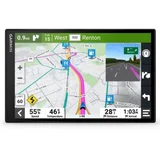
Garmin DriveSmart 86
- Price (RRP) $599
- Screen Size 8"
- Battery Life1 hours
It is BIG – The first thing to be said about this unit is that it is seriously large at 8" diagonal so it's probably not suited for use in a city hatchback. We… Read more
have it installed in a LWB van where it's still a fair distance from the driver and doesn't dominate the field of view so it works really well. Most of the 'smart' features we've turned off so it isn't integrated with a mobile phone except for traffic management alerts and all of the nanny features are turned off as well so I can't comment on how well they work. As a Nav unit, it operates very well and the display is clean and easy to read at a glance and the lane view feature (which appears when a decision point is near) is a great feature of most recent Garmin units. Apart from the larger size, it's no better than the Garmin 61 (7") it replaces which only lasted 5 years although the 6" one we also have is still going fine.

good unit – Same as all GPS units, they take you in some funny places sometimes, buts its normally to put you on the same side of the road as the address you… Read more
punched in.
Our drivers like them. work well with the reversing camera as well. nice and clear.
Easy to update on PC, just plug it in and press update. done.

Garmin Zūmo XT2
- Price (RRP) $999
- Screen Size 6"
- Battery Life6 hours
What an absolute pain in the [Content Removed] device. Both tech savvy owners cannot out of demo mode and now can't even turn it off and try again later. Hate it !! Show details

Garmin Overlander
- Price (RRP) $1,179
- Screen Size 7"
- Battery Life3 hours
Crashed again – Don't bother with this rubbish, Garmin once made good quality GPS and this has been nothing but a nightmare. It turns on when it feels like it and… Read more
doesn't turn off when you turn the car off (25 Mins and still running). It crashed about 6 times in the 2 days i had it and a soft boot worked for a short time but has since stopped being an option when it crashed for the 6th and final time. Who wants to be soft booting the thing every time you go out and hoping it's going to work when you decide to move to the next location. Save your money and avoid the frustration itll give ya. i just looked at the rated stars and i had to give them all 1 stars as it didn't work long enough for me to even get it out of the driveway!!!

Garmin Dezl 780 LMT-S
- Price (RRP) $699
- Screen Size 7"
- Battery Life2 hours
Install the latest update a the type in botany road matraville an have a look at the route. It used to be right but since the latest update it’s not… Read more
a the route it suggests is absolutely ridiculous .one would think they would take more care especially in places like the port of Sydney and major transport hubs for heavy vehicle. Totally unimpressed.

Garmin DriveSmart 66
- Screen Size 6"
- Battery Life1 hours
I bought this GPS under 12 months ago. For some unknown reason the battery has stopped charging. The unit itself will still operate when connected,… Read more
just won't charge! I have tried all the recommendations offered online by Garmin (and Google) including the soft reset. Nothing works. Of course being a battery (consumable part) is not covered by the warranty. This is the 2nd Garmin Gps that has done the same thing. Doubt Very much I will be buying that brand again.

Garmin Zumo 595LM
- Price (RRP) $999
- Screen Size 4.25"
- Battery Life4 hours
Keeps falling off windscreen – The windscreen suction cup too small in size. Insufficient suction power. The GPS device keeps falling off windscreen. Regretted buying. Had a look, this is same across all Garmin GPS models that has a suction cup. What a bad design ! Show details

Garmin Drive 53 & Live Traffic
- Screen Size 5"
- Battery Life1 hours
No instructions on how to use this, you would think there would be instructions manual in box but no

Garmin RV 775 MT-S
- Price (RRP) $599
- Screen Size 6"
- Battery Life1 hours
Don't trust it. Having spent over 40 years as an exploration geologist I have used GPS almost since its inception and have had a good experience… Read more
with Garmin products. We had a much earlier in-car navigator (Garmin Nuvi 500) which was brilliant. The upgrade to the RV 775 has destroyed my faith in Garmin.
We bought this three years ago prior to a three month trip through outback areas and, in summary - you just can't trust it to get you to the right place and certainly not by the best route, either in the city or country. Updating software and maps doesn't appear to help. Some directions send you several kilometres in the wrong direction, then do a U turn and return past your start point. When in caravan mode, it flags warnings e.g. low bridge or load limits, that are on side streets and not affecting your route at all. I suspect the navigation data relies on StreetView to recognise such warnings and some place names. (e.g. Some places are indicated to be where there is a large billboard advertising the town's pub many kilometres ahead.)
The menu is not logical and if you simply want to go to a town (i.e. not an address) you need six additional clicks to get to select Towns. It doesn't matter if you have a nice clear screen, if it isn't reliable it is worse than useless.

Garmin DriveSmart 55 & Traffic
- Price (RRP) $329
- Screen Size 5.5"
- Battery Life1 hours
Not so smart Garmin – This is my second Garmin. While not being totally happy with my last one, which told me to turn right, when there was a 'no turn right' sign and… Read more
other similar events. The charge cord had broken and options for non inbuilt GPS are limited. The Garmin Drivesmart 55 is about the same size as my last Garmin and does not have the heavy border. What is does have is the same single charge cord to the 12 volt. This is totally useless when everyone needs two USB ports for other devices when driving long distances. The data download cord does fit, but when starting it prepares to download and although the Garmin comes on and you think you can put in an address, the screen goes back to Garmin express and there is no way to enter an address when you want to start driving. The Garmin dash cam has a charger and a USB port, but that has a different connection to the GPS. So why not one for the GPS? I purchased the vent holder for the GPS, which I really like. The photo shows this product, but without a 90 degree cord, the Garmin is on an angle. The product comes with suction holder for windscreen or dash but this obscures vision. Garmin really need a rethink what they supply at time of purchase.

Garmin Zumo 396 LMT-S
- Price (RRP) $699
- Screen Size 4.3"
- Battery Life4 hours
All bells and no whistles – Has ability to use with gloves, but not wet weather gloves ☹️. Not able to plot a ride with a starting point other than current gps location ☹️. The… Read more
ability to edit or change a route almost impossible, make a mistake and back to square one, no compromise ☹️. Will not accept alternative route that is listed, but diverts to the main route listed☹️. I probably could list some more, but I am tired. Geoff

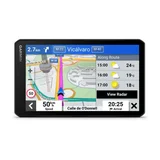
Garmin dēzlCam LGV710
- Price (RRP) $999
- Screen Size 7"
- Battery Life0.5 hours
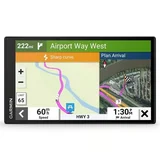
Garmin RV 795 7" RV Satellite Navigator
- Price (RRP) $779
- Screen Size 7"
- Battery Life1 hours
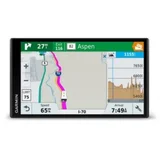
Garmin RV 770 LMT-S
- Screen Size 6.95"
- Battery Life1 hours
They dont last for the money – Worked great for about 18 months then started playing up and turning itself off and worked when it wanted too,paid nearly $1000 for it and only… Read more
lasted that long , never again ,all the bells and whistles and the bell dont ding and the pea fell out of the whistle , ill stick with a mobile ph

Garmin dēzl LGV820
- Price (RRP) $1,199
- Screen Size 8"
Have had 4 Garmin truck GPS over 7 years. They last a couple of years, and they start to lose satellite reception, and they freeze as well as other issues. The LGV 820 8'' has a screen glitch from brand new. Customer service deny any faults.

Garmin Striker Vivid 9sv
- Price (RRP) $1,099
- Screen Size 9"
Been sold this unit from a local retailer and not explained that this unit doesn’t have maps So I put in gps marks from online and went out it… Read more
doesn’t show green zones or anything like this it is pretty much useless I hate this unit should have stuck with the brand I had would never recommend this unit to anyone
After doing a trip away, the instructions on the route are much improved from my previous garmin, … Read more (+1 reply)