Best Samsung TVs

Samsung S95D Series
- Screen Size 55", 65" and 77"
- Screen TypeQLED
- See all


Great & user friendly with smart features – Love Samsung's tvs I upgraded from a 2020 model & love the sleek , thin profile of this one and the great features like AI , the remote isn't a big ,… Read more
clunky with useless buttons you only need the basics its quite compact & you can charge the remote by usb or daylight as it's got a little solar panel so cool no more batteries. Love how easy to navigate trust me its a nice television a little pricey but if you have the money why not you won't be disappointed

Samsung The Frame LS03D Series
- Screen Size 43", 50", 55", 65", 75" and 85"
- Screen TypeQLED


Have a 2024 65 inch Samsung frame tv in my living and it's great. Have access to some free artwork even some motion art... Just bought a 2026 85 inch… Read more
Samsung frame tv for my media room and no free art what so ever. Must pay a subscription or upload your own. If I knew this from the start would have gone another brand. You've dropped the ball on that Samsung. Pay enough for the bloody tv itself without a monthly subscription

Samsung Crystal UHD DU7700 Series
- Screen Size 43", 50", 55", 65", 75" and 85"
- Screen TypeLED/LCD
- See all


The tv itself is not too had but the software is the problem. The default free to air channels are all linked to right wing news such as Sky and are… Read more
really distasteful. There is no option to change it so it feels like I'm in a room with an abusive person. Last night, when the tv was started up it went straight to some bigot discriminating against a transwoman and deliberately misgendering her. Another example is the software featuring a show starring Paul Murray singing the praises of Trump's America and the amazing President that he is. While one might argue that it wasn't Samsung producing that rubbish, they don't give the opportunity to change these defaults - it's fixed in the software - and so Samsung is aligned with bigotry and leaves the viewer stuck with right wing extremist propaganda in start up and which jumps right in if you don't quickly select a streaming service. In short, only but this tv if your world view is right wing and this sort of world view is ok for you but neither I nor my family would be buying Samsung again.

Samsung Series 5 32" UA32C5000
Great 2nd tv – Absolutely love this tv. We got at needed a smart tv as aerial not the best in room. We can watch all channels and online as well. Picture quality is great and remote works on all Samsung TVs. Show details
- Screen Size 65", 75" and 85"
- Screen TypeNeo QLED
No aux port for speakers. Controls are activated by breathing on the so constantly changing channels or turning off. Slow for the money paid Show details

- Screen Size 50", 55" and 75"
- Screen TypeLED/LCD
This TV was certainly one of the cheapest options as my budget was tight. Reading all the info. online from varying sites, I figured what could go… Read more
wrong.
It is a SAMSUNG and a 2926 model.
The picture quality is beautiful. Works as it should with the kids Nintendo Switch and PlayStation 5.
I have found that its response can be stalled and slow when going through the menu and choosing any app. I particularly watch YouTube which appears to lag initially response. Meaning, when I push the remote button to turn You Tube on, it takes a while to load and is not instant.
I also experience an issue with the volume. Sometimes the volume sticks and it cannot be adjusted. I usually turn the TV of and back on again to fix the issue.
I have also experienced no response when turning the TV on. Nothing happens, and it does not turn on.
Given that $895 is not exactly loose change, I am somewhat disappointed, although once the TV is running like normal, all us good with a nice clear picture,
One thing that I was very disappointed with was the lack of a microphone search function on the remote to match the YouTube search. I would often use this on our previous SAMSUNG OLED TV and found it great.
I guess that is my fault for not checking this thoroughly prior to rushing in to purchase.
We had a previous SAMSUNG TV which was a considerably higher $2700 price. Everything was responsive on it, my son worked it tiredly for lengthy periods with his gaming and it lasted for approximately 7 years.

Samsung S90D Series
- Screen Size 55", 65", 77" and 83"
- Screen TypeOLED


I have had this television for just over a year, and for the most part, it has run very well. I am very impressed, in fact, it has a great picture… Read more
and surprisingly good quality sound from the TV itself without a sound bar. Then recently, I had an intermittent audio issue. When I first turned the TV on, the audio was tinny, like a cheap transistor radio, it just did not sound very good at all. I reviewed the audio settings. I even reset it, turned the TV on and off a few times, and then the audio came back to normal. Anyway, I visited JB HiFi they logged the fault. Eventually, Samsung arranged to replace two parts, the main board and speakers. Unfortunately, a different issue resulted after that repair, intermittently, the sound became muffled, not clear at all, when I first turned it on. This happened a couple of times. I called Samsung about the issue they arranged for a technician to have a look at it again. On the 2nd visit, the technician recorded the audio issue, as it occurred when he turned the TV on, he was not able to rectify the fault, said he will forward the issue back to Samsung with his recommendation. Now I have been notified of another repair to it I suggested a replacement this has been knocked back by management I was informed by Samsung case manager. Not at all happy with this service. This is a premium TV it should run well for a long time for the price I paid.

Samsung F6000 UA32F6000FWXXY (32")
- Price (RRP) $499
- Screen Size 32"
- Screen TypeLED/LCD
bought a 32inch Samsung TV in 2026 from JB HiFi. The TV applications are not as it states in the 100plus pages of manual and when I contacted the… Read more
service dept they are not interested in helping to sort the problem out at all just sent more confusing instructions which are useless. The TV is so complicated, the settings are not as they should be and if you use the remote and press the settings button then it skips most of the settings. If you are watching a program and want to put the TV on timer then you have to go out of the program, set the timer then go through the rigmarole of tuning in the picture channel again. DO NOT BUY SAMSUNG TV

Samsung The Frame QA55LS03FAWXXY (55")
- Price (RRP) $1,999
- Screen Size 55"
- Screen TypeQLED
- See all


Never Again - And I mean that across all of Samsung's product line Samsung makes visually impressive hardware, and the Frame TV is a strong concept… Read more
when it comes to design and presentation. However, the overall experience is undermined by the way Samsung manages software, control, and long-term product behaviour.
The ecosystem is heavily locked into SmartThings, a platform that feels mandatory rather than optional, and limits how users can interact with devices they own. Over time, firmware updates have repeatedly changed functionality in ways that reduce control, restrict access to features and APIs, and alter how core functions behave after purchase. In particular, simple features like reliably controlling Art Mode when the TV is not in use have become less consistent and more constrained.
Across three Samsung Frame TVs in my own use, each one behaves differently due to firmware revisions and ongoing changes introduced by Samsung after purchase. This lack of consistency between identical products is frustrating and undermines confidence in the platform. It feels like the goalposts are being moved after the fact, with no real regard for existing owners.
While the Frame TV can still serve its basic purpose as an artwork display for casual users, it comes with the expectation that software behaviour may change at any time, potentially removing or limiting functionality that was previously available. There are also concerns around the level of data being transmitted by the devices, which adds to the lack of trust in the system.
As it stands, I can no longer recommend the Samsung Frame TV. Years ago, I would have strongly endorsed it, but the ongoing erosion of user control, inconsistent firmware behaviour, and restrictive ecosystem design have changed that view completely.

I actually would like my money back, thats how disappointed I am with the way Samsung have locked us out of our own hardware.

Samsung QA55QEF1
- Price (RRP) $1,199
- Screen Size 55"
- Screen TypeQLED
We had a Panasonic 55inch OLED top range tv which developed a green spot centre screen. Panasonic swore blind that it wasn’t a fault with the tv but… Read more
after a few years we said fk it. Along came Samsung and offered us a $300 trade in and $100 black Friday discount. We paid NZ$545 all up delivered. The Samsung is so easy to set up and pretty much does all that is needed itself. Picture and sound are great right from the start. Had to search a bit for the switch to have Bluetooth headphones and tv sound at the same time. For more detail just google the tv and read the AI review.
Really its just great, like our old one without a big green spot.

Samsung Crystal UHD DU8000 Series
- Screen Size 43", 50", 55", 65", 75" and 85"
- Screen TypeLED/LCD
Bought this 43" Crystal UHD DU8000 4K Smart TV for $650 with free delivery about 2 weeks ago and its terrific, great bang for your bucks and of… Read more
course I only bought this for my Kayo sport as I was watching Kayo on my laptop, as my son and mrs have taken over the main Samsung 65 inch LED TV in the lounge room that is a 10 years old TV, which is still going strong and I haven’t had any problems with that TV since new, that is why I always buy Samsung TVs, Smartphones SSD drives and ram as they make great quality products.. Hope I didn't jinx myself but so far all is good with this 43" Crystal UHD DU8000 4K TV and I'm very happy with it. I will as usual review this TV in about 6-12 months’ time and let everyone know how it pans out. But for $650 including delivery and for a 2024 smart tv this is great value.

Samsung QN800D Neo Series
- Screen Size 65", 75" and 85"
- Screen TypeNeo QLED
- See all


Failed with in 1hr and poor warranty – Lasted 1 hr before blue screen, just finished loading Netflix etc onto it, did the restart and it’s all over. Samsung was about as much help as a… Read more
concrete block in water, non, zero, zilch. The place we bought it even worse. Had 4 Samsung TV’s and 50% have failed under warranty, there won’t be a 5th.

Hi Wayne, I saddened to hear about the poor experience… Read more

Samsung Mini LED M90H UA100M90HWXXY (100")
- Screen Size 100"
- Screen TypeLED/LCD
Samsung Micro RGB R85H MRA85R85HAWXXY (85")
- Screen TypeLED/LCD
Samsung QN80H Neo Series
- Screen Size 65", 75" and 100"
- Screen TypeQLED
Samsung The Frame LS03HE
- Screen Size 43", 75" and 85"
- Screen TypeQLED

Samsung Micro RGB R95H MRA75R95HAWXXY (75")
- Price (RRP) $7,999
- Screen Size 75"
- Screen TypeLED/LCD
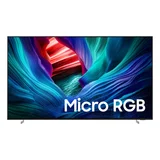
Samsung Micro RGB MR95F MRA115MR95FXXY (115")
- Screen Size 115"
- Screen TypeLED/LCD
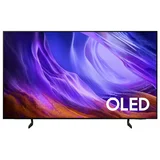
Samsung S85H QA83S85HAEXXY (83")
- Price (RRP) $6,499
- Screen Size 83"
- Screen TypeOLED
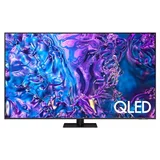
Samsung Q70D Series
- Screen Size 75" and 85"
- Screen TypeQLED and LED/LCD
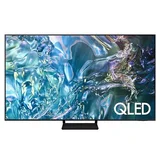
Samsung Q60D Series
- Screen Size 55", 65", 75" and 85"
- Screen TypeQLED
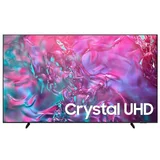
Samsung Crystal UHD DU9000 UA98DU9000WXXY (98")
- Price (RRP) $5,999
- Screen Size 98"
- Screen TypeLED/LCD
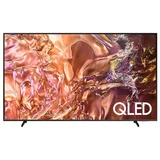
Samsung QE1D Series
- Screen Size 65" and 75"
- Screen TypeQLED

Samsung QN85D Series
- Screen Size 55", 65", 75" and 85"
- Screen TypeQLED
I always have bought Samsung TV’s. This one was brand new in April 2025. When set up a few weeks later the aerial port just fell off! Seems it’s a… Read more
known problem. I contacted Samsung and Bing Lee. It is my fault apparently. So disappointed. Quite appalling customer service from Samsung. Samsung customer reference 8277742834.
Hi, thank you for taking the time to leave a review. I am… Read more

Samsung Q5F QA40Q5FAAWXXY (40")
- Price (RRP) $399
- Screen Size 40"
- Screen TypeQLED
I had never own a smart TV until this one. The navigation using the mobile is long winded. The main reason I'm writing this review is because I am… Read more
really annoyed with the subtitle function of the TV. If you have the TTX on, you CANNOT change channel directly - you need to turn TTX off first.
I have not tried to record as I am still finding my way around the TV. So far I find it more complicated than unsmart TV.
My recommendation is that if you just need a simple TV, buy a SIMPLE TV and save money.
One more thing, screwing the stand/leg to the TV is a pain in the backside.
Another thing, you CANNOT freeze the Live TV broadcast (not to get confused with "Pause" on playback) nor you can record TV programmes with this model.
One bright point is that you have slow motion on playback, most other TVs do not offer this function.
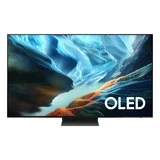
Samsung S90H Series
- Screen Size 48", 65" and 83"
- Screen TypeOLED
On aerial function, does not play clearly, lines across the screen on non hd channels. Very disappointing and Samsung cannot provide a fix. If you watch TV via aerial and not apps, DO NOT BUY THIS TV!

Samsung QN900D Neo Series
- Screen Size 65", 75" and 85"
- Screen TypeNeo QLED
Samsung not backing their products!! AVOID LIKE THE PLAGUE! – Speakers rattle with almost every movie! The screen has a white edge of discolouration all the way around, it freezes randomly. Tv now does not work… Read more
at all! And worst of all is Samsungs nil response to replace the tv with something that actually works! All they want to do is fix it. It has now been fixed 3 times!!!!! Avoid Samsung.. they do not care about their customers once they have paid!!!!!!!
Hey Sam, I am so sorry to hear about the poor experience… Read more (+1 reply)

Samsung Q80C QA98Q80CAWXXY (98")
- Screen Size 98"
- Screen TypeQLED
Disappointed – Bought a brand new 98 inch QA98Q80CAWXXY and the screen faulted after 3 months, and instead of replacing it with a new tv they decided to change the… Read more
screen, the whole process was a nightmare from try to talk to the tech support in the philippines to organising the repair. I have always bought Samsung TVs but not anyone, left a very sour taste in my mouth, very disappointed.
Hi Lou, thanks for taking the time to leave a review. I'm… Read more (+1 reply)
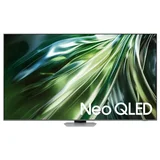
Samsung QN90D Series
- Screen Size 43", 50", 55", 65", 75", 85" and 98"
- Screen TypeNeo QLED
I was delivered a defective TV and Samsung refused to honour the warranty and blamed everyone they possibly could. Absolutely will never buy a Samsung product again Show details
Just had a power board replaced. This is the third component being replaced. See how all this goes