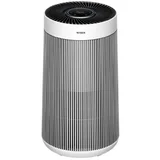

Dyson Pure Hot+Cool Link Questions & Answers
VerifiedMPNs: 308008-01, 308397-01 and HP03
I did not realize the noise level of this heater, is there a way to make it less noisy. would auto mode help?

Hi Everyone, I'm just wondering how does everyone feel about the multiple tasks you can do with your air purifier that also cools and heats ? my main concern is this is supposed to be an Air Purifier but its also heating and cooling, i'm thinking is this machine doing too much, I mean instead of just purifying the air its doing two other things as well, could that be actually taking something away from the purifying function and vice versa ? Its just something that's popped into my thoughts, kind of like to much going on instead of just purifying the air. Does anyone else have any thoughts on this theory ? Because some the reviews are not what I expected for a Dyson product, I have a Dyson Pure Cool Me, which is not what you call a air purifier as such but it is making clicking noises when I have it on rotate and that's some of things I see in the reviews here about this air purifier.

What energy star rating economically is this dyson heater cooler air purifier please?

Hi, I don’t know what it is in stars, but the HP04 model I have is quite low for the fan and air purifier, about 50 - 100W from memory, but 2KW on heat (which is bad considering you can’t control the temperature) and you have to sit right in front of it to get any warmth.

is it actually air con, or just a fan?If air con, how big an area will it cool

It's just a fan, and like other fans - you have to be near it to feel any 'cooling'

Is it correct that the oscillation of the machine only works in auto modus? And in manual mode the machine sometimes oscillation, and sometimes doens't? Or should it always oscillate when turning oscillation ON, and thus there is then something wrong with my machine? Thank you.

How can I control the heat temperature on my app?

Hi there. A guide showing how to use the Dyson Link App for your machine can be found via our website at: external link . However, please don't hesitate to get in touch with our Dyson Experts via Facebook Messenger, Live Chat or phone and we will be happy to run through using the Dyson Link App together. You can find our contact details here: external link

Since the last iPhone IOS update, my Dyson Hot+Cold stopped connecting to the home wi-fi and the app. When I try to connect it, the wi-fi setting gives me an error that says 'Weak Security' and then no connection because 'WPA/WPA2 is not considered secure'. I'm currently using an ASUS Zen mesh router with the security set to WPA2-Personal. I tried changing that to WPA3 and resetting it, but I still get the same message from the Dyson setup. Is anyone else having this issue, and how can I resolve it? My remote still works, but I don't get the info about air quality that the app provides, which is disappointing.
This certainly isn't something we expect as the connection between your purifier and router isn't dependant on the software version of your phone. That being said, when you are prompted to connect to your purifier's WiFi network by the app, we would encourage doing the following: - connect to the purifier's WiFi network - press the "i" next to the purifier Wifi network - disable "Private Wi-Fi Address" and "Limit IP Address Tracking"
This may disconnect you from the Purifier WiFi network, if so, reconnect to the Purifier WiFi network, and once connected, return to the Dyson Link app.
This should help (and will only effect the WiFi network of the Purifier during set up, not your home WiFi network), however if we can assist further, we would kindly encourage contacting our Dyson Experts via phone or live chat. You can find our details and chat links here: external link

We have an issue with resetting, or removing, our machines current schedule. It is currently set to heat up in the morning, I tried to delete it via the "scheduling your machine" link but there is nothing there? I've added new events which then turn up and can be deleted, but nothing else is there. Still, every morning it starts heating? Can anyone help?
This is certainly not to be expected. So we can best assist and get this resolved, we would encourage reaching out to our Dyson Experts at your convenience via phone or live chat. You can find our details and chat links here: external link

Can I set my Dyson Pure Hot + Cold to run w/o it heating or cooling? I just want to run the air purifying function with only my central air conditioner controlling the temperature the room is at.

Hi Scott. I get what you are asking. The cool on the Link is really just room temp even though it is designated cold. Your idea of using your aircon and then the link on cool would give you air circulation of aircon air that is filtered. The hot is able to heat. I think I’ve used it once or twice only and it is very effective as a little heater. So if you use the air purifying function from my understanding you MUST choose cool or hot as by default it will only work in either mode instead of no mode and purification only. Gosh this is a convoluted answer. Hope it helps and isn’t clear as mud!

I have downloaded the app and while I have the California version of this device that doesn't let me change temperature on the app, I assumed that if I changed the temperature to heat via remote, when I turn it off and back on again with the app it would come back on with heat. However, every time I turn the Dyson on with my phone app, it starts cold. I didn't have this problem before. How do I make it turn back on with the temperature it was when I turned it off?

When I switch off my Dyson purehot+cool link using either the app or the remote, the appliance emits a continuous low level hum from its base unit. I have found the only way to stop the hum is by switching off the power at the mains. Is this a normal behaviour or is the appliance faulty?

I have the same problem, still waiting for an answer.
To continually graph the air for the Dyson Link App the machine will run at a very low setting to pass air over the sensor. You can turn this feature, 'Continuous Monitoring', off in the settings menu of your Dyson Link App however when the machine is off it will no longer monitor and graph air quality when not turned on.
If we can assist further, our Dyson Experts are available and happy to help. You can find our contact details here: external link

My Dyson Pure Hot Cold App is reporting outside temperature of 20 degrees when it’s really 9! Why? It is correctly set at North Sydney.
While the temperature, humidity and air quality inside your home is measured by your Dyson machine, the measurements outside of your home are provided by an external source. Usually you should find these are close to accurate, however if you are finding these aren't matching for a period of time, please get in touch with our Dyson Experts. You can find our contact details here: external link
Thanks, it’s been doing it for ages. It’s currently 9degrees outside & raining. The app says the outside temperature is 20 degrees and fair. Nowhere near correct.
This is not what we'd expect. Please get in touch with our Dyson Experts and we'll only be happy to further assist.

Is it safe to leave my dyson hot and cool air purifier on full (10) speed for over 48 hours?
While the Dyson Pure Hot+Cool Link can be used for longer periods, for safety, the machine will automatically turn off after 8 hours of active heating. Once this occurs the machine will need to be turned back on either by pressing the button on the machine, using the remote, or by the Dyson Link App.
We hope this helps, but if we can assist further please get in touch with our Dyson Experts who are available via phone, live chat or Facebook Messenger, you can find our contact details here: external link

My Dyson Pure Hot + cool link just stopped working.. Pressed the start button on and off, hold it for few seconds, reassembled my filter, plugged it on diferent ports- Still Not working- Please Help
Hi Jessa, Thank you for your question and we are sorry to hear that you are experiencing an issue with your machine. If you find your machine is no longer turning on we'd kindly recommend you to please reach out to our helpline for further assistance. You can find us through phone, live chat and email through external link and one of our experts will be happy to help resolve this for you.

What is the decibel level for Dyson Pure Hot+Cool™ HP04 && for ™Dyson Pure Cool-TP04?
(1) on night mode? (2) on fan speed 10? (3) on fan speed 5? (4) on span feed 1?
Thank you!!
While we can't provide a break down, we can confirm the machine machines around 46dBa of noise in the lowest speed setting, and 62dBa in the highest speed setting. Night mode won't effect the sound of the machine, however will restrict the machine to using the lowest 4 speed settings when on the auto mode.
We hope this helps, however if we can assist further, please get in touch with our Dyson Experts via Facebook Messenger, Live Chat or phone. Our details and chat links can be found here: external link

Hi. The manual says you can adjust night mode in the app. What specifically can you adjust and how to go about it?

If in Auto Mode will it go into standby until it needs to fire back up to purify? I am finding the Air quality to be great and green and steady but the motor is still running?
Thanks
This is correct, however the motor will still spin slowly. This is so the fan is still pulling air over the sensor to monitor the air quality in your room. We hope this helps, however our Dyson Experts are happy to help, please don't hesitate to get in touch (our contact details can be found here: external link

why does my dyson hot and cool link go to cool after three hours on heat setting
If your machine is set to auto mode and the machine reaches the target temperature but still deems that it needs to work on increasing the air quality, the machine will run in diffuse mode to filter and circulate ambient air.
We hope this helps, however if we can assist further, our Dyson Experts are happy to help and our contact details can be found here: external link
so that means that i cannot have constant heat then is that correct
If you manually choose the fan speed, the machine won't respond to the air quality but will heat until the room reaches the selected target temperature, then move into a monitoring mode once achieved.
If we can assist further, please don't hesitate to get in touch directly with our Dyson Experts, we are happy to help.

Dear support, I have a brand new Dyson hot and cold and it operates at night using the night mode, fan =1 almost without noise, but time to time it starts to produce a high noise and everybody awakes. Can you please tell me if this is normal?
When used on auto with night mode, the machine will change between standby and speed setting 4 depending on the air quality sensed. If these higher speeds are too much, we would encourage taking the machine off auto mode and choosing a manual fan speed that is right for your home.
If we can assist further, please don't hesitate to get in touch with our Dyson Experts directly via live chat, Facebook Messenger or phone. You can find our details here: external link

I have the same issue and I do not have auto mode on. Any other suggestions?

After dusting off my Dyson Pure Cool Link with a dry cloth yesterday, it will not stop blasting at speed 10 in auto mode. Its been running at 10 speed for over 24 hours now.
It has never done that before and its in the same room as it has always been. Could it be that the sensors are faulty?
This can indicate something may be obstructing the sensors and stopping them from working as they should do. We would kindly encourage cleaning the filter as shown here: external link (no need to reset the filter life as also shown, just clean the sensors).
In the event this doesn't solve the difficulty or if we can assist further, please get in touch with our Dyson Experts who will be happy to help. Our contact details can be found here: external link
Get an answer from our members and Dyson representatives


Extra Information


ProductReview.com.au has affiliate partnerships. These do not influence our content moderation policies in any way, though ProductReview.com.au may earn commissions for products/services purchased via affiliate links.