Best TP-Link Wi-Fi Extenders

TP-Link AX3000 Deco X50
- Frequency BandDual-Band (2.4GHz, 5.0GHz)
- Maximum Wireless Speed2,402 Mbps
This product completely resolved my dropouts and no longer having to reset my modem.The tech team were fantastic in resolving my Chromecast problems in such a short time frame. The best service experience I have had for a long time. Show details

TP-Link AC1300 Deco M5
- Frequency BandDual-Band (2.4GHz, 5.0GHz)
- Maximum Wireless Speed867 Mbps
Flaws but when it works its great – Easy setup using the app. However a few warnings not mentioned anywhere. 1 Ensure devices are approx 5 yards / metres max apart. Dont stretch it!… Read more
Overlap for mesh coverage. 2 Avoid placing anywhere obstructed esp electronic devices of any kind. Heavy walls etc. 3. Use CAT 6 cable not less from nbn to moden wan port and from modem out to deco unit main device. Most nbn connections wont have cat 6 cables. Gobto computer store or online. Cheap. 4. Turn off wifi on modem (may need to connect with laptop using ip and admin login) and use deco only for all wifi to avoid conflicts. Deco is easier to manage anyway. 5.Wall mount near power clear of obstructions. 6. Dont turn off leds or fault diagnosis is impossible. 7. Check app speed test. It has a bug. You must set wifi speeds for isp plan in app to get results. Now here is issue. If actual speed is greater than test speed no result occurs. Set speed must exceed actual...My plan 100mbps returned speed of 270 and i had to find this by setting 300 initially.
Our two level house has four devices. Three left a gap and the app was unstable.
If device drops to red reposition near another to diagnose any fault. I returned one that would flash red colour constantly.. Common according to support posts !!!
Cost is approx avg $70 each. Note you can also connect laptop etc using ethernet cable if puck positioned in convenient place eg near desk.. Two ports per puck.
Our home internet speed went from 25 avg to 270 dload. Very stable speed too with cat 6. We have fttp that came with a slow cat 5 cable...nuts. This change boosted above plan speed. apparently its nbns way to not giving full speed to all users. Free upgrade in speed? Crazy
Manufacturer suggestion. This unit is very difficult to wall mount. Flat use is awkward and contrary to leds which then cant be seen. The warmth means quality adhesive fails and the lugs on base mean adhesive is difficult to place to allow wall contact. Poor design really. . Suggest a simple lock mount like the ubiquity access point be used.

TP-Link AX1800 Deco X20
- Frequency BandDual-Band (2.4GHz, 5.0GHz)
- Maximum Wireless Speed1,201 Mbps
- See all


As non-portable 4g to wi-fi Hotspot it is functional and has good range. Though I am second guessing my choice – I would have gone with the TP-Link Archer MR600 had I been able to buy one locally for a reasonable price. This is due to the Deco X20 not having… Read more
many of the Router features such as VPN built in. I purchased this as a 4g modem/router for my shack as signal there is poor and I can't get a fixed line. I am using a Woolworths Mobile sim ($20 prepaid - not a data specific plan).
Things I like ------------- * Warranty: 3 Years * Signal: It picks up signal in a poor signal location (albeit the 3g rather than the poorer quality 4g in the area) * 3g/4g: Support for external 3g/4g aerials. I will at some point mount the aerial on the roof. * Frequencies: Support for all Australian frequencies including 4G: FDD-LTE B5 (850MHz) / B28 (700MHz). Many 4G modems do NOT support these bands! Without these bands the modem will not connect to significant portions of the Telstra network and others (Basically anything not near a big town or city). * Wifi coverage: I get excellent Wi-Fi coverage throughout my shack. Which switches seamlessly between 2ghz Wi-Fi and 5ghz Wi-Fi. * Connectivity: Multiple devices including Apple and Android devices share this network without issue. (Much better than when using my phone as a wifi hotspot) * Stability: So far it has been extremely stable. * Sim card: Nano sim - Takes a normal prepaid nano sim underneath (I am not using a specific data plan as it works out cheaper at the moment to use the cheapest phone+data plan with roll-over data) * Customer support: I have never had to use customer support but I have heard from friends that it is excellent.
Things I don't like ------------------- * No 5g: Lack of support for 5g is disappointing given the price but there was little else available. * Setup app: The app, while easy to use is somewhat dependant on an internet connection. There doesn't appear to be a web admin feature on this unit. * Future support: If TP-Link decide that they no longer support this product or no longer support my mobile phone then it becomes little more than a paperweight as access is via a web connected mobile app. * Product codes: TP-Link have lots of very different products with similar part codes. This leads to confusion. * Versions: Version numbers are also really confusing. On the TP-Link site each "Version" seems to come with its own set of features (such as compatibility with B28). It is unclear if the higher versions include the features of the predecessors or not. This is very troublesome as version number is not always included in online shopping! * SSH: No SSH access. It looks like it once had support but updates have removed the feature. * Pay-for-services: I am a little worried by the number of built in features that are subscription based. I have a horrible feeling that at some point I will be forced to pay for services that are currently available as part of the device!

TP-Link N300 TL-WR841N
- Price (RRP) $35
- Frequency BandSingle-Band (2.4GHz)
- Maximum Wireless Speed300 Mbps
Amazing Support Team – Cassiel was the most amazing helper she stayed calm, informative and patient with me as I learnt how to configure my router. She taught me a lot today and I appreciate her patience.

TP-Link AC1750 RE450
- Frequency BandDual-Band (2.4GHz, 5.0GHz)
- Maximum Wireless Speed1,300 Mbps
Having tried other brands that failed to work i purchased this & was not disappointed. My son now has full strength internet in his room. The only… Read more
negative feedback would be the instructions, easy as they are to follow & easy to complete there was some confusion as to why it didn't initially work on my son's phone in his room, on the instruction sheet there are 3 steps to set it all up however after the third step there was still low signal in my son's bedroom, it wasn't until i reread the instruction sheet that i noticed way down at the bottom of the sheet that it says to connect to your regular home wifi with the "EXT" next to it, this should have been step 4.

TP-Link TL-WA850RE
- Price (RRP) $49
- Frequency BandSingle-Band (2.4GHz)
- Maximum Wireless Speed300 Mbps
Biggest piece of junk ever made – Terrible experience trying to set it up. I just ended up throwing it away . Biggest piece of junk ever made. It worked for a while, then stopped working , then would connect , then not connect etc. JUNK .

TP-Link AC750 RE200
- Frequency BandDual-Band (2.4GHz, 5.0GHz)
- Maximum Wireless Speed433 Mbps
Strong Signal - Fast - Dual Band - Fair Price – The TP-Link AC750 Mesh Wi-Fi Range Extender is designed to extend the coverage of your existing Wi-Fi network, providing better connectivity in areas… Read more
with weak or no signal.
Features and Design: The AC750 Range Extender offers dual-band Wi-Fi support, operating on both 2.4GHz and 5GHz frequencies. It features external antennas that help enhance signal strength and coverage. The device can be plugged directly into a power outlet, saving space and ensuring discreet placement.
Performance and Coverage: The main purpose of the AC750 Range Extender is to extend the coverage of your existing Wi-Fi network, particularly in areas with poor signal strength or dead zones. The extender typically performs well in this regard, offering a noticeable improvement in coverage. The dual-band capability allows for better distribution of devices, as you can connect devices that require higher bandwidth to the 5GHz band, while the 2.4GHz band can handle lighter tasks.
Easy Setup: TP-Link is known for its user-friendly setup processes, and the AC750 Range Extender is no exception. Most models offer a web-based setup wizard that guides you through the process of connecting to your existing Wi-Fi network and extending its coverage. Additionally, some models support WPS (Wi-Fi Protected Setup) for quick and secure connection.
Value for Money: The AC750 Mesh Wi-Fi Range Extender provides good value for its price, especially for those dealing with Wi-Fi dead zones or weak signals in certain areas of their homes or offices. It's a cost-effective solution to improve connectivity without the need for extensive network setup or expensive equipment.
Mesh Capability: Some models of the AC750 Range Extender support TP-Link's OneMesh technology, which allows the extender to work in conjunction with compatible TP-Link routers to create a mesh network. This technology can further enhance the coverage and overall performance of your Wi-Fi network.
Final Verdict: The TP-Link AC750 Mesh Wi-Fi Range Extender is a valuable tool for improving Wi-Fi coverage in your home or office. It offers reliable performance, easy setup, and the potential for mesh networking through TP-Link's OneMesh technology. While it might not be suitable for users with advanced networking needs or those seeking the highest speeds, it provides a cost-effective solution to extend the reach of your existing Wi-Fi network. If you're looking to eliminate Wi-Fi dead zones and improve connectivity without breaking the bank, the AC750 Range Extender offers good value for your money.

TP-Link AC1200 Deco M4
- Frequency BandDual-Band (2.4GHz, 5.0GHz)
- Maximum Wireless Speed867 Mbps
Pros: Looks good, decent coverage, good speeds, good stability Cons: Any changes you make in the router of mesh inevitably results in you having to… Read more
rebuild the network from scratch and change network for all of the devices connected, terrible connection for gaming (eg. widely known for not connecting / dropping out in EA games).
This is a basic, cheap mesh system and that's about what you can expect.
Personally, I wouldn't buy again. I'd opt for a better mesh system.

TP-Link AX1800 Deco X20-DSL
- Frequency BandDual-Band (2.4GHz, 5.0GHz)
- Maximum Wireless Speed1,201 Mbps
This router works brilliantly for our FTTB/N NBN connection. I added a pair of Deco E4 units for mesh coverage of the upstairs, and I'm very happy.… Read more
Customer service from TP-Link has also been fantastic, with quick email responses and excellent advice. I'd recommend these and TP-Link to anyone.

TP-Link AC750 Archer C20
- Price (RRP) $59
- Frequency BandDual-Band (2.4GHz, 5.0GHz)
- Maximum Wireless Speed433 Mbps
Leyla Thank You for Your Help with the Router – Dear Leyla, I wanted to take a moment to express my sincere gratitude for your assistance in resetting the login password for my router. Thanks to… Read more
your help, I was able to successfully access the TP-Link backend page without any issues.
Your prompt support and clear guidance made what could have been a complicated process much easier. I truly appreciate the time and effort you took to help me out.
Thank you once again for your support.
Best regards, Han
Feel free to personalize it further if needed!

TP-Link AC1200 RE305
- Frequency BandDual-Band (2.4GHz, 5.0GHz)
- Maximum Wireless Speed867 Mbps
- See all


Whilst the operator assisted well with my query, I recommend Jazlyn to work on her speaking and listening technique.

TP-Link AX3600 Deco X68
- Frequency BandTri-Band (2.4GHz, 2 x 5GHz)
- Maximum Wireless Speed1,802 Mbps
- See all


Great Wi-Fi, however Parental Controls Can Be Bypassed (No MAC Whitelisting) I bought the TP-Link Deco X68 to keep my teenager’s internet use in… Read more
check with its parental control features. While the mesh Wi-Fi coverage and speeds are good, there is a critical flaw: my children can bypass the parental controls.
The Deco X68 lacks a “whitelist” or allow-list feature for devices. The parental controls identify a device by its MAC address (unique hardware ID). Modern phones/tablets can use randomized MAC addresses (a privacy setting enabled by default on newer iPhones & Androids). My son simply enabled this on his school computer. Each time he connects with a new random MAC, the Deco thinks it’s a new device – meaning no bedtime limits, no filters apply because it doesn’t recognize it. Essentially, a tech-savvy kid can dodge all restrictions just by toggling a setting.
I was frustrated to find this oversight. Competing routers or even cheaper TP-Link models have had MAC whitelist/approved device lists or at least better handling for this critical control. BTW we use Pinwheel on his phone which works a treat!
The Deco X68’s firmware (v1.2.5 at time of writing) doesn’t offer any “allow only known devices” option to prevent unknown devices from connecting. TP-Link’s support forums are full of parents like me complaining about this. The company has said a firmware update to add a whitelist mode is “planned”, but we’ve been waiting a long time with no update yet. In the meantime, the advertised parental controls are practically useless if your kids know this simple trick. I had to manually block each new “device” my son’s school computer appeared as, which is not a sustainable solution.
Also note: the more advanced parental controls (like time limits per app, detailed filters) require a paid HomeShield Pro subscription. I wouldn’t mind that if the basics worked. But paying extra for “advanced” controls is moot when the basic control can be nullified by a simple MAC change.
Pros: Excellent Wi-Fi coverage and performance (tri-band mesh covers my whole home). Easy setup and sleek app interface.
Cons: Parental controls have a major loophole – no device whitelist, so kids can bypass limits via random MAC addresses. Some expected features missing (can’t schedule Wi-Fi on/off times; some security/parental features locked behind subscription). TP-Link while acknowledging the issue are very slow to release firmware fixes and have acknowledged there is no know timeline for when the firmware will be updated.
Verdict: If you need robust parental controls, I cannot recommend the Deco X68 in its current state. It’s a great mesh system for Wi-Fi performance, but for family usage the lack of a whitelist feature is a deal-breaker. I’m disappointed that I have to consider alternate solutions as I can't wait indefinitely for TP-Link to update the firmware.
Buyers with kids, be aware: as of now, clever teens can get around the Deco X68’s parental rules with minimal effort. I wish the sore people who sold me the X68 had explained this to me rather than just sell me what they had on their shelves. Hence I am writing this review to try and make sure others don't make the same mistake as I did. This is a real issue for parents and kids alike and we need all the help we can get!

TP-Link AC1200 Archer C54
- Price (RRP) $69
- Frequency BandDual-Band (2.4GHz, 5.0GHz)
- Maximum Wireless Speed867 Mbps
Poor quality control – My existing router was supposed to be faulty and so I bought this TP Link unit. I needed lengthy assistance to configure the router as the… Read more
instructions provided were not working. Then I tried to attach a wifi extender to assist monitor a solar inverter which was about 20 metres from the router. After days of going through the connection instructions, I conceeded and phoned the extender company for help. Again hours and days of trying failed. Finally I phoned the TP Link support who eventually said the recently purchased Archer C54 unit, was faulty and they will authorise a replacement to be collected by me. I am not young and have wasted probably 5 days trying every way to get a poor quality item to work. Fingers crossed when I try the replacement unit.

UPDATE AUGUST 1, 2024. My router issues were identified by Exetel, the company providing my… Read more
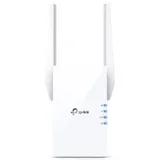
TP-Link AX1800 RE605X
- Price (RRP) $199
- Frequency BandDual-Band (2.4GHz, 5.0GHz)
- Maximum Wireless Speed1,201 Mbps
Took a while to solve hooking up TP-Link AX1800 RE605X to modem and I'm not real Tech savvy.Took device into back yard to check distance today for… Read more
what I bought it for but made no difference Going to try another place to put link Not happy about how hard it was to set up from the sale person to getting it online.Cheers

TP-Link AX3000 Deco X60
- Frequency BandDual-Band (2.4GHz, 5.0GHz)
- Maximum Wireless Speed2,402 Mbps
Great customer service – Was great in helping me get a faulty cable.replacement.very satisfied. Show details
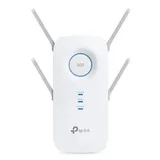
TP-Link AC2600 RE650
- Price (RRP) $269
- Frequency BandDual-Band (2.4GHz, 5.0GHz)
- Maximum Wireless Speed1,733 Mbps
Wouldn't even give it 1 star would be 0 if possible. Sort of worked first use but since then just doesn't work. Barely 8m from router and while shows… Read more
on external TV bought for keeps showing no actual internet. Biggest waste of money ever. Little to no support. Absolute rubbish and going in the bin.

TP-Link AX1500 RE505X
- Frequency BandDual-Band (2.4GHz, 5.0GHz)
- Maximum Wireless Speed1,200 Mbps
Maybe better installation instructions – First of all I would say I had a great deal of difficulty setting up the device. However I received EXCELLENT telephone support from Daria Hong. The… Read more
setting up is most probably easy if you have done it before, which I hadn't, so greatly appreciated the timely, patient and understanding support from the above. Now the product is installed and working fantastically. Thank you Daria for showing me how good this product is.

TP-Link AC750 RE205
- Price (RRP) $99
- Frequency BandDual-Band (2.4GHz, 5.0GHz)
- Maximum Wireless Speed433 Mbps
My experience with Cassiel – Great help and perfect customer service from Cassiel! Fully satisfied with her service!

- Frequency BandDual-Band (2.4GHz, 5.0GHz)
- Maximum Wireless Speed2,402 Mbps
Outstanding WiFi Access Point – We've been using TP-Link products exclusively for all our WiFi needs. This is another TP-Link product that impresses at all levels. Great price,… Read more
great performance, nice design and very reliable. I am routinely getting 1.2 Gb/s WiFi speeds around my place on the 5Ghz band. Signal strength is also exceptional. We have around 14 devices that connect to WiFi and they all work flawlessly. This access point has improved my overall Internet speed and browsing experience substantially, compared to the VR600 V3 modem router and EAP225 access point we used previously. We are still using the VR600 V3 modem/router for AB 100/40 internet, but have decided to replace the EAP225 mainly for home-based gaming reasons. However, that EAP225 is also an unbelievable bargain with great performance.
What is truly amazing with all of the above mentioned TP-Link products is that we have never ever experienced a dropout... we never really had to restart any of these devices because they failed to work. The EAP660 HD is, paired with a VR600 V3 modem router, simply put... an end game for my household for a foreseeable future.

TP-Link AX7800 Deco X95
- Frequency BandTri-Band (2.4GHz, 2 x 5GHz)
- Maximum Wireless Speed7,800 Mbps
Finally, stunning LAN/Wi-Fi Mesh Router Pair for WAN connection to nbn – Since nbn arrived in 2019, my previous AC5300 ADSL2+ modem router has struggled with releasing the IP address (probably due to being downstream of… Read more
nbn’s own FTTC modem device). It also struggled with Wi-Fi through solid brick walls in a long house with a passage. The new TP-Link Deco X95 mesh Wi-Fi/LAN routers (2-pack) are easy to install with the Deco App - once you realise that the nbn FTTC modem on the wall must first be rebooted! The X95s are at each end of the house connected by an existing underfloor Ethernet cable from a previous LAN pre-Wi-Fi - for maximum backhaul performance. The App covers all actions an owner would require to customise the network - such as client IP reservation and assigning fixed Wi-Fi clients to closest X95 router to maximise signal strength. The App indicates in real-time how a mobile client is transferred to the closest X95 router. 12 clients: 6 wired + 6 Wi-Fi. Online support is excellent in confirming how best to configure a particular topographic situation. Well done TP-Link!
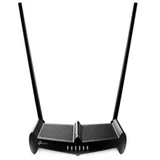
TP-Link N300 TL-WR841HP
- Price (RRP) $59
- Frequency BandSingle-Band (2.4GHz)
- Maximum Wireless Speed300 Mbps
Worth Buying ,Working Perfectly !!! – I attached this modem to the one I have to get more speed and this is working totally fine, Speed is good and information given is very basic and easy to connect and its not that costly as well. Show details

TP-Link AC1200 RE300
- Price (RRP) $99
- Frequency BandDual-Band (2.4GHz, 5.0GHz)
- Maximum Wireless Speed867 Mbps
Not easy to set up, but it works well when you finally get it connected to your devices – The Wi-Fi Extender is working well. It took some time to figure out the connection between my home network and the extender, and I got some help from the TP-Link technical support. Show details

TP-Link AC750 TL-WR902AC
- Price (RRP) $44
- Frequency BandDual-Band (2.4GHz, 5.0GHz)
- Maximum Wireless Speed433 Mbps
Slow speed down – Using as a wifi extender drops speed by more than 60%, my speed is 53mbps and drops to 12mbps Show details

Sorry to hear of your Wifi issues. Our team is committed… Read more

TP-Link AX6600 Deco X90
- Frequency BandTri-Band (2.4GHz, 2 x 5GHz)
- Maximum Wireless Speed4,804 Mbps
Awesome.... If you can afford the price tag! – I was asked by a friend to help set up a network in his new house. After a long search and tricky requirements we settled on the TP-Link Deco X90 (As… Read more
my friend wasn't willing to budge on any of his requirements below) .
I was really impressed (and surprised) by the X90, when run as a mesh set up it is awesome and really easy to set up. The only big downside is cost. Weighing in at combined price of $1758 for four units ( at time of writing - 2 x 2packs costing $879 from Officeworks) it was way more than I would ever be able to spend on my own network. When factoring in the 2.5GBe port it does bring reasonably in line with current offerings from other router manufacturers.
My friend had some pretty tight requirements (below) and unfortunately his house is a maze of mostly steel re-enforced concrete which is the mortal enemy of 5GHz Wi-Fi hence the need for 4 units! After a long search we settled on the X90 as there were only 2 units on the market that met all of his requirements. (The other was a similarly priced Asus Mesh router)
My friend's requirements (I think we ticked all the boxes) --------------------------------------------------------------- - "It must just work!" - 2.5GBe port (needed for fast comms with network attached storage system) - Really fast Wi-Fi with good coverage. - Numerous concurrent users. - Easy setup for a non-technical person - Compatible with Apple products - Seamless connection. He did not want to be faffing about changing networks. - No random dropouts. - No built in listening devices! - Good tech support (In case I am not arround).
What I liked (and my friend liked) ------------------------------------- - Truly Seamless - It works fast, without dropouts, having to changing frequencies or switch networks! - It works well with iPhones and Apple devices with no dropouts. (It was also absolutely fine with my Android based devices). Some of the reviews of other systems, such as the Asus offering, claimed that iPhones could drop out for a few seconds when switching between repeaters. - Superb support from TP Link. (One of the 4 units didn't work properly). TP Link were easy to get hold of and very helpful. When it was apparent that it was not going to be fixable over the phone they arranged for a replacement unit! - Once set up it has been extremely reliable. - 2.5GbE port (and a 1GbE port) giving blazing fast access to the 2.5GbE NAS from everywhere - Really good coverage even when used as wireless repeaters. We were getting really fast and strong connections everywhere. - The setup app was really easy to use. - It is just a Wi-Fi router. It isn't trying to be anything else like a creepy Amazon listening device! - All the units are the same so it doesn't matter what order you use them in. Though I suspect this adds to the cost. - They have been very stable. No resets or intervention since setup. - They have pretty good range when not obscured by concrete and rebar. - Compatible with other older devices made by TP link. (This is not the case for many manufacturers) - It may look ugly IMHO (my friend liked how it looked). It is not nearly as ugly as some of its competition!
What I didn't like (my friend didn't mind) -------------------------------------------- - They are expensive - Though not so much if you are looking for a unit with a 2.5GbE wired port! - Not wall mounting. - They are pretty big. - No obvious way to disable the really bright (for a bedroom) LEDs along the side that doesn't involve electrical insulation tape! - They have to be connected to the internet to use the app. I would like to have seen a Bluetooth option. Though I am informed it is possible to setup offline using a web browser (I have not tested). - It only comes in 1 and 2 unit packs. To cover my friends house we needed 3 units. He went for 4 due to the savings of buying a 2 pack and plans to put the fourth in his shed! - I would have liked the ability to fit external aerials. - Trying to wade through mountain of different devices to find the right one to fit the brief!
Important Note: When setting up make sure that they are all reasonably close together to allow them to configure properly. Once they are configured they can be taken to where they are going to be used. Attempting to set them up when they are not close together can result in some unrecoverable problems.

- Frequency BandDual-Band (2.4GHz, 5.0GHz)
- Maximum Wireless Speed4,804 Mbps
Slightly Misled – It works well and has done almost all I expected it to do. I am not sure about the reason I was slightly misled on the capabilities of this unit (I… Read more
haven't attempted to go back and re-read the material I used to make my purchase decision). I read all the documentation on the TP-Link site and then I called PLE to discuss the model and I got the distinct impression from both avenues that this unit would seamlessly extend a WiFi 6 network, especially a TP-Link one. A week earlier we were upgraded to FTTP from FTTN by NBN (finally) and were provided (by the ISP) with a TP-Link WiFi 6 modem (VX420-G@h) but it had to go down one end of the house, not in the middle. I was looking for an extender that would do a good job on our large single level house while providing a single SSID across the property. I thought I had a yes on both counts, but the extender setup wouldn't allow me to use the main SSID and I had to fall back to [SSID]_EXT. Somehow I was led to believe that the TP-Link Mesh extender could work seamlessly with a non-mesh main router, but this wasn't the case. By no means the end of the world, just not as expected.

TP-Link N300 TL-WR802N
- Price (RRP) $39
- Frequency BandSingle-Band (2.4GHz)
- Maximum Wireless Speed300 Mbps
Adequate for casual use – The concept of this device is great. The execution is a little less successful. The device can be used very flexibly. It can be configured to be:… Read more
1. A wireless router (connect it to an Ethernet port and use your wifi devices through it on a separate LAN) 2. A hotspot router (connect it to public wifi and use your wifi devices through it on a separate LAN) 3. An access point (connect it to your network and use it as a conventional access point) 4. A Range extender (connect it to your wifi and then use your wifi devices through it on the same LAN) 5. A Client (connect a non-wifi device with an Ethernet port to the wifi network)
It's small enough to be taken anywhere and everywhere *but* the convenient size comes at a cost.
The problem is that the throughput of the device is limited. Although the specifications say it is wireless-N and capable of 300 Mbps, the Ethernet port is only 10/100 so, as a router, 100 Mbps is the theoretical limit. Even so, plugged into a 100 Mbps network, the maximum achieved was 40 Mbps but even that varied. The processor and/or software slows down considerably when it has more than one thing to do and throughput can drop below 10 Mbps. In terms of a "travel" router, this makes it unsuitable for heavy duty activities such as business video conferencing. If you need to browse the internet or send/receive email, it's fine but it's not for heavy use.

TP-Link AC1200 Archer C50
- Frequency BandDual-Band (2.4GHz, 5.0GHz)
- Maximum Wireless Speed867 Mbps
The help was amazing Cecilia Zheng she was very patient with me to help get me back online.

TP-Link AX3000 Mesh Wi-Fi 6 Extender
- Frequency BandDual-Band (2.4GHz, 5.0GHz)
- Maximum Wireless Speed574 Mbps

TP-Link RE700X AX3000 Mesh Wi-Fi 6 Extender
- Frequency BandDual-Band (2.4GHz, 5.0GHz)
- Maximum Wireless Speed2,402 Mbps

TP-Link TL-WA855RE
- Price (RRP) $79
- Frequency BandSingle-Band (2.4GHz)
- Maximum Wireless Speed300 Mbps
No, just no. Stay away from this rubbish – Simply impossible to set up. Just download the app and folow the instructions? The instructions are so vague you have to go online to see what they… Read more
mean. If this product has a massive 'help' section on the companies website it is NOT easy to use. App says to wait for the power LED to turn solid, then asks are THEY solid. They what? Both LED's or just the power one FFS. Stay connected to wifi to set up. My wifi or the extenders wifi? And it goes on and on. Stay away from this crap.
We're genuinely sorry to hear about your experience. You… Read more