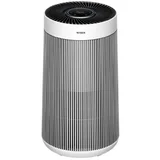

Breville the Smart Air Questions & Answers
Verified
I have replaced the filter because red light was on. I have tried to reset the light but to no avail. What is the next step ? Or does the purifier have to go for repair or something else ???

For all issues, resolutions and troubleshooting, please contact Breville® directly by email at askus@breville.com.au, by calling 61 1300 139 798, or by filling out our web form: external link

I am stuck on manual cannot change to auto or sleep I pressed a button by mistake manual came up hence stuck on manual

Had this for 2 years and the lights and readout on the app are constantly in the red and over 100. Have tried everything. On its third filter. It’s cleaned regularly, house is cleaned rigorously. It feels like a waste of time having on when the machine is telling me my air is constantly rubbish. Is this a fault?!

Ours only goes high when we blow out a candle or spray airfreshener, if the room smells and looks clean, maybe its fault.

Purchased unit for large room and for 2 days it's telling our place has poor air quality. Tested in large and small rooms and had no difference. We are 100m from the shore and I thought we have fresh air all the time.

We bought a new Breville LAP508 yesterday 23/11 when first turned on blue light and showed 3.5 to 2.5 in the number range on the top. Next morning when turned on orange light and a number range from 95.5 to 85.6. Surely the air quality would not have fallen that much overnight. Windows and doors closed but no change in colour of light or numerical reading . Could this be a faulty unit ?

Where can I get a replacement filter for this? Can't find online

I went instore to The Good Guys. It was around $100. It's also available at some JBHifi stores too.

I just purchased the lap208. Turned on and cycled through fan speeds with no issues. Turned on night mode and the device turned off (not just went to night mode) and then sat in standby mode. I turned it on again, it flashes on for a few seconds before switching to standby again. Turned off at wall, same problem. Connected to wifi (didn't want to do this) to control from app, same problem when I turn on with app too. I can see in the app that it's turning off not just going to night mode. I've tried holding the power button for 5 seconds to reset, but that doesn't seem to have done anything What do I do?

I have the same issue when I try to turn on the microbe shield/night mode...
Have you been able to get it to work without those modes? Mine is stuck in the cycle nothing I do gets it to work in any capacity

did you manage to fix this? im having the same problem

I brought the same air purifier today. I have the same problem when putting it on night mode. Trying to fix it but still doesn't want to turn on.
I ended up having to get a replacement. Should be picking the new one up this week. I will not be using night mode again

I bought the LAP208 yesterday and it worked fine until I tried to put it in night mode...now when I try to turn it on at the control panel all it does is flash for a couple of seconds and then turns off. The WI-fi light then flashes before switching off. I have tried to connect the wi-fi but it keeps timing out. Is there a way to reset the control panel or should I return the purifier.
I dont have the WiFi unit, but mine resets by holding down the power button for 5 seconds. If this doesn't work, call the company and they will instruct you over yhe phone

I purchased a breville smart air connect air purifier a few days ago. I ran the device for more than 12 hours and i keep receiving a poor air quality reading of 150. I get the same reading for all rooms within the house despite thoroughly cleaning all rooms beforehand. I've placed the device near an open windows with fresh air and still receive the same poor air quality reading. Am I doing something wrong. Other than that the device works fine.

Can I turn the illuminating blue light off without adjusting the fan speed, as it does when you use night mode. I like the fan on medium or high at night, but using night mode turns it down to low

Leeanne, did you find out if you could turn the light off with the fan on high. I purchased it today and use it for white noise
No. You can't turn the blue light off. I also use it for white noise. I bought an eye mask!
My Smart air purifier light won't change from red. I have bought a new filter and replaced it ( even though previous filter was not 6 months old and cleaned every week ), still on red. I have reset the filter. Is the machine now no good ?

The purifier is probably fine, but the lights are lying to you. The air quality monitor in these purifiers is rubbish. It will start to give inaccurate indications - the colour led on the top, or the pm2.5 figure on the app - within 3 to 12 months of new. It will get progressively worse over time. It will still register increases or decreases in quality, but the actual displayed number is meaningless in absolute terms. A purifier is enormously simple, it's a fan & a filter, so its basic function is fairly reliable - clean filter + working fan = air gets cleaner. But you can't trust the breville monitor. I ended up getting a standalone monitor (Quingping QP Pro) & while it tells me the air is safe & clean, say 6 PM2.5, the breville has a reading of 53 PM2.5 & an orange light. I haven't found any way to recalibrate the nasty little $2 sensor in the breville, or how to replace it. I leave the purifier on sleep mode (which is super quiet) 24/7 in my bedroom, & never bother with the lights or the app. It filters air fine, but I had to spend a couple of hundred dollars on a monitor to know that (the same price as the purifier in fact). Also, the filters are increasing in price every time i replace them. I would never buy another of these purifiers. The more expensive purifiers also have fairly unreliable monitors, from what I've read (philipps, xiaomi, dyson, etc) I suffer from COPD. I got the purifier because the 2019 bushfires put me in intensive care. Don't make fancy features, miracle ionisers, UV gadgets, app connectivity or automatic operation the decider on choice - just get a quiet appliance that has cheap filters that you can leave on 24/7 & forget about.

It's important to note that the app is, IMHO, producing AQI (Air Quality Index) readings for PM2.5, so these numbers will be VERY different to monitors that give the standard ug/m^3 (micrograms per cubic metre) readings. The reason I have come to this conclusion is that the "good/very good" threshold is 33, which matches the AQI scale that we use (or used to use) here in Australia. (Google "about the air quality index environment NSW"). Having said that, it nevertheless appears that your sensor is malfunctioning. Just as another respondent said, I've also purchased a separate monitor, because I've noticed some strange behaviour too, and my purifier is only a couple of weeks old.

I have the red ring light on my smart purifier just changed out the filter and held the power button on for 5 seconds before it turned off I turned back on still red ring light. I have tried to reset a number of times. Any suggestions?

I have the red ring light on my smart purifier just changed out the filter and held the power button on for 5 seconds before it turned off I turned back on still red ring light. I have tried to reset a number of times. Any suggestions?
Maybe turn off and on at the Power Point first. Maybe it's reading correctly, you may have stirred up some dust around it temporarily. Turn the fan up high, wait a while and see if it improves. If not, maybe contact the manufacturer. They can help over the phone

My unit continues to stay orange despite the filters being clean. Is there a way to reset it please?
Press and hold the power button for 5 seconds to reset
Thank you Jo! That did the trick :) It’s a great air purifier I’m glad to have it back working properly.

I am having this issue. I have cleaned the filter, pressed the power button for 5 seconds many times and still on orange. Was working fine up to a few weeks ago. It does not seem to need a new filter. Any suggestions please?
There is also a small filter on the side that needs cleaning too. You could also try unplugging it from the power socket for 30 minutes, then start it up and hold the power button firmly for 5 seconds; the light should go off. I had to do mine again today. It seems to be a design fault.

This is the second unit of this model now that when it comes around to the first filter change cleaning when the blue light changes to orange that no matter what combinations of button pressing the light stays orange, there seems to be no way to reset the filter reset, I have a older unit too and all that is required is just hold down the power button for a few seconds to reset, easy.
Call the Breville helpline. They took me through step by step and it worked fine after that
I will give that a try, ty
Exactly the same isue that I have here and its the second unit of the same model, LAP308WHT, and I followed all instructions and its the same orange light only all the time and it happens just at the first filter change clean.

Is there a way to recalibrate/reset the ppm sensor? It started off reading in the single digits, now the lowest it ever goes is the 20's and spends most of the day in the 30-40 zone. It still responds to increases in pollutants (cooking smells, dust etc) but readings stay relatively high. I recently purchased a second purifier (Samsung AX90) which reads a ppm of 5 in the same area of the house, confirming my suspicion something is not right with the Breville. I have replaced the main filter, cleaned the sensor filter screen, even used a can of computer duster to clean around the sensor and it still reads high.

The reset filter light (red) and all other lights (blue) are constantly flashing, The filter is clean, yet the five second on off button has no affect lights continue to flash. What is the way ahead please
If the blue light stays on does this mean the purifier is not required to operate?? A little doubt settles in the mind that nothing is happening at all.

If the blue light stays on does this mean the purifier is not required to operate?? A little doubt settles in the mind that nothing is happening at all.

My breville air purifier has stayed on red for the last four weeks. I have cleaned the filter but no change in the ring colour.

Mine does as well and I have only had it for about 2 months.
Mine as well. Very annoying. Changed the filter, still on red.

Mine too. It’s a Breville LAP308 and I’ve only had it for one month. Been on blue since I bought it but this morning when I woke it was on orange and sometimes to red and it won’t change back to blue. Does that mean it’s not working and not filtering the air anymore? And I don’t know if it’s safe to leave it running on red/orange?
Mine too. It’s a Breville LAP308 and I’ve only had it for one month. Been on blue since I bought it but this morning when I woke it was on orange and sometimes to red and it won’t change back to blue. Does that mean it’s not working and not filtering the air anymore? And I don’t know if it’s safe to leave it running on red/orange?
I can’t seem to find any answers to this question anywhere.

Just bought the Smart Air Connect and after one day where the light colour fluctuated normally it now seems to be stuck on orange regardless of where it's placed, including right next to another purifier. Is this unit faulty?

Hi Stacey, Yes this does seem to be a fault with these Air Purifier. Ours started green and never changed no matter where we put it. Breville didn't seem to know either and did not even know how to find another light that was listed in instructions. We took ours back and got a refund as it seemed pretty useless and had no effect on my wife's hay fever at all.
Get an answer from our members and Breville representatives


Extra Information


ProductReview.com.au has affiliate partnerships. These do not influence our content moderation policies in any way, though ProductReview.com.au may earn commissions for products/services purchased via affiliate links.