Brother

- See all


It's been a great addition to our setup! Prints are sharp and clear, and the ink system lasts ages, which is a big plus. Easy to use, reliable, and perfect for both home and small office use. Definitely a solid choice.

A great machine for the price – I love this machine! Really easy to use and the change over of the bobbin and threading is super quick and easy. Definitely recommend

Perfect for beginner who just started to learn sewing – This was my first ever sewing machine and I am happy with it. It has 27 stitches built in pattern which is helpful and I personally loved it. Easy to… Read more
assemble and simple manual to follow how to operate the sewing machine. Alot more accessories which is included in the sewing machine such as button sewing foot, zigzag foot, zipper foot, instructional DVD and other. Any beginner can probably start make anything without other extra purchases.

I purchased this machine to do buttonholes only but dissapointed in the finish of them also the cover for the bobbin compartment keeps coming off… Read more
while sewing now i have lost it only good for running a few different stitches not for sewing complete garments

- See all


Purchased this printer brand new. Carefully followed the set up instructions, including firmware update. And the printer immediately was jamming on… Read more
printing double sided. Checked the instructions again, contacted Brother support (who were useless, they failed to even read the first thing I wrote, making me repeat both their question and my answer back to them. Pulled the printer apart carefully -- there were two more plastic packing pieces that were not listed in the set up guide. Removed them and it's all good, otherwise working fine. Brother's response to this was, "We're going to take a note of your feedback and will reach it to the higher ups for them to update and release a new user guide." Sigh.
Photo attached of extra orange pieces, they were under the toner section, you can remove them by pulling out the belt slightly. Just follow the dismantling instructions carefully.

worst printer and software i have ever used,tried all brother apps and could not print from any apps,spent 2 days trying,so i then downloaded a third… Read more
party printer app and used an otg cable from my andriod phone to printer,that was the only way to get any printing done,but the trouble with most third party apps they include alot of unwanted adds,it prints well if you can find a decent app,brother appps are a waste of time,will most likely go buy another printer from a different brand,one that does wifi direct and has otg cable software,you need to be I.T expert to set up this brother printer

I waited too long for this – After using and ink printer for 2 decades, I finally decided to splurge and get a laser printer. I could not be happier. The speed and accuracy of this is absolutely wonderful. So impressed.
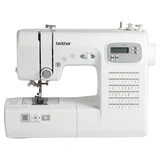
Tougher than TY600C – This FX60X is useful for both beginners and experienced hand made designers. This machine was bought for myself (beginner) mainly to alter denims and… Read more
used to break cheap or old manual sewing machines. My family (experienced) tried this machine to alter the stretcy pants for me. It needs a tiny push but run fast and smooth. This machine is older and $70 more ($525) than TY600C ($455) but lighter itself, promising reviews and saw tougher fabrics. I haven't break it so far!

I bought brand new from Big W for $189. And it's a lemon! First time I use it; stitches keep reversed backward. I followed the instruction on Brother… Read more
website, still done the same. Please avoid buying this rubbish sewing machine! I'll take to opshop who knows someone can fix it!

Worthless warranty – Warranty not worth the paper it’s written on. 6 months old and Tensioner dial broke after only a couple of uses. Brother will not cover under… Read more
warranty and I now have to pay to fix. I have made a complaint to the ACCC for false warranty policy. I am an experienced seamstress and this should not have happened with a quality machine.

So far the printer scanner has worked well however the wifi connection was a constant headache. I contacted Brother support about two months ago.… Read more
After some tweaks to the wifi settings the connection has been good however once or twice it switched between 2.4 and 5g which causes an issue and if there is a software upgrade waiting to be loaded this also seems to interfere with the connection.

Grrrrrrrrrrr – I’ve been persevering with this thing for years, thinking I was doing something wrong and paying stupid amounts for ink refills. It has to be the… Read more
bulkiest, ink hungry monster I’ve ever met in my life. You pay $120ish for a new set of ink only to get “can’t print alerts” when the ink is still 1/3 full. Right now I have a message saying the wrong colour ink is installed whilst I’ve been printing fine for weeks. I absolutely hate this machine for the stress and expense it’s caused me. It’s old now and will be dying an appropriate death via axe!!

Excellent machine – I have recently purchased this machine from Spotlight. Replacing a very old and noisy Singer, my research led me to avoiding a computerised model.… Read more
Brother definitely stood out as a reliable and value for money brand. There are plenty of accessories available to expand your project options. It is a smooth and quiet machine that glides along beautifully. With 37 stitches you have plenty of options for both non stretch and stretch. A one step buttonhole setting took a bit of working out, but gives a good buttonhole. My one gripe is that the included instructions (one fold out sheet in several languages.....) are very basic and a bit of follow up via YouTube is needed. A proper instruction book would be very helpful, but that isn’t available even through Brother manuals. The Brother website is excellent in showcasing all accessories.

The Positives The standout feature, without a doubt, is how incredibly easy this machine is to set up. Brother has clearly put a lot of thought into… Read more
eliminating the usual frustrations:
Effortless Threading: The combination of the clear, colour-coded thread paths, the F.A.S.T. lower looper system, and the automatic needle threader also helps. What I anticipated would be a struggle took me only a few minutes on my first try. It’s genuinely user-friendly and takes all the fear out of re-threading for different projects. But if you want easier there are other machine that do automatic pneumatic threading. (Also comes pre-threaded out of the box and you can tie your threads to them and pull it though.)
Fantastic Value with Included Extras: The large, detachable extension table that comes in the box is a huge bonus. It provides a wonderfully stable and spacious surface for handling big projects and prevents fabric from dragging, which is essential for a professional finish.
Excellent Stitch Quality: The machine produces beautiful, even, and secure stitches right out of the box. The adjustable presser foot pressure and differential feed work perfectly, giving me smooth, pucker-free seams on everything from delicate knits to sturdy denim. My homemade garments now have a truly professional, store-bought look.
Great User-Focused Design: The bright LED lighting illuminates the whole needle area, so there are no shadows, and the free arm is perfect for getting into sleeves and cuffs. Everything feels well-thought-out to make the sewing experience smoother.
The One Minor Drawback
The M5100D is fast, clocking in at up to 1,300 stitches per minute, which is fantastic for powering through long seams. The speed is fully variable and controlled by the pressure you apply to the foot pedal. However, the one feature it lacks is a separate top speed limiter switch.
For an experienced sewer, this isn't a problem at all. But for an absolute beginner, it can be a little daunting to not have the option to cap the speed at a slower pace while you're learning. It’s a small negative, and certainly not a deal-breaker, but it is a feature that some other brands in a similar price range do offer, and it would have been the cherry on top for this machine.
Final Verdict
The Brother M5100D is an outstanding overlocker that I would recommend in a heartbeat. The sheer ease of threading and use makes it the perfect machine for those looking to buy their first overlocker, while its power and flawless stitch quality will satisfy even seasoned sewists. The positives far outweigh the single minor negative. If you're looking for a machine that delivers professional results without the headache, this is it.

Very hard to set up – The disc that came with the printer did not work so the drivers could not be installed using the disc. I phoned tech support but the first person I… Read more
spoke to could not help me. I was contacted not long after by someone else from Brother who was able to help me however the drivers had to be installed via the Brother website because the disc did not work. This all took up a few hours of my time. I was expecting a much easier install.
Have only had the printer a few hours: have tried printing and scanning and it seems to work well. The scan function is certainly much easier to use than my Canon printer/scanner. I connected the printer using a USB port rather than wifi.

Worst customer service! Not only is the printer a waste of money but the worst part is that dealing with Brother is a complete waste of time! All… Read more
they do is gather your data and then don't give you any assistance. I would NEVER buy any Brother product again.

Good functions, good end result, wish I’d bought it sooner – Bought from Spotlight, Melrose Park SA at discounted price. My very old Brother overlocker had been in the cupboard for many years and had died… Read more
there. So long ago that I could not remember how to thread or use it either, so I came upon the new one as a novice. I received great advice and assistance from Lee at Spotlight and I highly recommend her frankness, honesty and courteousness. Threading the machine for the first time was not easy, but it comes with an instruction book, a DVD and a picture guide on the machine itself. Patience and care necessary, but successful and it will now be easy to do in future. Machine is so much lighter than the old ones. It does a beautiful job of finishing raw edges and provides a professional, tidy finish. I only wish I had bought it long ago. Plain sailing now. Thanks to Lee especially. I did not know how to choose (other than price range) and but for her assistance I would have found it too hard. Excellent outcome.

- See all


Brother fs101 from spotlight 2024 about $500. I loved it the sewing was perfect untill I had a fabric jam....be carfully here.my first major… Read more
complaint.no screw driver for the teeth plate and nothing fits in the tiny space.the bobbin cover is not easy to remove so much plastic.hours to remove the fabric jam now the timing is out.. the machine is not old.i have not done the maths. But I will say still under warranty.my complaint is no appreciate tool box too much flimsy plastic so easy to brake.i am disappointed in the new brother sewing machines if you strike a fabric jam or simple problem it might be expencive

Brother HL-L2350DW
- See all


I.S.WH! – Love my brother HL-L2350DW. She might not be the sharpest most Hi-def printer on the market, but when it comes down to brass tax, $50 second hand on… Read more
facebook marketplace and a new toner to boot, this unit has got my back through university and beyond. Efficient and friendly, an industry standard workhorse, hands down.

Goodness, I purchased this print about a month ago. It wants to scan to get help from Brother. For nearly two weeks now, they will not ring me; they… Read more
only respond by email. Because of the time zone difference, they only reach out around 6:00 p.m. very disabpoined thinking about througt teh printer away and getting anothe rbrand.
My advice: dont buy them very poor customer service.

Default auto save of 1 minute only meant no connection with PC - absolutely stupid – I spent hours trying to set up this wretched printer. I'm a bookkeeper, and didn't charge my hours assuming it was my fault. The first install didn't… Read more
work at all and couldn't connect to the printer which was offline. Couldn't figure out what I was doing wrong. Went to phone Officeworks who were no help. My phone line had static probably from the fax component of the setup which I didn't need to install. Assumed this was the problem and re-installed. I guessed the problem was power settings gone awry but couldn't figure out the solution from Brother's help site, which mentioned a device Utilities setting, which of course I didn't have. Eventually sent a message through to Brother and after some useless replies about reinstalling someone sent me the actual solution - which was an AUTO POWER OFF setting particular to this model - L2713.
Absolutely disgusted that I wasted hours of frustration because I assume, Brother wants to appear ecologically responsible. Why not ensure your printers are actually capable of connecting to the computer first, then allow the customer to adjust their own power settings.

Worst printer I've ever owned. I've persevered with this one for 2 years and I've had enough of the paper jams. After stuffing around for hours I… Read more
finally got it to the point where I could at least print one page at a time without paper jamming, but the moment I tried to print more than one page at a time, it jammed. I've wasted so much paper with this unit. I'll never buy a brother printer again. I'm off in search of an HP printer!

We purchased this printer from Centrecom in November 2025 for home office use. Price $529. The printer comes with four small laser cartridges… Read more
(Black, Cyan, Magenta, Yellow). The printer has only done a total of about 400 pages in its entire life. It has given us constant problems with print quality. Not long after we got the printer, it started printing with a series of black smudges down the page. We contacted Brother support. They required proof of purchase, then required us to take photos of the printer. They then required us to run a series of diagnostic tests and send them the results. They then required us to remove the black cartridge, disassemble it, take photos of the roller and send those to them. There were smudges on the roller, from manufacturing. They told us to clean the roller, which we did to the best of our ability, then reassemble and reinstall it. We did this, but the faults remained. So, they sent us a small replacement black cartridge. This all took about two weeks, so the printer was out of use for that time. We hoped that that would solve the problem. But it hasn't. Because it has reoccurred, this time with the Magenta (Red) cartridge. We contacted Brother again. They said, remove the red cartridge, disassemble it, clean it, reassemble it and reinstall it. We did this to the best of our ability. But, the problem remains. Red dots at regular intervals down the page. It seems that Brother laser cartridges are of very poor quality. Whilst we could use this printer for in-house drafts, we could not use it for anything to send to a client. So, it is virtually useless to us. Apart from downtime, I have spent a total of about 2 hours diagnosing and trying to repair this printer. This is not our job. It should not happen with a new printer. The cost of wasted time runs to $hundreds. We are now considering taking a loss, dumping this printer and buying something more reliable. I do not recommend this printer, or anything with Brother laser cartridges.

I owned a canon printer for well over 10 years, never a problem ever. Then I turn st^pid and buy a Brother. The most brain bending machine I have… Read more
ever owned. NEVER EVER again would I buy another Brother product again. Countless wasted hours. multiple phone calls to Brother for assistance again and again. Having to send stuff miles away to have it printed or scan as this machine wont work.

Got a software 'Jam Rear' and refuses to print any more. What a dodgy producer! I will buy a new printer and will never go back to Brother any more.

Great for learners and basic, easy sewing – I've had this machine for about 4 years now and it's made everything from skirts to a KS quilt. I've been very happy with it and as expected it did… Read more
struggle a bit with the quilt but it didn't let me down. I am ready to upgrade to an intermediate machine but I'll definitely keep this little workhorse as a strudy back up.

What a disappointment this thing is.its got a mind of its own.The menu is the worst to try and use.Always reverts to sleep mode and what a run around… Read more
to remove that.Wont talk to my laptop or wifi after sitting idle for a month.The only thing in it's favour is laser so it doesn't dry out or block up,but that's no good if won't work.Unless your a geek keep away as it will drive you mad.

Wont print b&W when colour cartridges are empty – Forces you to buy new colours when they are empty, I prefer to print B&W only and when a colour cartridge is empty it wont print B&W after four weeks. To buy a pack of colour cartridges is 75% of the original price of the printer. What a joke!

I bought this printer from Officeworks just over 2½ yrs ago for light home use. The print quality was passable for the first 12 months or so but has… Read more
gradually deteriorated to an usable quality except for very rough drafts, Alignment issues and smudging have become more and more problematic and almost illegible so it's ready for the scrap heap. The scanning function however was reliable and easy to use with some options in terms of file type and resolution.

Brother MFC-L2750DW
- See all


Brother MFC-L2880DW - Software inconsistancies belittle what should be a good product – Read other reviews on the outgoing models L2750DW and L2730DW and many of the lower ratings obviously come from technically challenged people who… Read more
have reached the 'p*ssed off' point, but having had L2750DW for years after having had HP (gold plated) for decades, I currently consider these Brother printers to be the best value for money, developed through an era where competition with the market leaders demanded a bit more from the manufacturer. They, as do the replacements L2820DW and L2880DW print duplex, scan duplex (the 50/80 models), take a single feed for letter head paper, can print on an envelope, support AirPrint, and still work well under Windows 11, despite reviews from some who seemed to have had trouble with a couple of these features. My review is about the software rather than the hardware. While some reviews have rightly criticized the noise of the Brother printers (double the price and you might get a quieter HP printer), no one has looked at the software used to scan with the printers, which is where I think most of the problems reported have stemmed from, and it's almost impossible to evaluate it before purchase because the software while accessible in downloads, won't install or run without the physical printer switched on and accessible, so you have to buy it first and then fathom the software, which is usually cheap and nasty. So, the older Brother models, and even some fuji Xerox older models which look like re-badged Brother printers for the domestic market, used a software called ControlCentre4, while the new Brother Printers use a software called iPrint&Scan. ControlCentre4 is great, offering many features like rotating, cropping, automatically skewing the scan and deleting blank pages from the scanned documents, and others. However it has a difficult interface, two interface versions that can confuse and the initial install does default to the confusing more complicated so you first have to realize you need to change to the more user friendly configuration. But it does do anything I've ever wanted but only on the PC. iPrint&Scan is Brothers replacement that comes with the L28 series printers, and while iPrint&Scan can be used with the older printers, ControlCentre4 cannot be used with the newer models, but unlike CC4, has versions for IOS and Android devices as well as Windows/MAC. Mt personal needs require the abilities to crop and leave out blank pages, both features handled by CC4, but NOT by iPrint&Scan on Windows. They are in the mobile device versions, so WHY NOT ON THE WINDOWS VERSIONS!!? What sort of a lame approach to good design and product quality deploys a product to multiple platforms with some important features left out some of the versions, especially when the superceeded software handles these so easily and well. This is another cheap and nasty outcome like the noise, that turns what should be a market leader into just another piece of frustrating crap. Brother, get your act together and fix up iPrint&Scan so your low skilled front line support agents don't have to feed unintelligent garbage back to people like me who are only trying to help with good feedback. Issues like these are what frustrates people as is indicated in some reviews I've seen of the older models. THE SOFTWARE IS AS IMPORTANT AS THE HARDWARE AND IN THIS CASE IT WOULD BE SO EASY TO FIX! People, research your software as well as your hardware before you buy. Meanwhile I freely admit this review is primarily meant to kick Brother out of their complacency and get them to improve iPrint&Scan for Windows
As above