Best Surveillance Systems

Emporium Hut Solar Camera Pro 2.0
- Price (RRP) $349
- Camera Resolution1080p (Full HD)

- See all


Purchased this camera for trial against 2 other similar cameras, out performed all others definitely will be purchasing more

TP-link Tapo C520WS
For the price these little cameras are hard to beat. The picture is clear, it has alot of features within the app in line with the more expensive… Read more
brands. It tracks people and animals without an issue. I now have multiple of these around my house. I only ever had an issue with one not connecting to bluetooth, but I bought it back to JB Hifi and it was replaced without question. Hard to beat for the price.
I am yet to experience what their customer service is like so unsure there, and unsure how long they will last, but at this price point I would be happy if I get 2 years out of it.

Ezviz S10
- Price (RRP) $379.95

- See all


I’ve been really enjoying using the EZVIZ S10 2K+ Smart Video Calling Security Camera. The picture quality is clear and detailed, which makes it easy… Read more
to check in on the kids, especially when I’m busy or in another room. I also love the built-in display and video calling feature, as it makes checking in and communicating with the family really simple.
Another feature I’ve found useful is being able to see and communicate with the camera through the app. It’s a handy little addition to everyday family life and gives me some extra peace of mind without needing to constantly check what’s happening around the house. Overall, it’s been easy to use, practical and a really useful addition to our home.

eufyCam 2C 2-Cam Kit
- Price (RRP) $239.99
- Camera Resolution1080p (Full HD)



The most unreliable camera system I have ever owned!!! Two cameras, one misses most of the action, the other one starts recording half way through the event. Do not waste your money!!! Show details

Swann 8 Channel Security System SWDVK-845804
Not as useful as expected - until modified – I have been trying to love the system for a couple of years, but I mostly just recorded tree movements all day long. The trees are essential but… Read more
unfortunately sit beside both driveways and visible from the porch too. I tried turning the sensitivity right down, but then it wouldn't even show the cars coming or going - but still recorded every tree sway. Finally, I added short (~25mm) pieces of plastic pipe (electrical conduit) to the heat sensors and was then able to turn the sensitivity up to 100%. Now - very few tree recordings and cameras do get triggered by movements in the areas of interest to me - directly in front of the cameras. Worth doing - just a short length of conduit (I painted mine flat-black to avoid glare up into the lens nearby) and a tiny smidge of clear sealant to hold them on).

Reolink RLC 410
An IP66 camera which isn't IP66 out of the box – Surprised the cameras do not come with waterproof caps for RJ45 and Reset pigtails. It's like a house without the roof included. RJ45 caps cost extra. Nothing available for Reset. Show details

- Price (RRP) $47
- Camera Resolution1080p (Full HD)
We bought an Orion system as it is marketed as 'easy to install' and targetted at the DIY population. We'd set aside a good part of the day to… Read more
install it but at the end of the day were packing it back into the back for return to Bunnings. This system is unnecessarily complicated and NOT easy to install; from the get-go nothing appeared as described in the instructions. Displays did not show what was in the booklet and one switch could not be moved for love or money. Eventually, we called their helpline and spoke to gentleman overseas who was difficult to understand but he persevered and so did he...but to no avail; again displays he asked us to access simply didn't show on the control screen. Multiple restarts got the screen up and the call ended in relief for all and we proceeded with the installation after losing an hour just connecting to 'Grid Connect' and getting the keypad operating. Then we attempted to mount the alarm itself...and this is where we lost our minds...as it was being mounted it went off, many times even though it wasn't connected to the power. We assumed the battery was malfunctioning .Each event meant unscrewing it and ensuring the internal switch was off but because it's on the underside you have to turn the switch on again before installing and of course three quarters the way through installing again, it would go off. I rang a friend who's an electrician for help and advised to return it as they had software problems. But we persevered and tried several more times to install it and not trip the alarm. A full day wasted on a poor product, difficult to install, poor preparation instructions. We would not recommend this to anyone. The two fobs provided with the kit also couldn't be paired to the system.

Uniden Guardian App Cam Solo
- Camera Resolution1080p (Full HD)
- See all


I purchased 3 app cam sx with solar panel, one solar panel failed and 3 cameras failed with the charge port coming loose inside so can't charge, 2… Read more
have been replaced under warranty after first 16 months I won't bother with third...lasted about 2.5 years never buy again, plenty of other better built units around

eufyCam 2C Pro (4-Cam Kit)
- Price (RRP) $519.99
- Camera Resolution1440p (Wide QHD)
Credit where credit is due, the cameras work perfectly, super easy to connect and install but thats about where the positives end. The app is… Read more
terrible, very rarely opens straight away. After a few attempts it might work or just stop working altogether. Events recorded hardly open straight away, sometimes never, with the intention of security cameras thats pretty poor. The door bell takes so long to open whoever rang it is normally gone by the time it decides to work. Motion settings are useless, I've changed to the lowest setting and they have been on human only the entire time and still just constantly go off with Motion detected, almost never anything there. Turning off notifications for individual cameras is impossible. I use homebase2 but might get homebase3 if that will fix these problems but I doubt it. I have a door bell aswell.

Eufy Wire-Free Security Kit
- Camera Resolution1080p (Full HD)
- See all


I spent $2536 Eufy does not work if there are structures between the base and the camera Eufy doesn't work if the unit is in the house, so I have it… Read more
sitting outside & cameras in view Even on a subscription you only get 18 SECONDS max of footage. useless!! Try call someone for a chat? what a joke. every time a camera goes flat, you have to unload it and reload it and atm, i have a camera that I can't even re-add, and can't get any sense out of the online chat room, PAINFUL I DON'T recommend this to anyone who actually wants it for security reasons Its only good to monitor your pets at home

Reolink E1 Outdoor
Pretty good camera for the price. The pan, tilt and zoom cones in handy. With 2 way audio it is perfect for what I need. Show details

Jaycar 1080p Outdoor Trail Camera QC8061
- Price (RRP) $129
- Camera Resolution1080p (Full HD)
- See all


Better than expected – Better than expected. Got this as a gift and don't think from Jaycar but was told it cost less than $100. Works very well. Decent capture… Read more
range/width. Easy to use. Handles the weather and dried out ok (few days) after I didn't close it properly and condensation got in. Haven't used video but takes good pics day and night and I'm not even using highest settings. Not perfect but for around $100 highly recommend.

- Price (RRP) $499.95
- Camera Resolution1080p (Full HD)
- See all


Outstanding customer support – Excellent system with very good and clear videos. Very good features and does a fantastic job. Very clear night vision options. What really sets them… Read more
above the competition is their customer support. I'm always happy when a company calls you back when they say that they would. When the technician is also knowledgeable and has good people skills, that's a huge bonus.

Eufy Indoor Cam 2K Tilt T8400CW4
Great little camera for the money – Great little camera especially if purchased on sale. No pan or tilt but I have it aimed at my driveway 100% of the time which is what I want. It… Read more
sits inside my front lounge room window. Not great night vision unless you also have an outside light, which I do.

Eufy Indoor Cam 2K Pan and Tilt T8410C24
- Price (RRP) $129.95
- See all


If I could give less than one star I would! Disgusting customer service. Ask the same questions time and time after time. You provide info time after… Read more
time after time. REPEAT. You get absolutely nowhere! ALL four cameras now gone in the bin. Will recommend to anyone and everyone never to use these cameras.

Eko Indoor/Outdoor Wi-Fi Security Camera
- Camera Resolution1080p (Full HD)
1 Star – Avoid This Company EKO’s customer support is appalling. My camera became locked to a previous account. I provided all details and proof of… Read more
purchase, yet EKO refused to manually unbind it and repeatedly told me to “contact the retailer” instead.
Weeks of delays, no returned calls, copy-paste responses, and no resolution.
The product is now unusable due entirely to EKO’s backend system — and they will not take responsibility.
One of the worst service experiences I’ve had. Avoid at all costs.

Ring Floodlight Cam Wired Pro
- Price (RRP) $279
- Camera Resolution1080p (Full HD)
I upgraded from older Ring Floodlight Cams to the latest 4K models (Ring Floodlight Camera Pro 2nd Gen) and had them installed by an electrician ~6… Read more
months ago. This is a living review and will be updated as my experience with the product changes.
The good stuff:
The Ring 4K Floodlight Cams are excellent overall, with a major jump in image quality and clarity compared to the older models. Detail and fidelity are fantastic - I can see things clearly from right across the yard. The floodlights are also noticeably brighter than the older units.
Microphone quality is strong and sound comes through very clearly in the app. This is a very clear upgrade from my previous models, which often had crackly audio, even when it wasn't windy.
Wi-Fi connectivity speed has improved somewhat compared to my previous setup (same local network), since the new cameras support the 5Ghz Wi-Fi band, while my previous Ring units only supported 2.4Ghz.
The Ring app is great, and continues to be one of the best things about being in the Ring ecosystem. It's easy to use, enables many different security configurations and notifications are quick.
Important to know:
Ring products demand an ongoing subscription cost to unlock all their features. Make sure you do your research before purchasing. Personally, I'm more than happy to pay the cost for the peace of mind, and my experience with Ring products has been positive throughout the years.
Some people are complaining about bad connectivity here, but I'd posit that more often than not, that's caused by a weak local Wi-Fi network rather than a fault of the cameras. Since these are outdoor cameras, you’ll need sufficiently strong Wi-Fi to penetrate exterior walls, particularly when the cameras are positioned far from the router or access point.

Ring Stick Up Cam Battery
- See all


"Easy to set up and use" I bought 4 of these (3rd gen, now renamed the "Outdoor Camera") to use at my parents' house. I don't have experience with… Read more
other similar products but I am a bit surprised by the negative reviews here. I found it easy to set up with the app and in my opinion it mostly has a "just right" feature set. Specifically, it waits to detect motion and then captures a minute of video and sends you an alert. You can also go to the app or website and view the camera live. You can set it to take a photo every few minutes or hour. You can also turn on a "siren" (which is a bit of a joke, it's not very loud) and talk through the camera.
In our case, this is perfect. I don't want constant video feed, I just need to know if something happens. I want to keep bandwidth usage down because this might end up being on a mobile broadband with somewhat limited data. So the way these work seems perfect to me.
A lot of reviews complain about the subscription. I guess I'm not sure how anyone could not know about that, but yes, it's an ongoing monthly or yearly fee. I'm still on the trial but will just sign up for the $150/year plan. Like anything, factor it in before making a purchasing decision. I decided the convenience was worth the cost, ymmv.
Some reviewers complain about motion detection - the settings are quite adjustable here, you can tell it where in the field of view to check for motion, and whether it looks only for a person, person or vehicle, or any movement. There's also a sensitivity setting. The only one I've had to adjust so far is the doorbell, which is not the item in this review anyway. There's a slight delay before the captured video starts but I think it's still effective.
The cameras can only record over the Internet, which is fine with me, I don't think I want to muck around with SD cards.
Initially I thought it wasn't possible to just disable and re-enable all cameras easily i.e. single click. It turns out that it is, but you have to specifically turn on "Modes" in the app. I'm not sure why this isn't on by default, but anyway, the feature is there and it works great once you figure it out.
Right now a 4-pack of these is $249 or $62.50 each, so even after you factor in the subscription, this seems like pretty good value to me, without having to muck about with cables, SD cards or a local server or whatever.
[Update] However, one caution, which is that Ring is kind of a sh***y company to deal with. After buying a bunch of things from them over the last few months, they just cancelled an order with no explanation. When I called, I got told things like there was a problem with my payment method - never mind that the exact same payment method was perfectly fine for them a few weeks earlier. I get the impression their support don't really have a clue and are just feeding me a generic line about "problem with the payment method." Ordered again with a different payment method - cancelled again. Same line from Ring support. It's just really weird and annoying, so at this point I'd have to say look into other brands, maybe Reolink, who have a better selection and more advanced cameras anyway.

Orion SC065WHA
- Price (RRP) $149.99
- Camera Resolution1080p (Full HD)
Installed 3 of them. Rubbish. Slow to connect for viewing, unreliable, disconnect for no reason, stop recording randomly, cannot by spare mounting bracket, Grid Connect back up service is hopeless Show details

TP-Link Tapo C225
Best value for money camera. I purchased one of these in late 2024 for the sole reason of placing it in the newborn's nursery. I liked it so much I… Read more
purchased another identical camera one year later for the main bedroom to keep an eye on baby who co-sleeps with me but goes to bed many hours before I do. Included in the box is the power supply and a bracket attachment. I use the bracket in the nursery mounting the camera upside down. In the main bed, it just sits in normal upright position on the bed post of the solid timber bed. Built quality is solid. Firstly, setting up the camera through its Android app is super easy. It connected to my home wi-fi very easily. Once putting the camera in position, it is easy to fine tune its position by tilting and panning via the app. The camera can be mirrored for upside down mounting. I do not use a memory card in the card slot. I set the cameras up in my home security camera system NVR to record on the main hard drive along with all the other cameras mounted around the house. ONVIF protocol in these Tapo cameras allow you to connect to any compatible systems - most open source systems these days are up to date with all these protocols. I can view the cameras on the Tapo app or use my whole house camera monitoring app to view all the cameras. The Tapo app offers more settings adjustment and personalisation. There are no ads in the app like cheaper similar cameras that I have set up for other people. The camera quality is very good. Whether bright light or in infra-red low light mode, the picture is detailed and well balanced with the HDR processing. The QHD resolution is plenty enough for these room cameras but I use 4k fixed cameras outside. There are alerts that pop up on my phone if the camera detects sound or movement so when baby cries or stands up in her cot, I get notified. Updating firmware when required goes very smoothly. I really like these cameras and would think the whole Tapo range would be great also, although I haven't tried any of the other cameras from the range.

Eufy Cam 2C Wire Free 4 Camera Set


- See all

I initially thought this set up was ok but have come to realise it consistently misses key events that were the whole point of getting it to begin… Read more
with! missed who left the gate open where the dogs got out, misses the postie, missed the neighbour leaving a threatening letter! yet will get the rear lights of cars at night. all these cameras are set up in the recommended/close proximity with high settings too! terrible clunky product. can't download videos easily either such as a whole day or week's content (have to enter & download individual recordings). so disappointing. who knows what else it's missed!

TP-Link Tapo C420
- Camera Resolution1440p (Wide QHD)
- See all


1 star — unbelievably frustrating and unreliable I’m completely fed up with Tapo. I bought these cameras for security, but the app has been one of… Read more
the most frustrating pieces of software I’ve used. Nearly every time I go into my profile/dashboard, I have to update, rearrange or reformat my camera cards again. The layout simply doesn’t seem to stay how I set it.
Even worse, I regularly have no recent footage available when I actually want to check something. For a security camera system, being able to quickly access recent recordings is one of the most basic and important functions.
I’ve spent far too much time messing around with settings, layouts and trying to find footage instead of simply being able to open the app and see what has happened.
The cameras might look good on paper and have plenty of features, but my experience with the Tapo system has been incredibly unreliable and frustrating. I wouldn’t recommend investing in this system if you actually need dependable access to your security footage.
At this point I regret buying into the Tapo ecosystem and I’m seriously considering replacing the whole lot with another brand.

Reliable, feature rich product – Our DCS-5222L has been serving us more than 2.5 years now. When we first bought it, we had problems with firmware updates and that rendered the… Read more
camera inoperable and we had it replaced. We don't jump to the first chance of upgrading firmware anymore. This copy has been reliable and my dogs haven't destroyed it. That says something.
No, it is not for outdoors, it is not vandal proof, it is a bit bulky. But on the plus side, there are plenty of them! It tilts-n-pans. You can preset several camera positions and jump to them quickly. It records to microSD card, it is backed by mobile app and we can watch it anywhere. It can take still snaps or videos clips, it can do two-way audio. Of course the sound volume straight out of the camera is low and sounds like an old telephone. But I have conversed with my wife using it before. It does work. It doesn't auto focus, nor does it do optical zoom. But given its small sensor, depth of view is pretty big and is good enough for indoors. It is HD but not full HD, limited at 720p. It does audio and motion detection and it does email notification.
We are very happy with it. If it wasn't because we had to return the first copy and firmware issues we had at the beginning, I would have given it 5 stars. It is not small like some of the newer products in the market. So it isn't inconspicuous.

Lollipop Smart Baby Camera
Good for the first year, or when you're paying ridiculous subscription fees for what the product should just simply perform. Engineered software slowing has been observed over 4yrs, much like Apple. Watch out for these snakes. Show details

- Camera Resolution1296p (Super HD)
This was our first ever security camera we brought after looking at many options we thought we would give Orion 2K outdoor pan & tilt camera ago ,… Read more
yes it was a lot cheaper then other More well known brands , and that was why we brought the camera ,. After getting setup and hardwired into ethernet it has given us added ease , as we work opposite shifts and I feel much better at night when I am driving to know I can tap in and check if anything is wrong from anywhere between Auckland and Wellington, Yes that is correct We have now purchased a indoor pan tilt camera and will be purchasing a 3td camera another outdoor 2k pan and tilt same as 1st purchase to clave the rear of our property Night vision is fantastic 2 way communication great Motion tracking And human tracking outstanding Yes it tool a bit to get the wi fi camera hooked up but we're possible hardwired your camera into the ethernet it's so much better and you get the most out of the camera picture, clarity and sound We look forward to using Orion Products when we purchased our next home without hesitation 9 out of 10 Always room to improve ,,, :-) Sy and Mags Papatoetoe AKL NZ

KeldCo Solar Cam Pro 3.0
Spent weeks msging back and forward to customer support Constant issues Consistently given the run around asked for the same details photos videos… Read more
over and over Always dealing with someone new, they acknowledged on many times it was a obvious fault on camera but continuously was given the run around with do one more step and will send you a new one obvious tactic to avoid giving warranty Terrible customer service

Curtis, I'm sorry — being asked for the same photos and… Read more

- Camera Resolution1080p (Full HD)
- See all


Light bulb camera – Had a problem with our security camera and phoned the company. Both Mat & Trisha (especially) tried to help! Unfortunately the camera which was over… Read more
18 months old had become defective. With out delay they sent a replacement not only free of charge but also paid for the postage! Well done outstanding customer service! Thank you Robert P

D-Link DCS-930L
Useless unless you pay for cloud storage – I received one of these free with a router but it's useless unless you pay $$ per month for cloud storage. It's going into the bin. If you are inclined to pay for cloud storage it might be ok but this device is just to get you paying for it.

Arlo Pro 4 Spotlight Camera


Its ARLO PRO 5 I HAVE TOO, I have 4 of them. Where do i start, honestly this is bad. Lots of problems, from multiple staff to the camera's it self.… Read more
If a staff member cant answer or they try and answer which doent work, they just pass u onto another staff member. I have messaged with 8, and they even pop up twice asking u again, whats the problem, grrr. They also mislead you saying its free, lol, yah u get a free camera, thats it, no monitoring or security help via video's. U want to see more than 1 cam, no. (pictured). u want to view but someone else is viewing(pictured), the setting was turned off to share too. bad live help, they said they will email me to fix or help with the prob (pictured). now it wont sink up but it did a few weeks ago. i really give up, so unreliable for me. There relpy from the misleading info on the box; Thanks for trying but being disabled and poor makes money the first thing in my decisions. A free hub would help but 3 free months free sub will bring me to the same problem in 4 mths time. The best i could do is sell the 4 cams and review/ blog to warn others before they waste their money too. My front box says free motion alerts. This would help to get a motion picture of the alert but i dont have this (left row, 2nd point). I understood this point to still give me vid motion alerts. How can a un-sub'd user use this system for security purposes, police cant see anything if there is a problem for me living remote and alone.

Reolink Duo 3 PoE
- Price (RRP) $309.99
- Camera Resolution2160p (4K Ultra HD)
Picture quality is OK. If you want a wide FOV this is good. But the vertical view is shallower than compatible cameras such as the duo 2 PoE. … Read more
There is negligible difference in picture quality despite te 16mp v 4k. . If you want alerts and surveillance attributes, be aware that there is quite a noticeable delay between movement and the camera reacting. I.E. alarm and lights take too long before they activate. The Duo2 PoE is a better solution overall especially for security needs.
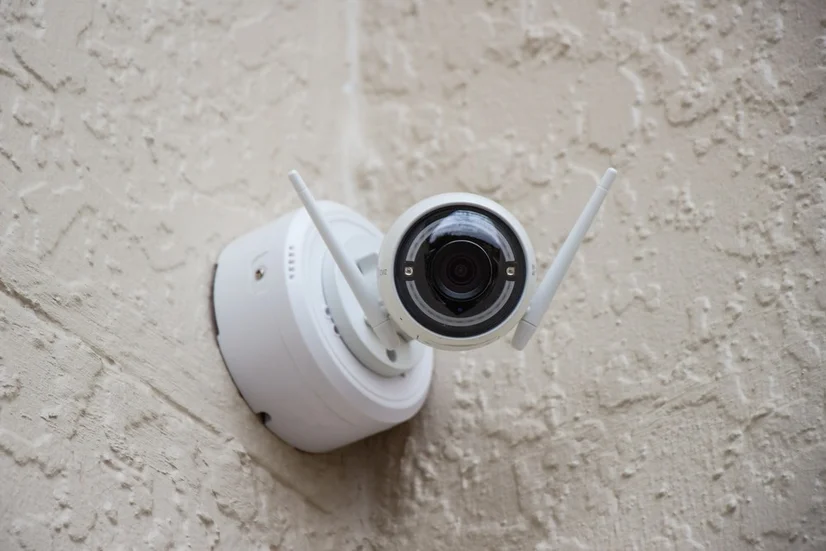
How do surveillance systems work?
A surveillance system is a network of connected electronic devices that work in synergy to protect your home, shop, workplace, or any area against potential intruders. They can secure and monitor entry points, as well as larger, less specific spaces, and often have alarms which sound when someone tresspasses on your property.
A typical surveillance system can include any of the following:
- A control panel
- Motion sensors
- Wired or wireless security cameras
- A siren or alarm, or feature which sends alerts to your personal device
- A two-way speaker (also commonly found in door security products)
- A sign indicating that a surveillance system is in use
What is the difference between DVR and NVR?
When you’re shopping around for some surveillance systems, you’ll have to choose between a Digital Video Recorder (DVR) and a Network Video Recorder (NVR). So what exactly do these terms mean?
DVR systems take video directly from cameras through a cable and then process it for recording. They use analog security cameras (also known as CCTV cameras).
NVR systems encode and process video data at the surveillance camera, and then transmit it to the NVR recorder to be stored and viewed remotely.
DVR system
NVR system
Factors to consider when buying a surveillance system
Special features
Overlooking the features of a surveillance system is a sure way to have you ending up in a refund queue, so consider whether its features are necessary and fit for your home and your needs.
- Motion detection: Motion detectors are used differently in different systems. Some only record video when movement is detected, saving on storage space, while others notify you when something has happened so that your eyes don’t need to be glued to your surveillance monitor (and some do both).
- Live viewing: Live viewing lets you see your home through your security camera system in real-time. There are also house cameras that connect to your phone, letting you see what’s going on at home when you’re out and about.
- Cloud storage: Some wireless surveillance systems offer cloud storage, meaning video data is stored online, but make sure you check if you have to pay a subscription fee to access this feature. If it doesn’t have cloud storage, consider whether other storage options are available, such as memory card, PC, or smartphone storage.
- Night vision: Considering people are most anxious about safety at night, a surveillance system with night vision can be particularly useful for seeing clear images in low light or complete darkness.
- Siren-linked: Some surveillance systems have integrated sirens that generate a loud, piercing sound when there are intruders in and around your home or shop. Ensure your alarms are correctly installed to be at the right level of sensitivity so that only unusual activity can trigger it.
- Two-way audio: Two-way audio lets you hear the audio coming from where a camera is located and talk to anyone that’s there, letting you either confront an intruder or converse with a visitor.
Connectivity and reliability
The reliability of your connectivity often boils down to what type of surveillance system you choose. You may have more connectivity issues with wireless solutions, but that doesn’t mean that wired systems are always guaranteed to work. Here are the differences between the two.
Wired surveillance systems are wired to both a power source and your internet connection.
Wireless systems also need to be connected to a power source, but you’ll need WiFi for wireless security cameras, as the footage is transferred wirelessly from the camera to the recorder. You can also find wire-free systems that are battery powered and connect wirelessly to the internet.
Wired surveillance systems
Wireless surveillance systems
Resolution
Video quality is an important consideration to have when shopping for a surveillance system, as often the point of one is to be able to see a situation clearly. Here are the different resolutions found in security systems.
- Standard definition (480p) footage is the lowest resolution you can find. While there’s very little chance of it putting strain on your home network, images may not be clear enough to be certain about what’s going on.
- High definition (720p) video is clear enough for most surveillance system uses, and is a good starting point for people.
- Full HD (1080p) surveillance systems capture images in excellent detail. While this feature can be handy, it’s not necessary for all purposes and can also overwork your home network, potentially affecting things like your internet connection and speed.
Build quality
One important aspect of how your surveillance system is designed is whether or not it can withstand the elements and general wear and tear. This is considerably more important for outdoor security cameras and systems than for house cameras in indoor spaces, as they’re more likely to be tampered with and they need to work in rain, hail or shine. Look out for certain features that protect your system, such as housing encasing a surveillance camera that makes it harder to remove or damage.
You should still look for good quality design for indoor home security camera systems, however you can expect them to be more lightweight, standing rather than mounted, and use less durable materials.
Ease of installation
Installing security cameras and home security systems is becoming easier as technology advances and manufacturers are more and more conscious of making installations as stress-free as possible.
While wireless security camera systems are usually easy to install yourself, wired surveillance cameras and systems are often more complex to install, particularly when they involve components like alarms, sensors and control panels. A professional may need to be called (unless you’re handy with household DIY) - if this is the case, sometimes manufacturers can recommend a reliable installation company.
Ease of use
When considering how easy home surveillance cameras or systems are to use, consider how the footage can be accessed. Many security cameras let you easily download footage from your camera and recorder to your PC or personal device. Bonus points are given if you can connect multiple personal devices to the same camera, so that everyone in your household can see what’s going on.
An often overlooked aspect of security systems is the user interface (UI) of the control panel or the connected mobile app. If you have a chance to try these out before buying a system - do it. Different people have different preferences when it comes to UI, so you need to see for yourself whether you can easily view, archive, and download footage.
Memory size
Memory size on a surveillance system usually ranges from around 50 GB to over 500 GB. However just because you can get one with over 500 GB of storage, it doesn’t mean that you should. If you only have a specific or small area you want to monitor, your home security camera system may not need a huge amount of memory space.
Price
Surveillance systems on the market range in price from around $70 for a cheap security camera to over $600 for multiple cameras or a high quality system. Generally, the more features you want, the more you should expect to pay.
Wrapping up
There isn’t one surveillance system that will suit every household or workplace. Some people prefer more traditional models that get the job done, while others depend on having the latest features to make them feel more secure. Thinking about exactly what you want and need from a surveillance system is a good place to start, and will put you well on your way to improving the safety of your home and your loved ones.
Hi Michael, To better assist you with the product, please… Read more