Epson


- See all


Hi All please don't waste your money..one year works well then suddenly after years on the app comes new firmware update then printer start giving… Read more
problems means stop working got ripped of 3 times but this time had enough that's why leaving this bad experience and review almost 4 years using eco tank yes cheaper in the ink but expensive to buy specially normal or house use don't buy ...

- See all


I bought this printer from Officeworks because of the advertised ink tank feature, which is the only reason I’m giving it one star. The printer feels… Read more
cheaply made, and it broke just before the warranty expired. After an endless back-and-forth with the Epson repair team, it was finally fixed. However, it broke again soon after, this time due to one of the poorly made internal plastic components, and now it’s out of warranty. Given the price I paid for this unit, I find it highly disappointing. We haven't even used half of the initial tank capacity, and this printer is to go to the bin. I wish I had spent about $100 extra to purchase a more robust printer from another brand.

It would be easier and quicker to try and make a 1920 typewriter print from your PC that getting one of these pieces of trash to work. Hand down one… Read more
of the worst product ever made in the world. Avoid this product - do not buy. Write your letters by hand, it would be better than trying to deal with this printer.

- See all


EXTRA COSTS, Upon purchasing the Epson printer I tried everything to get it to connect to the wifi I even asked my tech savvy son to try with no… Read more
luck, it was a struggle to even get it to load on to my printer and to default if as my preference
I spent many hours reading and downloading to get the printer to connect, In the end I had to call a technician
As soon as the technician seen it she said this is a well-known fault with this model of Epson printers' She said she couldn't guarantee that she would be able to get it connected but would try
Thankfully she was successful and suggested I buy a cable incase I had problems down the track, as the printer does not come with a cable
I was also told that because the ink jets are liquid if you don't use the printer often, they dry up I have not had that problem as yet, and it does print well
Because of the extra $200 for a house visit by a technician, the cost of buying a cable and the trouble setting it up, even trying to get it set as a default was not easy, I would not recommend anyone to purchase this product

Dissapointing – Does not print true to colour. Goldish colour comes out pinkish and photos also left slight pink in it. Yes. My screen is calibrated for true… Read more
colours. Screen on the unit is way too small to read. Wifi process is awkward. Print ink saving is good with big tank refill. The software is annoying with ink balance check asking you to buy new ink even though i still have plenty.

Lasted about a week before I put a hammer through it (it was more satisfying than trying to return it), This printer requires 6 different pieces of… Read more
software to operate. The final stand was when I scanned a document, then when I tried to print it said "printer not connected", alot of trouble shooting later and reinstalling everything from scratch I printed the test page... perfect, worked great.... then I tried to print a document and got the "printer not connected" error again and the printer was no longer detectable from it's own software to print (but as before I could still scan from it).... the hardware is probably fine, the software is something dreamt up in the underworld to aggrivate people.

Printer worked perfectly until I had to change ink. Wouldn't recognise the new genuine Epson cartridges. Took hours to sort it out. Finally got them… Read more
recognised, but it wouldn't print black. Bought a new black cartridge, but continued to say black ink was empty. Wouldn't recommend this printer.

- See all


DONT BUY. Absolutely the worst printer I ever brought. I brought it for home use. The first one was a dud and I exchanged it. The second one was… Read more
rubbish. Paper jams continually despite using dry very good quality paper. The rollers that feed the paper are tiny and I have to have then replaced twice under warranty and once I had to pay. The ink system was super cheap so I brought a second one so that one can be being fixed and the other in use. That worked OK for a while. Now both need fixing. They are both less than a year old. Even the plastic casing is thin and cheap. They are just cheaply made and nasty.

The Epson WF-4835 could be a great printer given it has the facilities needed for almost every printing, scanning or copying need, however the… Read more
software is painfully slow and paper jams are frequent.
Sadly, the WF-4835 does not have an auto-on feature whereby it would detect an incoming job and start the system to execute same. The WF-4835 does have an auto off feature which is offered as a power saving measure. Given the WF-4835 uses "Approx. 20W Standalone copying (ISO/IEC 24712)" and "Approx 1.2W (Sleep Mode)" you could leave it turned on all the time as the display screen does turn off after a time.
The WF-4835 is not the kind of printer you have when you only turn it on when you're in a hurry, and use it wirelessly, because the software is very slow in connecting to a wireless network. This has become a pain in the rear end as I rarely use the printer, but when I do, it takes too long to connect to a network, or doesn't connect at all. Don't get me wrong, it does connect most of the time, but it takes a couple of minutes.
Paper jams are frequent for me as I often scan mail, such as bills, which have been folded up in an envelope. The printer pulls the paper down, and the folds seem to have enough traction on each other (even after folding it in the opposite direction) to pull through multiple pages at a time.
One last niggle is that you can scan in colour, greyscale, or black and white from the computer interface, but only in colour or black and white from the printers screen. Greyscale is far better and avoiding the harsh patching looking text often as a result of a black and white only scan.
The good: The Epson WF-4835 has plenty of storage for paper, is wireless, offers double sided printing, double sided copying (not in a single pass!), double sided scanning (not in a single pass), and you can print from your phone or computer. You can even print something over the internet if the machine is turned on via the Epson app.
If I was able to create a printer from scratch, it would have all of the above features that the WF-4835 offers, plus single pass double sided copying and scanning, fast software, better anti-jam capabilities, WPA3 security, WiFi AC at minimum, and drawers or covers to prevent dust accumulation.

- See all


I'm an illustrator as a profession and the only reason I buy Epson (I have a workforce WF 7845) is due to the scanner actually being very good for… Read more
colour grading and resolution output. I've give them that -- their scanner is good. That is THE ONLY GOOD THING
Here's the bad:
- New printer was exactly the same printer as the last series just with a new badge stuck on. Seriously. Was confirmed by the Retravision guys...there was NO update in the printer at all and this is borderline straight up scam stuff. -Trying to print and resize images is an absolute NIGHTMARE and software updates just make trying to get a process happening impossible -Endless internet dropouts and the wifi router internally is insanely weak and poor -Epson forces you to download a million apps to make it run properly -- all of which record your data and sell it AND CHUG your machine. -The printer uses so much effing ink it's insane and their inks are a fortune. Go get them from Cartidge World they are darlings -Support is horrendous -Manufacturing of the hardware is insanely bad -- I've had two scanner lid replacements and a print runner replaces before they just gave me a new machine which was just as bad -They are totally unaccountable for their products here. -Only problem is Brother is WORSE though I'm not sure how this is possible. -I feel really sorry for families or old people that need to use this sh@%#ite as it must seem insane that their 90s printer worked better

Constantly have problems with it, is is a poor quality build piece of rubbish

0 start will be better – after one year, it start to have internet connectivity issue, have to reset the connection every time to be able to use it. now, the black ink filler is not working, so I can not fill the ink ... useless

If you buy this printer you will be taking a step back in time. It does not work with Apple print, so no use of any of the direct prints from any app… Read more
beside the Epson print application on your iPhone or IPad Back to the eighties where vendors did not talk. To make maters worse the Epson print application is slow and clunky

Best printer and scanner that I have ever owned over the last 10 years and it's still going when other fail outside of warranty

Epson EcoTank ET-4750
Use to love Epson. Had a dot printer years ago. This one worked great when we first bought it but after that it was one big fail. We only print every… Read more
now and then. When we went to use it months later the heads were blocked. After troubleshooting online it said it was a common problem and the ink tank printers needed to be used constantly to avoid blockages. I ran it through a couple of cleans but no improvement. It recommended as a last resort to run it through a deep clean. The deep clean uses a lot of ink. The ink bottles may last a long time but they are very expensive to replace when the time comes.

Epson ET-2850. The worst printer I have had. I usually go for Canon but our Computer Surgeon only sold Epson. The main reason for buying was due to… Read more
the cost of Cartridges with Canon and the Epson Fill tanks appeared to be the best and cheaper option. Well, no. I use the printer several times a month. Sometimes weekly, sometimes not. Every 3-4 times possibly I get lines down the pages. I do all the maintenance necessary and over time it still happens. I go through so much INK in cleaning. I have refilled the tanks and it is still happening and leaving blotches on the top corners of the page. I know this printer is not stated for producing nice photographs but it barely does anything I want without an issue. Better off buying $100s worth of cartridges for the Canon

Worst printer I have ever used. Wont connect to Wifi, wont print, cant be fixed.

This is not a printer for the faint‑hearted. Had I known how much work it would take to get it running, I would never have chosen it. If you’re… Read more
considering an EcoTank, I strongly recommend looking at this alternative instead:
Epson EcoTank ET‑8500
https://www.binglee.com.au/products/epson-ecotank-photo-multifunctional-printer-et8500?ref=Se8qhf
Why the ET‑8500 is the better choice:
The biggest reason is simple: it has a large, usable screen. The screen on the Epson printer I bought not only had a tiny screen, but it also put me through the delicate, difficult and time-consuming method of using the hard buttons to navigate, delete and enter each and every character, for example, the long and complicated password set by my Internet service provider. Ideally, Epson would make the printer connectable to keyboard, wirelessly, so that entering characters can be a quick and easy.
The ET‑3950’s tiny display was half the battle. Entering a long, complex Wi‑Fi password using a microscopic on‑screen keyboard is a nightmare. One wrong tap and you start over. I made mistakes twice — and that was just the password.
Even after finally entering the correct password, the printer claimed “excellent connection”… yet it still wasn’t actually connected to Wi‑Fi.
The setup ordeal:
What followed was hours of research, digging through menus, and reading contradictory instructions — all while trying to meet a deadline.
The real culprit turned out to be the driver, and Epson’s driver download page is a mess. To make things worse, many online instructions no longer match Apple’s current macOS interface, so nothing looks the way the guides say it should.
In the end, I did get it working — but it took two full days, and having to use the library's printing service (hugely expensive for colour) to meet at least part of a negotiated deadline. This is exactly the kind of expense I was trying to avoid in buying a new printer.
My advice:
If you absolutely must buy an Epson EcoTank, choose one with a large interface screen. It will save you hours of frustration.
And be prepared: you’ll need at least a basic understanding of networking. I’m lucky I remembered my IT networking knowledge from 25 years ago — and even then, I struggled.
The one bright part of the set up process is the ease of filling the tanks with ink -- the alternative I've suggested, the Epson EcoTank ET‑8500 appears to have the same mechanism. Please remember: do NOT squeeze the bottle. Following the instructions, which includes merely tipping each ink bottle upside down to slot it into the grooves at the entrance of each ink tank enables a clean, spill free task.
The only other warning I offer is please be careful not to pour the incorrect coloured ink into an ink tank. (This probably goes for both the models I’ve mentioned above.) This is a necessary warning because the sequence (from left to right) of the different ink tank colours is illustrated differently on the outside of the printer from the correct order which you see when you open the ink-reloading unit.
Good luck, everyone. You’ll need it.

Good printer, economical printing. I really like the InkTank bottles, and they are easy and mess free. Had the printer for over 1 year without any… Read more
problems. My only issue is the awkward access to the output tray for finished printing. It is tricky to remove your printing unless you can access it from the rear. We bought this printer for the document feeder and duplex printing. Only does single sided scanning though.The ink for all Pro series InkTank printers is pigment ink, so it doesn't fade or run like dye inks do. We had a Brother before, and had to discard it when the non user replaceable waste ink pad filled up. The Epson has a replaceable waste ink tank that only costs about $15. The ink is really good value as well. Really happy with this printer and would recommend for home office.

The rubbish bin is the best place for this printer – Absolute garbage printer. Never connected properly, printed test pages that used half the ink cartridges. Dont buy. Three it in the bin after a year of frustration.

Absolute rubbish purchased it year ago for $480 and now started to play it disconnects from wi fi and won't communicate with PC and I have to go through reset procedure every single time don't buy this junk.

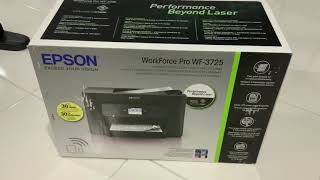
- See all


Glitchy, needs head cleaning all the time all round rubbish – I'll never buy another Epson. This one uses expensive cartridges and I get very little in return. After printing perhaps 20 pages of strictly black… Read more
and white printing it tells me that it's out of ink and won't print any more. This printer has used a lot of cartridges in the time I've had it (cartridges, as opposed to ink) and don't very little printing. It would be far far far cheaper to just go to the library in town and do my printing than persist this with this rubbish.

Crap ink wasting ripp off – Used all colour ink . With just printing black and white it's a ripp off ink wasting machine

Save your money and don’t lose over $800 ($499 printer + $340 black and colour ink cartridges) for this printer like I did. I don’t print much as… Read more
most things I do are online. I only had it for over 1 year and it stopped printing. I have used this printer for less than 20 times throughout this period and now I cannot use it. Called up their technical support. They could not help as it has passed the 1 year warranty and I would have to pay a technician to look at it. I told them I haven’t used it much, why is it happening so soon? Their answer: “you didn’t take care of it with regular maintenance”. I told them, why do I have to give it regular maintenance when it only been 1 year, my old printer lasted for 12 years with no maintenance. Said they could not help me with the printer nor the new ink cartridge I bought. Save your money and stay away from Epson printers. Their ink cartridge are expensive and their printers are unreliable with mechanical issues. Don’t lose your money like I did with their poor products.
- See all


THREE examples of the same pice of rubbish - I'm thousands of dollars out of pocket – This is the THIRD replacement under warranty of this dreadful piece of rubbish. Whilst the machine is new, you have, of course, spent a small… Read more
fortune in wasted ink cartridges which is NOT reimbursed. You could devote several hundred hours of your life recovering the ink cost, but who has enough of their life left for this? It simply will not print high gloss 5x7 prints when programmed to do so. It's already been returned once for this to be rectified. The problem seems obvious. The paper pick-up process is just not consistent. years ago I had an Epson R800 - a high end pigment ink printer. That too was subject to inexplicable fails - even with Epson's own, incredibly expensive papers. I'm cutting my losses. NEVER will the name Epson appear on any device in my set-up. Even if the Pope makes it a saint, it will not enter my house. I'm not alone. Chat groups discover the same problems, months after the original gushing announcements of how wonderful these things are. WHY do we have to wait for so long before discovering whether an item is good or bad?

- See all


I’ve change the ink cartridges twice and it’s skipping lines like every print. Easy to use but print quality is rubbish. Ink cartridges don’t last… Read more
long and the overall experience is bad. I’m going to throw this out and get a much more reliable printer.

Ugh, I've had my Epson ET8550 for just over two months, and I still can't print a single photo without it messing up! It either jams and chews up the… Read more
paper, or gives me an error message saying there's a paper jam! Epson said I needed to send it in for service, Cartridge World the service agent. Two weeks later, after they ordered and installed new parts, I picked it up. I got home, set it up, and was excited to print some photos, but guess what? The exact same problem! It chewed up the paper and gave me the same error messages!
I'm so over this! Part of me wants to return it to Harvey Norman and tell them to keep it, and just buy a different brand, and lose my $1,000 investment. But that'll only hurt me, and Epson won't care. I definitely don't recommend this printer, and after researching it, I know it has a known issue that lots of other people have had. I'm going to contact Fair Trading, and I suggest you do the same.

About to throw it out. A piece of rubbish. I print only in black and white, but it uses all the colour cartridges up?! and Wi-Fi connection is always… Read more
dropping out, even though the router is right next to it! I have to reconnect with every print job! even if they are seconds apart. DO NOT BUY... Very frustrating.

Bad! Very bad! This has ruined my trust of Epson – I brought this as a replacement for my Epson WF7520. I got it for $120 as a ex-demo model. It an awful deal, even at this price. Really bad. My… Read more
advice is stay away. I will explain why below. I went with an Epson because I have brought many printers from them before and always kind of liked them. I will never make that mistake again with them and read the product reviews first. This has ruined my trust in Epson.
I am not sure I am going to keep this printer. If I do it is going to annoy me every day by being so much worse than my old one. It just feels like they forgot everything they knew about the dos and don'ts of designing printers and started again from scratch.
Good things. -------------- - None! I hate this printer/scanner. Everything about it is worse, harder, more awkward than my Epson WF7520
Big Honking Problems ------------------------- - Everything about the look and design of this printer feels cheaper and tackier than the Epson WF7520 - I am an IT professional and I am struggling to set this thing up. After an hour, I can print and copy but I can't get the scanner to work! - I can't get this to scan to a network folder. It has 2 options SAMBA and FTP. Neither seem to work. - It doesn't have internal storage or any way to save scans locally. The WF7520 has an SD card slot. - It is trying to use HTTPS. I don't want to set up site certificates for this thing! Will not work in admin mode without HTTPS. It is on a local network! - The A3 tray sticks WAY out there and if you even knock it slightly too far in the paper folds up and jams. (There is nothing to stop it being pushed in too far!) - The ink costs more than the Brother printer I was looking at but does less than half the pages. - Tiny touch screen display - No physical buttons for copy, scan, etc - Print quality is mediocre at best. - Colour is lifeless - Page centring is off. It doesn't seem to detect the edge of the page. Margins are very noticeably lop sided. - Wifi only connects to the 2GHz network - in this day and age that is a bit rubbish. - There is no way just to hit scan and go. You have to go through a bunch of steps. - The power cord and network cable stick directly out the back so this thing can't be mounted flush to the wall. Again this was all tucked away on the WF7520.

Worst printer I have ever owned – Worst printer I have ever owned. I have to clean the heads multiple times just to print a clear page. This seems to be a known issue ... don't buy one.