TP-Link

- See all


Not easy to set up at all. App kept saying ethernet cable not detected (only one cable to plug from unit to router so should be simple) does not… Read more
extend the wifi at all. While the app says system is perfect house still had all the same deadspots it had without. Speeds are non existent as advertised. No instructions how to set up. Use the app only and all it says its "no ethernet cable found, reconnect" sonos speakers wont work anymore. Will be returning to bunnings for refund

For the price these little cameras are hard to beat. The picture is clear, it has alot of features within the app in line with the more expensive… Read more
brands. It tracks people and animals without an issue. I now have multiple of these around my house. I only ever had an issue with one not connecting to bluetooth, but I bought it back to JB Hifi and it was replaced without question. Hard to beat for the price.
I am yet to experience what their customer service is like so unsure there, and unsure how long they will last, but at this price point I would be happy if I get 2 years out of it.

- See all


I did have problems initially with older devices and printers (we have 2) in the end I created a 5mhz and a 2mhz network. This solved all the… Read more
problems, the printers connected to the 2mhz network and older devices while the new devices run on 160mhz wide channel that I was able to set away from all the neighbours (and we have about 20 competing networks) so we now have lightning fast wifi 6 running as fast as it can I believe.

Absolute junk. Constantly has to be power cycled. Obviously has a memory issue and can't handle many devices. Unfortunately if you were supplied it by your ISP like mine chances are you will get no support.

TP-Link AC1200 Archer VR400
Very helpful technical support team. TINECIA Nong. She helped me out with the internet connection to my modem.

- See all


Very helpful Tricia was very patiently and she even called me back when we got cut off. Excellent servic

Charlotte Zheng was a really good at responding understanding,and resolving my problem with my internet router

TP-Link AC2100 Archer VR2100
Overall the product works well, though I have had intermittent connection issues. However, after trying all the troubleshooting I could on my own,… Read more
after 20 mins with Lauren over the phone everything worked perfectly and I've had no issues since. Lauren was patient and effective even through difficulties on my end.

I bought the TP-Link RE200 range extender having been assured that I would be able to use my home router's name to eliminate the need to re-program… Read more
all my devices. I was dismayed that I was presented with a broken software loop. During the initial browser-based setup, the interface asks you to create a local administrator password. However, upon subsequent login attempts, the web page suddenly demands both a username and a password. Because the setup facility provides absolutely no ability or option to choose or configure a username, you are immediately locked out of your own device. The vendor's unofficial workaround for this firmware bug is to download their mobile app. It is entirely unacceptable for a manufacturer to sell network hardware that presumes every consumer owns a smartphone, or wants to install third-party apps just to access basic local settings. If you do not intend to manage your network exclusively via a mobile device, avoid this product. The web code is poorly engineered and not fit for purpose. I will be returning mine for a refund.

- See all


I bought one of these for home use. My Lefant robot vacuum would not connect to it so I had to set up an old ASUS router as a Wireless Access Point.… Read more
That worked. However I have experience frequent drop outs with the DECO and have to switch between networks to try to get internet. Rebooting takes a solid 6 minutes or more. I've given up on it and bought a pure ASUS router, no modem. Thought I'd set the Deco up as a Bridge. Can't be done. You can't modify any settings from a computer connection. There is no Bridge mode available in the app and no work around on the Deco. It's pathetic. It has frustrated me so much I'll never buy another TP-Link device. Who makes such garbage that you can't do basic things with? For supposed premium product that isn't cheap it's a 100% fail from me.

Wasted so much time trying to get this router and using the tether app ( tether couldn’t find the router , kept saying couldn’t connect) tried… Read more
logging in - no way . Tried reporting via email , didn’t know the version number and wouldn’t let me proceed without it , the QR code just kept going to tether app and couldn’t find it . Did hard reset - still didn’t work . Desperation rang the help number , I had tried telling someone that I had tried everything , eventually saying I was going to take it back for a refund , found her dialogue very difficult to understand ( she was always polite ) In desperation i paired it with the nbn modem and somehow it is a copy of the wifi so it’s in the remote workshop and fed by a long data cable , yet to find time to put in cameras yet

I was recommend by a friend to purchase this Router due to the speed, price and ease of connectivity, however it wasn’t connecting to the internet… Read more
and after following the various steps to resolve, I was unsuccessful. My ISP couldn’t fix. I then contacted TP-link and had the pleasure of speaking with Mirei who was very professional resolving the issues quickly and patiently. No more buffering and a clearer picture from my NBN FTTH Ultra Fast Broadband Model is Archer AX53
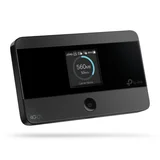
$120 piece of junk – What a piece of $120 junk, sim card is held in with sticky tape. Put it in 5 times and it said no sim card each time put it back in my phone 100% signal threw the heap of junk into the bin

TP-Link AC1600 Archer VR600 / VR600v
Carlie H, went above and beyond to help me resolve my internet issue. I would highly recommend reaching out to get their help with any issues. She was polite and respectful considering I’m not fluid with anything to do with the router. Thank you

TP-Link TL-WA850RE
Biggest piece of junk ever made – Terrible experience trying to set it up. I just ended up throwing it away . Biggest piece of junk ever made. It worked for a while, then stopped working , then would connect , then not connect etc. JUNK .

We're genuinely sorry to hear about your experience. You… Read more

Complete kit for connecting 1 device over power to a router. Extremely simple to set up. Comes with 2 x 2 metre network cables (one for adaptor to… Read more
router, 1 for adaptor to device). Each adaptor has 2 ports so potentially can connect router + device at one end and 2 devices at the other, so one port on the router connects up to 3 devices. Pairing to encrypt traffic is very simple - just press a button on each adaptor.
The only downside is that the adaptors are quite wide, so adjacent sockets on standard double power points and power boards can't be used. A simple left/right adaptor will fix that. They also stand out from the socket, but no more than a typical power adaptor.

"Easy to use" These are great if you want to be able to turn things on and off remotely. You can also set up a schedule to turn on and off… Read more
automatically. Get the 4-pack as you will use them up a lot faster than you think!
The TAPO app is a lot easier to use than the one Arlec uses (Grid Connect). The Arlec app feels like it's designed by a control systems engineer, whereas the Tapo app just does the obvious simple things that normal people need to do, like set times when the power turns on and off. You can also set it to turn on and off randomly but I haven't tried that feature. Now that I've used the TAPO power points I'll be getting some Tapo light bulbs and tossing the Arlec ones.
These are small so honestly I wouldn't want to be switching on and off things that use a lot of power or have a motor. For lamps and stuff like that - perfect.

TP-Link AC1750 RE450
Having tried other brands that failed to work i purchased this & was not disappointed. My son now has full strength internet in his room. The only… Read more
negative feedback would be the instructions, easy as they are to follow & easy to complete there was some confusion as to why it didn't initially work on my son's phone in his room, on the instruction sheet there are 3 steps to set it all up however after the third step there was still low signal in my son's bedroom, it wasn't until i reread the instruction sheet that i noticed way down at the bottom of the sheet that it says to connect to your regular home wifi with the "EXT" next to it, this should have been step 4.

- See all


Whilst the operator assisted well with my query, I recommend Jazlyn to work on her speaking and listening technique.
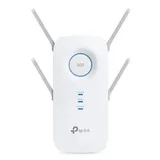
Wouldn't even give it 1 star would be 0 if possible. Sort of worked first use but since then just doesn't work. Barely 8m from router and while shows… Read more
on external TV bought for keeps showing no actual internet. Biggest waste of money ever. Little to no support. Absolute rubbish and going in the bin.

I’ve had the Tapo C660 KIT up and running for about a week now, and overall it’s proving to be a very capable security camera setup. As someone… Read more
completely new to security cameras, these comments are very much my first-time user impressions. Installation was straightforward, with all the necessary fixings included. I chose to position the camera separately from the solar panel to get better sun exposure, and that decision has paid off, the solar panel consistently keeps the battery close to 100% each day, which is genuinely impressive. Image clarity is solid and perfectly usable, though not exceptional. In low light, there can be some ghosting when capturing moving subjects, but it’s still clear enough for general security purposes. The pan and tilt functionality is a real highlight, allowing you to set up to eight preset viewing positions for quick access to your preferred angles. Motion-triggered recordings work well, and the AI-assisted pinch-to-zoom performs competently, particularly within about five metres of the camera. The auto-tracking feature does a reasonable job of following movement, though it’s not flawless. Playback is simple to operate, but this is one area where I feel improvements could be made. It can be tricky, and slow, to shuttle to an exact moment in a recording and pause precisely where you want to look for a closer inspection of what is going on. Night performance is strong. The infrared mode effectively turns night into day, delivering very good image quality. There’s also a spotlight feature on the camera that enhances nighttime footage further and produces clearer results. The Tapo app is very good and intuitive to use, in fact it is worth its own review. Overall, there’s a lot to like about this camera system. It offers a great set of features and reliable performance, and I am considering expanding my setup with the hub and additional cameras. While it’s not perfect, it delivers well on its promises and meets my needs with only minor areas for refinement. The photos that support this review have been resized, smaller, which may have also reduced the actual resolution you see.

poor reception on sim card – Purchased to use with sim card for home wifi. Works well but if signal is a tiny bit weak it wont connect. Anything below 4 bars on my mobile phone this thing wont work. same net work. Dismantled it, photo of the pathetic receiver antena

Best value for money camera. I purchased one of these in late 2024 for the sole reason of placing it in the newborn's nursery. I liked it so much I… Read more
purchased another identical camera one year later for the main bedroom to keep an eye on baby who co-sleeps with me but goes to bed many hours before I do. Included in the box is the power supply and a bracket attachment. I use the bracket in the nursery mounting the camera upside down. In the main bed, it just sits in normal upright position on the bed post of the solid timber bed. Built quality is solid. Firstly, setting up the camera through its Android app is super easy. It connected to my home wi-fi very easily. Once putting the camera in position, it is easy to fine tune its position by tilting and panning via the app. The camera can be mirrored for upside down mounting. I do not use a memory card in the card slot. I set the cameras up in my home security camera system NVR to record on the main hard drive along with all the other cameras mounted around the house. ONVIF protocol in these Tapo cameras allow you to connect to any compatible systems - most open source systems these days are up to date with all these protocols. I can view the cameras on the Tapo app or use my whole house camera monitoring app to view all the cameras. The Tapo app offers more settings adjustment and personalisation. There are no ads in the app like cheaper similar cameras that I have set up for other people. The camera quality is very good. Whether bright light or in infra-red low light mode, the picture is detailed and well balanced with the HDR processing. The QHD resolution is plenty enough for these room cameras but I use 4k fixed cameras outside. There are alerts that pop up on my phone if the camera detects sound or movement so when baby cries or stands up in her cot, I get notified. Updating firmware when required goes very smoothly. I really like these cameras and would think the whole Tapo range would be great also, although I haven't tried any of the other cameras from the range.

Have had the VR2800 for only a few years now. In summation, it’s good until it isn’t. The isn’t is the onset of regular internet dropouts that get… Read more
progressively more frequent. The white lights on the modem would indicate that it’s all okay but it’s not and the dropouts just become a daily occurrence. The lesson here is - purchase a new modem/router that is not TP-Link.

Feedback and Review: TP-Link Deco BE65 (BE11000) with TPG ISP I purchased the TP-Link Deco BE65 (BE11000) Mesh Router system in October 2025.… Read more
Unfortunately, my ISP is TPG, and the Deco units would not connect directly to the internet through the NBN box. This issue is not new—users have reported the same problem as far back as mid-2024 and January 2025. Given this history, it is disappointing that technical support from both TPG and TP-Link could not provide a working solution immediately, and even more concerning that TP-Link claimed I was the only person to report this problem. This is demonstrably untrue, as multiple forums document the issue.
Positive Experience
TP-Link Support: High marks for their patience and willingness to spend hours troubleshooting with me. Their commitment was evident.
Negative Experience
TP-Link Support Knowledge Gap: Despite their effort, TP-Link did not have the correct solution ready. The fix ultimately came from user forums, not official support.
TPG Support: Low marks. Their priority seemed to be closing the ticket rather than resolving the problem.
Solution Found (via user forums)
TPG Settings: ISP connection type = PPPoE, VLAN ID = 2. The Deco firmware shipped without proper PPPoE support for TPG.
Temporary Fix: Connect Deco to the old ISP-provided router and set Internet Connection Type to Dynamic. This allows the Deco to access the internet. Firmware Update: Upgrade to the latest firmware (mine: 1.2.0 Build 20250718). (This can be done via the DECO App).
This update restores PPPoE compatibility for TPG. Final Setup: Connect Deco directly to the NBN box, set Internet Connection Type to PPPoE, and configure VLAN for TPG.
Summary
TP-Link earns credit for their time and effort, but their knowledge base needs updating to reflect known issues.
TPG support was unhelpful and focused on ticket closure rather than problem-solving. The persistence of this issue, despite being widely reported for over a year, is unacceptable.

TP-Link AC1300 Deco M5
Flaws but when it works its great – Easy setup using the app. However a few warnings not mentioned anywhere. 1 Ensure devices are approx 5 yards / metres max apart. Dont stretch it!… Read more
Overlap for mesh coverage. 2 Avoid placing anywhere obstructed esp electronic devices of any kind. Heavy walls etc. 3. Use CAT 6 cable not less from nbn to moden wan port and from modem out to deco unit main device. Most nbn connections wont have cat 6 cables. Gobto computer store or online. Cheap. 4. Turn off wifi on modem (may need to connect with laptop using ip and admin login) and use deco only for all wifi to avoid conflicts. Deco is easier to manage anyway. 5.Wall mount near power clear of obstructions. 6. Dont turn off leds or fault diagnosis is impossible. 7. Check app speed test. It has a bug. You must set wifi speeds for isp plan in app to get results. Now here is issue. If actual speed is greater than test speed no result occurs. Set speed must exceed actual...My plan 100mbps returned speed of 270 and i had to find this by setting 300 initially.
Our two level house has four devices. Three left a gap and the app was unstable.
If device drops to red reposition near another to diagnose any fault. I returned one that would flash red colour constantly.. Common according to support posts !!!
Cost is approx avg $70 each. Note you can also connect laptop etc using ethernet cable if puck positioned in convenient place eg near desk.. Two ports per puck.
Our home internet speed went from 25 avg to 270 dload. Very stable speed too with cat 6. We have fttp that came with a slow cat 5 cable...nuts. This change boosted above plan speed. apparently its nbns way to not giving full speed to all users. Free upgrade in speed? Crazy
Manufacturer suggestion. This unit is very difficult to wall mount. Flat use is awkward and contrary to leds which then cant be seen. The warmth means quality adhesive fails and the lugs on base mean adhesive is difficult to place to allow wall contact. Poor design really. . Suggest a simple lock mount like the ubiquity access point be used.

Slow speed down – Using as a wifi extender drops speed by more than 60%, my speed is 53mbps and drops to 12mbps
Sorry to hear of your Wifi issues. Our team is committed… Read more

I give every one of these cheap cams 0 they hide setting that cameras all ways used to have delet zoom rewind fast forward.. unless you keep paying… Read more
it's not just cloude storage you pay for but it's the camera settings too, remember the days you bought security cameras and they just did it all well now they scam you to keep paying for the use of the setting. This cam only records when it likes and will completey stop all together most nights and you watch the generic reply i get for this review trust me they are all as bad as each other they all make you subscribe now. If you can find an old school security system my advice is get it like i have they record non stop no subscription cr#p and ya can set up your own cloud storage.... these cams are junk all brands do the same cr#p now.....

Pros: Looks good, decent coverage, good speeds, good stability Cons: Any changes you make in the router of mesh inevitably results in you having to… Read more
rebuild the network from scratch and change network for all of the devices connected, terrible connection for gaming (eg. widely known for not connecting / dropping out in EA games).
This is a basic, cheap mesh system and that's about what you can expect.
Personally, I wouldn't buy again. I'd opt for a better mesh system.

- See all


Great Wi-Fi, however Parental Controls Can Be Bypassed (No MAC Whitelisting) I bought the TP-Link Deco X68 to keep my teenager’s internet use in… Read more
check with its parental control features. While the mesh Wi-Fi coverage and speeds are good, there is a critical flaw: my children can bypass the parental controls.
The Deco X68 lacks a “whitelist” or allow-list feature for devices. The parental controls identify a device by its MAC address (unique hardware ID). Modern phones/tablets can use randomized MAC addresses (a privacy setting enabled by default on newer iPhones & Androids). My son simply enabled this on his school computer. Each time he connects with a new random MAC, the Deco thinks it’s a new device – meaning no bedtime limits, no filters apply because it doesn’t recognize it. Essentially, a tech-savvy kid can dodge all restrictions just by toggling a setting.
I was frustrated to find this oversight. Competing routers or even cheaper TP-Link models have had MAC whitelist/approved device lists or at least better handling for this critical control. BTW we use Pinwheel on his phone which works a treat!
The Deco X68’s firmware (v1.2.5 at time of writing) doesn’t offer any “allow only known devices” option to prevent unknown devices from connecting. TP-Link’s support forums are full of parents like me complaining about this. The company has said a firmware update to add a whitelist mode is “planned”, but we’ve been waiting a long time with no update yet. In the meantime, the advertised parental controls are practically useless if your kids know this simple trick. I had to manually block each new “device” my son’s school computer appeared as, which is not a sustainable solution.
Also note: the more advanced parental controls (like time limits per app, detailed filters) require a paid HomeShield Pro subscription. I wouldn’t mind that if the basics worked. But paying extra for “advanced” controls is moot when the basic control can be nullified by a simple MAC change.
Pros: Excellent Wi-Fi coverage and performance (tri-band mesh covers my whole home). Easy setup and sleek app interface.
Cons: Parental controls have a major loophole – no device whitelist, so kids can bypass limits via random MAC addresses. Some expected features missing (can’t schedule Wi-Fi on/off times; some security/parental features locked behind subscription). TP-Link while acknowledging the issue are very slow to release firmware fixes and have acknowledged there is no know timeline for when the firmware will be updated.
Verdict: If you need robust parental controls, I cannot recommend the Deco X68 in its current state. It’s a great mesh system for Wi-Fi performance, but for family usage the lack of a whitelist feature is a deal-breaker. I’m disappointed that I have to consider alternate solutions as I can't wait indefinitely for TP-Link to update the firmware.
Buyers with kids, be aware: as of now, clever teens can get around the Deco X68’s parental rules with minimal effort. I wish the sore people who sold me the X68 had explained this to me rather than just sell me what they had on their shelves. Hence I am writing this review to try and make sure others don't make the same mistake as I did. This is a real issue for parents and kids alike and we need all the help we can get!
Hi Peter, We are sorry for the inconvenience caused,… Read more (+2 replies)